When Internal Reports Leak: How to Protect Business Data and Stop PDF Piracy
Last month, I discovered that a strategic market research report I shared with a client had been forwarded to one of our competitors. Not only did it cost us a major potential contract, but it also damaged trust with a client who expected confidentiality. If this can happen to my team, it can happen to any business distributing sensitive documents. Internal reports, proprietary analyses, and confidential business strategies are valuable assetsbut once they’re shared without control, the consequences are immediate and measurable: lost revenue, compromised client relationships, and potential intellectual property theft.
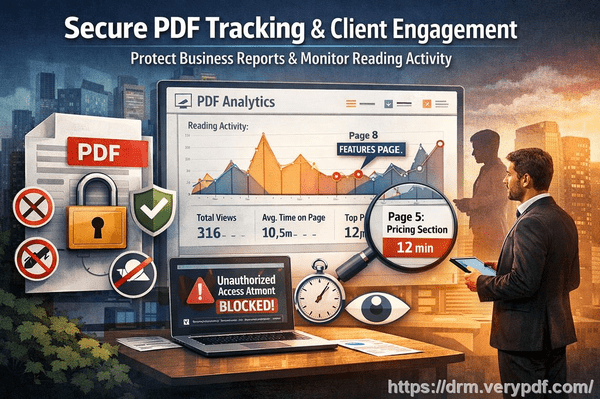
Many businesses underestimate the real risks of document leakage until it’s too late. Employees may download reports and unintentionallyor intentionallyshare them externally. Clients may forward PDFs to third parties. Hackers or competitors could even exploit unsecured files. The question isn’t whether leaks happen; it’s how much damage they can cause before you notice. That’s why protecting business reports and market research has become a critical operational priority.
One tool that has changed how I manage document security is VeryPDF DRM Protector. It allows you to control who sees your PDFs, how they can use them, and even tracks usage to prevent unauthorized distribution. But before I dive into the solution, it’s worth looking at the specific business pain points many organizations face.
Visible Business Risks from Unprotected PDFs
-
Market research or strategy documents shared externally
Imagine preparing an in-depth market analysis for a client. The report outlines trends, competitor insights, and actionable strategies. Now imagine that same report in the hands of a competitor. The immediate consequences include lost contracts, weakened client trust, and exposure of competitive advantages. Even a single forwarded PDF can lead to thousands, if not millions, in lost revenue.
-
Unauthorized copying, printing, or conversion
Traditional PDFs can be easily copied, printed, or converted to Word, Excel, or images. This might seem harmless, but the reality is that proprietary data, once converted, can be sold, repurposed, or shared with competitors. Revenue leakage and intellectual property theft are no longer abstract risksthey’re happening in real-time.
-
Loss of control over sensitive business content
Without restrictions, there’s no way to monitor who accesses your reports or how they are used. Once a PDF leaves your hands, you’ve lost control. Unauthorized sharing can expose your business to competitive risks, regulatory scrutiny, and operational disruptions.
How VeryPDF DRM Protector Solves Real Business Problems
VeryPDF DRM Protector isn’t just another PDF toolit’s a practical solution for businesses facing tangible risks. Here’s how it addresses the pain points above:
-
Restrict access to authorized users only You decide which employees, teams, or departments can open each PDF. This ensures sensitive business reports never leave the right hands.
-
Prevent copying, printing, forwarding, or DRM removal Even if a PDF is opened, users can’t replicate or distribute it elsewhere. Your confidential information stays confidential.
-
Protect proprietary materials in real operational contexts From market research reports to client-facing strategy documents, every file can be protected with customizable permissions.
Anti-piracy and revenue protection benefits:
-
Stops unauthorized users from bypassing PDF security, preventing potential revenue loss.
-
Prevents PDFs from being converted to editable formats like Word or Excel, which could be misused or sold.
-
Maintains complete control over distribution and access, reducing visible business risk.
Real Stories from Businesses Using DRM Protection
-
One marketing agency prevented a leaked client proposal from reaching competitors, saving a six-figure deal.
-
A consulting firm implemented DRM protection for strategy documents, allowing secure sharing with multiple stakeholders while retaining full control over printing and copying.
-
A research team stopped repeated unauthorized downloads of proprietary market analyses, reducing the risk of IP theft and saving thousands in potential losses.
Practical steps to protect your documents:
-
Identify sensitive PDFs Review reports, analyses, and internal financial documents that require protection.
-
Set up user-based restrictions Limit access to specific employees or clients.
-
Disable copy, print, and conversion options Ensure your content cannot be reproduced outside your control.
-
Monitor and track usage See who opened each file and when, providing accountability and insight into potential risks.
By integrating these measures, businesses gain peace of mind and maintain trust with clients, partners, and stakeholders.
Why Control Over Business Reports Matters
When your company loses control of confidential documents, the risks aren’t just theoreticalthey’re measurable. Unauthorized distribution can:
-
Cost major contracts and client trust
-
Expose proprietary insights to competitors
-
Lead to revenue loss through resold or misused information
-
Trigger regulatory issues if sensitive data is mishandled
With VeryPDF DRM Protector, you regain control over your documents, ensuring every PDF is secure, monitored, and restricted to approved users. The tool’s intuitive interface makes it easy to implement security without disrupting daily workflows.
Conclusion: Protect, Control, and Prevent Loss
I highly recommend VeryPDF DRM Protector to anyone distributing confidential business documents. Its ability to limit access, prevent unauthorized use, and maintain detailed usage logs protects not just your PDFs, but your revenue, client relationships, and intellectual property.
Try it now and protect your business reports: https://drm.verypdf.com
Start your free trial today and keep your market research secure from leaks or misuse.
Frequently Asked Questions
Q: How can I limit access to confidential business documents to prevent revenue loss?
A: VeryPDF DRM Protector allows you to restrict access to specific users, teams, or departments, ensuring only authorized personnel can open sensitive PDFs.
Q: Can I stop others from copying, printing, or converting my reports into editable formats?
A: Yes. DRM protection prevents printing, copying, forwarding, and conversion to Word, Excel, or images, keeping your content secure.
Q: How do I track who accessed my business reports and when?
A: The tool logs user activity, showing who opened each PDF and when, providing full visibility and accountability.
Q: Does DRM technology prevent unauthorized sharing of PDFs outside my organization?
A: Absolutely. DRM ensures files cannot be forwarded, shared, or opened by anyone not explicitly authorized, preventing external leaks.
Q: How easy is it to securely distribute protected business reports to clients or colleagues without risk?
A: VeryPDF DRM Protector simplifies secure distribution. Files are protected before sharing, and recipients can access them without compromising security.
Q: Will DRM protection affect normal workflow for my team?
A: No. Access is seamless for authorized users while keeping security measures in place, so daily operations continue without disruption.
Q: Can DRM help prevent financial or strategic information from leaking to competitors?
A: Yes. By controlling access and usage, DRM ensures sensitive reports, research, and strategy documents stay within the intended audience.
Tags/Keywords
protect business reports, secure market research, prevent PDF piracy, stop unauthorized access, protect confidential PDFs, prevent PDF conversion, safeguard proprietary data, control document distribution, avoid revenue loss, prevent information leaks