Protect Your Business Reports: Stop Unauthorized Access and Prevent PDF Leaks
In today’s fast-paced business environment, the last thing you want is to lose control over your confidential documents. Imagine sending a critical market research report to a client, only to discover it has been shared with a competitor. The contract you were counting on slips away, your company’s reputation takes a hit, and you’re left scrambling to contain the damage. Businesses of all sizes face this risk every day, and the consequenceslost revenue, intellectual property theft, and client trust erosionare all too real. Protecting sensitive documents like HR files, strategy reports, and proprietary research isn’t just a compliance issueit’s a strategic necessity.
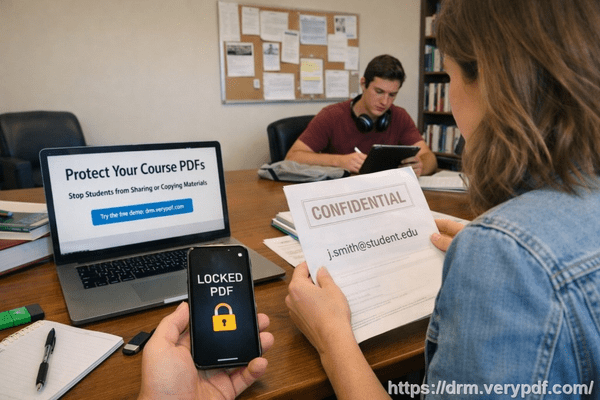
I’ve seen firsthand how easily business secrets can slip through the cracks. Whether it’s an employee forwarding a report without thinking, a contractor saving files locally, or a competitor obtaining a copy through unsecured channels, the potential for exposure is high. That’s why implementing strong PDF protection with tools like VeryPDF DRM Protector has become essential. It’s a solution designed to prevent unauthorized access and maintain full control over your confidential data.
The Risks of Unprotected Business Documents
One of the biggest challenges I’ve encountered is managing sensitive market research reports. These reports often contain insights that can make or break business decisions. When shared outside the intended audience, the consequences can be severe:
-
Lost Contracts and Client Trust A competitor who gains access to your strategic data can undercut your proposals, leaving you with missed opportunities. One marketing firm I worked with lost a $50,000 contract simply because their client shared an unprotected report with a rival.
-
Revenue Leakage through Copying or Conversion PDFs that are not secured can easily be converted to Word, Excel, or images. This means proprietary data can be reproduced, repackaged, or resold without your permission. I once encountered a scenario where a research report was converted to Excel and used by another company to launch a competing product.
-
Loss of Control and Exposure to Competitive Risks Without proper restrictions, anyone with access can forward, print, or distribute sensitive information. A leaked HR policy update, for example, could expose compensation structures or hiring strategies, giving competitors a distinct advantage.
How VeryPDF DRM Protector Solves These Challenges
VeryPDF DRM Protector is built to address real business pain points, making it easy to protect sensitive reports and proprietary documents. Here’s how it helps in practical, operational terms:
-
Access Control You can restrict PDF access to specific users, teams, or departments, ensuring only authorized personnel can view the content. This means your market research reports stay within your intended audience.
-
Prevent Unauthorized Actions Printing, copying, forwarding, or even removing DRM protections is blocked. That eliminates the risk of your confidential materials ending up in the wrong hands.
-
Protect Proprietary Content in Real-Time Whether you’re sending a strategy document to a client or sharing an internal financial report, DRM Protector ensures your PDFs remain secure during distribution and storage.
Anti-Piracy Benefits with Measurable Impact
One of the most tangible benefits of implementing DRM protection is its ability to prevent piracy and unauthorized distribution. Consider these outcomes:
-
Stop Revenue Loss Securing PDFs ensures that competitors or unauthorized individuals cannot access your reports and use the data for their gain. I’ve seen companies avoid costly intellectual property theft simply by applying DRM before sharing a market research report.
-
Prevent Unauthorized Conversions DRM Protector prevents your PDFs from being converted into editable formats, reducing the risk of data being reused in unintended ways. For example, a competitor trying to repurpose your product roadmap couldn’t do so because the file remained locked.
-
Maintain Full Distribution Control You can track exactly who has accessed the documents and when, giving you complete oversight and reducing exposure to competitive threats. In practice, this has saved companies from internal leaks that could have cost tens of thousands of dollars.
Real-World Examples
Here are a few scenarios where DRM protection proved invaluable:
-
A consulting firm shared a proprietary market analysis report with a client. With DRM protection in place, they ensured only the client’s authorized users could access it, preventing internal staff from forwarding it outside the organization.
-
An HR department implemented DRM for sensitive employee data. When an employee attempted to share a personnel document externally, the system blocked access, preventing a potential privacy breach.
-
A startup distributing research reports to investors secured their PDFs with DRM. This not only protected confidential insights but also gave investors confidence that their shared information would remain private.
Practical Steps to Secure Your PDFs
-
Identify all sensitive business documents, including reports, strategies, and client-facing materials.
-
Apply VeryPDF DRM Protector to restrict access and disable unauthorized actions like printing or copying.
-
Assign specific access rights to employees, teams, or clients, based on their roles and responsibilities.
-
Track document usage in real-time to monitor who has opened or attempted to access your files.
-
Regularly update permissions and review access logs to ensure ongoing security.
Conclusion: Take Control of Your Business Documents
Protecting confidential business documents isn’t just about complianceit’s about safeguarding revenue, client relationships, and your company’s competitive edge. VeryPDF DRM Protector provides a practical, easy-to-use solution that prevents unauthorized sharing, copying, and conversion, while giving you full control over distribution. I highly recommend this to anyone distributing sensitive business documents who wants to avoid costly leaks.
Try it now and protect your business reports: https://drm.verypdf.com
Start your free trial today and keep your market research secure from leaks or misuse.
FAQs
-
How can I limit access to confidential business documents to prevent revenue loss?
You can use DRM protection to assign access rights to specific users, teams, or departments, ensuring that only authorized personnel can open the PDFs.
-
Can I stop others from copying, printing, or converting my reports into editable formats?
Yes, VeryPDF DRM Protector blocks printing, copying, forwarding, and file conversion, keeping your content secure and uneditable.
-
How do I track who accessed my business reports and when?
DRM Protector includes real-time monitoring, allowing you to see exactly who has opened your documents and when.
-
Does DRM technology prevent unauthorized sharing of PDFs outside my organization?
Absolutely. DRM protection restricts access and prevents forwarding, ensuring sensitive files remain within authorized channels.
-
How easy is it to securely distribute protected business reports to clients or colleagues without risk?
Very easy. You simply apply DRM protection before sharing, assign access permissions, and share the files confidently, knowing that only intended recipients can view them.
-
Can DRM Protector be used for internal documents as well as client-facing reports?
Yes, it’s equally effective for internal HR files, financial reports, and strategy documents, preventing leaks and ensuring data integrity.
-
What happens if someone tries to bypass the DRM protections?
DRM Protector is designed to block unauthorized access attempts, including copying, conversion, or sharing, so sensitive content remains fully protected.
Tags/Keywords
protect business reports, secure market research, prevent PDF piracy, stop unauthorized access, protect confidential PDFs, prevent PDF conversion, secure business documents, DRM PDF protection, prevent data leaks, control document access