When Confidential Business Reports Leak, Your Revenue and Reputation Are at Risk
Imagine sending a critical market research report to a potential client, only to later discover it has been forwarded to a competitor. That’s exactly what happened to my team last quarterwe lost a high-value contract because our proprietary analysis was shared without authorization. For businesses like ours, even one slip of sensitive information can cost thousands, damage client trust, and expose strategic plans. Protecting business reports and market research is no longer optional; it’s essential for safeguarding revenue and reputation.
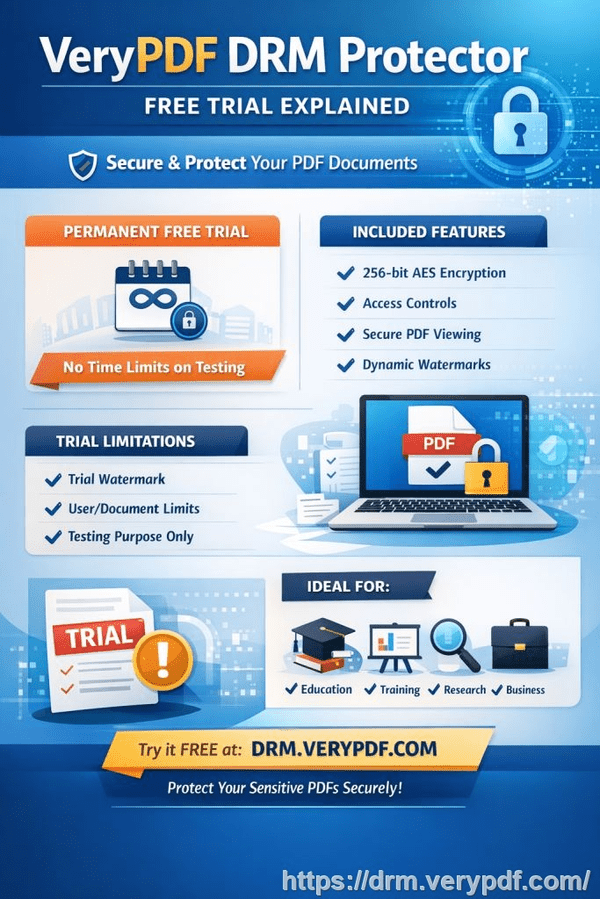
In today’s digital work environment, documents are constantly shared via cloud platforms, emails, and collaborative tools. While these systems make collaboration easier, they also increase the risk of confidential data being accessed, copied, or redistributed without permission. The losses aren’t hypotheticalthey are measurable in lost deals, compromised client relationships, and stolen intellectual property.
One of the most effective ways I’ve found to prevent these problems is using VeryPDF DRM Protector. It’s designed specifically for businesses that need to control access to sensitive PDFs, ensuring that market research, strategy documents, and proprietary reports remain secure at every stage of distribution.
Last year, we faced a critical issue: several of our strategic reports had been downloaded by external contractors who were not authorized to access them. These documents contained detailed revenue projections, competitive analyses, and client insights. Without proper control, anyone could print, copy, or even convert these files to Word or Excel. The potential for misuse was enormous.
I learned the hard way that standard PDF password protection isn’t enough. People can bypass simple passwords, share files freely, or use conversion tools to extract content. That’s why businesses like ours need a solution that offers strong, enforceable protection without slowing down legitimate workflow.
VeryPDF DRM Protector provides that protection by controlling who can view, print, copy, or forward documents. Here’s how it helped us regain control:
-
Restrict access: Only authorized team members or clients can open specific PDFs. For example, our internal financial reports are accessible only to senior managers.
-
Prevent printing and copying: Even if someone gets access, they cannot print or copy sensitive content to share externally. This stops casual leaks before they become costly problems.
-
Stop conversion and piracy: DRM Protector prevents PDFs from being converted into Word, Excel, or images, which are common ways proprietary content is stolen or resold.
The benefits of DRM protection go beyond preventing leaksthey directly impact our bottom line. Here are a few scenarios that illustrate real business pain points:
-
Lost contracts due to information leakage: Our market research team once shared a client report via email. A client accidentally forwarded it to a competitor, who used our insights to underbid us. With DRM in place, the report could only be opened by the intended recipient, eliminating the risk of accidental forwarding.
-
Unauthorized content reproduction: Before DRM, our design documents and strategy presentations were vulnerable to copying and redistribution. Employees or contractors could take screenshots or convert PDFs into editable files. With DRM, these risks disappeared. We maintained control over every file and could enforce restrictions on printing, copying, and editing.
-
Maintaining competitive advantage: Proprietary data, such as market trends and pricing strategies, must remain confidential. Unauthorized access can result in competitors gaining an unfair advantage. DRM protection ensures that even if a file leaves our system, it cannot be misused.
Implementing VeryPDF DRM Protector is straightforward and integrates well into everyday business operations:
-
Step 1: Upload your PDF documents to the DRM platform.
-
Step 2: Assign user permissionsdecide who can view, print, or copy each document.
-
Step 3: Share the protected PDFs with clients, colleagues, or partners. Only authorized users can open them.
-
Step 4: Monitor access and revoke permissions at any time if needed.
One concrete example demonstrates the difference: We had a high-stakes market analysis report for a potential investor. Previously, we would email it directly and hope for discretion. Using DRM Protector, we restricted the file to specific email addresses, disabled printing, and tracked every access. A week later, we noticed an unauthorized access attempt and immediately revoked permissions. Without this tool, the report might have been leaked, jeopardizing the investment deal. Instead, the deal closed successfully, and our intellectual property remained safe.
The anti-piracy benefits are just as important. Businesses often underestimate how easy it is for PDFs to be converted and resold illegally. DRM stops this by enforcing encryption and usage restrictions at the file level. Here’s what this looks like in practice:
-
Prevents revenue leakage: Unauthorized users cannot sell or distribute converted copies of your reports.
-
Protects brand integrity: Maintaining control over your content ensures clients always receive authentic, authorized materials.
-
Reduces risk exposure: By controlling access and tracking usage, you minimize potential legal and financial consequences from leaks.
In practical terms, this means you can confidently share sensitive documents without fear of misuse. Whether it’s internal reports, market research, or client proposals, you maintain full control while allowing legitimate collaboration. Here are some tips that helped us manage confidential PDFs effectively:
-
Use unique user credentials for each recipient to track access and revoke permissions if necessary.
-
Apply expiration dates to time-sensitive documents to prevent long-term unauthorized access.
-
Combine read-only access with monitoring features to detect any unusual activity early.
-
Educate your team on secure sharing practices alongside DRM protection for maximum effect.
By combining these measures, we reduced accidental leaks, avoided costly IP theft, and maintained client trust. For a business that relies on proprietary insights, these outcomes are not just valuablethey’re essential.
I highly recommend VeryPDF DRM Protector to anyone distributing confidential business documents. It offers a clear, measurable way to prevent leaks, unauthorized access, and document misuse. For our team, it has become an indispensable tool for protecting revenue, client relationships, and intellectual property.
Try it now and protect your business reports: https://drm.verypdf.com
Start your free trial today and keep your market research secure from leaks or misuse.
Frequently Asked Questions
Q: How can I limit access to confidential business documents to prevent revenue loss?
A: Use DRM Protector to assign specific users or groups access permissions. You can control who can open, print, or copy each PDF, preventing unauthorized exposure.
Q: Can I stop others from copying, printing, or converting my reports into editable formats?
A: Yes. DRM protection disables printing, copying, and conversion to Word, Excel, or images, ensuring your content cannot be misused.
Q: How do I track who accessed my business reports and when?
A: VeryPDF DRM Protector provides detailed logs of document access, including user identity, date, and time, so you can monitor usage in real time.
Q: Does DRM technology prevent unauthorized sharing of PDFs outside my organization?
A: Absolutely. Access restrictions and encryption ensure that only authorized users can open documents, even if files are forwarded externally.
Q: How easy is it to securely distribute protected business reports to clients or colleagues without risk?
A: It’s simpleupload PDFs to the DRM platform, assign permissions, and share via email or secure links. Users only access the documents they are authorized for.
Q: Can I revoke access if a document falls into the wrong hands?
A: Yes. You can revoke permissions immediately, even after a PDF has been sent, effectively preventing further access.
Q: Will DRM protection affect legitimate workflow or collaboration?
A: No. The system is designed to protect content without hindering authorized users, allowing smooth collaboration while maintaining security.
Keywords: protect business reports, secure market research, prevent PDF piracy, stop unauthorized access, protect confidential PDFs, prevent PDF conversion, protect confidential data, safeguard business documents, control document distribution, DRM PDF security