When a Supplier Leaks Confidential Agreements: How to Protect Your Business Reports
I never thought it would happen to usuntil it did. Last quarter, a key supplier forwarded one of our confidential agreements to a third party without permission. That single action put months of negotiation at risk, jeopardized client trust, and could have cost us a six-figure deal. For any business relying on proprietary documents, market research, or sensitive contracts, this scenario isn’t just a nightmareit’s a real risk that can happen at any time.
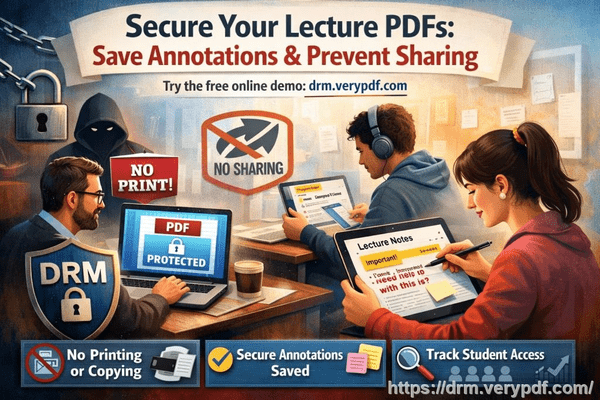
Many businesses underestimate the consequences of unsecured PDFs. A forwarded agreement, a copied strategy document, or an exported market analysis can lead to lost revenue, leaked intellectual property, and long-term reputational damage. Protecting your confidential business reports isn’t optional; it’s essential.
The challenge is that traditional PDF protection isn’t enough. Passwords are easily shared, and once a PDF is downloaded, control is gone. This is where VeryPDF DRM Protector becomes a game-changer.
Imagine this: your team creates a comprehensive market research report for a client. Weeks of research, detailed analysis, and proprietary insightsall packed into a single PDF. You share it with your client, but a few days later, you hear it’s been forwarded to a competitor. That document, which should have been tightly controlled, is now at risk of misuse, replication, or resale.
This isn’t hypothetical. Businesses face three major pain points every day:
-
Unauthorized Sharing and Forwarding: When PDFs are shared beyond the intended audience, companies face lost contracts, damaged client relationships, and exposure of sensitive strategies. One forwarded report can ripple into serious financial loss.
-
Copying, Printing, or Conversion to Other Formats: PDFs converted into Word, Excel, or images can be reused, repackaged, or even sold. This not only steals intellectual property but creates revenue leakage from your proprietary insights.
-
Loss of Control Over Sensitive Data: Without real-time monitoring or access restrictions, there’s no way to know who opened your documents, when they accessed them, or if they’re being distributed outside your organization. Competitors gain an unfair advantage, and your risk multiplies with every unprotected document.
Here’s where VeryPDF DRM Protector addresses these issues head-on. Unlike standard password protection, DRM control lets you manage documents dynamically.
-
Restrict Access to Authorized Users: Only designated employees, clients, or departments can open a PDF. You control who sees what, ensuring sensitive content never leaves approved hands.
-
Prevent Unauthorized Actions: Printing, copying, forwarding, or converting your PDFs becomes impossible without permission. This stops revenue leakage and protects intellectual property.
-
Track and Monitor Usage: Every access is logged. You’ll know who opened a report, when, and from which device. If a document is being misused, you have the visibility to act immediately.
-
Protect Market Research and Proprietary Reports: Strategic business documents, pricing models, and research findings remain secured even after sharing. You maintain full control without slowing down legitimate business processes.
Real-world examples highlight how practical DRM protection is:
-
A consulting firm prevented sensitive client proposals from being forwarded outside the organization. Previously, junior staff often sent documents via email attachments, but DRM controls restricted access to approved recipients only.
-
A market research agency saved thousands in potential revenue loss when a major competitor tried to use an exported PDF. VeryPDF DRM Protector blocked conversion attempts to Word and Excel, keeping proprietary insights safe.
-
A technology startup shared product strategy documents with investors while keeping full control over usage. Even when investors attempted to download or print sections for personal reference, DRM rules ensured only authorized actions were allowed.
Using VeryPDF DRM Protector is straightforward:
-
Upload your PDF document to the DRM platform.
-
Set access permissions by user, team, or department.
-
Choose restrictions (printing, copying, forwarding, conversion).
-
Distribute securely with a link or protected file.
-
Monitor access and usage in real-time dashboards.
By taking these steps, you stop unauthorized sharing in its tracks, prevent accidental leaks, and protect your company’s reputation and revenue.
When I first implemented VeryPDF DRM Protector, the impact was immediate. Documents that were once at risk of being copied or forwarded were now fully controlled. I didn’t have to chase emails or worry about leaked attachments. Our clients appreciated the professionalism, and our internal teams had a simple, reliable method to share confidential reports. The ROI wasn’t just financialit was peace of mind.
I highly recommend this to anyone distributing confidential business documents who wants to avoid costly leaks. Protecting your PDFs doesn’t just safeguard data; it safeguards contracts, client relationships, and the competitive edge you’ve worked hard to build.
Try it now and protect your business reports: https://drm.verypdf.com
Start your free trial today and keep your market research secure from leaks or misuse.
Frequently Asked Questions
Q1: How can I limit access to confidential business documents to prevent revenue loss?
A1: VeryPDF DRM Protector allows you to restrict PDF access to specific users, teams, or departments. You can also set expiration dates and revoke access anytime, ensuring only authorized parties can view your content.
Q2: Can I stop others from copying, printing, or converting my reports into editable formats?
A2: Yes. DRM restrictions prevent unauthorized printing, copying, or conversion to Word, Excel, or image files, ensuring your proprietary content remains secure.
Q3: How do I track who accessed my business reports and when?
A3: The platform logs all access attempts, showing who opened each document, the time of access, and the device used. This helps monitor potential misuse in real-time.
Q4: Does DRM technology prevent unauthorized sharing of PDFs outside my organization?
A4: Absolutely. Even if a PDF is forwarded or downloaded, only authorized users can open it. Attempted access by unapproved recipients is blocked immediately.
Q5: How easy is it to securely distribute protected business reports to clients or colleagues without risk?
A5: VeryPDF DRM Protector makes distribution simpleupload the PDF, set access permissions, and share via secure links. No technical expertise is required, and the document remains fully protected.
Q6: Can DRM protection prevent accidental leaks by internal staff?
A6: Yes. By restricting actions such as forwarding or printing, even internal staff cannot unintentionally distribute sensitive documents beyond approved recipients.
Q7: Will this help maintain my company’s competitive advantage?
A7: Definitely. Protecting confidential business documents ensures that proprietary insights, pricing strategies, and market research reports stay internal, preventing competitors from gaining unauthorized advantages.
Keywords: protect business reports, secure market research, prevent PDF piracy, stop unauthorized access, protect confidential PDFs, prevent PDF conversion, safeguard business data, prevent document leaks, control PDF distribution, secure proprietary reports