Securely Redacting PDFs: How AI Tools Prevent Data Leaks and Protect Confidential Information
Last month, we shared a PDF contract with a new partner, only to discover later that it still contained unredacted personal information about our employeesnames, emails, and even partial Social Security numbers. That oversight put us at immediate risk of GDPR violations and potential legal repercussions. It was a wake-up call: even routine document sharing can expose sensitive data if proper precautions aren’t taken. For many businesses, this scenario isn’t hypotheticalit happens more often than we think.
Accidental exposure of confidential information isn’t just embarrassing; it carries real financial and reputational consequences. Compliance violations, fines, and eroded client trust are very real outcomes when sensitive data isn’t handled correctly. For professionals managing contracts, HR records, or financial statements, ensuring that all confidential data is fully removed from shared PDFs is non-negotiable.
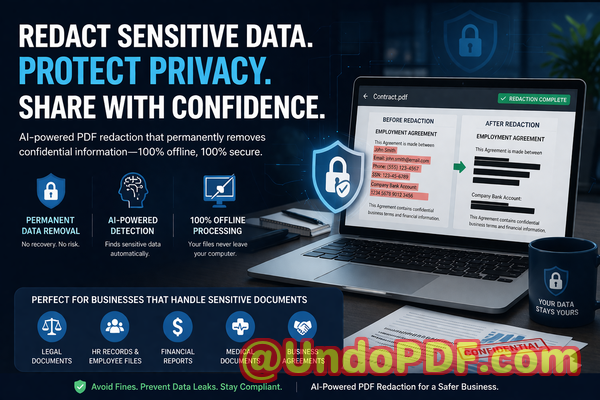
One solution that has transformed how companies protect sensitive information is VeryPDF AI PDF Redaction Tool Command Line. This AI-powered software permanently removes confidential data from PDFs while keeping your documents secure and offline. Unlike traditional “blackout” methods, which can leave recoverable text behind, this tool ensures that once data is redacted, it cannot be retrieved by unauthorized parties.
Many businesses still underestimate the risks tied to improper redaction. Here are some common pain points that we’ve seen firsthand:
1. Sensitive data accidentally exposed
It’s easy to assume that highlighting and blacking out a name or number is enough. But in many cases, the original text remains in the PDF layer, allowing anyone with basic knowledge or tools to copy or recover it. Exposure of personal identifiable information (PII), financial details, or internal identifiers can lead to severe compliance issues.
2. Manual redaction errors
Manual redaction is tedious and prone to mistakes. Missed lines, overlapping content, or incorrect formatting can leave confidential data partially visible. Even a single overlooked email address or client account number can trigger a data breach investigation.
3. Unsafe online tools
Many employees turn to free online PDF editors, unaware that uploading sensitive documents to third-party servers carries inherent risk. Once files leave your local environment, you lose control over them, opening doors to data theft, accidental leaks, or misuse by external parties.
VeryPDF AI PDF Redaction Tool Command Line solves these challenges directly. Here’s how it protects businesses and sensitive information:
Automatic Detection and Redaction
The AI engine scans PDFs for sensitive data such as names, emails, phone numbers, financial details, and identification numbers. You no longer need to manually search for every instanceAI identifies patterns and ensures nothing is missed.
Permanent Removal, Not Just Hiding
Traditional redaction tools often only obscure text visually. VeryPDF AI PDF Redaction goes further, permanently removing the underlying content. Once redacted, the data cannot be recovered, even with advanced extraction methods.
Fully Offline Processing
All redaction occurs locally on your computer. Documents never leave your system, ensuring 100% privacy and eliminating the risk associated with cloud-based services or online editors.
Real-World Scenarios Where Proper Redaction Matters
-
A financial services firm avoided a GDPR penalty by redacting client data before sharing monthly reports with third-party auditors. The AI tool flagged every personal identifier, ensuring compliance.
-
An HR team switched from a free online PDF editor to an offline AI solution. Previously, resumes and employee records were uploaded externally, posing a potential leak risk. With offline redaction, all sensitive data stays internal.
-
A law firm preparing case summaries for a client review accidentally left internal notes visible. Using the AI PDF Redaction tool, all confidential legal clauses were permanently removed before sending, preventing exposure to competitors.
Step-by-Step Redaction Workflow for Business PDFs
-
Load your PDF Open the document in VeryPDF AI PDF Redaction Tool Command Line.
-
Detect sensitive data Let the AI scan for names, emails, phone numbers, IDs, and financial details.
-
Review identified content Confirm what should be redacted; adjust as needed.
-
Apply redaction Permanently remove the selected content.
-
Export clean PDF Share the document confidently, knowing all confidential data is irrecoverable.
Types of Data You Should Always Redact
-
Personal Identifiable Information (PII) Names, email addresses, phone numbers, Social Security numbers.
-
Financial Data Bank accounts, credit card numbers, internal budget figures.
-
Business Secrets Trade secrets, project plans, strategic communications.
-
Legal and Confidential Clauses Contractual obligations, non-disclosure terms, or internal memos.
Using VeryPDF AI PDF Redaction Tool Command Line is not just about complianceit’s about building trust with clients, partners, and employees. By eliminating hidden risks in shared PDFs, companies safeguard their reputation, avoid costly fines, and ensure confidential information stays secure.
I highly recommend this to anyone who needs to share documents safely without risking data leaks or compliance issues. It’s straightforward, AI-powered, and fully offline. For businesses handling sensitive documents daily, this tool is indispensable.
Try it now and securely redact your PDFs: https://veryutils.com/smart-redact-server-ai-powered-pdf-redaction-software
Start your free trial today and ensure your sensitive data is permanently removed before sharing.
Frequently Asked Questions
1. How can I permanently remove sensitive data from a PDF instead of just hiding it?
Use an AI-powered tool like VeryPDF AI PDF Redaction Tool Command Line, which completely deletes the underlying content, not just the visible text.
2. Can others recover redacted information from my PDF?
Not if the redaction is applied with a tool that permanently removes data. Visual-only methods can leave data recoverable.
3. Is it safe to use online PDF redaction tools?
No. Uploading documents to third-party servers exposes sensitive information to potential leaks. Offline tools are safer.
4. Does this tool work completely offline?
Yes, all processing occurs locally on your computer, ensuring maximum privacy.
5. What types of sensitive data can be automatically detected and removed?
Names, emails, phone numbers, social security numbers, financial information, business secrets, and confidential clauses.
6. How does AI improve redaction accuracy?
AI can detect patterns and instances humans might miss, reducing the risk of accidental exposure.
7. Can I review detected data before redaction?
Yes, the tool allows you to review and adjust redaction selections before applying them.
8. Will redaction affect the formatting of my PDF?
No, the tool preserves the document layout while removing sensitive content.
9. Does this help with GDPR or other compliance regulations?
Absolutely. By permanently removing PII, it supports GDPR, HIPAA, and other privacy compliance requirements.
10. Can this tool be used for large volumes of PDFs?
Yes, the command line interface is designed for batch processing, making it efficient for large-scale document redaction.
11. How is this different from blacking out text manually?
Manual blackouts leave the underlying data intact. AI redaction permanently deletes the content, eliminating recovery risk.
12. Is the tool suitable for legal, financial, and HR documents?
Yes, it’s ideal for contracts, financial reports, HR records, and any document containing confidential information.
Tags / Keywords
redact sensitive data, remove confidential information, PDF redaction tool, protect privacy in PDFs, prevent data leaks, offline PDF redaction, secure document sharing, AI PDF redaction, GDPR compliance, confidential document protection