Securely Redact Sensitive PDFs Without Cloud Upload to Prevent Data Leaks
Last month, we shared a PDF containing client contracts with a partner, only to realize afterward that it still included unredacted personal data. Names, emails, and even contract terms were visibleputting us at serious risk of a GDPR violation and potential legal exposure. Situations like this aren’t rare. Many businesses face the same problem: they need to share documents quickly, but ensuring that all sensitive data is permanently removed can feel like a daunting task.
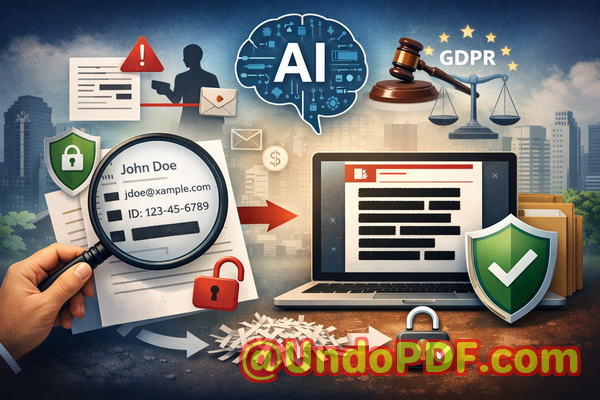
Sensitive data in PDFswhether client information, employee records, or research findingscan easily slip through if redaction isn’t done correctly. Manually blacking out text often fails; the information remains in the file, accessible to anyone with a little technical know-how. Using online tools seems convenient, but that can mean uploading confidential documents to third-party servers, creating a whole new set of privacy risks.
This is where VeryPDF AI PDF Redaction Tool Command Line comes in. It’s designed to permanently remove confidential information before sharing, all while keeping your documents offline and secure.
Many businesses struggle with these challenges every day:
-
Accidental exposure of sensitive information Names, emails, financial details, and IDs are often left in PDFs shared with clients or partners. This oversight can trigger GDPR violations, legal liabilities, or reputational damage.
-
Ineffective manual redaction Highlighting or blacking out text doesn’t always remove the underlying data. Even a redacted PDF can sometimes be copied, extracted, or recovered, leaving your business vulnerable.
-
Unsafe online redaction tools Uploading documents to online services might seem easy, but it exposes confidential files to third-party servers. A simple mistake can lead to irreversible data leaks.
With VeryPDF AI PDF Redaction Tool Command Line, these risks are addressed in a practical, scenario-driven way. Here’s how it works:
-
AI-powered detection of sensitive data Automatically identify personal identifiable information (PII), financial data, phone numbers, IDs, and other confidential content.
-
Permanent removal of sensitive information The tool doesn’t just mask data; it ensures that the content is completely deleted from the file, so it cannot be recovered.
-
Fully offline processing Your documents never leave your computer, eliminating any chance of exposure to external servers.
Imagine a legal team preparing contract documents for multiple clients. Using VeryPDF, they can load a PDF, automatically detect sensitive clauses, review suggested redactions, apply them, and export a clean, shareable PDFall without risking a leak. The workflow is simple, efficient, and, most importantly, secure.
Here’s a typical workflow:
-
Load the PDF document into the software.
-
Use AI to automatically detect sensitive data.
-
Review the highlighted items to ensure accuracy.
-
Apply the redaction to permanently remove confidential information.
-
Export the redacted PDF ready for secure sharing.
Common types of sensitive data to redact include:
-
Personal identifiable information (PII) Names, emails, phone numbers, addresses, IDs.
-
Financial data Bank account numbers, invoices, credit card information.
-
Business secrets Proprietary formulas, project plans, internal strategies.
-
Legal/confidential clauses Contract terms, client agreements, research findings.
Real-world examples highlight the value of a secure redaction tool:
-
A mid-sized consultancy avoided a GDPR fine when it realized some employee data had accidentally been included in a PDF report sent to a client. By switching to VeryPDF’s offline AI redaction, they prevented the exposure entirely.
-
An R&D department working with sensitive product designs previously used online redaction tools. One mistake could have leaked trade secrets to a competitor. Using an offline, AI-powered solution eliminated that risk.
-
A law firm needed to share documents with external partners while keeping client information confidential. Automated redaction ensured that all PII and sensitive clauses were permanently removed, giving the team peace of mind.
Using VeryPDF AI PDF Redaction Tool Command Line doesn’t just prevent data leaks; it improves operational efficiency. You no longer need to manually hunt through PDFs for sensitive content. The AI does the heavy lifting, suggesting redactions with accuracy and speed, while you maintain full control over the process.
For teams handling sensitive financial reports, HR records, or medical documents, the benefits are tangible:
-
Prevent accidental data leaks that could lead to fines or legal exposure.
-
Eliminate risk of sensitive files being uploaded to unknown servers, protecting company confidentiality.
-
Ensure compliance with GDPR and other data protection regulations, keeping your organization audit-ready.
I’ve seen firsthand how switching from manual or online redaction tools to an offline AI-powered solution transforms document handling. The peace of mind is invaluable, and the workflow becomes streamlined without compromising security.
I highly recommend this to anyone who needs to share documents safely without risking data leaks or compliance issues. Try it now and securely redact your PDFs: https://veryutils.com/smart-redact-server-ai-powered-pdf-redaction-software
Start your free trial today and ensure your sensitive data is permanently removed before sharing.
Frequently Asked Questions
-
How can I permanently remove sensitive data from a PDF instead of just hiding it?
The tool completely deletes detected content at the file level, ensuring it cannot be recovered.
-
Can others recover redacted information from my PDF?
No. Once applied, the redaction is permanent and the underlying data is removed.
-
Is it safe to use online PDF redaction tools?
Using online tools risks uploading confidential data to third-party servers. Offline AI redaction is safer for sensitive files.
-
Does this tool work completely offline?
Yes. All processing happens locally on your machine, ensuring 100% privacy.
-
What types of sensitive data can be automatically detected and removed?
Names, emails, phone numbers, IDs, financial data, legal clauses, and proprietary information.
-
How can I ensure compliance with GDPR when sharing documents?
By permanently removing PII and sensitive information before sharing, you reduce the risk of violations and demonstrate proactive compliance.
-
Is manual review still necessary after AI detection?
Yes. AI highlights potential sensitive content, but a quick review ensures accuracy and context-specific decisions.
-
Can this tool handle multiple PDFs at once?
Yes. Batch processing is supported for efficiency when dealing with large volumes of documents.
-
Will redaction affect the PDF’s formatting or readability?
No. Only the sensitive content is removed; formatting and remaining content remain intact.
-
What industries benefit most from this tool?
Legal, finance, HR, healthcare, education, R&D, and any sector dealing with sensitive or regulated information.
-
How easy is it to integrate into existing workflows?
The command line interface allows seamless integration into automated or manual workflows for teams of any size.
Tags / Keywords
redact sensitive data, remove confidential information, PDF redaction tool, protect privacy in PDFs, prevent data leaks, offline PDF redaction, secure document sharing, AI-powered PDF redaction, GDPR compliance, sensitive data removal