Redact Sensitive Data in PDFs: How AI Tools Prevent Costly Data Leaks and Compliance Risks
Last month, our finance team shared a PDF containing quarterly reports with a new partner. A few days later, we discovered that the document still included personal client emails and internal budget notes. That one oversight could have led to a serious GDPR violation, not to mention the reputational damage if it had reached the wrong hands. Unfortunately, this isn’t an isolated incidentbusinesses routinely risk exposing sensitive information simply by sharing PDFs that haven’t been properly redacted.
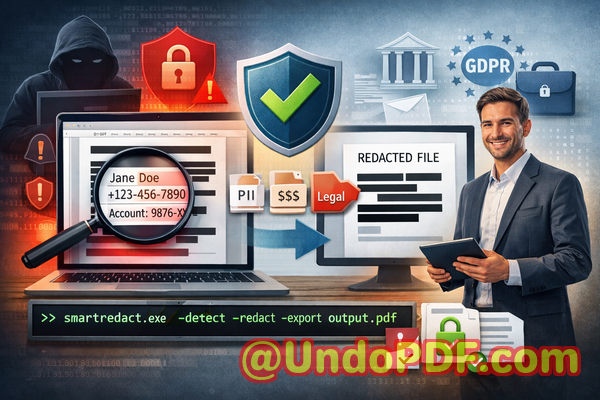
The good news is that modern AI-powered tools, like the VeryPDF AI PDF Redaction Tool Command Line, make it possible to permanently remove sensitive data from PDFs, ensuring documents are safe to share. Unlike traditional manual redaction, these tools automatically detect and redact confidential information, protect privacy, and prevent costly mistakes.
Why Businesses Risk Data Exposure Every Day
Even seemingly simple tasks, like sending a contract or financial report, can carry significant risks if sensitive data isn’t fully removed. Here are some common scenarios that often go unnoticed until it’s too late:
-
Unintended disclosure of personal or financial data: Names, emails, phone numbers, employee IDs, or client details often remain in PDFs after a superficial redaction. Regulatory breaches like GDPR or CCPA can result in hefty fines if this information is exposed.
-
Manual redaction errors: Highlighting text or placing black boxes over information may look secure, but savvy users can often copy, extract, or recover the hidden text. This leaves your documents vulnerable to accidental leaks or internal misuse.
-
Risky online redaction tools: Employees sometimes upload PDFs to free online services, unknowingly sharing confidential information with third-party servers. Even with the best intentions, this creates a major privacy and compliance hazard.
These risks are real, measurable, and often preventablebut only with the right approach.
How AI PDF Redaction Tools Solve Real Business Problems
The VeryPDF AI PDF Redaction Tool Command Line is designed to address exactly these challenges. Here’s how it protects sensitive information and streamlines secure document sharing:
-
AI-powered detection of sensitive data: Names, emails, phone numbers, addresses, ID numbers, financial data, and even legal clauses are automatically identified. No more manual searching or guesswork.
-
Permanent data removal: Unlike traditional blackouts, redacted information is permanently deleted. There’s no hidden text to recover, copy, or leak.
-
Offline processing: Everything happens on your local machine. Your documents never leave your network, eliminating risks associated with cloud uploads.
The benefits are tangible: fewer compliance violations, zero accidental leaks, and peace of mind when sharing sensitive business documents.
Real-World Examples of AI Redaction in Action
Consider a mid-sized law firm that routinely shared case files with external partners. Previously, they relied on employees manually redacting PDFs, which sometimes resulted in overlooked confidential clauses. After switching to VeryPDF’s AI redaction tool, they noticed immediate improvements:
-
Sensitive client information was automatically detected and removed before documents were shared.
-
Compliance with GDPR was consistently maintained, avoiding potential fines.
-
Staff saved hours each week by eliminating manual redaction tasks, reducing both human error and operational costs.
Another example comes from a financial services company handling client statements. Using online redaction tools led to accidental exposure of client banking information. After implementing an offline AI redaction solution, the risk of third-party data access was eliminated, and sensitive files could be shared confidently.
Step-by-Step Workflow for Secure PDF Redaction
Implementing AI redaction doesn’t have to be complicated. A typical workflow might look like this:
-
Load PDF into the tool: Select the document you need to redact.
-
Automatic detection: AI scans the PDF for PII, financial data, or confidential clauses.
-
Review and approve: Verify suggested redactions to ensure nothing critical is missed.
-
Apply redaction: The tool permanently removes the sensitive data.
-
Export clean PDF: Share the sanitized document with partners, clients, or colleagues with confidence.
Common types of data to redact include:
-
Personal identifiable information (PII) such as names, emails, and phone numbers
-
Financial data like account numbers, invoices, or salaries
-
Business secrets, intellectual property, or internal strategies
-
Legal and confidential clauses in contracts or agreements
Why Offline AI Redaction is a Game-Changer
Many companies underestimate the risk of using online redaction tools. Even trusted services require file uploads, which can compromise confidentiality. With offline AI redaction:
-
Documents never leave your device
-
No accidental third-party access
-
100% control over sensitive data
-
Compliance with GDPR, CCPA, and other regulations is easier to maintain
It’s not just about avoiding finesit’s about protecting trust, company reputation, and your clients’ confidence.
Practical Benefits for Your Business
Here’s what companies gain by adopting AI-powered offline PDF redaction:
-
Reduced compliance risk: Automatic detection ensures that no sensitive information slips through.
-
Time savings: AI does the heavy lifting, freeing up staff for higher-value tasks.
-
Error elimination: Permanent removal means no accidental data exposure from overlooked blackouts.
-
Improved trust: Clients and partners know that your documents are handled securely.
Conclusion
I’ve seen firsthand how a single overlooked detail in a PDF can result in compliance headaches or even legal exposure. Using the VeryPDF AI PDF Redaction Tool Command Line has completely changed the way our teams handle sensitive documents.
I highly recommend this to anyone who needs to share documents safely without risking data leaks or compliance issues. Try it now and securely redact your PDFs: https://veryutils.com/smart-redact-server-ai-powered-pdf-redaction-software. Start your free trial today and ensure your sensitive data is permanently removed before sharing.
Frequently Asked Questions
1. How can I permanently remove sensitive data from a PDF instead of just hiding it?
The AI redaction tool permanently deletes the data rather than masking it visually, making it unrecoverable.
2. Can others recover redacted information from my PDF?
No. Once applied, redacted data is fully removed and cannot be restored or copied.
3. Is it safe to use online PDF redaction tools?
Online tools carry the risk of exposing confidential files to third-party servers. Offline AI redaction eliminates this risk entirely.
4. Does this tool work completely offline?
Yes. All processing happens locally on your computer. No files are uploaded or transmitted.
5. What types of sensitive data can be automatically detected?
The tool can detect personal information, financial data, IDs, legal clauses, phone numbers, emails, and confidential business information.
6. How does this tool help with GDPR compliance?
By permanently removing sensitive data before sharing, it ensures documents meet GDPR standards for data protection and privacy.
7. Can I review suggested redactions before applying them?
Yes. The tool allows verification of detected data before permanent removal.
8. Does this tool support batch processing?
Yes. You can process multiple PDFs at once, saving time for larger projects.
9. What file formats are supported?
Primarily PDFs, including scanned and text-based documents.
10. Is training required to use the tool?
No. The interface is designed for business users with clear step-by-step workflows.
11. Can this tool redact legal contracts safely?
Absolutely. Legal clauses, confidential sections, and sensitive client information are automatically identified and removed.
12. Will using AI redaction affect the document’s layout?
No. The tool preserves the original format and layout while removing sensitive content.
Keywords: redact sensitive data, remove confidential information, PDF redaction tool, protect privacy in PDFs, prevent data leaks, offline PDF redaction, secure document sharing, GDPR compliance, AI PDF redaction, confidential PDF protection