Secure Your PDFs: How to Permanently Redact Sensitive Data Before Sharing
Last month, we shared a PDF containing client contracts with a partner company. Later, we discovered that personal email addresses and financial identifiers were still visible, leaving us exposed to potential GDPR violations. The panic set indata breaches don’t just happen to other companies. Accidental exposure of sensitive information can cost thousands in fines, damage client trust, and create legal headaches that no one wants to deal with.
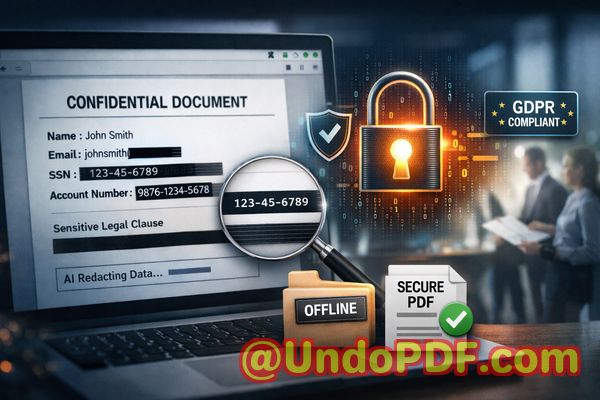
If you’re like most businesses, you rely on PDFs for contracts, HR records, financial reports, and legal documents. These files often contain sensitive informationnames, email addresses, social security numbers, financial details, or proprietary business information. Sharing a PDF without proper protection can easily lead to data leaks, compliance issues, or even legal disputes. Even when redaction is attempted manually, the risk remains: blacked-out text in PDFs can sometimes be copied, recovered, or accidentally revealed. For companies that handle large volumes of sensitive documents, this is a critical risk.
Manual redaction isn’t just riskyit’s inefficient. Employees may unintentionally miss confidential information, and online tools often require uploading files to third-party servers, which can expose sensitive data to unknown parties. For companies serious about privacy, these risks are simply unacceptable.
This is where VeryPDF AI PDF Redaction Tool Command Line becomes a game-changer. With its AI-powered detection and fully offline processing, this tool ensures that sensitive data is permanently removed before PDFs leave your computer. No accidental exposure, no risky uploads, and no chance of hidden information being recovered later.
Businesses face multiple visible pain points when handling sensitive PDFs:
-
Accidental exposure of sensitive data: HR reports, contracts, and invoices often include personal and financial information. A single oversight could trigger compliance violations and fines. For example, a finance team accidentally shared a PDF of payroll records that included employee bank account details. Even though the sensitive sections were highlighted, the text was still recoverable, putting the company at risk.
-
Manual redaction errors: Traditional “blackout” methods can leave text behind. PDFs may appear redacted but still contain recoverable information. This is particularly dangerous for legal contracts where clauses or proprietary details must remain confidential.
-
Unsafe online tools: Many employees, looking for convenience, use online redaction tools. These tools upload documents to third-party servers, exposing sensitive data to unknown entities. In regulated industries like healthcare or finance, this can lead to severe penalties and reputational damage.
VeryPDF AI PDF Redaction Tool Command Line addresses these pain points with clear, practical solutions:
-
AI-powered detection: The tool automatically identifies sensitive informationnames, email addresses, phone numbers, social security numbers, financial data, and confidential clauses. You don’t have to comb through every page manually.
-
Permanent removal of confidential information: Unlike visual blackouts, this tool fully removes sensitive data. Once redacted, it cannot be copied or recovered.
-
Fully offline processing: Your documents never leave your computer. No servers, no cloud uploads100% privacy protection.
Implementing this tool is straightforward. A common workflow might look like this:
-
Load your PDF into the command-line tool.
-
Use AI detection to automatically identify sensitive data.
-
Review flagged items to ensure accurate redaction.
-
Apply redaction to permanently remove confidential information.
-
Export a clean, shareable PDF safe for distribution.
The types of data you can redact include:
-
Personally identifiable information (PII): Names, addresses, phone numbers, emails, government IDs.
-
Financial data: Bank account details, invoices, salary records, credit card numbers.
-
Business secrets: Proprietary formulas, project plans, trade secrets.
-
Legal clauses: Confidential contract terms, merger and acquisition details, NDAs.
Real-life examples highlight the value of this approach:
-
A law firm avoided a compliance violation by switching to an offline AI redaction workflow. Sensitive client data was automatically detected and removed, reducing the risk of leaks.
-
A healthcare provider replaced online PDF redaction tools with VeryPDF’s offline solution, ensuring patient records never left the hospital network.
-
A tech company preparing R&D reports for investors used AI-powered redaction to remove sensitive technical details, preventing inadvertent exposure to competitors.
The privacy and security benefits are tangible:
-
Prevents accidental data leaks: Even if a PDF is shared widely, confidential information is permanently removed.
-
Eliminates online exposure risks: Offline processing ensures no sensitive data is uploaded or exposed.
-
Supports regulatory compliance: Helps businesses meet GDPR, HIPAA, and other data protection requirements without guesswork.
I’ve personally seen the difference this tool makes in day-to-day operations. Teams no longer spend hours manually redacting PDFs or worrying about missed information. Sharing documents becomes a safe, streamlined process. I highly recommend this to anyone who needs to protect sensitive information while maintaining operational efficiency.
Try it now and securely redact your PDFs: https://veryutils.com/smart-redact-server-ai-powered-pdf-redaction-software
Start your free trial today and ensure your sensitive data is permanently removed before sharing.
Frequently Asked Questions
How can I permanently remove sensitive data from a PDF instead of just hiding it?
VeryPDF AI PDF Redaction Tool Command Line fully deletes the selected content, so it cannot be copied or recovered.
Can others recover redacted information from my PDF?
No. Unlike visual blackout methods, the tool permanently removes data, making recovery impossible.
Is it safe to use online PDF redaction tools?
Online tools involve uploading files to third-party servers, which risks exposing sensitive data. Fully offline solutions like VeryPDF provide complete privacy.
Does this tool work completely offline?
Yes, all processing occurs on your computer. No files leave your system, ensuring 100% confidentiality.
What types of sensitive data can be automatically detected and removed?
The AI can detect PII, financial data, legal clauses, business secrets, emails, phone numbers, IDs, and other confidential information.
Can this tool help with GDPR compliance?
Absolutely. By permanently removing personal data before sharing, it reduces the risk of GDPR violations.
Is manual review still necessary?
A brief review is recommended to ensure all sensitive items are correctly identified, but the AI significantly reduces the workload.
Can this tool handle multiple PDFs in a batch process?
Yes, the command-line interface supports batch processing, making it ideal for automated workflows.
Will the redacted PDF maintain formatting and readability?
Yes, the original PDF layout is preserved, while sensitive content is permanently removed.
How quickly can sensitive data be redacted?
Processing is fast and efficient, even for large documents, thanks to the AI-powered detection engine.
Does this tool support legal and financial documents?
Yes, it’s designed for high-stakes business scenarios, including contracts, financial reports, HR files, and medical documents.
Tags or Keywords
redact sensitive data, remove confidential information, PDF redaction tool, protect privacy in PDFs, prevent data leaks, offline PDF redaction, secure document sharing, AI PDF redaction, GDPR compliance, sensitive data protection