Securely Redact Sensitive PDF Data Automatically Without Risking Leaks
Last month, we shared a PDF contract with a partner, only to realize later that it still contained unredacted personal dataputting us at risk of a serious GDPR violation. It’s a nightmare scenario that any business dealing with contracts, agreements, or confidential files can relate to. One wrong click, and sensitive client or employee information could be exposed, leading to compliance fines, legal disputes, and damaged trust. This is exactly why properly redacting PDFs is no longer optionalit’s critical for protecting your business and your clients.
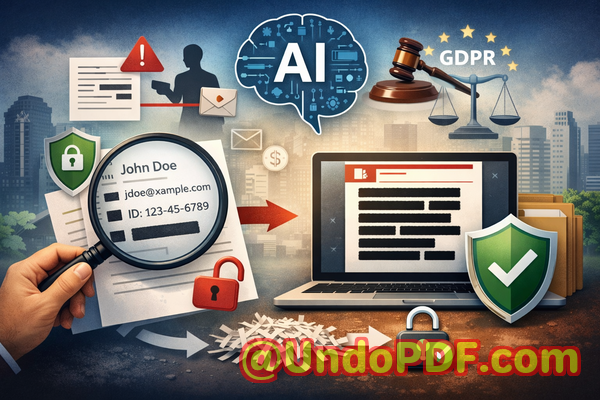
In many companies, manual redaction is still the default. Employees black out text with PDF editors, but it’s surprisingly easy for this information to be recovered. Worse, some teams resort to free online tools, unknowingly uploading highly confidential files to unknown servers. The risk isn’t hypotheticalit’s real, measurable, and potentially very costly.
The Risks of Traditional PDF Redaction
Sensitive data leaks often happen in ways that are easy to overlook:
-
Accidental exposure of personal and financial information Names, emails, phone numbers, social security numbers, and bank details often sit in contracts, HR documents, and financial reports. A single shared PDF with this information unredacted can trigger GDPR or HIPAA violations.
-
Manual redaction errors Black boxes in PDFs may look safe, but the underlying text is often still embedded in the document. Anyone can copy, search, or extract it.
-
Unsafe online redaction tools Many teams use free online PDF editors to “remove” sensitive data. Unfortunately, these tools upload your documents to cloud servers, meaning confidential files could be accessed by third parties, competitors, or hackers.
For business owners, legal teams, and compliance officers, these are not minor inconveniencesthey’re real threats to your bottom line and reputation.
Why AI PDF Redaction is a Game-Changer
This is where VeryPDF AI PDF Redaction Tool Command Line makes a huge difference. By combining AI intelligence with offline processing, it solves these common issues with a reliable, privacy-focused approach:
-
Automatically detect sensitive data AI scans your documents for names, emails, phone numbers, social security numbers, IDs, and other personal or confidential information. You don’t have to manually search or guess what needs redacting.
-
Permanently remove information Unlike traditional black boxes, the data is fully erased, ensuring no one can recover it later.
-
Fully offline processing Your documents never leave your computer, meaning there’s zero risk of uploading sensitive information to external servers.
Real Business Scenarios Where AI Redaction Saves You
Consider these real examples from businesses who adopted AI-powered redaction:
-
A legal firm was preparing a batch of contracts for multiple clients. Using traditional methods, they had repeatedly found unredacted personal data in shared PDFs. Switching to VeryPDF AI redaction ensured all client names, emails, and confidential clauses were automatically detected and removed. The firm avoided potential GDPR violations and legal headaches.
-
A finance department frequently shared quarterly reports with external partners. With sensitive financial data at risk, they initially used online redaction tools, but after migrating to offline AI redaction, the risk of accidental exposure disappeared entirely.
-
An HR team needed to share employee evaluation documents with external consultants. AI redaction allowed them to permanently remove personally identifiable information (PII) before sending, preventing accidental leaks that could have triggered complaints or legal scrutiny.
How It Works Step by Step
Here’s a typical workflow for securing your PDFs using AI-powered redaction:
-
Load your PDF Open the document you need to redact in the VeryPDF tool.
-
Detect sensitive data Let the AI automatically scan for personal, financial, or confidential information.
-
Review suggestions Confirm which items need redaction. AI highlights them for easy review.
-
Apply redaction Permanently remove the detected information with one click.
-
Export the clean PDF Share your document safely, confident that no sensitive data remains.
Types of Data You Can Automatically Redact
-
Personal identifiable information (PII) Names, addresses, phone numbers, emails, SSNs
-
Financial data Bank accounts, credit card numbers, payroll details
-
Business secrets Intellectual property, strategy documents, internal notes
-
Legal or confidential clauses Sensitive contract terms, NDA details
The Business Case for AI PDF Redaction
Using AI for PDF redaction isn’t just about convenienceit’s about tangible business benefits:
-
Prevent data leaks and fines By permanently removing sensitive data, you eliminate the risk of accidental exposure that could result in GDPR or HIPAA violations.
-
Avoid reputational damage Clients and partners trust that your company handles confidential information responsibly.
-
Reduce human error AI ensures nothing is missed, avoiding mistakes that manual redaction often creates.
-
Keep documents private Offline processing means your PDFs never leave your device, protecting your business from unintended access or cloud security risks.
Why Offline Matters
Online redaction tools are temptingthey’re quick and easybut uploading confidential documents to unknown servers is risky. VeryPDF’s fully offline solution ensures:
-
Your documents remain on your computer at all times.
-
There’s no third-party exposure of sensitive data.
-
Compliance with strict data privacy policies.
Making Redaction Part of Your Workflow
Implementing AI redaction can seamlessly fit into your team’s workflow:
-
Legal teams: Automatically redact client names and sensitive clauses before sending contracts externally.
-
HR departments: Remove personal identifiers from employee evaluations and payroll documents.
-
Finance teams: Redact account numbers and confidential transaction details in reports.
-
Project managers: Protect intellectual property and business secrets in shared project documents.
Step-by-Step Benefits in Practice
Time saved: No more manually searching for confidential info.
Accuracy improved: AI reduces human error.
Security ensured: Files remain offline until redaction is complete.
Compliance maintained: Meets GDPR, HIPAA, and other regulatory requirements.
I’ve seen firsthand how switching to AI-powered PDF redaction transformed document handling in my company. Files we used to worry about now leave our systems safely, without exposing private information. It’s peace of mind that translates into measurable business security.
Conclusion Why You Should Act Now
Sharing sensitive PDFs without proper redaction is too risky to ignore. With VeryPDF AI PDF Redaction Tool Command Line, you can:
-
Automatically detect and remove sensitive data.
-
Permanently redact information so it cannot be recovered.
-
Keep documents fully offline for maximum privacy.
I highly recommend this to anyone who needs to share documents safely without risking data leaks or compliance issues. Try it now and securely redact your PDFs: https://veryutils.com/smart-redact-server-ai-powered-pdf-redaction-software. Start your free trial today and ensure your sensitive data is permanently removed before sharing.
FAQs
-
How can I permanently remove sensitive data from a PDF instead of just hiding it?
Use AI-powered redaction that deletes the data from the file, not just visually blocks it.
-
Can others recover redacted information from my PDF?
With AI redaction using VeryPDF, the data is permanently removed and cannot be recovered.
-
Is it safe to use online PDF redaction tools?
Not always. Online tools upload your files to third-party servers, creating privacy and compliance risks.
-
Does this tool work completely offline?
Yes, all processing happens locally on your computer, keeping documents private.
-
What types of sensitive data can be automatically detected and removed?
Names, emails, phone numbers, IDs, financial info, legal clauses, and business secrets.
-
Can this help with GDPR compliance?
Absolutely. Permanent offline redaction ensures personal data isn’t accidentally shared.
-
Is AI redaction faster than manual redaction?
Yes. AI detects sensitive data automatically, saving significant time and reducing errors.
-
Can I review what will be redacted before applying it?
Yes, the tool highlights detected sensitive information for your review before final redaction.
-
Does it work on multiple PDFs at once?
Yes, batch processing is supported for efficiency with large document sets.
-
What file types are supported?
Primarily PDFs, including contracts, HR records, financial reports, and other legal or confidential documents.
-
How do I ensure my redacted PDFs are shareable and safe?
After AI redaction, export the clean PDF and confirm that all sensitive data is permanently removed before sharing.
Keywords / Tags
redact sensitive data, remove confidential information, PDF redaction tool, protect privacy in PDFs, prevent data leaks, offline PDF redaction, secure document sharing, AI PDF redaction, GDPR compliant redaction, business document security