Stop Risking Data Leaks: Use AI to Securely Redact Sensitive PDFs
Protect your business from data leaks and compliance risks by using AI-powered PDF redaction to permanently remove confidential information before sharing.
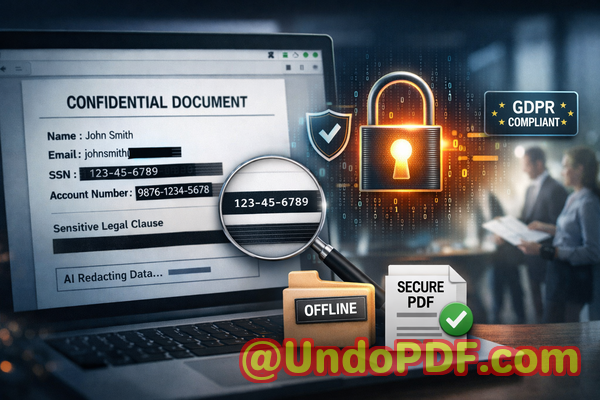
Last month, we shared a PDF contract with a potential partner. Everything looked fineclean formatting, professional presentation, and key clauses highlighted. But a week later, during a routine review, we discovered something alarming: buried within the document were unredacted personal details, including email addresses and internal pricing notes that were never meant to leave our organization.
That moment stuck with me. Not because it caused immediate damage, but because it easily could have. A simple oversight could have resulted in a serious GDPR violation, reputational damage, or even legal consequences. And the truth is, this kind of mistake is far more common than most businesses are willing to admit.
If you regularly share PDFscontracts, HR records, financial documents, or internal reportsyou are sitting on a potential risk. The question is not whether you redact sensitive data, but whether you’re doing it properly.
Let’s talk about the real issues businesses face and how AI-powered PDF redaction is changing the game.
The Hidden Risks in Everyday Document Sharing
In most organizations, PDF sharing is routine. Legal teams send agreements, HR departments distribute employee documents, finance teams share reports, and sales teams exchange proposals. But beneath this routine lies a significant and often underestimated risk: exposure of sensitive data.
Here are some of the most commonand costlypain points I’ve encountered.
1. Accidental Exposure of Sensitive Information
It only takes one overlooked detail.
A legal contract might still contain:
-
Client names or addresses
-
Bank account details
-
Internal comments or negotiation notes
-
Email threads embedded in the document
An HR report could include:
-
Employee IDs
-
Salary details
-
Personal contact information
When these documents are shared externallyeven with trusted partnersyou risk exposing confidential information.
And the consequences are real:
-
GDPR fines for mishandling personal data
-
Breach of confidentiality agreements
-
Loss of client trust
-
Internal compliance violations
What makes this worse is that many of these exposures are accidental. Someone simply didn’t realize the data was still there.
2. The Illusion of “Black Box” Redaction
I used to think that drawing a black rectangle over text in a PDF was enough.
It’s not.
Many manual redaction methods only hide the text visually. The underlying data remains intact. Anyone with basic tools can:
-
Copy and paste the “hidden” text
-
Extract it using PDF readers
-
Reveal it by removing the overlay
This creates a false sense of security. You think the data is gonebut it’s actually still embedded in the file.
There have been real-world cases where sensitive government or legal documents were leaked simply because redaction was done incorrectly.
If your current process relies on visual masking, you’re not actually protecting your data.
3. Risky Use of Online Redaction Tools
When teams are under pressure, they often turn to quick online tools.
Upload a PDF redact download done.
But here’s the problem: where does your document go?
When you upload sensitive files to an online service:
-
Your data is transmitted over the internet
-
It may be stored temporarilyor permanentlyon external servers
-
You have limited control over how it’s processed or secured
For businesses handling confidential data, this introduces a major vulnerability.
Imagine uploading:
-
Legal agreements
-
Financial statements
-
Medical records
-
Internal strategy documents
Now imagine those files being stored on unknown servers.
That’s not just riskyit’s unacceptable in many regulated industries.
A Smarter, Safer Approach: AI-Powered PDF Redaction
After dealing with these challenges firsthand, I started looking for a solution that could:
-
Automatically detect sensitive information
-
Permanently remove it from documents
-
Work entirely offline for maximum privacy
That’s when I came across the VeryPDF AI PDF Redaction Tool Command Line.
And honestly, it changed how we handle document security.
How AI Redaction Solves Real Business Problems
Let me break this down in practical terms.
This isn’t about flashy featuresit’s about eliminating real risks.
Automatic Detection of Sensitive Data
Instead of manually scanning documents line by line, the tool uses AI to identify sensitive content such as:
-
Names
-
Email addresses
-
Phone numbers
-
Identification numbers
-
Financial data
-
Custom-defined keywords
This is especially valuable when dealing with large or complex documents.
For example, we once had a 120-page contract archive. Manually reviewing it would have taken hoursand still left room for error.
With AI detection, we were able to:
-
Scan the entire document in minutes
-
Highlight all sensitive elements
-
Review and confirm before redaction
It dramatically reduced both time and risk.
Permanent Removal of Confidential Information
This is the most critical feature.
Unlike manual redaction, which often just hides text, this tool:
-
Completely removes the underlying data
-
Ensures it cannot be recovered
-
Produces a clean, secure PDF
Once redacted, the information is gonenot just hidden.
This is essential for compliance and legal protection.
Fully Offline Processing for Maximum Privacy
One of the biggest advantages is that everything runs locally.
That means:
-
No file uploads
-
No external servers
-
No data exposure during processing
For organizations dealing with sensitive information, this is a game-changer.
We no longer worry about where our documents are being sent or stored.
Everything stays within our control.
A Practical Workflow You Can Follow
Here’s how we typically use the tool in our daily operations.
-
Load the PDF document
-
Run AI detection to identify sensitive content
-
Review flagged items
-
Apply redaction rules
-
Export a clean, secure PDF
That’s it.
No complicated setup. No risky uploads. Just a streamlined, secure process.
What Should You Be Redacting?
If you’re unsure where to start, here’s a quick checklist of common data types that should always be reviewed:
Personal Identifiable Information (PII):
-
Names
-
Addresses
-
Phone numbers
-
Email addresses
Financial Data:
-
Bank account numbers
-
Credit card details
-
Salary information
Business Confidential Information:
-
Pricing strategies
-
Internal communications
-
Trade secrets
Legal and Compliance Data:
-
Contract clauses
-
Case details
-
Sensitive legal references
If your document contains any of the above, it should be properly redacted before sharing.
Real-World Example: Avoiding a Compliance Violation
One situation stands out.
We were preparing a set of documents for an external audit. These included internal reports that referenced employee data and financial figures.
Initially, the plan was to manually redact the documents using standard PDF tools.
But after a quick test, we realized something concerning: the “redacted” text could still be copied.
That’s when we switched to AI-based redaction.
Within a short time:
-
All sensitive fields were identified
-
Data was permanently removed
-
Clean versions were generated for sharing
The audit went smoothly, and we avoided what could have been a serious compliance issue.
Another Scenario: Moving Away from Online Tools
A colleague once used an online tool to redact a contract quickly before sending it to a client.
Later, they realized the document contained confidential pricing structures.
The bigger concern? The file had been uploaded to a third-party server.
There was no way to guarantee it had been deleted.
After that incident, the entire team moved to an offline solution.
Since then, we’ve had complete peace of mind knowing that sensitive documents never leave our environment.
Why This Matters More Than Ever
Data protection regulations are becoming stricter.
Clients are more aware of privacy issues.
And businesses are increasingly held accountable for how they handle information.
Failing to properly redact sensitive data isn’t just a technical mistakeit’s a business risk.
You could face:
-
Financial penalties
-
Legal action
-
Loss of trust
-
Long-term reputational damage
Investing in proper redaction tools is not optional anymoreit’s essential.
Final Thoughts and Recommendation
After experiencing the risks of manual redaction and unreliable tools, switching to an AI-powered, offline solution was one of the best decisions we made.
The VeryPDF AI PDF Redaction Tool Command Line addresses the exact challenges businesses face:
-
It detects sensitive data automatically
-
It removes information permanently
-
It keeps everything offline and secure
If you’re handling documents that contain confidential informationand most businesses arethis is something you should seriously consider.
I highly recommend this to anyone who needs to share documents safely without risking data leaks or compliance issues.
Try it now and securely redact your PDFs:
https://veryutils.com/smart-redact-server-ai-powered-pdf-redaction-software
Start your free trial today and ensure your sensitive data is permanently removed before sharing.
Frequently Asked Questions
1. How can I permanently remove sensitive data from a PDF instead of just hiding it?
You need a tool that deletes the underlying content, not just overlays it. AI-powered redaction tools ensure the data is completely removed and cannot be recovered.
2. Can others recover redacted information from my PDF?
If you use manual or visual redaction methods, yes. Proper redaction tools permanently erase the data, making recovery impossible.
3. Is it safe to use online PDF redaction tools?
Online tools can expose your files to external servers, creating privacy risks. Offline solutions are much safer for confidential documents.
4. Does this tool work completely offline?
Yes, it processes all documents locally, ensuring that your files never leave your system.
5. What types of sensitive data can be automatically detected and removed?
It can detect names, emails, phone numbers, IDs, financial data, and other sensitive information using AI.
6. How can I ensure compliance with GDPR when sharing documents?
By permanently removing all personal data and ensuring no recoverable information remains in the document.
7. Is AI detection accurate enough for legal or financial documents?
Yes, but it’s always recommended to review flagged items before finalizing redaction for maximum accuracy.
8. Can I customize what gets redacted?
Yes, you can define specific keywords or patterns to target business-specific confidential data.
9. Is this suitable for large-scale document processing?
Absolutely. The command-line interface allows for batch processing and automation.
10. What industries benefit most from this solution?
Legal, finance, healthcare, HR, and any business handling sensitive information.
11. Does redaction affect the formatting of the document?
No, the tool preserves the structure and readability while removing sensitive content.
Tags and Keywords
redact sensitive data, remove confidential information, PDF redaction tool, protect privacy in PDFs, prevent data leaks, offline PDF redaction, secure document sharing, AI PDF redaction, GDPR compliance, document security