Stop Costly Data Leaks: Securely Redact Sensitive Data in PDFs Before Sharing
Sharing documents should be routine. But in many organizations, it’s anything but safe. One overlooked detailone unredacted name, ID number, or financial figurecan trigger a cascade of consequences: regulatory fines, reputational damage, or even legal action. This article explores how businesses can confidently redact sensitive data, remove confidential information permanently, and protect privacy in PDFs using a practical, offline AI-powered solution.
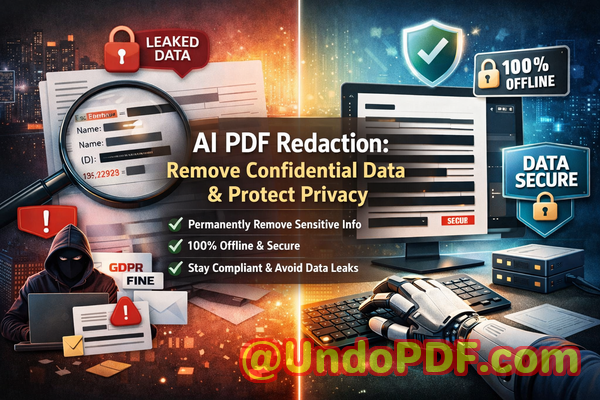
Protect your business from data leaks and compliance risks by permanently removing sensitive information from PDFs using secure, offline AI redaction.
Last month, we shared a PDF contract with a partner, confident everything sensitive had been removed. A few days later, we realized something alarmingthe document still contained employee personal data hidden beneath a black box. Anyone with basic tools could copy and paste the text and reveal everything. That moment changed how we approach document security forever.
If you’ve ever handled contracts, HR files, financial reports, or internal documents, you’ve probably faced the same anxiety: “Did we really remove all confidential information?” Not hide itremove it completely.
Because in today’s environment, mistakes are expensive. A single data leak can violate regulations like GDPR, expose private information, and damage trust that took years to build.
Let’s break down the real business risksand how to eliminate them with confidence.
The Hidden Risks Behind Everyday PDF Sharing
Most organizations deal with sensitive data daily. But the tools and processes used to manage that data often lag behind the risks.
Here are some of the most common (and dangerous) pain points I’ve seen across teams:
1. Accidental Exposure of Sensitive Data
It sounds simple: remove names, emails, or financial details before sharing a document. But in practice, it’s easy to miss something.
Consider these scenarios:
-
A legal team shares a contract but forgets to remove a client’s personal ID.
-
HR exports employee records but leaves salary data visible.
-
Finance sends reports that still contain internal account numbers.
These aren’t hypotheticalthey happen all the time.
And the consequences?
-
GDPR fines
-
Legal disputes
-
Loss of client trust
-
Internal compliance violations
The problem isn’t negligence. It’s that manual processes are unreliable.
2. “Fake” Redaction That Doesn’t Actually Remove Data
This is one of the most misunderstood risks.
Many people think drawing a black box over text equals redaction. It doesn’t.
In reality:
-
The original text often remains embedded in the PDF.
-
Anyone can copy and paste to reveal it.
-
Advanced tools can extract hidden layers.
I’ve personally tested documents where “redacted” information was fully recoverable in seconds.
That’s not redactionthat’s a liability.
3. Unsafe Online Redaction Tools
When teams are under pressure, they often turn to quick online tools to redact PDFs.
It feels convenient:
-
Upload file
-
Redact
-
Download
But here’s the hidden risk:
You’re uploading confidential business data to a third-party server.
That includes:
-
Contracts
-
Financial records
-
Legal documents
-
Personal employee data
And once uploaded, you lose control.
Questions you should be asking:
-
Where is the data stored?
-
Is it encrypted?
-
Is it logged or analyzed?
-
Who has access?
In many cases, the answers are unclearor worse, unacceptable for compliance standards.
A Practical Solution: AI-Powered PDF Redaction That Actually Works
After experiencing these risks firsthand, I started looking for a solution that could:
-
Automatically detect sensitive data
-
Permanently remove it
-
Work completely offline
-
Scale across large document volumes
That’s where VeryPDF AI PDF Redaction Tool Command Line comes in.
This isn’t just another PDF editor. It’s a purpose-built tool designed to eliminate the exact risks businesses face when sharing documents.
Let’s break down how it solves real problems.
How It Eliminates Data Leakage Risks
AI-Powered Detection of Sensitive Information
One of the biggest challenges is knowing what to redact.
VeryPDF uses AI to automatically identify:
-
Names
-
Email addresses
-
Phone numbers
-
Social security or ID numbers
-
Financial data
-
Addresses
-
Custom-defined patterns
Instead of manually scanning hundreds of pages, the system highlights sensitive content for you.
This is especially valuable for:
-
Legal teams reviewing contracts
-
HR departments handling employee records
-
Compliance officers auditing documents
It reduces human error significantly.
Permanent Removal (Not Just Visual Hiding)
This is critical.
The tool doesn’t just cover textit deletes it from the document structure.
That means:
-
No copy-paste recovery
-
No hidden layers
-
No metadata leaks
Once redacted, the data is gone.
This is what true compliance requires.
100% Offline Processing
This is a game changer.
Unlike online tools, everything runs locally:
-
No uploads
-
No external servers
-
No data exposure
Your documents never leave your environment.
For industries like legal, healthcare, and finance, this is non-negotiable.
Real Business Scenarios Where This Makes a Difference
Let me share a few practical examples that highlight the impact.
Scenario 1: Avoiding a GDPR Violation
A mid-sized consulting firm was preparing to share a client report externally. The document included:
-
Client names
-
Contact details
-
Internal notes
Initially, they used a standard PDF editor to black out sensitive sections.
Before sending, they ran the document through an AI redaction process.
Result?
It flagged multiple overlooked data pointsincluding metadata.
They applied permanent redaction and avoided what could have been a serious GDPR violation.
Scenario 2: Switching from Online Tools to Secure Offline Processing
A legal team was using a popular online redaction tool for speed.
After an internal audit, they realized:
-
They had uploaded confidential contracts to third-party servers
-
There was no clear data retention policy
They immediately switched to an offline solution.
Outcome:
-
Full control over document security
-
Improved compliance posture
-
Increased client confidence
Scenario 3: Preventing Competitive Information Leaks
A company was sharing a proposal with a potential partner.
The document included internal pricing logic and margin data.
Using AI detection, they identified and removed:
-
Hidden financial formulas
-
Internal notes
-
Strategic assumptions
The final document was clean, secure, and safe to share.
A Simple Workflow That Fits Into Any Business Process
One of the strengths of this tool is how straightforward it is to use.
Here’s a typical workflow:
-
Load the PDF document
-
Run AI detection to identify sensitive data
-
Review flagged items
-
Apply redaction rules
-
Export a clean, secure PDF
That’s it.
No complex setup. No guesswork.
What Types of Data Should You Always Redact?
From experience, these categories should always be reviewed before sharing any document:
-
Personally identifiable information (PII)
-
Names
-
Emails
-
Phone numbers
-
ID numbers
-
-
Financial data
-
Bank account details
-
Salary information
-
Revenue figures
-
-
Business-sensitive information
-
Internal strategies
-
Pricing models
-
Confidential agreements
-
-
Legal and compliance data
-
Contract clauses
-
Case references
-
Regulatory identifiers
-
Missing even one of these can create risk.
Why Offline Redaction Is Becoming a Business Standard
More organizations are moving toward offline toolsand for good reason.
Here’s why:
-
Data sovereignty: Keep sensitive information within your infrastructure
-
Compliance alignment: Meet strict regulatory requirements
-
Risk reduction: Eliminate exposure to third-party services
-
Audit readiness: Maintain clear control over document handling
In sectors like healthcare, legal, and finance, this isn’t optional anymoreit’s expected.
The Cost of Doing Nothing
It’s easy to underestimate the risk until something goes wrong.
But consider the potential impact:
-
GDPR fines reaching millions
-
Legal action from affected individuals
-
Loss of business relationships
-
Damage to brand reputation
All from a single document.
Now compare that to implementing a reliable redaction process.
It’s not just a technical decisionit’s a business safeguard.
Why I Recommend This Approach
After testing multiple tools and workflows, I’ve come to a simple conclusion:
If your organization shares documents externally, you need a reliable way to:
-
Redact sensitive data accurately
-
Remove confidential information permanently
-
Protect privacy in PDFs
-
Prevent data leaks before they happen
For me, VeryPDF AI PDF Redaction Tool Command Line checks all those boxes.
It’s practical, secure, and designed for real-world business use.
I highly recommend this to anyone who needs to share documents safely without risking data leaks or compliance issues.
Try it now and securely redact your PDFs:
https://veryutils.com/smart-redact-server-ai-powered-pdf-redaction-software
Start your free trial today and ensure your sensitive data is permanently removed before sharing.
Frequently Asked Questions
How can I permanently remove sensitive data from a PDF instead of just hiding it?
You need a tool that deletes the underlying content, not just overlays it. AI-powered redaction tools remove data from the document structure entirely.
Can others recover redacted information from my PDF?
If you used simple black boxes or highlighting, yes. Proper redaction permanently removes the data, making recovery impossible.
Is it safe to use online PDF redaction tools?
Not always. Uploading sensitive documents to external servers introduces risk. Offline tools are significantly safer.
Does this tool work completely offline?
Yes. VeryPDF AI PDF Redaction Tool Command Line processes files locally, ensuring full data privacy.
What types of sensitive data can be automatically detected and removed?
Names, emails, phone numbers, IDs, financial data, and custom patterns can all be identified and redacted.
How can I ensure compliance with GDPR when sharing documents?
By permanently removing personal data and ensuring documents are processed securelypreferably offline.
What industries benefit most from PDF redaction tools?
Legal, healthcare, finance, HR, and any organization handling confidential information.
Can I redact large batches of documents efficiently?
Yes. Command-line tools are especially useful for automating redaction across multiple files.
What happens to metadata in redacted PDFs?
Proper redaction tools remove or clean metadata to prevent hidden data leaks.
Is manual redaction still reliable?
It’s prone to human error. AI-assisted redaction significantly improves accuracy and consistency.
How do I verify that a PDF is fully redacted?
Try copying text, inspecting layers, or using extraction tools. If nothing appears, the redaction is effective.
Tags and Keywords
redact sensitive data, remove confidential information, PDF redaction tool, protect privacy in PDFs, prevent data leaks, offline PDF redaction, secure document sharing, AI redaction software, GDPR compliance tools