Secure Your PDFs: Permanently Remove Confidential Data and Prevent Costly Leaks
In a recent board meeting, we shared a PDF containing contract terms with a potential partner. Hours later, someone realized that personal email addresses and salary details were still in the document. The panic was immediateif that information had fallen into the wrong hands, it could have led to GDPR violations, reputational damage, and costly legal exposure. Situations like this happen more often than most businesses realize, especially when handling sensitive documents like contracts, HR records, and financial reports.
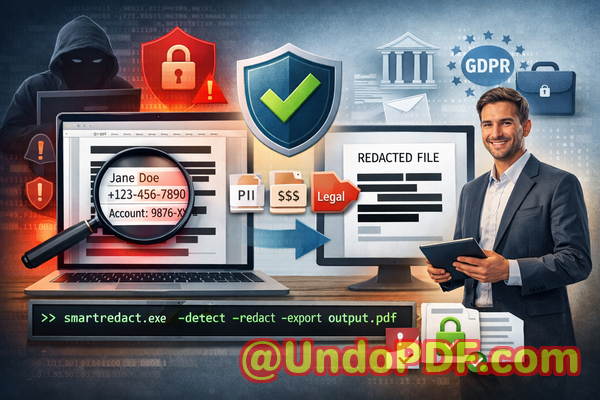
The reality is that simply blacking out text in a PDF or using an online redaction tool isn’t enough. Hidden data can still be copied, recovered, or leaked online, creating risks that range from fines and compliance violations to loss of client trust. For businesses that want to securely share documents without compromising sensitive information, a reliable, offline, AI-powered PDF redaction solution is critical.
Why Businesses Struggle With Sensitive Data in PDFs
Accidental exposure of confidential information in PDFs is a common problem that can have serious consequences. Here are some of the most pressing pain points we’ve seen in real-world business scenarios:
-
Accidental disclosure of sensitive data: Names, email addresses, phone numbers, financial information, or ID numbers often remain in documents when shared with partners, clients, or vendors. In regulated industries, this can result in compliance violations and hefty fines.
-
Ineffective manual redaction: Many employees still rely on manually blacking out text using PDF editors. The problem? The underlying text is not truly removedanyone with access to the file can copy or extract it, leaving the company exposed.
-
Risky online tools: Some teams turn to free online redaction services to save time. Unfortunately, uploading sensitive documents to third-party servers creates a new security risk: your confidential files may be stored, copied, or intercepted by malicious actors.
These scenarios demonstrate that businesses cannot rely on visual redaction alone or cloud-based services if they want true privacy and compliance protection.
AI-Powered PDF Redaction: The Practical Solution
This is where the VeryPDF AI PDF Redaction Tool Command Line comes in. Designed for business professionals, legal teams, HR departments, and compliance officers, it addresses these risks with a secure, offline solution that permanently removes sensitive information.
Here’s how it works in practice:
-
Automatic detection of sensitive data: Using AI, the tool scans your PDF to identify personal identifiable information (PII), financial details, phone numbers, emails, social security numbers, and even confidential business clauses.
-
Permanent removal, not just hiding: Unlike traditional redaction methods that only obscure text visually, this tool completely eliminates the underlying data. Once redacted, sensitive information cannot be recovered.
-
Offline processing for maximum security: All redactions happen locally on your computer. No document ever leaves your system, eliminating risks associated with cloud-based tools or external servers.
For example, a mid-sized consulting firm once had to share client contracts with several subcontractors. By using this tool, they were able to automatically redact client names, addresses, and financial data, ensuring that the shared files were safe and fully compliant with GDPR regulations.
Real-World Scenarios Where Offline AI PDF Redaction Protects Your Business
-
Preventing compliance violations: A healthcare provider needed to share medical reports with insurance partners. Using manual redaction, they risked exposing patient names and treatment details. By switching to AI-powered offline redaction, they permanently removed PII and ensured full compliance with HIPAA and GDPR.
-
Securing internal financial documents: An accounting team preparing a quarterly financial report needed to share documents with external auditors. Instead of manually removing bank account numbers and salary data, the AI tool automated the process, preventing accidental leaks.
-
Protecting confidential contracts and legal clauses: A law firm frequently shares contracts and NDAs with clients. AI-powered redaction ensured that sensitive clauses and internal notes were removed permanently before distribution, avoiding potential legal disputes or competitive exposure.
How to Redact PDFs Safely and Efficiently
The workflow for using VeryPDF AI PDF Redaction Tool Command Line is straightforward, even for busy professionals:
-
Load the PDF Open the document containing sensitive data.
-
Detect sensitive information The AI automatically identifies PII, financial data, and confidential clauses.
-
Review detected items Verify that the AI has captured all relevant sensitive information.
-
Apply redaction Permanently remove the data.
-
Export the clean PDF Share the document confidently, knowing all sensitive information is gone.
Common types of data businesses typically redact include:
-
Personal identifiable information (names, emails, phone numbers, addresses)
-
Financial information (account numbers, salaries, invoices)
-
Confidential business information (trade secrets, internal project details)
-
Legal clauses and sensitive contract terms
By following this process, businesses can avoid accidental leaks, reduce legal risk, and maintain trust with clients and partners.
Benefits of Offline AI PDF Redaction
The advantages of this approach are concrete:
-
Eliminate accidental leaks: Sensitive data is permanently removed before a document leaves your system.
-
Ensure full privacy: Offline processing means your confidential files never touch external servers.
-
Maintain compliance: GDPR, HIPAA, and other regulations are easier to meet when sensitive information is fully erased.
-
Save time and reduce errors: AI-powered detection reduces reliance on manual redaction and minimizes human mistakes.
A real example: A multinational HR department once struggled with manually redacting hundreds of employee contracts. After adopting this tool, they completed redactions in minutes, ensured PII was fully removed, and avoided the risk of accidental exposure that could have resulted in compliance penalties.
Conclusion
Sharing documents doesn’t have to be a risky business. VeryPDF AI PDF Redaction Tool Command Line solves real business pain points by automatically detecting and permanently removing sensitive informationall offline, ensuring privacy, compliance, and peace of mind.
I highly recommend this to anyone who needs to share documents safely without risking data leaks or compliance issues.
Try it now and securely redact your PDFs: https://veryutils.com/smart-redact-server-ai-powered-pdf-redaction-software
Start your free trial today and ensure your sensitive data is permanently removed before sharing.
Frequently Asked Questions (FAQs)
-
How can I permanently remove sensitive data from a PDF instead of just hiding it?
The AI tool completely erases the underlying text and metadata, so redacted data cannot be recovered.
-
Can others recover redacted information from my PDF?
No. Once the AI redaction is applied offline, the sensitive data is permanently removed.
-
Is it safe to use online PDF redaction tools?
Not always. Uploading sensitive documents to third-party servers can expose them to security risks. Offline tools are safer.
-
Does this tool work completely offline?
Yes. All detection and redaction happen locally on your computer.
-
What types of sensitive data can be automatically detected and removed?
PII, financial information, legal clauses, business secrets, and more.
-
How can I ensure compliance with GDPR when sharing documents?
Use AI-powered redaction to permanently remove personal data before distribution. Offline processing ensures privacy.
-
Is manual review required after AI detection?
Yes. The tool allows a review step to confirm that all sensitive data is correctly identified before final redaction.
-
Can it handle large batches of PDFs?
Absolutely. Command-line functionality makes batch processing efficient for businesses with high-volume needs.
-
Does the tool work on all types of PDFs?
It works on text-based PDFs and scanned documents, thanks to AI detection and OCR capabilities.
-
Will this tool help prevent accidental data leaks during file sharing?
Yes. By permanently removing sensitive information offline, it significantly reduces the risk of leaks.
-
Can it redact both visible and hidden metadata?
Yes. The tool ensures both visible text and metadata containing sensitive information are permanently removed.
-
Is it suitable for legal and financial documents?
Absolutely. It’s designed to handle sensitive information across contracts, HR records, financial reports, and legal agreements.
Keywords and Tags
redact sensitive data, remove confidential information, PDF redaction tool, protect privacy in PDFs, prevent data leaks, offline PDF redaction, secure document sharing, AI-powered PDF redaction, GDPR compliance, permanently remove sensitive data