Stop Data Leaks: Securely Redact Sensitive Information in PDFs Before Sharing
Protect your business from data leaks and compliance risks by using AI-powered PDF redaction to permanently remove confidential information before sharing.
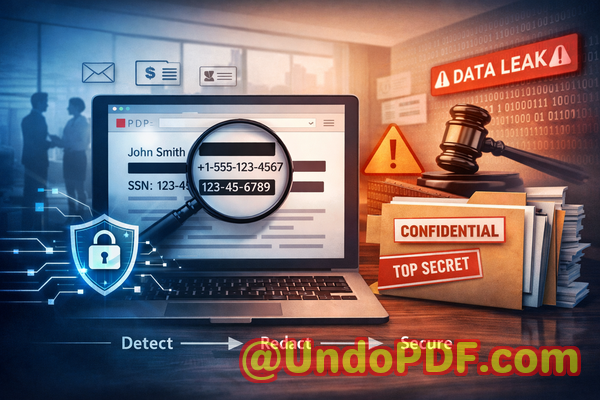
Last month, we shared a contract PDF with a potential partner. It was a routine stepnothing unusual. Or so we thought. A few days later, someone on our legal team spotted it: buried deep in an annex was a spreadsheet containing employee email addresses and partial salary data. We had “redacted” it visually, but the text was still extractable. Anyone could copy and paste it.
That moment was a wake-up call. We weren’t just dealing with an embarrassing mistakewe were facing a potential compliance violation, reputational damage, and serious legal exposure. And the worst part? We had followed what we thought was a safe process.
If you work with contracts, reports, HR records, or any form of sensitive documentation, this scenario probably feels uncomfortably familiar.
The Hidden Risks Inside Everyday Documents
Most business professionals assume that once they black out text in a PDF, the information is gone. Unfortunately, that’s often not true. What looks secure on the surface can still expose critical data underneath.
Let me walk you through a few real-world pain points that many organizationsincluding ourshave faced.
1. Sensitive Data Is Still ThereEven After “Redaction”
One of the most common mistakes I’ve seen is using basic PDF editing tools to “hide” text. You draw a black box over confidential information and assume it’s gone.
But in reality:
-
The underlying text is still embedded in the file
-
Anyone can copy, paste, or extract it
-
Search functions can still reveal it
-
Metadata may still contain sensitive details
This creates a false sense of security.
In industries like legal, finance, or healthcare, that’s not just riskyit’s dangerous. A single exposed Social Security number, email list, or financial figure can lead to:
-
GDPR violations
-
Regulatory fines
-
Loss of client trust
-
Legal liability
2. Manual Redaction Is Error-Prone and Time-Consuming
We used to rely on manual review processes. Someone would open a document, scan for sensitive content, and redact it line by line.
Here’s what typically went wrong:
-
Important data hidden in appendices or annexes was missed
-
Human fatigue led to inconsistent results
-
Different team members applied different standards
-
Large documents took hours to process
In one case, a contract appendix containing bank account details slipped through simply because it was on page 47.
Manual processes don’t scaleand they don’t guarantee accuracy.
3. Online Tools Introduce a Whole New Risk
At one point, someone suggested using a free online PDF redaction tool. It seemed convenientupload, redact, download.
But think about what that actually means:
-
You’re uploading confidential documents to a third-party server
-
You don’t know how long they store your data
-
You don’t control who has access behind the scenes
-
You may be violating internal security policies without realizing it
For us, this was a hard stop.
Uploading sensitive contracts, HR files, or financial reports to unknown servers is a risk we simply couldn’t justify.
A Practical Solution That Actually Works
After dealing with these issues firsthand, we needed a better approachsomething reliable, scalable, and secure.
That’s when we started using VeryPDF AI PDF Redaction Tool Command Line.
What stood out immediately was that it wasn’t just another editing tool. It was designed specifically to permanently remove confidential information, not just hide it.
How AI-Powered Redaction Changes Everything
Instead of relying on manual scanning or basic overlays, this tool uses AI to detect and remove sensitive content automatically.
Here’s how it works in practice.
Step-by-Step Workflow
A typical workflow looks like this:
-
Load your PDF document
-
Run AI-based detection for sensitive data
-
Review highlighted items (optional but recommended)
-
Apply redaction
-
Export a clean, secure PDF
That’s it.
No guesswork. No manual scanning of 50+ pages. No risk of hidden data lingering in the file.
What Types of Data Can Be Detected?
The AI is trained to identify a wide range of sensitive information, including:
-
Personal identifiable information (PII)
-
Names
-
Email addresses
-
Phone numbers
-
-
Financial data
-
Bank account numbers
-
Payment details
-
-
Identification data
-
Passport numbers
-
National IDs
-
-
Business-sensitive content
-
Internal project names
-
Confidential clauses
-
Pricing structures
-
This is especially useful for documents with complex layouts, such as:
-
Contract annexes
-
Legal appendices
-
Financial reports
-
HR records
Permanent Removal Means Zero Recovery Risk
One of the biggest advantagesand something I personally care aboutis that the tool doesn’t just hide data.
It completely removes it from the file.
That means:
-
The text cannot be copied
-
It cannot be recovered using software tools
-
It is not stored in metadata
-
It is not searchable
From a compliance standpoint, this is critical.
If regulators or auditors review your documents, you can confidently demonstrate that sensitive data has been fully removednot just visually obscured.
Fully Offline Processing: A Game Changer for Privacy
This was the deciding factor for us.
The VeryPDF solution runs entirely offline.
That means:
-
No file uploads
-
No external servers
-
No data leaving your organization
-
Full control over your documents
For industries with strict data governance policies, this is essential.
We no longer have to worry about:
-
Third-party data exposure
-
Cloud storage vulnerabilities
-
Unauthorized access
Everything stays within our own infrastructure.
Real Business Scenarios Where This Made a Difference
Let me share a few examples from our experience and from colleagues in other organizations.
Avoiding a GDPR Violation
A legal team was preparing to share a contract with an external partner. The document included multiple appendices containing client contact information.
Using AI redaction:
-
All personal data was automatically detected
-
The team reviewed flagged items
-
The final document was fully sanitized
Result:
-
No data leakage
-
Full GDPR compliance
-
Faster turnaround time
Replacing Unsafe Online Tools
A marketing team had been using an online PDF tool for redaction.
After switching to an offline solution:
-
They eliminated the risk of third-party data exposure
-
Improved internal security compliance
-
Reduced dependency on external platforms
Preventing Competitive Information Leaks
In one case, a company was sharing a proposal with a potential client.
Hidden within the document were:
-
Internal pricing models
-
Supplier details
AI redaction ensured these were completely removed before sharing.
Result:
-
Protected business intelligence
-
Maintained competitive advantage
Why This Matters More Than Ever
Data protection is no longer optional.
Regulations like GDPR have made it clear:
-
Businesses must protect personal data
-
Violations can lead to significant fines
-
Accountability is mandatory
But beyond compliance, there’s a bigger issuetrust.
Clients, partners, and employees expect their information to be handled responsibly.
A single mistake can damage that trust permanently.
Key Benefits at a Glance
From a business perspective, here’s what makes this approach so effective:
-
Accuracy: AI detects what humans often miss
-
Security: Fully offline processing ensures complete privacy
-
Compliance: Supports GDPR and other regulations
-
Efficiency: Reduces time spent on manual review
-
Reliability: Permanent data removal eliminates recovery risk
Practical Tips for Safer Document Sharing
If you’re handling sensitive documents regularly, here are a few best practices I recommend:
-
Always assume hidden data exists in PDFs
-
Avoid manual-only redaction processes
-
Never upload confidential files to unknown online tools
-
Use tools that permanently remove data, not just mask it
-
Review annexes and appendices carefullythey often contain the most sensitive information
Final Thoughts and Recommendation
After going through multiple close calls and one very real scare, I can say this with confidence:
Relying on visual redaction or manual processes is no longer enough.
We needed something that was accurate, secure, and designed for real-world business risksand that’s exactly what we found.
I highly recommend this to anyone who needs to share documents safely without risking data leaks or compliance issues.
Try it now and securely redact your PDFs:
https://veryutils.com/smart-redact-server-ai-powered-pdf-redaction-software
Start your free trial today and ensure your sensitive data is permanently removed before sharing.
Frequently Asked Questions
1. How can I permanently remove sensitive data from a PDF instead of just hiding it?
You need a tool that deletes the underlying data, not just overlays it. AI-powered redaction tools remove the content completely so it cannot be recovered.
2. Can others recover redacted information from my PDF?
If you used basic tools, yes. Proper redaction software ensures the data is permanently erased and unrecoverable.
3. Is it safe to use online PDF redaction tools?
In most cases, no. Uploading confidential documents to third-party servers introduces significant privacy and security risks.
4. Does this tool work completely offline?
Yes. It processes files locally, ensuring your documents never leave your environment.
5. What types of sensitive data can be automatically detected and removed?
It can detect names, emails, phone numbers, financial details, IDs, and other confidential information using AI.
6. How can I ensure compliance with GDPR when sharing documents?
Use tools that permanently remove personal data and maintain audit-ready processes for document handling.
7. Is manual redaction reliable enough for business use?
Not really. It’s prone to human error and often misses hidden or embedded data.
8. Can this tool handle large or complex documents?
Yes. It’s designed to process multi-page documents, including annexes and appendices.
9. Will redacted PDFs still look professional?
Yes. The output maintains document structure while removing sensitive content cleanly.
10. Is this suitable for legal and HR documents?
Absolutely. It’s ideal for contracts, employee records, financial reports, and compliance documents.
11. Does it remove metadata as well?
Yes. Proper redaction includes removing hidden metadata that could contain sensitive information.
Tags / Keywords
redact sensitive data, remove confidential information, PDF redaction tool, protect privacy in PDFs, prevent data leaks, offline PDF redaction, secure document sharing, AI redaction software, GDPR compliance, document security