Redact Sensitive Data Fast: AI PDF Redaction Secures Documents and Prevents Leaks
Every business handles sensitive informationcontracts, HR records, financial statementsbut sharing PDFs safely is surprisingly tricky. Last month, we sent a draft contract to a partner, only to realize later that the PDF still contained unredacted personal emails and employee IDs. One small oversight, and suddenly we were facing potential GDPR violations and client trust issues. It’s frustrating, time-consuming, and riskyespecially when large volumes of documents need redaction.
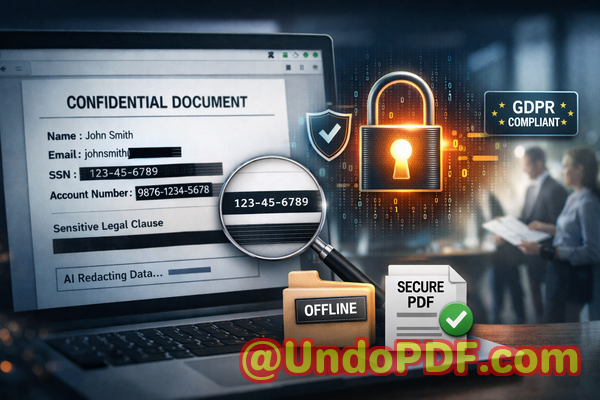
Accidental exposure of confidential data isn’t just an IT problem; it’s a real business threat. Every email, PDF, or report you send could contain personal identifiers, financial data, or proprietary business information. If these details fall into the wrong hands, the consequences are serious: compliance fines, reputational damage, or legal action. And yet, many teams still rely on manual redactionhighlighting text in black or scribbling over PDF contentonly to discover later that the underlying data can be copied or recovered.
Then there’s the temptation to use online tools. They seem convenient, but uploading sensitive PDFs to unknown servers is another major privacy risk. Data could be intercepted, stored, or misused without your knowledge. The reality is clear: businesses need a reliable, secure way to permanently remove confidential information before sharing documents. That’s where AI-powered PDF redaction comes in.
Businesses today face three pressing redaction challenges. First, sensitive information like client names, personal emails, phone numbers, or social security numbers is often hidden poorly. Manual methods can leave residual text that’s easily recoverable. Second, processing hundreds of files manually is a labor-intensive nightmare. Legal teams or HR staff may spend hours marking black boxes over confidential content, increasing the risk of human error. Third, using free online redaction tools compromises privacy. Uploading sensitive company information to a third-party server can create exposure you can’t control.
VeryPDF AI PDF Redaction Tool Command Line addresses all these issues with precision and speed. It automatically scans PDFs for sensitive datanames, emails, phone numbers, IDs, and moreand permanently removes it. Unlike manual redaction, this tool ensures the data is gone, not just hidden behind a black rectangle. Every file is processed fully offline, keeping your documents on your system and eliminating the risk of third-party exposure.
Here’s how it works in a typical workflow: you load your PDF into the software, and the AI identifies all sensitive information automatically. You can review the flagged items to ensure accuracy, then apply redaction with a single click. Finally, export a clean, fully redacted PDF ready for secure sharing. The process is fast, reliable, and entirely under your control.
Consider a mid-sized consultancy that handles client financial reports. Previously, every report had to be manually reviewed for names, account numbers, and confidential strategies. Missed items could result in accidental disclosure. By switching to VeryPDF AI PDF Redaction, they automated detection and permanent removal. Files were fully redacted before leaving the office, reducing human error, saving hours per week, and ensuring client confidentiality.
Another common scenario involves HR departments sharing employment contracts or internal evaluation reports. Sensitive personal details are embedded throughout the document. Using online redaction tools could expose this information to external servers, creating compliance risk. Processing offline with VeryPDF guarantees that confidential data never leaves your network.
The tool also covers legal and business-sensitive clauses. Suppose your legal team needs to share draft agreements with outside counsel but wants to protect certain terms. AI redaction can detect and remove these clauses systematically, ensuring no accidental disclosure.
Types of data that can be redacted include:
-
Personally Identifiable Information (PII): Names, emails, phone numbers, addresses, social security numbers
-
Financial Data: Bank account numbers, credit card details, salary information
-
Business Secrets: Product designs, internal strategies, confidential client information
-
Legal Clauses: Contract terms, nondisclosure sections, sensitive agreements
The benefits are tangible. Businesses prevent accidental data leaks that could lead to fines or litigation. Teams eliminate the risk of uploading sensitive files to unknown servers. Compliance officers can confidently share documents, knowing sensitive information has been permanently removed.
Step-by-step example:
-
Load PDF: Select your file(s) in the VeryPDF interface.
-
Detect sensitive data: Let AI scan and flag personal or confidential information.
-
Review: Check flagged items to ensure accuracy.
-
Apply redaction: Permanently remove all sensitive content.
-
Export clean PDF: Share safely with clients, partners, or internal teams.
Switching from manual or online redaction methods to an AI-powered offline solution doesn’t just save timeit protects your business. One consultancy avoided a potential GDPR violation because all client information was correctly removed before document sharing. Another firm gained peace of mind knowing their HR and financial PDFs were fully protected offline.
I highly recommend VeryPDF AI PDF Redaction Tool Command Line to anyone handling sensitive documents. It’s simple, reliable, and ensures that confidential information is permanently removed before sharing, reducing risk and maintaining compliance. Try it now and securely redact your PDFs: https://veryutils.com/smart-redact-server-ai-powered-pdf-redaction-software. Start your free trial today and ensure your sensitive data is protected.
FAQs
1. How can I permanently remove sensitive data from a PDF instead of just hiding it?
VeryPDF AI PDF Redaction removes the data entirely, not just visually masking it. Once redacted, the information cannot be recovered.
2. Can others recover redacted information from my PDF?
No. Unlike traditional black-box redaction, this tool permanently deletes sensitive data from the file.
3. Is it safe to use online PDF redaction tools?
Using online tools involves uploading files to third-party servers, which can compromise privacy. Offline processing is safer.
4. Does this tool work completely offline?
Yes. All processing happens on your local machine, ensuring that documents never leave your network.
5. What types of sensitive data can be automatically detected and removed?
Names, emails, phone numbers, IDs, financial information, business secrets, legal clauses, and other confidential content.
6. How can I ensure compliance with GDPR when sharing documents?
By permanently redacting personal and sensitive information offline before sharing, your business reduces exposure and maintains compliance.
7. Can I process multiple PDFs at once?
Yes, the tool supports batch processing to save time when handling large volumes of documents.
8. Does AI require manual input for every file?
AI automatically detects sensitive information, though you can review flagged items for accuracy before redaction.
9. Will formatting be preserved after redaction?
Yes, PDFs retain their layout and structure, with only the sensitive information removed.
10. Is the tool suitable for legal, HR, and financial documents?
Absolutely. Any document containing personal, financial, or confidential business data can be securely redacted.
11. How fast is the redaction process?
Processing is immediate for individual files and efficient for large batches, making it ideal for businesses managing high volumes.
Tags/Keywords:
redact sensitive data, remove confidential information, PDF redaction tool, protect privacy in PDFs, prevent data leaks, offline PDF redaction, secure document sharing, AI PDF redaction, compliance-friendly PDF, permanent data removal