Protect Sensitive Data in PDFs: AI-Powered Redaction to Prevent Leaks
Last month, we shared a PDF contract with a new business partner, only to realize hours later that it still contained unredacted personal datanames, emails, and financial details. The panic was immediate: this could have led to a GDPR violation, harmed our reputation, and even exposed us to potential legal consequences. Unfortunately, scenarios like this are all too common in business. Many companies believe that blacking out sensitive information is enough, only to discover that hidden text can still be copied or recovered.
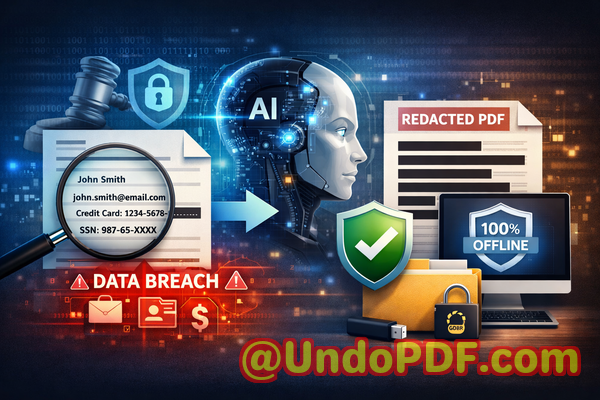
When handling financial reports, HR documents, contracts, or legal agreements, one wrong step can lead to a serious data leak. Sharing confidential PDFs without proper safeguards exposes organizations to fines, litigation, and trust issues with clients and partners. Even well-meaning employees can make mistakes: copying and pasting confidential data into emails, using online redaction tools that upload files to third-party servers, or assuming manual redaction is foolproof.
This is where AI-powered PDF redaction comes in. By permanently removing sensitive information before a document leaves your computer, businesses can confidently share files without risking privacy breaches or compliance violations.
Common Business Risks of Poor PDF Redaction
-
Accidental Exposure of Sensitive Information
Imagine sending a financial report to investors only to realize it still contains client names, Social Security numbers, or payment details. This isn’t hypothetical. Every year, companies experience data breaches simply because redaction was incomplete or done manually. Sensitive information can slip through unnoticed, especially in large documents, leaving businesses liable for compliance violations under GDPR, CCPA, or other regulations.
-
Manual Redaction Errors
Black markers or the “highlight and delete” method often give a false sense of security. Many PDF viewers allow users to copy the underlying text, meaning that confidential details are still technically accessible. Manual redaction is also time-consuming, error-prone, and inconsistent across departments, increasing the likelihood of a costly oversight.
-
Unsafe Online Redaction Tools
Employees sometimes turn to free online tools to redact PDFs, thinking it’s convenient. The hidden risk? These services upload sensitive documents to external servers, which could be compromised, monitored, or stored indefinitely. A document that was meant to be private might now exist on a remote server, completely outside company control.
How AI PDF Redaction Solves These Challenges
VeryPDF AI PDF Redaction Tool Command Line addresses these problems head-on, providing a practical, secure, and efficient solution for businesses. Here’s how:
-
Automatic Detection of Sensitive Data
AI scans documents for names, emails, phone numbers, addresses, IDs, financial data, and other confidential content. It identifies patterns even in complex layouts, so no sensitive detail slips through.
-
Permanent Removal of Information
Unlike superficial blackouts, this tool permanently deletes sensitive data from the PDF. Once redacted, there is no way for the information to be recovered or copied, ensuring true privacy protection.
-
Fully Offline Processing
All processing happens on your computer. Documents never leave your system, eliminating the risk of third-party exposure and guaranteeing compliance with internal security policies.
Real Business Scenarios Where AI Redaction Matters
-
Avoiding Compliance Violations
A mid-sized law firm recently switched to AI PDF redaction after nearly sending a draft settlement containing client PII to a third-party mediator. By scanning and permanently removing sensitive data first, the firm avoided potential GDPR fines and maintained client trust.
-
Securing HR Records
HR departments often deal with payrolls, performance evaluations, and employee contracts. One HR manager shared a PDF of salary adjustments, not realizing that hidden notes included social security numbers. Using offline AI redaction, the sensitive data was permanently removed before distribution, preventing possible identity theft.
-
Protecting Financial Reports
A financial consulting firm regularly shares reports with multiple clients. In one case, a spreadsheet embedded in a PDF included competitor names and financial metrics. AI redaction automatically identified and removed this data, allowing safe external sharing without exposing trade secrets.
How to Implement AI PDF Redaction in Your Workflow
The workflow is straightforward and practical for everyday business use:
-
Load PDF Select the document you need to share externally.
-
Detect Sensitive Data Let AI scan for PII, financial data, business secrets, or legal clauses.
-
Review Findings Ensure accuracy and approve redactions.
-
Apply Redaction Permanently remove all identified sensitive information.
-
Export Clean PDF The final file is safe to share with clients, partners, or regulators.
Types of Data You Should Always Redact
-
Personal Identifiable Information (PII): names, emails, addresses, phone numbers
-
Financial Data: bank details, payment information, tax IDs
-
Business Secrets: trade secrets, strategy documents, internal analyses
-
Legal or Confidential Clauses: settlements, NDAs, sensitive contractual terms
Using AI ensures that no hidden text, metadata, or embedded content remains accessible, preventing accidental exposure.
Benefits of Using AI-Powered Redaction
-
Prevents Accidental Data Leaks Eliminates the risk of fines or legal action due to incomplete redaction.
-
Maintains Compliance Meets GDPR, CCPA, and other data protection standards.
-
Protects Company Reputation Clients and partners feel confident that sensitive information is handled securely.
-
Streamlines Workflow Reduces hours spent manually checking and editing PDFs.
-
Full Offline Security Files never leave your computer, ensuring total privacy control.
Real Examples of Success
-
A corporate legal team avoided exposing confidential merger information by redacting PDFs with AI before sharing with consultants.
-
An HR manager reduced internal errors by switching from manual redaction to an offline AI-powered tool, safeguarding sensitive employee data.
-
A finance company ensured competitive data remained confidential, even when sending reports to multiple clients, preventing leaks that could have affected business negotiations.
Conclusion
AI-powered PDF redaction is no longer a “nice-to-have”it’s a necessity for businesses that handle sensitive information. From HR records to financial reports, legal contracts, and business agreements, the risk of accidental data exposure is real and costly.
I highly recommend VeryPDF AI PDF Redaction Tool Command Line to anyone who needs to share documents safely without risking data leaks or compliance issues. The AI does the heavy lifting, permanent removal ensures confidentiality, and offline processing guarantees full privacy.
Try it now and securely redact your PDFs: https://veryutils.com/smart-redact-server-ai-powered-pdf-redaction-software
Start your free trial today and ensure your sensitive data is permanently removed before sharing.
FAQs
1. How can I permanently remove sensitive data from a PDF instead of just hiding it?
Use AI PDF redaction that deletes information permanently, rather than relying on visual blackouts.
2. Can others recover redacted information from my PDF?
With proper AI-powered redaction, deleted information cannot be recovered by any PDF tool.
3. Is it safe to use online PDF redaction tools?
Online tools may upload your confidential files to third-party servers, risking data exposure. Offline AI solutions are safer.
4. Does this tool work completely offline?
Yes, all processing occurs on your computer. No files leave your system.
5. What types of sensitive data can be automatically detected and removed?
Names, emails, phone numbers, addresses, IDs, financial details, legal clauses, business secrets, and other PII.
6. How can I ensure compliance with GDPR when sharing documents?
By using AI redaction to permanently remove all PII and confidential data before external sharing.
7. Can AI handle large PDFs with complex layouts?
Yes, AI scans multi-page PDFs, tables, and embedded content accurately.
8. Does the tool work for both legal and financial documents?
Absolutely; it’s designed for contracts, HR records, financial reports, and more.
9. Can I review what AI is redacting before finalizing the PDF?
Yes, the tool provides a review step to approve redactions before applying them permanently.
10. Will metadata or hidden content remain after redaction?
No, AI removes metadata, annotations, and hidden layers, ensuring complete privacy.
11. How easy is it to integrate into my workflow?
Very. The command-line interface allows batch processing and automation, saving time for teams.
Tags / Keywords
redact sensitive data, remove confidential information, PDF redaction tool, protect privacy in PDFs, prevent data leaks, offline PDF redaction, secure document sharing, AI PDF redaction, GDPR compliance, permanent data removal