electronic contract signing workflow is no longer a nice-to-have, it’s the difference between deals that close today and deals that die in inboxes.
Let me ask you something.
How many times have you waited on a contract that was “just waiting for a signature”?
How many times has HR chased someone for a signed offer letter?
How many deals have slowed down because someone was travelling, “out of office”, or simply forgot to print, sign, scan, and send back?
If you work in HR, legal, sales, or operations, you already know the truth: the biggest bottleneck in business isn’t strategy. It’s paperwork friction.
And that’s exactly why tools like VeryPDF Sign exist.
I’m going to break this down in a real, practical way. No fluff. No hype. Just how modern teams are removing delays, improving compliance, and closing faster using digital signing systems like VeryPDF Sign, and how it compares in real workflows to solutions like Dropbox Sign.
The real problem nobody talks about: document signing is still painfully slow
Most companies think they’ve “gone digital” because they send PDFs over email.
But what actually happens?
Someone prints it anyway.
Then signs it.
Then scans it.
Then emails it back.
Then someone else can’t find the latest version.
Then legal asks for proof.
Then everything slows down again.
That’s not digital transformation. That’s digital pretending.
The 3 friction points killing your workflow
In almost every organisation I’ve seen, the same problems show up:
1. Manual signing is still everywhere
Printing, scanning, chasing signatures. It’s slow, messy, and completely unnecessary in 2026.
2. No visibility into approval status
You don’t know who signed, who ignored it, or where the document is stuck. So people start chasing manually, which makes things worse.
3. Security and compliance gaps
Signed contracts are emailed around with no audit trail, no encryption certainty, and no structured record of what actually happened.
This is where deals get risky. This is where HR exposes the company without realising it.
Why I started looking for a better way
I’ve seen deals worth thousands stall because someone “missed the email”.
I’ve seen HR teams lose half a day just chasing onboarding documents.
I’ve seen legal teams scramble during audits because signed PDFs were scattered across inboxes.
At some point, you realise: the problem isn’t effort. It’s system design.
That’s when I started testing modern cloud signing tools, especially VeryPDF Sign.
What VeryPDF Sign actually does (in plain English)
Let’s strip away the buzzwords.
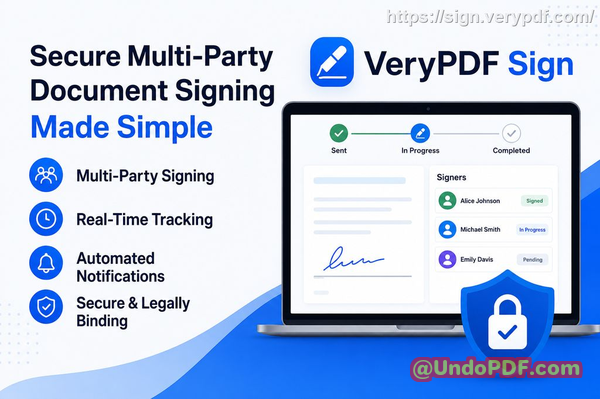
VeryPDF Sign Platform is a browser-based system that lets you:
-
Upload a document
-
Add signatures or request signatures from others
-
Track everything in real time
-
Download a legally signed file instantly
No printing. No scanning. No software installs.
Just straight-through signing.
And here’s the key difference: it doesn’t just “add a signature”. It builds a full digital signing workflow around it.
The Dropbox Sign comparison (and where things get interesting)
Let’s be honest.
Dropbox Sign (HelloSign) is a known player in the market. It’s solid, widely used, and integrates well inside the broader Dropbox ecosystem.
But when I compare it in real operational use cases, here’s what stands out:
Dropbox Sign strengths:
-
Strong integrations with Dropbox storage
-
Clean interface
-
Reliable for basic e-signatures
Where teams still feel friction:
-
Can feel tied into a specific ecosystem
-
Advanced workflows often require higher-tier setups
-
Less flexibility for fast, ad-hoc signing flows outside storage-first teams
VeryPDF Sign strengths in real workflows:
-
Faster onboarding (no ecosystem dependency)
-
Simpler “upload sign send” flow
-
Works across multiple file types, not just PDFs
-
Lightweight and frictionless for non-technical teams
-
Strong focus on instant execution rather than ecosystem lock-in
The biggest difference?
Dropbox Sign feels like a feature inside a larger suite.
VeryPDF Sign feels like a dedicated execution tool built for speed.
And in contract-heavy environments, speed wins.
How VeryPDF Sign actually fixes the core problems
Let’s connect this to real pain points.
1. From slow signing to instant execution
Instead of printing and scanning, you:
-
Upload your document
-
Add signature fields
-
Send for signing
-
Done in seconds
That alone removes hours from every contract cycle.
No training required. No onboarding manual.
Just action.
2. Real-time tracking that removes guesswork
This is where things get powerful.
You can see:
-
Who has opened the document
-
Who has signed
-
Who is delaying the process
No more chasing people blindly.
No more “Did you get a chance to sign it?”
You already know.
3. Security that actually holds up
This is not just convenience. It’s control.
VeryPDF Sign uses:
-
256-bit SSL encryption
-
Automatic file deletion after processing
-
Tamper-resistant signed outputs
-
Full audit trails
So if legal or compliance ever asks “prove what happened”, you have everything.
That’s a big deal in regulated industries.
Real-world scenarios where this changes everything
Let me give you examples I’ve either seen or consistently hear from teams.
HR onboarding transformation
A mid-sized HR team used to spend 23 days onboarding new hires because of contract delays.
After switching to digital signing:
-
Offer letters sent and signed within hours
-
No printing stations needed
-
Remote hires onboarded instantly
That’s not “efficiency”. That’s leverage.
Sales deals closing faster
A sales rep sends a contract at 4:30pm.
Previously:
-
Client prints next day
-
Signs later in the week
-
Deal closes 35 days later
With VeryPDF Sign:
-
Client signs on mobile in 2 minutes
-
Deal closes same day
That’s revenue acceleration.
Legal compliance made simple
A legal team preparing for an audit used to spend days gathering signed PDFs.
Now:
-
Every signature has a trail
-
Every action is logged
-
Every file is traceable instantly
Audit preparation time drops dramatically.
How I personally would use it in a business workflow
If I were setting this up for a team, here’s exactly how I’d structure it:
Step 1: Standardise document upload
-
All contracts go into a central signing queue
-
No more email attachments floating around
Step 2: Define signature flow
-
Identify signer order (if multi-party)
-
Add required fields (signature, date, initials)
Step 3: Send with tracking enabled
-
Email signature request links
-
Monitor progress in real time
Step 4: Store signed documents properly
-
Download final signed PDF
-
Store in CRM or secure drive
Step 5: Automate repeat processes
-
HR onboarding templates
-
Sales agreement templates
-
Vendor contracts
This is where the system starts working for you instead of the other way around.
Key features that actually matter (not marketing fluff)
Let’s keep this grounded.
Here’s what actually makes a difference:
-
Works on any device (laptop, phone, tablet)
-
Supports multiple file types (Word, Excel, images, PDFs)
-
Reusable signatures for faster repeat signing
-
Form filling tools (checkboxes, dates, text fields)
-
Multi-party signing workflows
-
Cloud-based processing (no installs)
-
Secure file handling with auto-deletion
-
API support for embedding into systems
This is what separates a toy tool from a workflow engine.
Why teams switch from traditional tools
Most teams don’t switch because of features.
They switch because of friction.
The moment you realise:
-
Your team is wasting hours chasing signatures
-
Deals are delayed because of admin
-
Compliance is harder than it should be
That’s when tools like VeryPDF Sign become obvious.
My honest take
If your business still depends on email attachments and manual signatures, you’re not just slower. You’re exposed.
What I like about VeryPDF Sign is simple: it removes unnecessary steps without forcing you into a complex ecosystem.
I highly recommend this for anyone handling contracts and approvals daily.
It’s one of those tools that quietly removes chaos from your operations.
FAQs
Is electronic signature legally valid?
Yes. Electronic signatures are legally binding in most countries and comply with standards like ESIGN, UETA, and eIDAS when properly implemented.
Can multiple parties sign the same document?
Yes. You can send a document to multiple signers and define signing order if needed.
Can I track who has signed and who hasn’t?
Yes. You get real-time visibility into document status, including who opened, signed, or is still pending.
Does it support mobile signing?
Yes. You can sign documents directly from any mobile browser without installing apps.
How secure are digitally signed documents?
They are encrypted using 256-bit SSL and include audit trails to ensure tamper-proof verification.
Can I use it for HR and sales workflows?
Absolutely. It’s commonly used for onboarding, contracts, approvals, and deal closures.
Final thoughts
If your team is still relying on manual signing processes, you’re leaving speed, money, and control on the table.
Tools like VeryPDF Sign exist to remove that friction completely, while alternatives like Dropbox Sign serve more ecosystem-tied workflows.
The real question is simple: do you want signing to be a bottleneck, or a competitive advantage?
Try it now and streamline your document signing workflow: https://sign.verypdf.com/
Start your free trial today and eliminate paper-based signing delays.
electronic contract signing workflow