When Your Business Reports Escape Your Control: How to Protect PDFs from Unauthorized Access
Last month, I discovered that a market research report I sent to a client had been forwarded to a competitor without my knowledge. That single leak cost us a major contract and shook our client’s confidence in our ability to protect sensitive information. It was a harsh wake-up call: no matter how careful you are, business documents like market research, strategy plans, and proprietary reports can slip through the cracks if not properly protected.
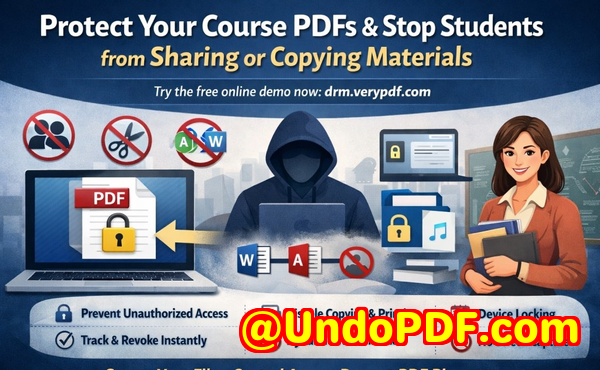
For any business owner, manager, or analyst, this scenario is all too real. Confidential PDFs often hold months of research, analysis, and strategic insights. Losing control over them can lead to lost revenue, reputational damage, and competitive disadvantages. The good news is that there are practical solutions designed specifically to prevent these types of costly leaksand one of the most reliable is VeryPDF DRM Protector.
One of the most painful realities for businesses is the invisible revenue drain caused by unauthorized sharing. For instance, last quarter, we sent a competitive market trend report to our premium clients. A few weeks later, we noticed competitors referencing our data almost verbatim in their presentations. The leak wasn’t just embarrassingit had direct financial consequences.
Common Pain Points That Cost Businesses the Most:
-
Unauthorized sharing and forwarding: PDF reports shared with clients or team members can easily be forwarded beyond intended recipients. This can lead to client trust erosion, lost deals, or competitors gaining an edge.
-
Copying, printing, or converting files: Even if a PDF isn’t shared intentionally, employees or external recipients can copy text, print multiple copies, or convert PDFs into editable Word, Excel, or image files. This makes it easier for someone to monetize your proprietary research or misuse it elsewhere.
-
Loss of control over sensitive business data: Once a PDF leaves your environment without restrictions, tracking who sees it or limiting its use is nearly impossible. This opens up competitive risks and potential legal exposure.
Each of these risks isn’t theoreticalthey have measurable consequences: lost contracts, eroded client trust, and in some cases, direct revenue loss.
How VeryPDF DRM Protector Solves These Problems
After experiencing repeated instances of data leakage, I turned to VeryPDF DRM Protector, and it transformed how we manage confidential documents. Here’s how it addresses the pain points above in practical terms:
-
Restrict access to authorized users: You can assign PDFs to specific clients, team members, or departments. Only these authorized users can open the files, meaning forwarded emails or shared links won’t compromise your data.
-
Prevent printing, copying, or forwarding: DRM Protector enforces strict rules on document use. Recipients can view PDFs without being able to print or duplicate content, and unauthorized forwarding is blocked.
-
Stop PDF conversion: It prevents documents from being exported to Word, Excel, or images, so even if someone tries to recreate your reports, they can’t bypass protections.
In practical terms, this means our market research reports remain under our control, and we can safely distribute sensitive data without worrying about leaks.
Real-World Examples of DRM Protection in Action
I remember one incident when a consulting team tried to share a strategic business report with an external partner. Without DRM, the document could have been copied or distributed widely. With VeryPDF DRM Protector, access was restricted, and the team had the peace of mind that the data remained confidential.
Another time, a client accidentally shared a preliminary analysis with a colleague outside their company. Thanks to DRM, the PDF couldn’t be opened by unauthorized users, avoiding potential misuse. These instances aren’t rarethey highlight how simple controls can save thousands in lost revenue and protect your intellectual property.
Step-by-Step Practical Tips for Securing PDFs:
-
Identify sensitive documents Market research, strategy plans, financial forecasts, and proprietary analyses should all be protected.
-
Assign access levels Determine which clients, teams, or departments need read-only access.
-
Enable DRM restrictions Prevent printing, copying, forwarding, and conversion.
-
Track access and usage Use the DRM dashboard to see who opened files and when.
-
Regularly update permissions Revoke access for former employees or outdated projects to maintain security.
By following these steps, your business can maintain full control over confidential PDFs, minimizing both visible and hidden risks.
Why Anti-Piracy Measures Matter
Businesses often underestimate the cost of document piracy. A single leaked market report can be converted and sold, shared widely on social media, or misused to undercut your services. VeryPDF DRM Protector’s anti-piracy features make these risks manageable:
-
Stops unauthorized users from bypassing security Even if someone tries to hack or manipulate the PDF, DRM rules prevent access.
-
Prevents conversion to editable formats Your proprietary insights remain intact and cannot be copied or repurposed.
-
Maintains control over distribution You decide who sees what, for how long, and under what conditions, reducing business risks.
Conclusion: Protecting Your Business Documents Is Non-Negotiable
From personal experience, the consequences of unprotected PDFs are real and measurable. Losing control over market research or strategic reports isn’t just inconvenientit directly impacts revenue, client trust, and your competitive positioning. VeryPDF DRM Protector solves these problems by restricting access, preventing printing or conversion, and giving you full visibility and control over document usage.
I highly recommend this to anyone distributing confidential business documents who wants to avoid costly leaks. It’s a straightforward, reliable solution that protects your hard-earned insights and keeps sensitive data secure.
Try it now and protect your business reports: https://drm.verypdf.com
Start your free trial today and keep your market research secure from leaks or misuse.
FAQs
Q1: How can I limit access to confidential business documents to prevent revenue loss?
You can assign PDFs to specific users, departments, or clients and restrict access to only authorized recipients, preventing accidental or malicious sharing.
Q2: Can I stop others from copying, printing, or converting my reports into editable formats?
Yes, VeryPDF DRM Protector allows you to disable printing, copying, and conversion to Word, Excel, or images, ensuring your content cannot be misused.
Q3: How do I track who accessed my business reports and when?
DRM Protector includes detailed usage logs that show when a document was opened and by which authorized user, giving you visibility into document activity.
Q4: Does DRM technology prevent unauthorized sharing of PDFs outside my organization?
Absolutely. Only users with permission can open the PDFs, and unauthorized forwarding or access attempts are blocked.
Q5: How easy is it to securely distribute protected business reports to clients or colleagues without risk?
It’s straightforward: assign user access, apply restrictions, and distribute. Clients or team members can access the document securely without jeopardizing your data.
Q6: Can I revoke access if a document is no longer needed by a client or employee?
Yes, you can revoke access at any time, immediately preventing further viewing or misuse of the PDF.
Q7: Will using DRM affect my client’s ability to read the reports easily?
No, authorized users can view PDFs without interruption, while all security measures operate seamlessly in the background.
Tags/Keywords:
protect business reports, secure market research, prevent PDF piracy, stop unauthorized access, protect confidential PDFs, prevent PDF conversion, safeguard proprietary data, control document distribution, prevent revenue loss, DRM PDF security