When client reports are shared internally and copied without permission, businesses lose revenue
Imagine sending a detailed market research report to a client, only to later discover it was forwarded to a competitor or converted into editable formats without authorization. The consequences are tangible: lost contracts, damaged client trust, and leaked intellectual property that took months to compile. For many businesses, this isn’t just hypotheticalit’s a recurring headache affecting bottom lines and reputation. Protecting business reports, securing market research, and preventing PDF piracy has never been more critical.
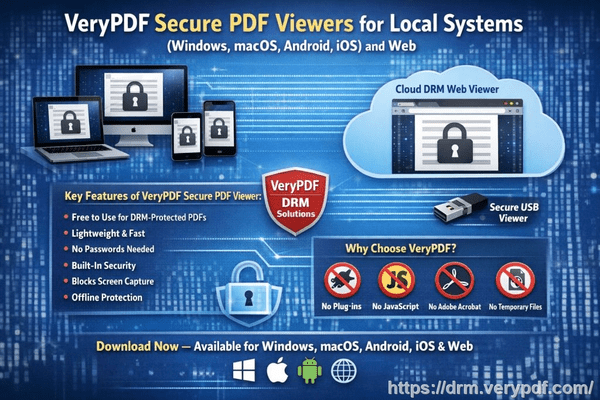
Last quarter, one of our consulting teams prepared a comprehensive strategy document for a high-profile client. Within weeks, parts of our analysis surfaced in a competitor’s proposal. Not only did we miss out on a potential follow-up contract, but our client’s confidence was shaken. Experiences like this underscore a common risk: when confidential documents leave your control, so does your business advantage.
Unauthorized sharing and copying of business reports is more than a technical nuisanceit’s a business threat. Here are some of the visible challenges companies face:
-
Leaked strategic information: Market research reports, pricing models, and proprietary strategies can be circulated internally or externally without permission, exposing companies to competitive risks and lost revenue.
-
Uncontrolled document conversion: PDFs can be converted into Word, Excel, or image formats, making sensitive data easily editable, repurposed, or resold. This often results in tangible financial losses.
-
Loss of document control: Without clear restrictions, businesses cannot track who accessed documents or prevent unauthorized forwarding, weakening client relationships and internal trust.
The solution to these risks is implementing robust PDF protection. VeryPDF DRM Protector offers a practical, scenario-driven approach to secure your business-critical documents. Unlike basic password protection, it provides granular control over who can access, print, or modify your PDFs.
With VeryPDF DRM Protector, businesses can:
-
Restrict access to authorized users: Only designated teams, departments, or clients can view your reports. This eliminates accidental or intentional sharing outside your organization.
-
Prevent copying, printing, or forwarding: The DRM system locks your PDF content from being duplicated, printed, or shared with unapproved recipients.
-
Block unauthorized conversions: PDFs cannot be converted into Word, Excel, or images, safeguarding your intellectual property from misuse or resale.
For example, a mid-sized market research firm began using VeryPDF DRM Protector to distribute client reports. One particular report, intended for a single client, was saved from being leaked when an unauthorized team member attempted to forward it externally. The system prevented the action and logged the attempt, giving the firm clear evidence of who tried to access the content improperly. This simple measure preserved client trust and prevented potential revenue loss.
Another practical scenario involves client-facing strategy documents. When consulting teams share analysis and recommendations with clients, the risk of internal redistribution is high. By applying DRM protection, firms can allow clients to view reports without giving them the ability to copy, edit, or distribute the material. This ensures that sensitive business information remains confidential, even when shared widely for operational purposes.
Businesses that handle proprietary market research often face invisible but real revenue leaks. Consider a scenario where a report is copied, converted to Excel, and then sold to a third party. Even a small leak can result in lost contracts, diminished competitive advantage, and reputational damage. DRM protection provides peace of mind, ensuring that your business reports remain under your control at all times.
To implement VeryPDF DRM Protector effectively, follow these steps:
-
Upload your PDF document to the DRM system.
-
Define access permissions for users, teams, or clients.
-
Set restrictions on printing, copying, or forwarding.
-
Enable conversion locks to prevent editing or format changes.
-
Monitor access logs to see who opened your document and when.
This step-by-step approach not only prevents unauthorized access but also simplifies managing confidential content. Business owners and managers can maintain full control over distribution without complex workflows or IT overhead.
Real stories illustrate the tangible benefits:
-
A consulting firm avoided losing a $200,000 contract because a sensitive PDF report could not be copied or forwarded to a competitor.
-
A market research company reduced internal confusion and prevented accidental leaks by assigning department-specific access, ensuring only authorized staff could view certain analyses.
-
An enterprise team used DRM logs to identify and correct a recurring pattern of unauthorized document access attempts, effectively stopping repeated breaches before they caused harm.
Beyond security, VeryPDF DRM Protector offers anti-piracy advantages that protect revenue. By stopping unauthorized users from bypassing PDF security, businesses can prevent data theft, misuse, or resale of intellectual property. Maintaining control over distribution ensures your reports remain a strategic asset rather than a liability.
I’ve found that protecting PDFs isn’t just about technologyit’s about safeguarding your business relationships and maintaining client confidence. Every document that leaves your office carries risk, but with DRM protection, you can mitigate those risks proactively.
For anyone distributing sensitive business reports, I highly recommend using VeryPDF DRM Protector. It’s straightforward, effective, and designed with real business scenarios in mind. Try it now and protect your business reports: https://drm.verypdf.com
Start your free trial today and keep your market research secure from leaks or misuse.
Frequently Asked Questions
How can I limit access to confidential business documents to prevent revenue loss?
By applying DRM protection, you can restrict PDF access to authorized users, teams, or clients, ensuring that only designated individuals can view your content.
Can I stop others from copying, printing, or converting my reports into editable formats?
Yes. VeryPDF DRM Protector allows you to prevent printing, copying, forwarding, and conversion to Word, Excel, or images.
How do I track who accessed my business reports and when?
The DRM system logs all access attempts, providing detailed information about who opened the document and at what time.
Does DRM technology prevent unauthorized sharing of PDFs outside my organization?
Absolutely. DRM restrictions ensure PDFs cannot be forwarded, copied, or printed by unauthorized users, keeping your proprietary information secure.
How easy is it to securely distribute protected business reports to clients or colleagues without risk?
Very easy. You can define permissions, set access controls, and monitor usageall within a simple, intuitive interface.
Can DRM help maintain client trust when sharing sensitive reports?
Yes. By ensuring reports cannot be misused or leaked, clients see your business as responsible and trustworthy, preserving long-term relationships.
What types of documents are best protected with DRM?
Market research reports, business strategy documents, proprietary analyses, client-facing reports, and any confidential PDFs benefit significantly from DRM protection.
Tags or Keywords:
protect business reports, secure market research, prevent PDF piracy, stop unauthorized access, protect confidential PDFs, prevent PDF conversion, safeguard business data, secure client reports, prevent document leaks, manage PDF access