Secure Your Business PDFs: Automatically Redact Sensitive Data to Prevent Leaks
Last month, our legal team shared a PDF report with an external partner, only to realize later that it still contained client names, financial information, and internal notes. The thought of a potential GDPR violation or accidental leak of confidential business data kept me awake for days. For companies handling sensitive documents daily, this is not a rare scenarioit’s a real, tangible risk that can cost reputations, money, and legal standing.
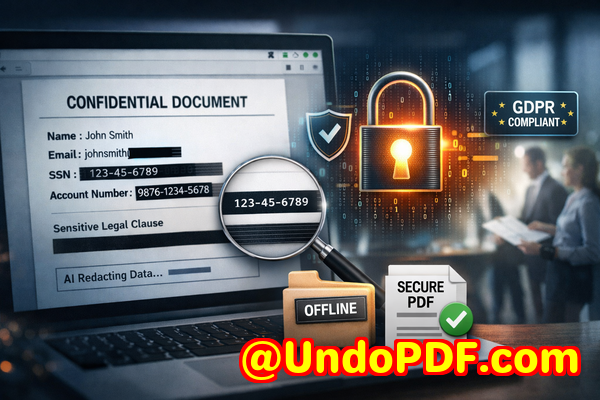
Sensitive data slipping through the cracks in PDFs is more common than most business professionals realize. From contracts and HR files to financial reports and client communications, the moment you share a document, there’s a risk. Even if you believe redaction has been done manually or with standard tools, errors often remaintext can be copied, images can reveal hidden information, and online tools might unknowingly upload your files to external servers.
This is where AI-powered PDF redaction becomes not just a convenience but a necessity. With tools like VeryPDF AI PDF Redaction Tool Command Line, you can automatically detect and permanently remove confidential data before it leaves your organization, keeping sensitive information safe and ensuring compliance.
Common Business Pain Points Around PDF Redaction
Many businesses encounter similar challenges when dealing with sensitive documents:
-
Accidental Exposure of Sensitive Data: Names, emails, financial details, and client IDs can appear in reports shared internally or externally. One misstep can create GDPR violations or legal exposure. For example, a financial services firm once sent an audit PDF to a client containing employee Social Security numbers that weren’t properly redacted, resulting in immediate regulatory scrutiny.
-
Ineffective Manual Redaction: Employees often black out text in PDFs with standard editing tools. However, such methods frequently leave underlying data recoverable. Copy-paste, OCR, or PDF extraction can reveal “hidden” information that appeared visually redacted.
-
Unsafe Online Tools: Many teams use free web-based PDF redaction tools to save time. While convenient, uploading sensitive documents to unknown servers introduces serious privacy risks. One HR department experienced a minor leak when a vendor accessed an unsecured document while testing an online toolfortunately, it was caught quickly, but the potential for larger exposure was significant.
These pain points are not just theoreticalthey represent tangible risks that businesses face every day.
How AI PDF Redaction Solves These Problems
VeryPDF AI PDF Redaction Tool Command Line addresses these business challenges directly. Here’s how:
-
Automated Detection of Sensitive Information: AI identifies names, emails, phone numbers, IDs, financial data, and other confidential elements automatically. You no longer need to comb through hundreds of pages manually, reducing human error and saving significant time.
-
Permanent Removal, Not Just Visual Masking: Unlike manual blackouts, the tool removes confidential information from the PDF completely. Once redacted, data cannot be copied, extracted, or recovered, ensuring true privacy protection.
-
Fully Offline Processing: Sensitive documents never leave your computer, eliminating the risk of accidental uploads to third-party servers. This guarantees 100% control over your data and compliance with strict privacy standards.
By using AI-powered redaction offline, you protect your business against potential leaks, compliance fines, and reputational damage.
Real-Life Scenarios Where Redaction Matters
-
Legal Departments: A law firm handling merger agreements must share sensitive client information with multiple stakeholders. Using AI redaction ensures only the necessary details are shared, preventing accidental disclosure of financial or strategic data.
-
HR Teams: When sharing employee records for audits or payroll reviews, PII must be removed. AI-powered redaction can automatically detect Social Security numbers, bank account details, and other sensitive identifiers, avoiding compliance violations.
-
Financial Reporting: A finance team preparing quarterly reports for board members can use AI redaction to ensure client or employee data doesn’t leak in public-facing summaries or internal drafts.
-
Medical or Compliance Records: Health institutions sharing patient information for research or reporting can safely redact personal health data, maintaining HIPAA or GDPR compliance.
Switching from manual or online redaction to an AI-powered, offline solution can save your company from costly mistakes while streamlining workflows.
Step-by-Step Workflow for AI PDF Redaction
Using VeryPDF AI PDF Redaction Tool Command Line is straightforward:
-
Load the PDF Document: Start with the file that needs redaction.
-
Detect Sensitive Data: AI automatically scans and identifies confidential elements.
-
Review Redaction Suggestions: Optional review ensures no critical data is missed.
-
Apply Redaction: Permanently removes selected information.
-
Export Clean PDF: Share the fully sanitized document with confidence.
Types of Data to Redact Automatically:
-
Personal identifiable information (PII) names, addresses, emails, phone numbers
-
Financial data bank details, credit card numbers, payroll figures
-
Business secrets strategic plans, internal notes, pricing models
-
Legal and confidential clauses contract terms, NDAs, sensitive agreements
Using a structured approach ensures nothing sensitive slips through while minimizing manual effort.
Privacy and Compliance Benefits You Can Measure
-
Prevent Accidental Data Leaks: Redacted PDFs cannot expose confidential information, reducing the risk of fines or legal action.
-
No Risk from Online Services: Since processing occurs offline, sensitive documents remain under your control at all times.
-
Regulatory Compliance: Helps meet GDPR, HIPAA, and other data protection requirements by ensuring PII or confidential data is permanently removed.
-
Reduced Operational Risk: Teams save time while minimizing human error, avoiding costly mistakes that could impact your company’s reputation.
For example, a multinational consulting firm avoided a GDPR violation after switching from online redaction tools to VeryPDF AI PDF Redaction Tool Command Line. The AI detected client names and financial identifiers that manual redaction had missed, preventing potential legal exposure.
Why Offline AI Redaction Outperforms Traditional Methods
-
Accuracy: AI algorithms detect sensitive patterns that humans often overlook.
-
Permanence: Data is truly removed, not hidden beneath visual overlays.
-
Security: Offline processing ensures documents never leave your system, maintaining confidentiality.
-
Efficiency: Bulk processing allows entire libraries of documents to be sanitized quickly, saving hours of manual work.
Many organizations underestimate the risk posed by partial redaction or online tools. By implementing a fully offline, AI-driven process, you gain both security and efficiency.
Conclusion: Protect Your Business by Redacting PDFs Correctly
Over the years, I’ve seen firsthand how redaction mistakes can expose businesses to compliance issues, client dissatisfaction, and financial risk. VeryPDF AI PDF Redaction Tool Command Line solves these challenges with a practical, reliable approach. Its AI-powered detection, permanent data removal, and fully offline processing provide peace of mind while allowing your teams to work efficiently.
I highly recommend this to anyone who needs to share documents safely without risking data leaks or compliance issues. Try it now and securely redact your PDFs: https://veryutils.com/smart-redact-server-ai-powered-pdf-redaction-software. Start your free trial today and ensure your sensitive data is permanently removed before sharing.
Frequently Asked Questions
-
How can I permanently remove sensitive data from a PDF instead of just hiding it?
AI redaction permanently deletes data at the file level, not just visually masking it. Once applied, information cannot be recovered.
-
Can others recover redacted information from my PDF?
No. Unlike manual blackouts or some online tools, AI redaction ensures data is completely removed and unrecoverable.
-
Is it safe to use online PDF redaction tools?
Online tools pose a risk because your documents may be uploaded to third-party servers, potentially exposing sensitive information.
-
Does this tool work completely offline?
Yes, VeryPDF AI PDF Redaction Tool Command Line processes PDFs entirely on your computer, maintaining full privacy and control.
-
What types of sensitive data can be automatically detected and removed?
Names, emails, phone numbers, IDs, financial details, business secrets, legal clauses, and other PII or confidential information.
-
Can I process multiple PDFs in bulk?
Absolutely. The tool is designed for batch processing, saving time while ensuring consistent redaction across documents.
-
How does this help with GDPR compliance?
By permanently removing personal data before sharing documents, the tool reduces the risk of GDPR violations and fines.
-
Do I need technical skills to use this tool?
No. While command line operations are required, clear documentation and step-by-step workflows make it accessible to business professionals.
-
What industries benefit most from AI PDF redaction?
Legal, HR, finance, healthcare, consulting, and any business handling sensitive client or employee information.
-
Can AI redaction miss confidential information?
AI is highly accurate, but reviewing suggested redactions ensures no critical data is overlooked before finalizing the PDF.
-
Is the original PDF preserved?
Yes. You can retain a copy of the original while exporting a redacted version for safe sharing.
-
Does it work with scanned PDFs?
Yes. AI can detect and redact text in scanned images using OCR capabilities.
Tags/Keywords
redact sensitive data, remove confidential information, PDF redaction tool, protect privacy in PDFs, prevent data leaks, offline PDF redaction, secure document sharing, AI PDF redaction, GDPR compliance, sensitive document protection