Stop Data Leaks: Securely Redact Sensitive Data in PDFs with AI
Protect your business from data leaks and compliance risks by permanently removing sensitive information from PDFs using AI-powered redaction before sharing.
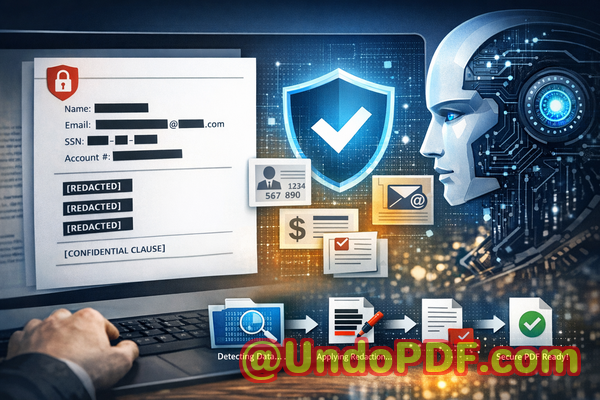
Last month, a colleague shared a PDF contract with an external partner. Everything looked fine at first glancekey clauses were blacked out, and the document appeared safe. But within hours, the partner replied with a concerning note: they could still copy and paste the “hidden” text. Sensitive client details, including email addresses and financial figures, were fully exposed.
That moment was a wake-up call.
If you work with contracts, HR documents, financial reports, or any form of sensitive data, you’ve probably faced a similar fear: What if something slips through? What if a document you thought was safe ends up leaking confidential information? And more importantlywhat would that cost your business?
For many organizations, the consequences are severe: GDPR violations, reputational damage, legal disputes, and even financial penalties. Yet, despite these risks, many teams still rely on outdated or unsafe methods to redact sensitive data.
Let’s unpack why this happensand how to fix it with a smarter, safer approach.
The Hidden Risks Behind Everyday PDF Sharing
Most professionals assume that redacting a PDF is as simple as drawing a black box over text. Unfortunately, that assumption is where the problem begins.
In reality, many commonly used methods don’t actually remove confidential informationthey just hide it visually. That means anyone with basic tools can recover the data underneath.
Here are three real-world pain points I’ve seen repeatedly across businesses:
1. “Redacted” Data That Isn’t Actually Removed
A legal team prepares a contract for external review. They black out client names and financial terms using a standard PDF editor. It looks securebut the underlying text is still there.
Anyone can:
-
Copy and paste the hidden text
-
Extract it using PDF tools
-
Reveal it by changing background colors
This isn’t just a technical flawit’s a compliance nightmare.
If you’re handling personally identifiable information (PII), financial data, or confidential agreements, this kind of mistake can directly violate regulations like GDPR.
2. Manual Redaction Is Error-Prone and Time-Consuming
Let’s be honestmanual processes don’t scale.
Imagine reviewing a 200-page document, trying to identify every instance of:
-
Names
-
Email addresses
-
Phone numbers
-
Bank details
-
Internal codes
Even the most meticulous professional can miss something.
And all it takes is one overlooked detail to create a data leak.
I’ve seen HR teams accidentally expose employee records. I’ve seen finance departments leak sensitive numbers in reports. These aren’t rare incidentsthey’re common, especially under tight deadlines.
3. Online Tools Create New Privacy Risks
In search of convenience, many employees turn to free online PDF tools.
It feels easy:
-
Upload the file
-
Redact sensitive parts
-
Download the result
But here’s the real question: Where does your document go after upload?
Most online tools process files on external servers. That means:
-
Your confidential data leaves your control
-
Files may be stored temporarilyor longer
-
You have no visibility into how data is handled
For industries dealing with legal, financial, or medical documents, this is a serious risk.
In fact, using such tools can itself violate compliance requirements.
A Smarter Approach: AI-Powered PDF Redaction That Actually Works
After encountering these issues firsthand, I started looking for a solution that could:
-
Automatically detect sensitive data
-
Permanently remove it (not just hide it)
-
Keep all processing offline for maximum privacy
That’s when I discovered VeryPDF AI PDF Redaction Tool Command Line.
This tool fundamentally changes how document redaction worksespecially for businesses dealing with high volumes of sensitive information.
How It Solves Real Business Problems
Instead of relying on manual effort or unsafe online tools, this solution uses AI to identify and remove confidential data at scale.
Here’s what stood out to me.
Automatic Detection of Sensitive Information
The tool uses AI to scan documents and detect:
-
Names and personal identifiers
-
Email addresses and phone numbers
-
Financial data and account numbers
-
IDs, passport numbers, and more
You don’t have to manually hunt for every instance. The system does the heavy lifting.
For example:
A compliance officer reviewing hundreds of contracts can quickly identify all sensitive fields across documentssomething that would take hours (or days) manually.
Permanent Removal (Not Just Visual Redaction)
This is critical.
When the tool redacts data, it doesn’t just cover itit completely removes it from the document.
That means:
-
No copy-paste recovery
-
No hidden metadata leaks
-
No risk of exposure through technical workarounds
Once redacted, the data is gone.
This alone eliminates one of the biggest risks businesses face.
Fully Offline Processing for Maximum Privacy
One of the biggest advantages is that everything runs locally.
No uploads. No external servers. No third-party access.
Your documents stay within your environment.
This is especially valuable for:
-
Legal teams handling confidential agreements
-
HR departments managing employee records
-
Finance teams working with sensitive reports
In my experience, switching to an offline workflow immediately improves data security and compliance confidence.
Real Business Scenarios Where This Makes a Difference
Let me walk you through a few practical examples where this approach has proven invaluable.
Scenario 1: Avoiding a GDPR Violation
A European company needed to share customer data with a third-party analytics provider.
Before sending the files, they used AI-powered redaction to remove:
-
Names
-
Email addresses
-
Phone numbers
The result?
They stayed compliant with GDPR while still enabling meaningful data analysis.
Without proper redaction, this could have resulted in significant fines.
Scenario 2: Securing Legal Documents Before Sharing
A law firm regularly shares contracts with external parties.
Previously, they relied on manual redactionslow and risky.
After adopting AI-based redaction:
-
They reduced review time by over 70%
-
Eliminated human error in identifying sensitive clauses
-
Ensured all confidential terms were permanently removed
The confidence boost alone was worth it.
Scenario 3: Eliminating Risks from Online Tools
An HR department used to rely on free online tools for redacting resumes and employee records.
After a security audit, they realized this exposed sensitive data to third-party servers.
Switching to an offline solution:
-
Eliminated external data exposure
-
Improved internal compliance policies
-
Built trust with employees regarding data handling
A Simple Workflow Anyone Can Follow
You don’t need to be technical to use this effectively.
Here’s a straightforward process that works in most business environments:
Step 1: Load Your PDF
Import the document you want to process.
Step 2: Detect Sensitive Data
Use AI detection to automatically identify:
-
Personal identifiable information (PII)
-
Financial details
-
Confidential business content
Step 3: Review and Adjust
Quickly review detected items.
You can:
-
Approve suggested redactions
-
Add custom rules for industry-specific needs
Step 4: Apply Redaction
Execute the redaction process.
All sensitive data is permanently removed.
Step 5: Export a Clean, Safe Document
Share your PDF confidently, knowing it’s secure.
What Should You Always Redact?
From a practical standpoint, here’s a checklist I recommend:
Personal Identifiable Information (PII)
-
Names
-
Addresses
-
Email addresses
-
Phone numbers
Financial Data
-
Bank account numbers
-
Credit card details
-
Salary information
Business-Sensitive Information
-
Internal strategies
-
Pricing models
-
Confidential agreements
Legal and Compliance Data
-
Contract clauses
-
Case details
-
Regulatory information
If you’re unsure, it’s better to redact more than less.
Why This Matters More Than Ever
Data privacy isn’t just a technical issueit’s a business-critical concern.
A single mistake can lead to:
-
Regulatory fines
-
Loss of client trust
-
Legal consequences
-
Brand damage
And the reality is, traditional methods are no longer enough.
AI-powered redaction, combined with offline processing, gives businesses a reliable way to:
-
Prevent data leaks
-
Protect privacy in PDFs
-
Ensure secure document sharing
Final Thoughts and Recommendation
After dealing with the risks and limitations of manual and online redaction methods, switching to an AI-powered, offline solution was a turning point.
It’s not just about efficiencyit’s about confidence.
Knowing that sensitive data is truly gone before sharing a document changes how you operate. It removes uncertainty and significantly reduces risk.
I highly recommend this to anyone who needs to share documents safely without risking data leaks or compliance issues.
Try it now and securely redact your PDFs:
https://veryutils.com/smart-redact-server-ai-powered-pdf-redaction-software
Start your free trial today and ensure your sensitive data is permanently removed before sharing.
Frequently Asked Questions
1. How can I permanently remove sensitive data from a PDF instead of just hiding it?
You need a tool that performs true redaction, meaning it deletes the underlying data layer. AI-powered redaction tools ensure the information is completely removed, not just visually obscured.
2. Can others recover redacted information from my PDF?
If you use basic tools that only cover text visually, yes. However, with proper redaction that removes data permanently, recovery is not possible.
3. Is it safe to use online PDF redaction tools?
In most cases, no. Online tools upload your documents to external servers, which can expose sensitive information and create compliance risks.
4. Does this tool work completely offline?
Yes. It processes documents locally, ensuring your files never leave your environment.
5. What types of sensitive data can be automatically detected and removed?
It can detect names, emails, phone numbers, financial data, IDs, and other confidential information using AI.
6. How can I ensure compliance with GDPR when sharing documents?
By removing all personally identifiable information before sharing and using tools that guarantee permanent deletion of sensitive data.
7. Can I customize what the tool detects?
Yes. You can define custom detection rules based on your industry or compliance requirements.
8. Is this suitable for legal and financial documents?
Absolutely. It’s designed for high-stakes environments where data privacy is critical.
9. How does AI improve the redaction process?
AI automates the detection of sensitive data, reducing human error and significantly speeding up the process.
10. What happens to metadata in the document?
Proper redaction tools remove sensitive metadata along with visible content, ensuring complete data protection.
11. Can this handle large volumes of documents?
Yes. The command-line interface is ideal for batch processing and enterprise workflows.
Tags and Keywords
redact sensitive data, remove confidential information, PDF redaction tool, protect privacy in PDFs, prevent data leaks, offline PDF redaction, secure document sharing, AI redaction software, GDPR compliance PDF, document data protection