Stop Costly Data Leaks: AI PDF Redaction to Securely Remove Sensitive Information
Protect your business from data leaks and compliance risks by permanently removing confidential information from PDFs using AI-powered offline redaction.
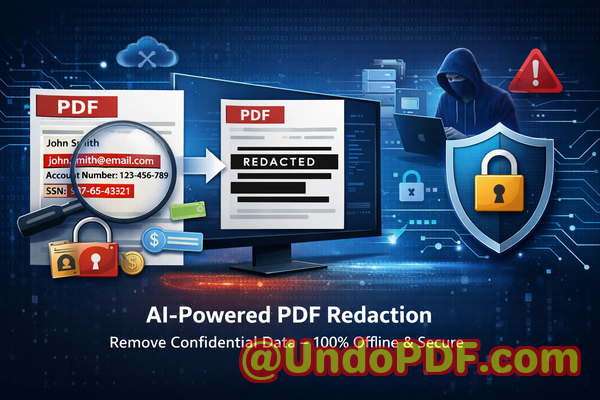
Last month, we shared a PDF contract with a new partner. Everything looked fineuntil a colleague noticed that personal email addresses and internal pricing notes were still visible beneath what we thought were “redacted” sections. That moment was uncomfortable, but more importantly, it exposed us to real risk: a potential compliance violation and a breach of trust with a partner we were trying to impress.
If you’ve ever handled contracts, HR files, financial reports, or client documents, you’ve probably faced a similar situation. You need to share informationbut not all of it. And the margin for error? Practically zero.
This is where many businesses struggle. Redacting sensitive data sounds simple, but doing it correctlyand permanentlyis far more complex than it appears.
The Hidden Risks of Sharing “Redacted” PDFs
In many organizations, document sharing is routine. Contracts go to partners, HR files circulate internally, reports are sent to clients. But inside these documents often lies sensitive data that must never be exposed.
Let’s break down the most commonand dangerouspain points.
1. “Redacted” Doesn’t Always Mean Removed
One of the biggest misconceptions is that covering text with a black box equals redaction. It doesn’t.
I’ve seen teams use basic PDF editors to draw rectangles over sensitive text. It looks secure. But in reality:
-
The original text is still embedded in the document
-
Anyone can copy and paste to reveal hidden data
-
Advanced tools can extract the underlying content
This creates a false sense of security. You think you’ve protected privacy, but the data is still therejust hidden visually.
The consequences can be severe:
-
GDPR violations due to exposed personal data
-
Legal liability from leaked confidential clauses
-
Damage to client trust
2. Manual Redaction Is Error-Prone
Even when using proper tools, manual redaction introduces human error.
Consider a legal team reviewing a 120-page contract. They must identify:
-
Names
-
Email addresses
-
Financial figures
-
Internal notes
Now imagine missing just one instance of sensitive data.
That’s all it takes.
In high-pressure environments, mistakes happen:
-
A missed phone number in an appendix
-
A hidden comment not removed
-
Metadata left intact
Manual processes simply don’t scale. The more documents you handle, the higher the risk.
3. Online Tools Create New Privacy Risks
Many professionals turn to free online PDF redaction tools for convenience. But this introduces another major issue: data exposure.
When you upload a document to an online service:
-
You lose control over where the file is stored
-
You don’t know how long it’s retained
-
You can’t verify who has access
For sensitive documentsHR records, legal agreements, financial statementsthis is a serious risk.
In some industries, it’s outright non-compliant.
I’ve personally seen companies unknowingly upload confidential contracts to third-party servers, thinking they were just “editing a PDF.”
That’s not just riskyit’s avoidable.
A Practical Solution: AI-Powered PDF Redaction That Actually Works
After dealing with these issues firsthand, I started looking for a solution that could:
-
Reliably detect sensitive data
-
Permanently remove it
-
Keep everything fully private
That’s where VeryPDF AI PDF Redaction Tool Command Line comes in.
This isn’t just another PDF editor. It’s designed specifically to solve the real problems businesses face when trying to protect sensitive information.
How It Solves Real Business Problems
Let’s walk through how this tool addresses the risks we’ve just discussed.
AI Detection of Sensitive Data
Instead of manually scanning documents, the tool uses AI to automatically identify sensitive information such as:
-
Names
-
Email addresses
-
Phone numbers
-
Identification numbers
-
Financial details
This dramatically reduces the chance of missing something critical.
In practice, this means:
-
Faster processing of large documents
-
Consistent detection across files
-
Reduced reliance on manual review
For teams handling hundreds of documents, this is a game changer.
Permanent Data Removal (Not Just Visual Masking)
This is the most important feature.
The tool doesn’t just hide textit removes it entirely from the document.
That means:
-
No recoverable underlying text
-
No hidden metadata leaks
-
No risk of copy-paste exposure
Once redacted, the sensitive data is gone for good.
This is essential for:
-
Legal compliance
-
Secure document sharing
-
Protecting intellectual property
Fully Offline Processing for Maximum Privacy
One of the biggest advantages is that everything runs locally.
Your documents:
-
Never leave your computer
-
Are not uploaded to external servers
-
Remain fully under your control
This eliminates an entire category of risk associated with online tools.
For industries like legal, healthcare, and finance, this is critical.
A Simple Workflow That Fits Into Any Business Process
One thing I appreciate is how straightforward the workflow is. You don’t need to overhaul your existing processes.
Here’s a typical example:
-
Load your PDF document
-
Run AI detection to identify sensitive content
-
Review flagged areas
-
Apply redaction
-
Export a clean, secure PDF
That’s it.
You can integrate this into:
-
Legal review pipelines
-
HR document handling
-
Client report preparation
-
Compliance audits
What Should You Be Redacting?
If you’re unsure what qualifies as sensitive data, here’s a practical checklist.
Personal Identifiable Information (PII)
-
Full names
-
Email addresses
-
Phone numbers
-
Home addresses
-
ID numbers
Financial Data
-
Bank account details
-
Payment records
-
Salary information
-
Pricing structures
Business-Sensitive Information
-
Internal strategies
-
Confidential agreements
-
Proprietary data
-
Client lists
Legal and Compliance Data
-
Contract clauses
-
Case details
-
Regulatory information
Real Business Scenarios Where This Matters
Let me share a few examples that highlight the real-world impact.
Scenario 1: Avoiding a GDPR Violation
A mid-sized consulting firm needed to share project reports with a partner. These reports included employee names and internal notes.
Using manual redaction, they initially missed several references.
After switching to AI-powered redaction:
-
All personal data was automatically flagged
-
Sensitive sections were permanently removed
-
The final documents were fully compliant
They avoided what could have been a costly GDPR issue.
Scenario 2: Protecting Client Confidentiality
A legal team was preparing documents for a case involving multiple clients.
Previously, they used an online tooluntil they realized:
-
Confidential files were being uploaded externally
-
There was no guarantee of data deletion
By moving to an offline solution:
-
All processing stayed internal
-
Client confidentiality was fully protected
-
Risk exposure dropped to near zero
Scenario 3: Preventing Internal Data Leaks
An HR department needed to share employee reports with management.
These documents included:
-
Salary details
-
Personal information
-
Performance notes
Using AI redaction:
-
Sensitive fields were automatically identified
-
Only necessary information was shared
-
Internal privacy was maintained
Why This Matters More Than Ever
Data privacy regulations are tightening globally.
Whether it’s GDPR, HIPAA, or internal compliance policies, the expectation is clear:
You must protect sensitive informationor face consequences.
Those consequences aren’t theoretical:
-
Financial penalties
-
Legal action
-
Reputational damage
At the same time, businesses are sharing more documents than ever.
That combination creates risk.
The only reliable solution is to ensure that sensitive data is not just hiddenbut completely removed before sharing.
Key Benefits at a Glance
Here’s what stands out to me:
-
AI-powered detection reduces human error
-
Permanent redaction ensures data cannot be recovered
-
Offline processing guarantees full privacy
-
Easy integration into existing workflows
-
Scales for teams handling large volumes of documents
Final Thoughts and Recommendation
After dealing with the risks of manual redaction and the uncertainty of online tools, switching to an AI-powered, offline solution made a measurable difference.
It’s not just about convenienceit’s about eliminating real business risks.
If you regularly handle sensitive documents, this is not optional. It’s essential.
I highly recommend this to anyone who needs to share documents safely without risking data leaks or compliance issues.
Try it now and securely redact your PDFs:
https://veryutils.com/smart-redact-server-ai-powered-pdf-redaction-software
Start your free trial today and ensure your sensitive data is permanently removed before sharing.
Frequently Asked Questions
1. How can I permanently remove sensitive data from a PDF instead of just hiding it?
You need a tool that performs true redaction, not visual masking. AI-powered redaction tools remove the underlying data completely, ensuring it cannot be recovered.
2. Can others recover redacted information from my PDF?
If you used proper redaction (not just covering text), the data is permanently deleted and cannot be recovered.
3. Is it safe to use online PDF redaction tools?
Online tools can expose your documents to third-party servers. For sensitive data, offline solutions are significantly safer.
4. Does this tool work completely offline?
Yes, all processing is done locally on your machine, ensuring full privacy and control over your documents.
5. What types of sensitive data can be automatically detected?
It can detect names, emails, phone numbers, ID numbers, financial data, and other confidential information using AI.
6. How can I ensure compliance with GDPR when sharing documents?
By permanently removing personal data before sharing and using tools that guarantee no recoverable information remains.
7. Is manual redaction still reliable?
Manual redaction is prone to human error and often misses hidden data. AI-assisted tools provide a more reliable approach.
8. Can this tool handle large volumes of documents?
Yes, it is designed for scalability and can process multiple documents efficiently.
9. Will redacted PDFs still look professional?
Yes, the output documents are clean, properly formatted, and ready for secure sharing.
10. Does it remove metadata as well?
Yes, proper redaction includes removing hidden metadata that could contain sensitive information.
11. Who should use this tool?
Business owners, legal teams, HR departments, compliance officers, and anyone handling confidential documents.
Tags
redact sensitive data, remove confidential information, PDF redaction tool, protect privacy in PDFs, prevent data leaks, offline PDF redaction, secure document sharing, AI redaction software