Best Way to Redact Sensitive Data in PDFs Offline Without Subscriptions
Last month, we were preparing to share a contract with a potential partner, and I thought everything was ready. But a quick review revealed that the PDF still contained unredacted personal emails and financial details. My heart sankone wrong click, and we could have faced a GDPR violation or worse, leaked sensitive business information to a competitor. If you’ve ever been in this situation, you know the frustration: hours spent manually blacking out text, hoping nothing can be recovered, and worrying about sending confidential information through online tools.
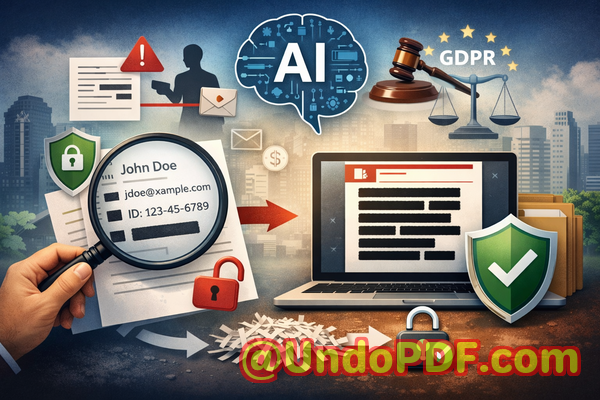
Accidental exposure of sensitive data is more common than most businesses realize. Even something as simple as a staff roster, HR report, or client invoice can contain enough personal or financial information to trigger legal action, fines, or loss of trust. That’s why using the right tools to permanently remove confidential information is not just a convenienceit’s a necessity.
One tool I’ve come to rely on is the VeryPDF AI PDF Redaction Tool Command Line. It solves exactly this problem by automatically detecting sensitive data, permanently removing it, and doing everything offline. Let me walk you through why this matters and how it can save your business from serious risks.
Accidentally exposing sensitive information can happen in multiple ways. Here are the scenarios that keep business owners and compliance officers up at night:
-
Hidden compliance risks A PDF you think is safe may still contain emails, personal IDs, or financial data that regulatory bodies consider sensitive. Sharing it without proper redaction can trigger GDPR or HIPAA violations.
-
Manual redaction errors Highlighting and blacking out text manually seems straightforward, but the text underneath can often still be copied, searched, or recovered, leaving confidential information exposed.
-
Unsafe online tools Many employees turn to free online PDF redactors out of convenience. The problem? Your documents are uploaded to unknown servers, potentially exposing sensitive contracts, HR files, or client lists to third parties.
These aren’t hypothetical risksthey happen in real businesses every day. In one case, a company nearly shared a PDF with client social security numbers still embedded. Fortunately, they caught it before sending. In another, a legal team relied on a free online tool and unknowingly uploaded confidential merger details to a cloud server outside their control.
This is where the VeryPDF AI PDF Redaction Tool Command Line comes in. It is designed to eliminate these risks by providing a fully offline, AI-powered solution that permanently removes sensitive information.
Here’s how it works in practical terms:
-
Automatic detection of sensitive data The tool scans your PDF for common types of confidential information, including:
-
Names and personal identifiers (emails, phone numbers, social security numbers)
-
Financial data (bank details, salaries, invoices)
-
Legal clauses and confidential agreements
-
Business secrets or proprietary information
-
-
Permanent removal, not just hiding Unlike manual redaction where black boxes may only cover the text visually, this tool completely removes the underlying content. Once redacted, sensitive information cannot be recovered, copied, or extracted.
-
Fully offline processing All scanning and redaction happen on your local machine. No documents are sent to external servers, ensuring 100% privacy and reducing the risk of accidental leaks.
-
Easy workflow Even for busy managers or legal teams, the process is straightforward:
-
Load your PDF into the tool
-
Let AI detect sensitive data automatically
-
Review redaction suggestions
-
Apply redactions and export the clean PDF
-
This workflow not only saves time but gives peace of mind. I’ve personally seen how switching from online tools to an offline solution significantly improved data security within our department.
Real-life scenarios highlight the importance:
-
A mid-sized HR firm avoided a GDPR fine when they realised payroll PDFs still contained employee IDs. Using VeryPDF’s tool, they redacted sensitive data completely before sending it to auditors.
-
A law office handling confidential merger documents switched from manual redaction to this offline AI tool. They could securely share contracts with external partners without worrying about information leaks.
-
A finance team reviewing sensitive invoices with client banking information reduced risk dramatically by automatically removing sensitive fields before distributing reports internally.
In all these cases, the common thread was the ability to act fast, avoid human error, and ensure that sensitive data never left the secure environment of the company.
Step-by-step example workflow:
-
Open the PDF in VeryPDF AI PDF Redaction Tool Command Line.
-
Run the automatic detection scan for sensitive data.
-
Review AI suggestions and confirm any redactions.
-
Apply the redactions, permanently removing all confidential content.
-
Export the clean PDF for sharing or archiving.
Common types of data you can redact include:
-
Personally identifiable information (PII) Names, addresses, emails, phone numbers
-
Financial data Bank account numbers, invoices, payment records
-
Business secrets Internal strategies, pricing models, client lists
-
Legal or confidential clauses Contractual obligations, sensitive agreements
By following this process, teams can confidently share PDFs without the fear of unintentional data exposure.
I highly recommend this to anyone who needs to share documents safely without risking data leaks or compliance issues. The combination of AI-powered detection, permanent removal, and offline operation makes it a must-have for legal teams, HR departments, finance professionals, and business managers alike.
Try it now and securely redact your PDFs: https://veryutils.com/smart-redact-server-ai-powered-pdf-redaction-software
Start your free trial today and ensure your sensitive data is permanently removed before sharing.
Frequently Asked Questions
-
How can I permanently remove sensitive data from a PDF instead of just hiding it?
The VeryPDF AI PDF Redaction Tool completely removes text or data, not just overlaying black boxes. Once applied, the content cannot be recovered.
-
Can others recover redacted information from my PDF?
No. Unlike manual redactions, AI-powered redaction ensures the underlying data is permanently deleted.
-
Is it safe to use online PDF redaction tools?
Online tools pose privacy risks because your documents are uploaded to third-party servers. Offline solutions like VeryPDF keep everything on your computer.
-
Does this tool work completely offline?
Yes. All scanning and redaction happen locally, so confidential documents never leave your system.
-
What types of sensitive data can be automatically detected and removed?
Names, emails, phone numbers, financial data, IDs, business secrets, and confidential clauses are all supported.
-
Can it help with GDPR compliance?
Yes. Permanently removing personal data before sharing ensures your documents meet GDPR and other privacy regulations.
-
Is the AI detection accurate?
VeryPDF’s AI scans for a wide range of sensitive information with high accuracy, reducing the chance of missed data.
-
Can I review redactions before applying them?
Absolutely. You can review and approve all suggested redactions before finalising the PDF.
-
Can it handle multiple PDFs at once?
Yes, batch processing is supported, saving time for teams working with large volumes of documents.
-
What formats are supported?
Primarily PDFs, including contracts, HR records, financial reports, and legal documents.
-
Is it suitable for small businesses or only large enterprises?
Both. Small businesses benefit from its simplicity and privacy, while enterprises gain efficiency and compliance assurance.
Keywords / Tags:
redact sensitive data, remove confidential information, PDF redaction tool, protect privacy in PDFs, prevent data leaks, offline PDF redaction, secure document sharing, GDPR compliance, AI PDF redaction, confidential document protection