Protect Sensitive Data in PDFs Without Risk: AI-Powered Offline Redaction for Businesses
Last month, our team shared a PDF containing client contracts with a partner. We later realized it still included unredacted personal informationemails, phone numbers, and even social security numbers. The panic set in: a potential GDPR violation and reputational damage loomed over us. This is a scenario many businesses face but rarely discuss openly. Sharing documents safely without exposing confidential information is a challengeespecially for companies bound by strict compliance rules or operating in sectors like legal, HR, or finance.
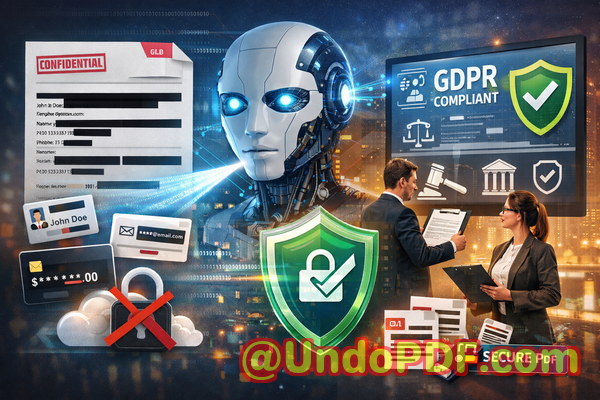
Accidental data leaks in PDFs are more common than you think. Many organizations still rely on manual redactionhighlighting or blacking out textonly to discover later that the information can be copied, recovered, or viewed in document metadata. Other teams turn to online PDF tools, unaware that uploading sensitive documents to third-party servers creates a major privacy risk.
This is where VeryPDF AI PDF Redaction Tool Command Line comes in. Designed for organizations that cannot risk cloud-based processing, it ensures sensitive data is permanently removed from PDFs before sharing, keeping confidential information fully private and secure.
The Hidden Risks of Sharing PDFs in Business
In today’s fast-paced work environment, sharing documents is unavoidable. Yet, without proper safeguards, PDFs become a silent source of data breaches. Consider these real-life pain points:
-
Sensitive information left exposed: HR teams often share employee records or contracts containing names, emails, phone numbers, salary details, or even government IDs. If a PDF is shared with the wrong recipient or left unsecured, it can trigger serious compliance violations.
-
Manual redaction errors: Many employees “black out” sensitive sections using annotation tools. However, the data often remains embedded in the document, invisible but fully recoverable. This gives a false sense of security.
-
Unintentional online exposure: Teams may use free online PDF editors or redaction tools without realizing that uploading files transfers confidential data to external servers. The consequences? Possible leaks to competitors, hackers, or unverified third parties.
Each of these scenarios carries tangible risks: GDPR fines, legal liabilities, brand damage, and loss of client trust.
How AI-Powered PDF Redaction Solves These Issues
VeryPDF AI PDF Redaction Tool Command Line addresses these business risks with precision. Here’s how it works:
-
Automatic detection of sensitive data: The tool scans documents for personal identifiable information (PII), financial data, legal clauses, and business secrets. No need to hunt for hidden data manually.
-
Permanent removal, not just hiding: Unlike manual redaction, the AI ensures confidential information is completely erased from the PDF. Once redacted, there’s no way for others to recover it.
-
Fully offline processing: All files stay on your local machine. This eliminates the risk of exposing documents to cloud servers or third-party vendors.
Real Business Scenarios Demonstrating the Impact
-
Preventing GDPR violations: A mid-sized HR firm avoided potential fines when preparing employee evaluations for external auditing. By using the offline AI redaction tool, they ensured that all PII was permanently removed before sharing PDFs with auditors.
-
Protecting client contracts: A legal team dealing with sensitive merger documents switched from free online redaction tools to VeryPDF’s offline solution. They no longer worry about confidential data being uploaded to the internet.
-
Safeguarding internal reports: A finance department used the AI redaction tool to remove client financial data from reports before sending them to an external consultant, eliminating the risk of accidental leaks.
Practical Workflow for Secure PDF Sharing
Implementing AI-powered redaction is straightforward. A typical workflow looks like this:
-
Load your PDF Open the document in the command line tool.
-
Detect sensitive data Let the AI automatically scan for PII, financial data, or confidential clauses.
-
Review detected content Confirm the sections that need redaction.
-
Apply redaction Permanently remove sensitive information.
-
Export a clean PDF Share the document safely with colleagues, clients, or partners.
Common Types of Data to Redact:
-
Personal identifiable information (PII) such as names, addresses, emails, phone numbers, or social security numbers
-
Financial data including account numbers, invoices, or transaction details
-
Business secrets like product designs, strategies, or proprietary calculations
-
Legal or confidential clauses in contracts, NDAs, or corporate agreements
This step-by-step approach not only prevents accidental leaks but also ensures compliance with privacy regulations like GDPR.
Benefits of Using VeryPDF AI PDF Redaction Tool Command Line
-
No risk of data leaving your device: Entirely offline operation protects privacy.
-
Permanent removal of sensitive content: Redacted data cannot be copied or recovered.
-
Compliance assurance: Supports GDPR, HIPAA, and other privacy regulations.
-
Time-saving automation: AI detects sensitive information faster than manual review.
-
Versatility: Works for legal, HR, finance, medical, and corporate documents.
Real-Life Example: How It Saved a Business
One consulting firm faced a high-risk situation. Their client contracts contained detailed personal and financial information. Previously, they relied on a manual redaction process, which was error-prone. By adopting VeryPDF AI PDF Redaction Tool Command Line, they were able to:
-
Identify hidden PII across hundreds of documents in minutes
-
Permanently remove sensitive information before sharing with partners
-
Avoid the risk of regulatory fines or reputational damage
The result? A faster, safer, and fully compliant document-sharing process.
Conclusion: Protect Your Documents Without Compromise
For any business handling sensitive PDFs, the risks of accidental exposure are real and potentially costly. I highly recommend VeryPDF AI PDF Redaction Tool Command Line to anyone who needs to share documents safely without risking data leaks or compliance issues. It automates the redaction process, ensures sensitive information is permanently removed, and keeps all files offline and secure.
Try it now and securely redact your PDFs: https://veryutils.com/smart-redact-server-ai-powered-pdf-redaction-software
Start your free trial today and ensure your sensitive data is permanently removed before sharing.
Frequently Asked Questions
-
How can I permanently remove sensitive data from a PDF instead of just hiding it?
The AI PDF redaction tool erases sensitive data completely from the file, ensuring it cannot be recovered.
-
Can others recover redacted information from my PDF?
No. Once redacted using the tool, the information is permanently deleted, not just visually masked.
-
Is it safe to use online PDF redaction tools?
Online tools can expose sensitive data to third-party servers. Fully offline solutions like VeryPDF eliminate this risk.
-
Does this tool work completely offline?
Yes. All processing occurs on your local device, ensuring 100% privacy.
-
What types of sensitive data can be automatically detected and removed?
Personal information (PII), financial data, business secrets, legal clauses, and other confidential content.
-
Can I use this tool for large batches of documents?
Yes. The command line tool is ideal for processing multiple PDFs efficiently.
-
Will using this tool help with GDPR compliance?
Absolutely. Permanently removing sensitive data before sharing supports GDPR and other data protection regulations.
-
Do I need technical expertise to use the command line tool?
Minimal technical knowledge is required. Step-by-step guides make it accessible for business users.
-
Can I review the detected data before redaction?
Yes. The tool allows you to confirm which sections to redact, giving full control over the process.
-
Is it suitable for legal, financial, and HR documents?
Yes. Any document containing sensitive or confidential information can be safely redacted.
-
How is AI detection different from manual redaction?
AI automatically scans and identifies sensitive information, reducing human error and saving time compared to manual blacking out.
Tags / Keywords:
redact sensitive data, remove confidential information, PDF redaction tool, protect privacy in PDFs, prevent data leaks, offline PDF redaction, secure document sharing, AI PDF redaction, GDPR compliance, confidential document protection