Secure Your PDFs: Permanently Remove Sensitive Data Offline to Prevent Leaks
Last month, our legal team shared a contract with a new partner. We were confident everything was in orderuntil we realized the PDF still contained unredacted personal emails and employee IDs. The thought of a potential GDPR violation kept me up at night. Mistakes like this aren’t rare. In fact, many businesses unknowingly expose sensitive information every day simply because redaction wasn’t handled properly.
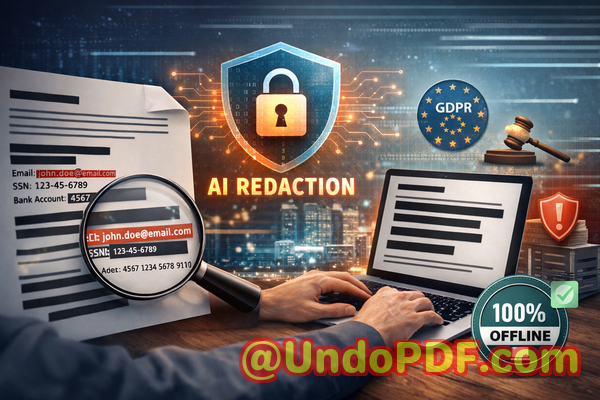
Accidentally sharing confidential data isn’t just embarrassingit carries real consequences. Fines, legal disputes, lost client trust, and compliance headaches can all stem from a single oversight. That’s why finding a reliable solution to permanently remove sensitive information from PDFs is critical.
One of the biggest challenges businesses face is manual redaction. Simply blacking out text or pasting over confidential details looks secure, but in reality, the data is often still recoverable. Even worse, employees frequently turn to free online tools to redact documents, unknowingly sending sensitive company files to third-party servers. In both cases, the risk of data leaks skyrockets.
This is where the VeryPDF AI PDF Redaction Tool Command Line comes in. Unlike online solutions, it works fully offline, so documents never leave your secure environment. Using AI, it can automatically detect and redact sensitive information such as names, emails, phone numbers, IDs, financial data, and other confidential contentpermanently removing it, not just hiding it visually.
Imagine preparing an HR report with hundreds of employee records. Manually redacting personal information could take hours, with a constant worry that something might slip through. With VeryPDF’s AI tool, the process is streamlined: load your PDF, let AI detect sensitive data, review the suggested redactions, apply them, and export a clean, safe document ready to share. It’s that simple.
The benefits are tangible. Offline processing ensures that sensitive documents never get uploaded to external servers, eliminating a major source of accidental leaks. Compliance becomes easier: you can confidently share contracts, financial reports, HR records, or legal agreements, knowing that all confidential data has been permanently removed. And in the rare case of an audit or data request, you can prove that sensitive information was properly protected.
I recall one instance with a mid-sized consulting firm. They needed to share client contracts with a third-party reviewer but wanted to remove client-specific financial terms. Using traditional methods, they risked exposure or mistakes. Switching to VeryPDF AI PDF Redaction Tool Command Line allowed them to automate redaction completely offline. The contracts were safely shared, and the firm avoided potential compliance violations. Moments like these demonstrate how crucial a secure, reliable redaction process is.
Common scenarios where the tool shines include:
-
Legal Documents: Redact client names, sensitive clauses, and case information before sharing with external parties.
-
HR Records: Protect employee personal information such as social security numbers, emails, and payroll data.
-
Financial Reports: Remove account numbers, client-specific financial details, and internal projections.
-
Medical Records: Safeguard patient identifiers while sharing anonymized reports for audits or research.
Here’s a practical workflow that makes the process clear:
-
Load the PDF into the AI PDF Redaction Tool.
-
Detect sensitive data automaticallyAI identifies personal, financial, and confidential business information.
-
Review suggested redactions to ensure no critical details are missed.
-
Apply permanent redactionsdata is completely removed, not just hidden.
-
Export the cleaned PDF ready to share safely.
The types of sensitive data commonly protected include:
-
Personal identifiable information (PII)
-
Financial data and account details
-
Business secrets or strategic information
-
Legal clauses and confidential agreements
-
Any data flagged as sensitive by internal compliance policies
Using the AI tool doesn’t just save timeit prevents serious mistakes. I’ve seen businesses recover from risky situations simply because they switched to an offline, automated redaction solution. For example, one marketing agency almost shared a proposal containing client revenue projections. With manual checks, the sensitive numbers might have slipped through. By using VeryPDF’s AI tool offline, the proposal was safely shared without exposing confidential client data.
Even for small teams, the impact is significant. Employees no longer have to juggle complicated manual redaction or risk uploading sensitive documents to untrusted online tools. Everything stays within the company’s secure environment, giving managers peace of mind.
Compliance officers also appreciate the clarity the tool provides. GDPR, HIPAA, and other data protection regulations require demonstrable measures to protect personal and sensitive information. The AI PDF Redaction Tool allows teams to not only redact confidential data but also maintain an audit trail of the redaction process, proving due diligence in protecting privacy.
When it comes to document security, prevention is always better than reacting to a leak. Whether you’re sharing contracts, HR records, client proposals, or internal financial reports, ensuring that sensitive information is permanently removed before distribution is critical.
I highly recommend this to anyone who needs to share documents safely without risking data leaks or compliance issues. Try it now and securely redact your PDFs: https://veryutils.com/smart-redact-server-ai-powered-pdf-redaction-software. Start your free trial today and ensure your sensitive data is permanently removed before sharing.
Frequently Asked Questions
Q: How can I permanently remove sensitive data from a PDF instead of just hiding it?
A: VeryPDF AI PDF Redaction Tool Command Line permanently removes sensitive data, not just visually obscuring it. Once redacted, the data cannot be recovered.
Q: Can others recover redacted information from my PDF?
A: No. The tool removes the underlying text and metadata, ensuring redacted information cannot be retrieved.
Q: Is it safe to use online PDF redaction tools?
A: Using online tools can be risky since files are uploaded to external servers. Sensitive data may be exposed. Offline tools like VeryPDF ensure 100% privacy.
Q: Does this tool work completely offline?
A: Yes. All processing happens on your computer, ensuring documents never leave your secure environment.
Q: What types of sensitive data can be automatically detected and removed?
A: AI automatically detects PII, emails, phone numbers, IDs, financial details, business secrets, and legal clauses.
Q: Can I use this tool for legal compliance, like GDPR?
A: Absolutely. The tool helps meet GDPR and other data protection regulations by permanently removing confidential data before sharing.
Q: How long does it take to redact a document?
A: Processing speed depends on the document size, but the AI tool automates detection and redaction, saving hours compared to manual methods.
Q: Can I review suggested redactions before applying them?
A: Yes. The tool provides a review step, giving you full control over what gets redacted.
Q: Does it handle multiple PDF documents at once?
A: Yes, batch processing is supported, which is especially useful for large projects or ongoing compliance tasks.
Q: Is technical knowledge required to use the command line tool?
A: No. The tool is user-friendly with clear commands and guidance suitable for business professionals.
Q: Can I use it for sensitive HR records and financial reports?
A: Yes. It is ideal for HR, legal, finance, medical, and other sensitive documents requiring permanent redaction.
Tags / Keywords:
redact sensitive data, remove confidential information, PDF redaction tool, protect privacy in PDFs, prevent data leaks, offline PDF redaction, secure document sharing, AI PDF redaction, GDPR compliance, permanent data removal