When Former Employees Keep Your PDFs, Your Business Risks Real Losses
Last month, I faced a nightmare scenario that many business managers dread: a key employee who had just left our company still had access to sensitive market research reports. Within days, we noticed that a competitor was referencing data eerily similar to our proprietary insights. Losing that contract wasn’t just frustratingit was a tangible hit to our revenue and client trust. For any business handling confidential reports, strategy documents, or proprietary materials, this is more than a hypothetical risk. It’s a real, measurable threat to both revenue and reputation.
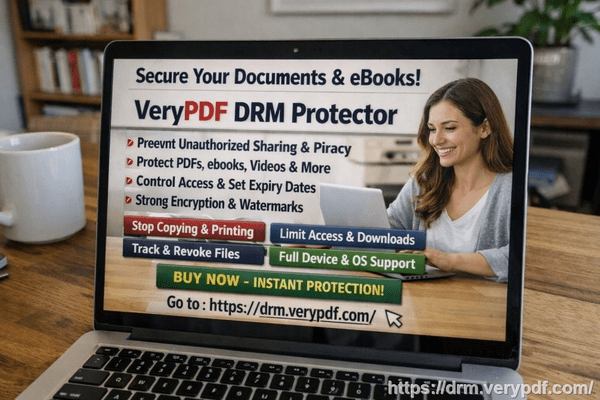
In today’s competitive landscape, the accidentalor intentionalleak of PDFs containing business intelligence can cost thousands, if not millions. Unauthorized printing, copying, or forwarding of these documents opens the door to revenue loss, intellectual property theft, and weakened client relationships. The question becomes: how can you protect business reports, secure market research, and prevent unauthorized access without creating cumbersome workflows for your team? That’s where tools like VeryPDF DRM Protector come in.
Employees leaving the company with critical PDFs is just the tip of the iceberg. Here are some of the visible business risks many companies face:
Market Research and Strategy Documents Leaking
Imagine sending a detailed market research report to a client or internal team, only to find that it’s been forwarded to competitors. This happens more often than you’d think, especially in organizations without strong document control. Each leaked report can result in lost contracts, diluted competitive advantage, and damaged trust with clients. Once a PDF is out of your hands, traditional passwords or watermarks are often not enough to prevent misuse.
Unauthorized Copying, Printing, or Conversion
Many PDFs can easily be converted into Word, Excel, or image formats. Without proper protection, sensitive financial models, strategic roadmaps, or research data can be duplicated and distributed without your knowledge. For companies, this is a direct pathway to revenue leakage and intellectual property theft.
Loss of Control Over Sensitive Business Data
Even inside the organization, access without proper restrictions can create problems. Teams may unintentionally share proprietary documents with external partners or former employees. Maintaining oversight over who can view, print, or share your PDFs is critical to protecting your business.
This is where VeryPDF DRM Protector becomes an essential solution. It addresses these business pain points directly:
Restrict PDF Access to Authorized Users
You can assign PDFs to specific employees, teams, or departments. If someone leaves the organization, their access is instantly revoked. No more worrying about former employees holding onto sensitive reports or proprietary materials.
Prevent Printing, Copying, Forwarding, or DRM Removal
VeryPDF DRM Protector ensures that your PDFs remain exactly as you intended. Users cannot bypass restrictions, preventing your data from being printed or converted into editable formats. This means financial models, market research insights, and business strategy documents stay secure from misuse or piracy.
Protect Confidential Business Materials in Real Contexts
For example, we had a situation where a research report was shared with a client who then attempted to forward it internally. Thanks to DRM restrictions, only authorized individuals could access the document. This prevented potential exposure to competitors and safeguarded our client relationship.
The anti-piracy benefits of VeryPDF DRM Protector have tangible consequences:
-
Stops unauthorized users from bypassing PDF security, preventing potential revenue loss.
-
Prevents PDFs from being converted to Word, Excel, or images and resold or misused.
-
Maintains full control over distribution and access, reducing visible business risk.
I recall a moment when a competitor tried to pitch using a dataset similar to ours. Because our proprietary research PDFs were protected with DRM, we could confidently show that the information had not been leaked externally. That single measure saved us thousands of dollars in lost business and preserved our intellectual property.
Here’s how you can implement protection step by step:
-
Select the PDFs to Protect Identify sensitive documents such as market research reports, strategic plans, or financial analyses.
-
Set Access Permissions Assign specific users or teams who can open each PDF.
-
Apply Usage Restrictions Disable printing, copying, and conversion to editable formats.
-
Track Access Monitor who opens documents and when, ensuring accountability.
-
Revoke Access When Needed Instantly remove access for employees leaving the company or projects ending.
Using these steps ensures your business reports remain under your control, and your sensitive data doesn’t slip into the wrong hands.
I highly recommend VeryPDF DRM Protector to anyone distributing confidential business documents. It not only prevents leaks but also simplifies document management and ensures client trust remains intact. The peace of mind knowing your reports, research, and proprietary data are secure is invaluable.
Try it now and protect your business reports: https://drm.verypdf.com
Start your free trial today and keep your market research secure from leaks or misuse.
FAQs
1. How can I limit access to confidential business documents to prevent revenue loss?
You can assign specific users, teams, or departments access to each PDF and revoke permissions as needed. DRM ensures only authorized personnel can open your reports.
2. Can I stop others from copying, printing, or converting my reports into editable formats?
Yes. DRM restrictions prevent printing, copying, and conversion to Word, Excel, or images, protecting your proprietary content from misuse.
3. How do I track who accessed my business reports and when?
VeryPDF DRM Protector provides access logs, so you can monitor each view and maintain accountability across your team or client base.
4. Does DRM technology prevent unauthorized sharing of PDFs outside my organization?
Absolutely. DRM restricts external forwarding and ensures only approved users can open and interact with the document.
5. How easy is it to securely distribute protected business reports to clients or colleagues without risk?
Distribution is simple. You share the protected PDF, and DRM ensures only authorized recipients can access it while preventing printing, copying, or conversion.
6. Can DRM protection help if an employee leaves the company suddenly?
Yes. You can instantly revoke access for any user, ensuring former employees cannot open or misuse sensitive PDFs.
7. Does implementing DRM affect the user experience for authorized employees?
Not significantly. Authorized users can open and read documents normally, while security measures run silently in the background to prevent unauthorized actions.
Tags / Keywords
protect business reports, secure market research, prevent PDF piracy, stop unauthorized access, protect confidential PDFs, prevent PDF conversion, safeguard business documents, control document access, secure proprietary data, prevent data leaks