Protect Your Business: Permanently Redact Sensitive Data in PDFs Before Sharing
Last month, we shared a PDF contract with a partner, only to realize later that it still contained unredacted personal dataputting us at risk of a serious GDPR violation. As a compliance officer, seeing employees unknowingly expose confidential client information is every manager’s nightmare. Whether it’s emails, financial figures, or internal strategy documents, failing to securely handle PDFs can result in legal penalties, lost trust, and reputational damage.
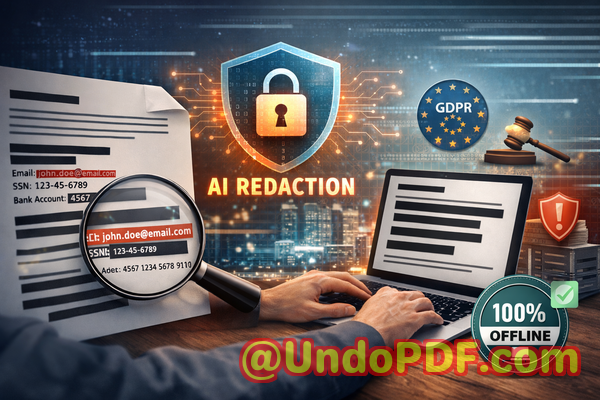
Many businesses underestimate how easily sensitive information can slip through the cracks. A simple “blackout” in a PDF may look safe visually, but text under redaction can often be copied, searched, or recovered. Even worse, employees using free online tools may inadvertently upload confidential files to third-party servers, exposing your organization to data breaches. In today’s regulatory landscape, that risk is unacceptable.
One solution that has transformed how we manage sensitive PDFs is the VeryPDF AI PDF Redaction Tool Command Line. This tool automates the detection and permanent removal of confidential information, ensuring that documents can be shared safely without jeopardizing privacy or compliance.
Sensitive Data Exposure Can Happen Faster Than You Think
Imagine sending a contract with client names, email addresses, and payment details to a partner. If even a single piece of personal identifiable information (PII) is recoverable, your company is on the hook for GDPR violations or other legal exposure.
Another common scenario is HR teams sharing employee records internally. Payroll numbers, social security IDs, and performance reviews can be accidentally exposed if redaction is incomplete. Even when employees think they’ve blacked out sensitive information, PDF editing quirks can leave data accessible.
Then there’s the temptation to use online tools. Many employees assume free web-based redaction is convenient. In reality, uploading confidential PDFs to unknown servers increases the likelihood of a data leak, legal scrutiny, or even industrial espionage.
The risks are very real: fines, lawsuits, client mistrust, and long-term reputational harm.
How AI PDF Redaction Solves These Problems
The VeryPDF AI PDF Redaction Tool Command Line addresses all these risks by combining AI-powered detection with permanent offline redaction. Here’s how it transforms document security:
-
Automatic Detection of Sensitive Data: The AI identifies PII, emails, phone numbers, financial data, and IDs, eliminating the risk of human error.
-
Permanent Data Removal: Unlike manual blackouts that can be reversed, this tool ensures redacted information is fully removed from the document.
-
Fully Offline Processing: Your PDFs never leave your local environment, guaranteeing 100% privacy and compliance with data protection regulations.
Consider a law firm preparing case files for court submission. By using AI redaction, they ensure client names, social security numbers, and confidential notes are permanently removed, preventing accidental exposure to opposing counsel.
Real Business Scenarios and Benefits
Scenario 1: Avoiding Compliance Violations
A financial services company once shared quarterly reports internally, only to realize later that employee tax IDs were still visible. Using VeryPDF AI PDF Redaction Tool Command Line, they automatically detected and removed all PII before resending the documents. This prevented a regulatory breach and potential fines.
Scenario 2: Protecting Client Information
An HR department needed to share sensitive employment contracts with external consultants. By switching from an online redaction tool to the offline AI solution, they prevented confidential employee information from being uploaded to third-party servers.
Scenario 3: Safeguarding Business Secrets
Marketing teams frequently share product strategy PDFs with external partners. AI-powered redaction ensures that trade secrets, pricing details, and internal analytics are fully removed, preventing competitive leaks.
Step-by-Step Workflow for Secure Redaction
To ensure your documents are properly redacted, follow this workflow:
-
Load Your PDF: Open the document you need to share.
-
Detect Sensitive Data: The AI automatically scans for PII, financial details, and confidential clauses.
-
Review Detected Data: Confirm the sensitive information to be redacted.
-
Apply Redaction: Permanently remove the identified data from the document.
-
Export Clean PDF: Share the redacted PDF safely with partners, clients, or colleagues.
Common types of data to redact include:
-
Personal identifiable information (PII): Names, addresses, emails, phone numbers, social security numbers.
-
Financial data: Account numbers, salaries, invoices, banking information.
-
Business secrets: Pricing strategies, product designs, internal analyses.
-
Legal/confidential clauses: Non-disclosure agreements, contract terms, sensitive annotations.
Using this approach, businesses reduce legal risk, protect client trust, and maintain regulatory compliance.
Why Offline AI Redaction is Safer Than Online Tools
Many professionals assume that any “redaction” is sufficient. Unfortunately, online redaction tools can expose sensitive files to third-party servers. Offline AI redaction offers these tangible benefits:
-
100% Privacy: Documents never leave your computer.
-
Permanent Removal: Data is completely deleted, not merely hidden under black boxes.
-
Regulatory Compliance: Meets GDPR and other privacy standards without relying on external servers.
-
Time Savings: Automatic detection saves hours of manual redaction.
By keeping sensitive information offline, your organization avoids data leaks that could result in lawsuits or compliance penalties.
Conclusion: Share PDFs Without Fear
After implementing VeryPDF AI PDF Redaction Tool Command Line, I can confidently share sensitive documents internally and externally without worrying about accidental data exposure. It solves real business pain points, prevents compliance violations, and keeps confidential information safe from prying eyes.
I highly recommend this to anyone who needs to share documents safely without risking data leaks or regulatory issues. Try it now and securely redact your PDFs: https://veryutils.com/smart-redact-server-ai-powered-pdf-redaction-software
Start your free trial today and ensure your sensitive data is permanently removed before sharing.
Frequently Asked Questions
1. How can I permanently remove sensitive data from a PDF instead of just hiding it?
Using VeryPDF AI PDF Redaction Tool Command Line, the data is fully deleted from the file, not merely covered.
2. Can others recover redacted information from my PDF?
No. Once redacted with this tool, sensitive information cannot be restored or copied.
3. Is it safe to use online PDF redaction tools?
Online tools may upload your PDFs to external servers, creating privacy and compliance risks.
4. Does this tool work completely offline?
Yes. All processing occurs locally on your computer, ensuring full privacy.
5. What types of sensitive data can be automatically detected and removed?
Personal identifiable information, financial data, legal clauses, business secrets, and more.
6. How can I ensure compliance with GDPR when sharing documents?
Permanent offline redaction of all sensitive data ensures GDPR compliance when distributing PDFs.
7. Can I automate redaction for multiple documents?
Yes. The command-line interface supports batch processing for efficiency.
8. Will this affect the original PDF layout?
No. The tool preserves formatting while removing sensitive content.
9. How do I review what will be redacted?
Before finalizing, the AI highlights all detected sensitive information for review.
10. Is this tool suitable for legal, HR, or financial documents?
Absolutely. It’s designed for any document containing confidential information.
11. Can I redact scanned PDFs or images?
Yes. AI detection works on both text-based and scanned PDFs.
Tags/Keywords:
redact sensitive data, remove confidential information, PDF redaction tool, protect privacy in PDFs, prevent data leaks, offline PDF redaction, secure document sharing, AI PDF redaction, GDPR compliance, permanent data removal