Secure Your PDFs: Remove Hidden Data and Protect Sensitive Information Before Sharing
Sharing PDFs is a routine part of businessbut it can be risky if hidden comments, tracked changes, or annotations contain sensitive information. Imagine sending a contract, financial report, or HR record, only to realize later that confidential details were exposed. Data leaks like this can lead to compliance violations, legal exposure, or reputational damage. Fortunately, AI-powered PDF redaction offers a practical, permanent solution to safeguard your documents before they leave your office.
Last month, our team shared a PDF contract with a prospective partner. Everything looked clean at first glancebut after a closer review, we noticed hidden tracked changes and comments revealing employee names and compensation details. Had the partner overlooked these, it could have led to a serious GDPR violation and legal complications. This experience underscored a common business challenge: even visually “clean” PDFs may still contain sensitive data.
Businesses face multiple risks when sharing documents. One major pain point is the accidental exposure of personal information, financial data, or proprietary details embedded in PDF files. A seemingly innocuous comment or tracked change can reveal more than intended, putting your company at risk of regulatory fines or loss of client trust.
Another problem is manual redaction. Many employees attempt to black out confidential text using basic tools or annotations. While this may hide the text visually, the underlying information often remains accessible through copy-paste or specialized software. This incomplete redaction leaves sensitive data vulnerable to recovery and exploitation.
A third risk arises when employees use online PDF tools. Uploading sensitive files to third-party servers may seem convenient, but it exposes your business to unintentional data sharing. The moment a confidential document is uploaded externally, control over who can access that information is losta serious concern for legal teams and compliance officers.
This is where VeryPDF AI PDF Redaction Tool Command Line comes into play. Designed for business professionals, legal teams, HR departments, and anyone handling confidential documents, it addresses these risks directly.
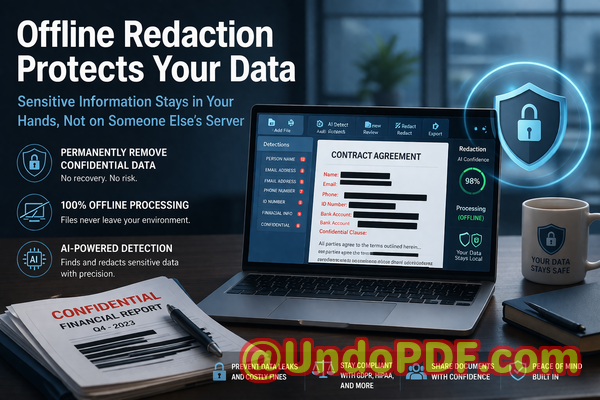
Using AI, the tool automatically detects sensitive data such as names, emails, phone numbers, IDs, financial information, or legal clauses. Unlike manual redaction, it doesn’t just hide informationit permanently removes it, ensuring no one can recover it later.
An added advantage is full offline processing. Your documents never leave your computer, eliminating the risk of accidental uploads to external servers. For businesses handling GDPR-sensitive data or internal financial records, this offline capability provides peace of mind and ensures compliance with data privacy regulations.
Consider the story of a mid-sized consulting firm that needed to share client contracts for project approvals. Previously, they relied on manual redaction and online tools. A misstep once nearly exposed client names and contract terms to a third party. After switching to VeryPDF AI PDF Redaction Tool Command Line, the firm implemented a simple workflow: load the PDF, detect sensitive data, review suggested redactions, apply them, and export a fully sanitized document. Since then, every shared document has been fully protected, preventing potential legal and reputational issues.
For HR departments, the tool is invaluable when sharing employee records. Personal identifiable information (PII), salary data, and performance reviews can be automatically redacted, ensuring compliance with internal privacy policies and regulations like GDPR. Finance teams can safely circulate reports containing bank details or account numbers, confident that sensitive data is permanently removed. Legal teams can send contracts with annotations or negotiation notes fully redacted, avoiding accidental exposure of privileged information.
Here’s a practical step-by-step workflow for using the tool:
-
Load the PDF into the VeryPDF AI PDF Redaction Tool Command Line.
-
Enable AI detection for sensitive data categories relevant to your organization.
-
Review the detected items to ensure accuracy.
-
Apply permanent redactions.
-
Export the cleaned PDF for secure sharing.
Common types of data to redact include:
-
Personal identifiable information (PII) such as names, addresses, emails, and social security numbers.
-
Financial data like account numbers, payment details, or invoices.
-
Business secrets, including proprietary formulas, strategies, or confidential project plans.
-
Legal and contractual clauses that must remain private.
The benefits of this approach are tangible. By permanently removing confidential information, you prevent accidental data leaks that could result in fines or legal exposure. Offline processing ensures that no sensitive file is ever uploaded to a third-party server, protecting your privacy. Compliance is straightforward because every shared PDF meets the standards set by regulations like GDPR.
Another example involves a legal team managing contracts with multiple tracked changes and comments from negotiations. Instead of painstakingly reviewing each page manually, they now rely on AI to detect and redact all sensitive annotations automatically. This reduced errors and dramatically improved document security.
For companies still using online redaction services, switching to an offline, AI-powered solution is a game-changer. One financial services firm shared sensitive reports via an online tool and later realized the files were temporarily stored on a third-party server. After moving to VeryPDF’s offline solution, all data processing occurred internally, eliminating the exposure risk entirely.
Even in day-to-day operations, small mistakes can have serious consequences. Imagine an employee preparing a pitch deck that references internal metrics or client names. Sharing the deck without proper redaction could reveal confidential business information. With AI-powered PDF redaction, these errors are caught before the document is distributed, saving your company from potential embarrassment or competitive disadvantage.
I highly recommend this tool to any business professional who regularly shares sensitive PDFs. It’s easy to integrate into existing workflows, requires minimal training, and provides complete confidence that confidential information is permanently removed.
Try it now and securely redact your PDFs: https://veryutils.com/smart-redact-server-ai-powered-pdf-redaction-software
Start your free trial today and ensure your sensitive data is permanently removed before sharing.
Frequently Asked Questions
Q1: How can I permanently remove sensitive data from a PDF instead of just hiding it?
A1: The VeryPDF AI PDF Redaction Tool Command Line permanently removes text and metadata. Unlike simple blackouts, the information is erased from the file, making it unrecoverable.
Q2: Can others recover redacted information from my PDF?
A2: No. Properly applied AI redactions permanently delete sensitive data, including comments, tracked changes, and annotations.
Q3: Is it safe to use online PDF redaction tools?
A3: Online tools risk exposing your data because files may be temporarily uploaded to external servers. Offline solutions like VeryPDF ensure your documents never leave your system.
Q4: Does this tool work completely offline?
A4: Yes. All processing occurs locally on your computer, protecting privacy and compliance.
Q5: What types of sensitive data can be automatically detected and removed?
A5: The tool can detect personal identifiable information (PII), financial details, legal clauses, business secrets, tracked changes, annotations, and comments.
Q6: How can I ensure compliance with GDPR when sharing documents?
A6: By permanently redacting all personal and sensitive data before sharing PDFs, you meet GDPR requirements and reduce the risk of violations.
Q7: Can the tool handle large batches of PDFs?
A7: Yes. The command-line interface allows batch processing for multiple files, saving time for teams handling high volumes of documents.
Q8: How do I review redactions before finalizing them?
A8: The tool provides a review step, allowing you to confirm detected sensitive data before applying permanent redactions.
Q9: Are annotations and tracked changes fully removable?
A9: Yes. AI identifies and permanently removes hidden comments, tracked changes, and other embedded metadata.
Q10: Can I integrate this tool into existing workflows?
A10: Absolutely. Its command-line interface is ideal for integration with document management systems, automated workflows, and batch processing scripts.
Q11: Does it require special technical skills to use?
A11: No. The interface is straightforward, and clear instructions allow non-technical users to securely redact PDFs efficiently.
Q12: Will my documents remain in the original format after redaction?
A12: Yes. The tool maintains PDF formatting while ensuring all sensitive content is permanently removed.
Tags / Keywords:
redact sensitive data, remove confidential information, PDF redaction tool, protect privacy in PDFs, prevent data leaks, offline PDF redaction, secure document sharing, GDPR compliance, PII protection, business document security