Secure Your PDFs: AI-Powered Redaction to Permanently Remove Sensitive Data
Last month, we sent a financial report to a partner company, confident it was safe. A week later, we realized the document still contained unredacted employee emails and client account numbers. This oversight could have triggered a severe GDPR violation and exposed our business to legal repercussions. If you’ve ever felt the panic of realizing sensitive information might have been unintentionally shared, you know just how critical proper document redaction is. Businesses today face constant scrutiny, and even a single data leak can lead to costly fines, damaged trust, and regulatory headaches.
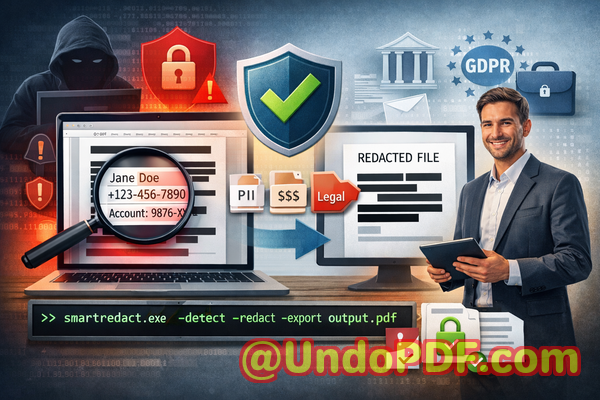
Accidental exposure of confidential data is more common than most managers realize. Every PDF you sharewhether contracts, HR documents, financial reports, or business agreementscan contain hidden personal information. While blacking out text manually or using online tools might seem sufficient, these methods often fail to remove the underlying data. Text can be copied, OCR can reveal “hidden” content, and online platforms may store your files on unknown servers, putting your business at risk.
This is where VeryPDF AI PDF Redaction Tool Command Line becomes an essential part of your compliance and privacy strategy. With AI-powered detection and offline processing, it ensures sensitive data is permanently removed, making your documents safe to share with clients, partners, or internal teams.
Why Businesses Struggle with Sensitive Data in PDFs
Sensitive data appears in many forms across business documents: personal information, financial details, client data, and confidential clauses. Accidental exposure happens in several ways:
-
Unintentional leaks in shared documents: A manager might share a PDF containing employee salaries or customer information without realizing certain sections weren’t properly redacted. The result can be compliance violations and reputational damage.
-
Ineffective manual redaction: Highlighting or blacking out text may visually hide data, but underlying information often remains accessible. Anyone with a PDF reader or OCR tool can recover it.
-
Risks from online tools: Uploading confidential files to web-based redaction services exposes data to third-party servers. Even trusted services can be vulnerable to breaches, putting sensitive content at risk.
These scenarios are not hypothetical. Many companies have faced legal penalties for failing to protect confidential data. For instance, a law firm once shared a case file with opposing counsel, unaware it contained unredacted client IDs. The result: a costly compliance review and lost client trust.
How AI PDF Redaction Solves These Challenges
VeryPDF AI PDF Redaction Tool Command Line addresses these pain points with intelligent, secure, and permanent solutions:
-
Automatic sensitive data detection: The AI identifies names, emails, phone numbers, ID numbers, financial data, and more. You don’t need to manually search through hundreds of pages.
-
Permanent removal, not just hiding: Unlike simple blackout tools, the software deletes confidential data from the document’s underlying structure. Copying, OCR scanning, or text extraction cannot recover it.
-
Offline processing for maximum privacy: Your PDFs never leave your computer. No third-party servers, no cloud storage, no risk of external exposure.
Imagine sending a contract to a partner, knowing that all employee details, financial figures, and confidential clauses have been completely removed. This isn’t just convenientit’s a safeguard against data breaches, regulatory fines, and reputational harm.
Real Business Scenarios Where Redaction Prevented Risks
-
HR Document Sharing: An HR manager needed to share employee performance reviews with an external consultant. By using AI PDF Redaction, all personal identifiersemails, social security numbers, and salary detailswere automatically removed. The consultant received a clean, privacy-compliant document without compromising employee confidentiality.
-
Financial Reports: A finance team was preparing a quarterly report for investors. Using manual blackouts risked leaving behind hidden bank account numbers. VeryPDF’s AI tool redacted sensitive sections completely, ensuring secure distribution and full compliance with internal privacy policies.
-
Legal Contracts: A law firm needed to send draft contracts to clients. Online redaction tools posed a risk of data exposure. Switching to offline AI PDF redaction allowed the firm to permanently remove sensitive clauses before sharing, eliminating potential leaks to competitors or unauthorized parties.
Step-by-Step Workflow for Secure Document Redaction
To make the process practical for business users:
-
Load Your PDF: Open your document in the VeryPDF AI PDF Redaction Tool Command Line.
-
Detect Sensitive Data: Let the AI automatically scan for PII, financial information, and confidential clauses.
-
Review Detected Data: Verify which items should be redacted. The tool highlights sensitive content for easy review.
-
Apply Redaction: Confirm the redaction. The tool permanently removes all marked data.
-
Export Clean PDF: Share your document safely with clients, partners, or internal teams.
Common types of data to redact include:
-
Personal Identifiable Information (PII) such as names, emails, phone numbers, addresses, and social security numbers.
-
Financial data like bank accounts, credit card numbers, and revenue figures.
-
Business secrets, trade secrets, and confidential strategies.
-
Legal clauses or sensitive contractual terms.
Privacy and Security Benefits
Using AI-powered offline redaction offers tangible outcomes for businesses:
-
Prevent accidental data leaks: Avoid GDPR or HIPAA violations by ensuring sensitive information is permanently removed.
-
Eliminate online risk: Processing documents offline means no confidential files are uploaded to external servers.
-
Compliance assurance: Regulators increasingly scrutinize how businesses handle confidential information. AI PDF Redaction demonstrates proactive, auditable compliance measures.
Companies that have implemented AI PDF redaction report fewer compliance incidents and improved trust with clients and partners. For example, a multinational firm avoided fines and strengthened its privacy reputation by consistently using offline redaction before sharing internal reports.
Practical Tips for Businesses Using PDF Redaction
-
Always conduct a final review after automatic detection to ensure all confidential information is identified.
-
Establish redaction workflows within your teams to avoid accidental manual sharing.
-
Keep offline processing as a standard practice for any document containing sensitive data.
-
Train staff on recognizing types of sensitive data, including new digital identifiers such as QR codes or embedded metadata.
-
Consider integration with existing document management systems to automate redaction before sharing.
Conclusion: Protect Your Business and Share Documents Safely
I highly recommend VeryPDF AI PDF Redaction Tool Command Line to anyone responsible for handling sensitive business documents. By automating detection, ensuring permanent removal, and working entirely offline, it eliminates the risk of accidental data leaks, protects privacy, and supports regulatory compliance.
Don’t wait for a costly data breach or compliance failure. Try it now and securely redact your PDFs: https://veryutils.com/smart-redact-server-ai-powered-pdf-redaction-software
Start your free trial today and ensure your sensitive data is permanently removed before sharing.
Frequently Asked Questions (FAQs)
-
How can I permanently remove sensitive data from a PDF instead of just hiding it?
The VeryPDF AI PDF Redaction Tool Command Line deletes confidential information from the PDF’s underlying structure, ensuring it cannot be recovered.
-
Can others recover redacted information from my PDF?
No. Once redacted using this tool, the data is permanently removed and cannot be accessed via copy, OCR, or extraction.
-
Is it safe to use online PDF redaction tools?
Online tools can expose sensitive files to third-party servers, creating potential privacy risks. Offline AI PDF redaction eliminates this risk.
-
Does this tool work completely offline?
Yes. All processing occurs locally on your computer, keeping confidential information secure.
-
What types of sensitive data can be automatically detected and removed?
Names, emails, phone numbers, addresses, IDs, financial information, business secrets, legal clauses, and more.
-
How can I ensure compliance with GDPR when sharing documents?
By permanently redacting all personal data before sharing, you reduce the risk of accidental exposure and demonstrate proactive compliance measures.
-
Can I use this tool for scanned documents?
Yes. The built-in OCR detects text within scanned images, allowing AI redaction of content that isn’t digitally selectable.
-
Does AI PDF Redaction require technical expertise?
No. The command-line tool is designed for business users with clear workflows and step-by-step guidance.
-
Can multiple team members safely use this tool?
Absolutely. Redaction can be standardized across your team, ensuring consistent privacy practices.
-
What industries benefit most from AI PDF Redaction?
Legal firms, HR departments, finance teams, healthcare organizations, and any business handling sensitive client or employee data.
-
How fast is the redaction process for large documents?
AI detection is optimized for efficiency, allowing rapid processing even for multi-hundred-page reports.
Tags / Keywords
redact sensitive data, remove confidential information, PDF redaction tool, protect privacy in PDFs, prevent data leaks, offline PDF redaction, secure document sharing, GDPR compliance, AI-powered PDF redaction, OCR PDF redaction