Fast, Accurate PDF Redaction for HR, Legal, and Finance Teams to Protect Sensitive Data
In today’s fast-paced business environment, sharing documents is routinebut even a small mistake can have major consequences. Last month, our finance team sent a PDF report to a partner company, only to discover later that it still contained unredacted employee personal information. The oversight not only exposed sensitive data but also put us at risk of serious GDPR violations and potential legal repercussions. For HR, legal, and finance teams, this type of scenario isn’t hypotheticalit’s a real and growing risk.
Accidental exposure of confidential information can happen in a split second: an email sent to the wrong recipient, a contract shared without proper redaction, or a document reviewed on a shared computer. The consequences are tangibleregulatory fines, legal disputes, loss of client trust, and damage to your company’s reputation.
The Hidden Risks of PDF Sharing in Business
Even when documents seem “safe,” several pain points make sensitive data vulnerable:
-
Unintentional leaks of confidential data: PDFs often contain personal information, financial details, or legal clauses that employees may overlook. Sharing these without proper redaction can result in compliance violations or breaches of privacy agreements.
-
Ineffective manual redaction: Many teams still rely on blacking out text with PDF editors. However, underlying data may still be accessible if someone copies text, searches through metadata, or uses recovery toolsmaking “visual redaction” insufficient.
-
Unsafe online redaction tools: To save time, employees sometimes upload PDFs to free online tools. While convenient, this exposes sensitive files to unknown servers, creating a new privacy risk.
For businesses handling HR records, legal contracts, financial statements, or medical information, these risks are anything but hypothetical. A single exposed document could trigger regulatory scrutiny or even lawsuits.
How AI-Powered PDF Redaction Solves Real Business Problems
This is where the VeryPDF AI PDF Redaction Tool Command Line becomes essential. Designed specifically for enterprise teams, it addresses all the critical gaps traditional methods leave open. Here’s how it protects your business:
-
Automatic detection of sensitive data: Using AI, the tool identifies personal identifiable information (PII), emails, phone numbers, social security numbers, financial data, and even business secrets, reducing the chance of human error.
-
Permanent removal, not just masking: Unlike simple blackouts, the tool completely removes confidential information from PDFs, ensuring that redacted data cannot be recovered.
-
Fully offline processing: All operations happen locally on your machine. Your confidential documents never leave your network, eliminating risks associated with cloud-based or online tools.
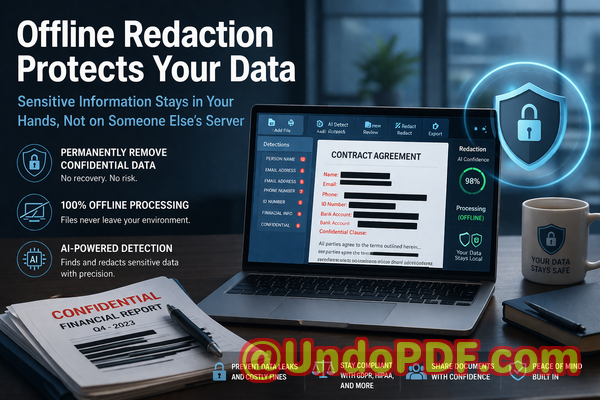
Imagine preparing a contract with multiple confidential clauses. The AI redaction tool scans the entire PDF, flags all sensitive content, and lets you review before applying permanent redaction. The result? A clean, shareable document that keeps your business and clients safe.
Real-Life Business Scenarios Where Redaction Matters
-
Avoiding compliance violations: A medium-sized law firm recently switched from manual redaction to VeryPDF AI redaction. By doing so, they eliminated errors that had previously exposed client names and case numbers. The result: zero compliance complaints after months of document sharing.
-
Improving internal workflows: HR departments handling payroll or employee records no longer need to worry about sending files with unredacted personal information. Offline AI redaction ensures sensitive data is fully removed before distribution.
-
Protecting business intelligence: Finance teams sharing quarterly reports or acquisition documents can securely remove confidential figures or strategic plans without risking exposure to competitors.
Practical Workflow for Secure Redaction
-
Load PDF: Start by opening the document in the AI PDF redaction tool.
-
Detect sensitive data: The tool scans the file for PII, financial data, and legal clauses automatically.
-
Review flagged content: Verify AI-detected sensitive information to ensure nothing is missed.
-
Apply permanent redaction: The confidential data is completely removed from the document.
-
Export clean PDF: Share the finalized, redacted document safely with clients, partners, or internal teams.
Common types of data to redact include:
-
Personal identifiable information (names, emails, phone numbers, IDs)
-
Financial data (bank account numbers, salaries, invoices)
-
Business secrets (strategic plans, project details)
-
Legal or contractual clauses that are confidential
By following this structured workflow, teams not only safeguard sensitive information but also maintain compliance and operational efficiency.
The Privacy and Security Benefits
Using AI PDF redaction tools has measurable consequences for business security:
-
Preventing accidental leaks: Ensures that confidential data isn’t shared with unintended recipients.
-
Avoiding online exposure: Fully offline processing means sensitive files are never sent to third-party servers.
-
Regulatory compliance: Supports GDPR and other data protection regulations by permanently removing PII and confidential information.
-
Building client trust: Demonstrates a commitment to data privacy and secure handling of sensitive materials.
Real-World Examples
-
A healthcare provider preparing patient records for external review avoided fines by using AI redaction to remove all personal health information before sending.
-
A corporate legal team prevented the accidental exposure of confidential merger details by switching from manual blackouts to AI-based permanent redaction.
-
An HR department moved away from online redaction tools, eliminating the risk of employee personal data being uploaded to unknown servers.
Why Businesses Should Choose AI PDF Redaction
Traditional methodsmanual redaction, visual blackouts, or free online toolscarry too much risk for modern enterprises. AI-powered redaction ensures accuracy, compliance, and privacy. It also frees teams from tedious manual work, allowing employees to focus on high-value tasks rather than painstaking document review.
Conclusion
After months of testing, I can confidently say that VeryPDF AI PDF Redaction Tool Command Line is indispensable for any organization sharing sensitive documents. It not only permanently removes confidential information but also ensures your data never leaves your system, protecting your business from accidental leaks, regulatory fines, and compliance violations.
I highly recommend this to anyone who needs to share documents safely without risking data breaches or legal exposure. Try it now and securely redact your PDFs: https://veryutils.com/smart-redact-server-ai-powered-pdf-redaction-software
Start your free trial today and ensure your sensitive data is permanently removed before sharing.
FAQs
-
How can I permanently remove sensitive data from a PDF instead of just hiding it?
The VeryPDF AI PDF Redaction Tool Command Line fully deletes sensitive data, not just visually obscures it, ensuring it cannot be recovered.
-
Can others recover redacted information from my PDF?
No. Permanent redaction removes the underlying data, preventing copy-paste or recovery attempts.
-
Is it safe to use online PDF redaction tools?
Using online tools poses a risk because confidential files may be uploaded to unknown servers. Offline solutions like VeryPDF AI PDF Redaction Tool keep all data local.
-
Does this tool work completely offline?
Yes. All detection and redaction processes occur locally, ensuring 100% privacy.
-
What types of sensitive data can be automatically detected and removed?
PII, financial information, business secrets, legal clauses, phone numbers, emails, social security numbers, and other confidential data.
-
How can I ensure compliance with GDPR when sharing documents?
By using AI-powered redaction to permanently remove PII before sharing, your organization reduces risk of data breaches and ensures regulatory compliance.
-
Can I review what will be redacted before applying changes?
Yes. The tool flags sensitive data for review, allowing verification before permanent removal.
-
Does AI redaction work on scanned PDFs or images?
The tool uses AI to detect text in scanned PDFs, images, and standard digital documents, enabling comprehensive redaction.
-
Is it suitable for large enterprise documents?
Absolutely. The command-line interface supports batch processing, making it efficient for large volumes of PDFs.
-
Can non-technical staff use this tool effectively?
Yes. The workflow is simple: load, detect, review, redact, and exportno coding required.
-
What industries benefit most from this tool?
Legal, finance, HR, healthcare, and any industry handling confidential or personal data.
Tags/Keywords
redact sensitive data, remove confidential information, PDF redaction tool, protect privacy in PDFs, prevent data leaks, offline PDF redaction, secure document sharing, GDPR compliance, AI PDF redaction, permanent redaction