AI Redaction for PDFs: Eliminate Sensitive Data and Prevent Costly Leaks
Sharing documents should be simple. But for many businesses, it’s a constant source of anxiety. One overlooked line in a PDF can expose confidential data, trigger compliance violations, and damage trust overnight.
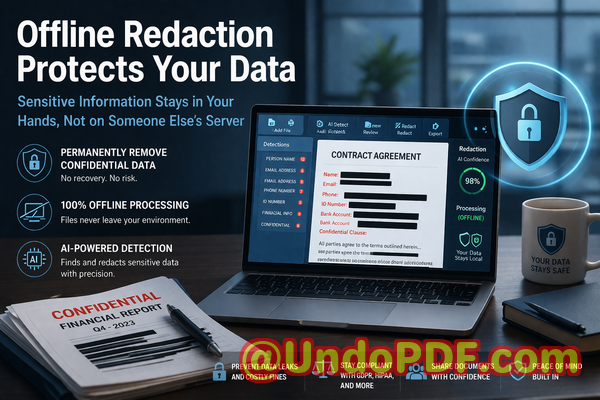
Protect your business by using AI-powered tools to permanently remove sensitive information from PDFs before they’re shared.
Last month, we sent a contract draft to a partner for review. It was routinesomething we do almost daily. But a few hours later, someone on our legal team noticed something alarming: the document still contained unredacted personal email addresses and internal pricing notes. The text had been “blacked out,” but not actually removed.
That moment stuck with me.
We weren’t just looking at a minor oversightwe were facing a potential GDPR violation, reputational damage, and the possibility of exposing confidential business data to an external party. And the worst part? We had followed our usual process.
That’s when I realized something many organizations overlook: manual redaction isn’t just inefficientit’s risky.
The hidden risks of manual PDF redaction
At first glance, redacting a document seems straightforward. Open the file, highlight sensitive content, apply a black box, and export. But in real-world business environments, this process is full of vulnerabilities.
Let me break down a few common pain points that I’ve seen repeatedly across teams.
1. “Blacked-out” text that isn’t actually removed
One of the biggest misconceptions is that covering text visually equals removing it permanently.
In reality, many tools simply overlay a black rectangle on top of the text. The underlying data remains intact. Anyone with basic PDF tools can copy, extract, or reveal the hidden content.
I’ve personally tested thisand it’s unsettling how easy it is.
This creates serious risks:
-
Confidential clauses can be exposed
-
Personal identifiable information (PII) can be recovered
-
Internal notes can be accessed by unintended recipients
For companies handling legal, financial, or HR documents, this isn’t just embarrassingit can lead to fines and legal consequences.
2. Human error in manual workflows
Manual redaction requires attention to detail, training, and constant supervision.
But in busy environments, mistakes happen:
-
Employees miss sensitive fields buried deep in documents
-
Different team members apply inconsistent redaction standards
-
Large documents increase the likelihood of oversight
I’ve seen cases where:
-
A contract had 95% of sensitive data removedbut one overlooked phone number caused a compliance issue
-
A financial report accidentally exposed internal cost structures due to incomplete redaction
The reality is simple: the more manual the process, the higher the risk.
3. Unsafe use of online PDF tools
This is another issue that often goes unnoticed.
Many employees, under time pressure, turn to free online tools to redact PDFs quickly. It seems harmlessbut it introduces a major security concern.
Uploading sensitive documents to third-party servers means:
-
You lose control over where your data is stored
-
There’s no guarantee files are deleted
-
Confidential information could be logged, cached, or accessed
For industries dealing with:
-
Legal contracts
-
Medical records
-
Financial data
-
Employee information
This is a serious violation of data protection principles.
A smarter approach: AI-powered PDF redaction
After facing these challenges, I started looking for a solution that could eliminate the risksnot just reduce them.
That’s when I discovered VeryPDF AI PDF Redaction Tool Command Line.
What stood out immediately wasn’t just automationit was how it fundamentally changed the redaction process.
Instead of relying on manual effort, it uses AI to detect and permanently remove sensitive data from documents.
How it solves real business problems
Let’s look at how this tool addresses the exact risks we’ve discussed.
Automatic detection of sensitive information
Rather than scanning documents manually, the tool uses AI to identify sensitive data across the entire file.
It can detect:
-
Names and personal identifiers
-
Email addresses and phone numbers
-
Financial data and account numbers
-
IDs, passport numbers, and other PII
-
Confidential business terms
This significantly reduces the chance of human error.
From my experience, this alone saves hours of review time while improving accuracy.
Permanent removalnot just visual masking
This is critical.
The tool doesn’t just cover textit completely removes it from the document structure.
That means:
-
No hidden layers
-
No recoverable data
-
No risk of extraction
Once redacted, the information is gone for good.
This is essential for compliance with regulations like GDPR, where data must be irreversibly removed.
100% offline processing for maximum privacy
One of the biggest advantages is that everything runs locally.
Your documents never leave your environment.
This eliminates:
-
Exposure to third-party servers
-
Risk of data interception
-
Compliance concerns related to external processing
For organizations handling sensitive data, this is non-negotiable.
Real-world scenarios where this makes a difference
Let me share a few practical examples where this approach has proven invaluable.
Scenario 1: Avoiding a compliance violation
A legal team needed to share case documents with an external consultant.
Previously, they relied on manual redaction. But after switching to AI-based redaction:
-
All personal data was automatically detected
-
The team verified results quickly
-
The final document was fully compliant
This prevented potential GDPR penalties and ensured client confidentiality.
Scenario 2: Securing HR records
HR departments regularly handle sensitive employee information.
Using AI redaction:
-
Salary details and personal identifiers were removed instantly
-
Documents were shared internally without risk
-
No data was uploaded to external tools
This improved both efficiency and data security.
Scenario 3: Protecting business intelligence
A company needed to share a proposal with a partnerbut it contained internal pricing strategies.
With proper redaction:
-
Confidential sections were permanently removed
-
The document remained professional and clean
-
Competitive information stayed protected
A simple workflow anyone can follow
One of the reasons I recommend this tool is how straightforward it is.
Here’s a typical workflow:
-
Load the PDF document
-
Run AI detection for sensitive data
-
Review highlighted areas
-
Apply redaction rules
-
Export the clean, secure PDF
That’s it.
No complicated setup. No extensive training required.
What types of data should you always redact?
From experience, these are the most critical categories:
-
Personal identifiable information (PII)
-
Financial data (bank details, salaries, invoices)
-
Legal clauses and agreements
-
Internal business strategies
-
Customer and client data
-
Authentication details
If a document is being shared externally, it’s always safer to assume some level of redaction is needed.
Why this matters more than ever
Data protection regulations are becoming stricter.
Organizations are now expected to:
-
Proactively protect sensitive information
-
Ensure secure data handling practices
-
Prevent accidental exposure
Failure to do so can result in:
-
Financial penalties
-
Legal action
-
Loss of customer trust
In this environment, relying on outdated manual processes simply isn’t sustainable.
A practical shift that improves both safety and efficiency
What I’ve found most valuable is that AI redaction doesn’t just reduce riskit improves workflow efficiency.
Instead of spending hours reviewing documents:
-
Teams can focus on decision-making
-
Redaction becomes consistent and reliable
-
Turnaround times improve significantly
It’s one of those rare cases where security and productivity go hand in hand.
Final thoughts and recommendation
After experiencing the risks of manual redaction firsthand, I can confidently say that switching to an AI-powered solution was one of the best decisions we made.
VeryPDF AI PDF Redaction Tool Command Line addresses the exact problems businesses face today:
-
It eliminates human error
-
It ensures permanent data removal
-
It keeps documents fully private with offline processing
If you’re handling sensitive documents regularly, this isn’t just a useful toolit’s essential.
I highly recommend this to anyone who needs to share documents safely without risking data leaks or compliance issues.
Try it now and securely redact your PDFs:
https://veryutils.com/smart-redact-server-ai-powered-pdf-redaction-software
Start your free trial today and ensure your sensitive data is permanently removed before sharing.
Frequently Asked Questions
1. How can I permanently remove sensitive data from a PDF instead of just hiding it?
You need a tool that deletes the underlying content, not just overlays it. AI-based redaction tools remove data at the structural level, ensuring it cannot be recovered.
2. Can others recover redacted information from my PDF?
If you used basic tools, yes. But with proper redaction that permanently removes data, recovery is not possible.
3. Is it safe to use online PDF redaction tools?
In most cases, no. Uploading sensitive documents to external servers introduces privacy risks and potential compliance issues.
4. Does this tool work completely offline?
Yes, it runs locally on your system, ensuring your documents never leave your environment.
5. What types of sensitive data can be automatically detected and removed?
Names, emails, phone numbers, financial data, IDs, and other personal or confidential information.
6. How can I ensure compliance with GDPR when sharing documents?
By permanently removing all personal data before sharing and avoiding third-party processing platforms.
7. Do I need technical expertise to use this tool?
No. The workflow is straightforward and designed for business users.
8. Can this tool handle large volumes of documents?
Yes, it’s suitable for batch processing and enterprise-level use.
9. How does AI improve redaction accuracy?
It scans entire documents intelligently, identifying patterns and sensitive data that humans might miss.
10. What industries benefit most from AI PDF redaction?
Legal, finance, healthcare, HR, and any industry dealing with confidential information.
11. Is redaction necessary for internal document sharing?
Yes, especially when documents contain sensitive employee or business data.
Tags and Keywords
redact sensitive data, remove confidential information, PDF redaction tool, protect privacy in PDFs, prevent data leaks, offline PDF redaction, secure document sharing, AI redaction software, GDPR compliance, document security