UndoPDF

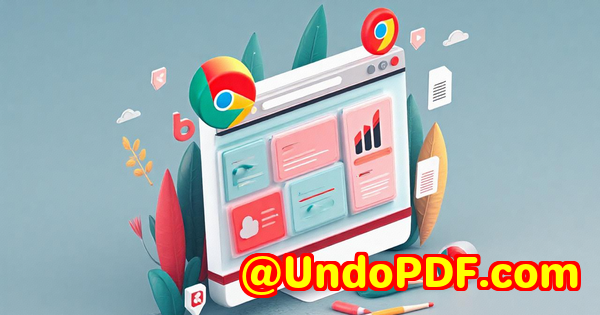
Use imPDF HTML to Image API to Create Thumbnails for Blog Posts and Webpages

Using imPDF HTML to Image API to Create Thumbnails for Blog Posts and Webpages

Every time I update my blog or launch a new webpage, I face the same hassle: creating eye-catching thumbnails that truly represent the content. It’s a small detail, but it can make or break the first impression. I used to spend way too much time manually designing thumbnails or trying to find the right screenshots. Not only was it tedious, but it also slowed down my publishing workflow.
Use imPDF HTML to Image API to Create Thumbnails for Blog Posts and Webpages

That’s when I stumbled on imPDF’s HTML to Image API, part of their powerful imPDF PDF REST APIs for Developers suite. This tool completely changed the way I handle thumbnail creationstreamlining the process and letting me focus on what really matters: content.

What is imPDF HTML to Image API and Who’s It For?

imPDF offers a comprehensive set of REST APIs aimed at developers who want to embed PDF and document processing directly into their applications. Among these, the HTML to Image API stands out by letting you convert any HTML contentlike a blog post preview or a webpagedirectly into high-quality images. Perfect for automatically generating thumbnails for your website, blogs, or marketing materials without lifting a finger.

If you’re a developer working on a CMS, an eCommerce platform, or even a marketing automation tool, this API is gold. It suits anyone who needs consistent, fast, and reliable image generation from HTML contentwhether you’re running a small blog or managing hundreds of pages for a large enterprise.

Why I Chose imPDF for Thumbnail Generation

Before using imPDF, I tried a few other tools and services for converting HTML to images, but most came with painful limitations:

  • Limited format support or poor image quality

  • Slow processing times, especially with complex layouts

  • Hard to integrate with my existing backend services

imPDF’s REST API impressed me right from the start with its ease of integration and speed. It’s cloud-based, so no heavy server setup or maintenance. I could plug it into my existing Node.js backend within an afternoon, and the results were instantly visible.

How I Use imPDF HTML to Image API Key Features That Saved Me Time

  1. Accurate Rendering of Complex HTML and CSS

    Many other tools struggle to properly render modern CSS styles, responsive layouts, or dynamic web components. imPDF nails it. My thumbnails now perfectly capture the exact look and feel of the live webpage, down to fonts, colours, and images.

  2. Multiple Output Formats and Customisable Image Sizes

    Whether I want PNG, JPG, or even SVG thumbnails, the API supports it all. Plus, I can specify exact dimensions or let it auto-scale based on the HTML content. This flexibility means thumbnails look great on desktop and mobile alike.

  3. Seamless Integration with Other imPDF REST APIs

    What’s really cool is that this API fits into a bigger ecosystem. For example, after generating thumbnails, I can use the PDF to Thumbnail API or Image to PDF API to create polished PDF reports with embedded images all automated.

Real-Life Example: Speeding Up Blog Publishing

One project where this tool really shone was when I launched a new blog series with over 30 posts. Instead of manually creating each thumbnail, I simply generated each post’s preview HTML, sent it through the imPDF HTML to Image API, and boom I had crisp, consistent thumbnails ready to go. It saved me hours and kept my workflow smooth. Plus, it handled edge cases like posts with embedded videos and dynamic content flawlessly.

How imPDF Compares to Other Tools

  • Faster and more reliable than open-source libraries like Puppeteer or wkhtmltoimage in my experience, especially on resource-constrained servers.

  • Better support and documentation compared to many niche services, which meant less time troubleshooting.

  • A complete PDF and image processing ecosystem, unlike standalone image capture tools.

Who Should Consider This API?

  • Developers building content management systems that need automated thumbnail generation.

  • Marketing teams who want to quickly produce visual previews of landing pages or ad creatives.

  • E-commerce platforms generating product page thumbnails dynamically.

  • SaaS products offering document workflows and visual previews.

Wrapping Up: Why imPDF HTML to Image API is a Must-Have

If you handle any kind of web content that requires thumbnails or preview images, this API will save you time and headaches. I’d recommend it to anyone tired of manual thumbnail creation or unreliable open-source hacks.

Start by testing it yourself at https://impdf.com/. The API’s user-friendly interface and instant validation tool make it easy to see what it can do before you write a single line of code.


Custom Development Services by imPDF.com Inc.

imPDF.com Inc. isn’t just about ready-made toolsthey also offer custom development services tailored to your unique needs. Whether you require advanced PDF processing utilities, Windows Virtual Printer Drivers, or bespoke OCR and barcode recognition solutions, their expertise covers a wide range of platforms including Linux, Windows, macOS, iOS, Android, and web technologies like JavaScript and .NET.

They specialise in creating tools that intercept and convert print jobs, hook into Windows APIs for monitoring, and develop cloud-based services for document security, DRM protection, digital signatures, and much more.

If your project requires a custom touch or integration beyond standard APIs, reach out to imPDF.com Inc. via their support center at https://support.verypdf.com/ for a consultation.


FAQs

Q1: Can the imPDF HTML to Image API handle responsive designs?

Yes, the API accurately renders HTML content with CSS media queries, so your thumbnails reflect responsive layouts perfectly.

Q2: What image formats does the HTML to Image API support?

It supports PNG, JPG, and SVG formats, allowing you to choose the best fit for your needs.

Q3: Is there a limit on the size or complexity of HTML content the API can process?

While the API handles complex layouts well, extremely large or heavily scripted pages might require optimising your HTML for best performance.

Q4: How easy is it to integrate imPDF APIs into existing applications?

Very easy. The REST API is language-agnostic and comes with code samples for popular programming languages and tools like Postman.

Q5: Does imPDF provide support for other document processing needs?

Absolutely. Their APIs cover a broad spectrum, from PDF editing and conversion to OCR and digital signatures.


Tags / Keywords

  • imPDF HTML to Image API

  • automated thumbnail generation

  • PDF REST APIs for developers

  • generate webpage thumbnails

  • image conversion API


That’s the real deal on how imPDF HTML to Image API transformed my thumbnail creation process and why it could be the game-changer in your workflow too.
UndoPDF

Automate Medical PDF Processing with imPDF OCR and Data Extraction REST APIs

Automate Medical PDF Processing with imPDF OCR and Data Extraction REST APIs

Every week, I used to spend hours drowning in piles of scanned medical documents patient records, lab reports, and invoices all locked away in static PDFs. Extracting key information felt like searching for a needle in a haystack. The real kicker? Manual processing meant delays, errors, and a lot of unnecessary stress. If you’ve ever dealt with stacks of medical PDFs, you know exactly what I’m talking about.

Automate Medical PDF Processing with imPDF OCR and Data Extraction REST APIs

That’s when I found imPDF’s PDF REST APIs for Developers, a game changer in automating PDF workflows, especially for healthcare. This isn’t your average PDF tool. It’s a powerful set of APIs designed to do everything from OCR (optical character recognition) to data extraction, and beyond all accessible through simple REST calls.

What is imPDF PDF REST APIs for Developers?

At its core, imPDF offers a comprehensive cloud-based API suite that lets you integrate advanced PDF processing capabilities into your software. Think of it as your invisible assistant, handling tasks like converting PDFs to Excel, extracting tables, redacting sensitive info, signing documents digitally, and much more all programmatically.

If you’re a developer working with medical data, or a healthcare IT pro tasked with managing scanned patient records, this tool is made for you. It supports everything from single file edits to large-scale batch processing, helping you cut through the chaos of document management with ease.

Why imPDF is a lifesaver for medical PDF processing

Before I started using imPDF, we relied on a mix of clunky software and manual extraction methods. The OCR results were hit-or-miss, and there was no easy way to batch extract data tables from scanned lab reports or invoices. Here’s what stood out when I switched to imPDF:

  • Robust OCR and Data Extraction: The OCR REST API extracts text and tables from scanned PDFs with high accuracy. This is crucial in medical contexts where data integrity is everything patient IDs, test results, medication details, you name it.

  • Batch Processing Capability: Instead of dealing with one PDF at a time, I automated workflows to process thousands of documents overnight. This dramatically sped up turnaround times.

  • Flexible REST Interface: Whether you’re coding in Python, JavaScript, or .NET, imPDF’s REST APIs are straightforward to integrate. The documentation and sample code made it a breeze to get up and running fast.

  • Security and Compliance: Handling sensitive medical records means compliance is non-negotiable. imPDF’s APIs support redaction, encryption, and digital signing essential features for HIPAA and GDPR adherence.

How I used imPDF APIs to automate medical PDF workflows

One standout project was automating the extraction of patient lab results from scanned PDFs. Previously, lab techs manually copied data into Excel sheets tedious and error-prone. Using imPDF’s OCR Converter REST API, I built a system that:

  • Automatically uploads scanned PDFs from a secure server.

  • Runs OCR to extract structured data, including tables and key-value pairs.

  • Converts extracted data directly into Excel via the PDF to Excel REST API.

  • Applies data validation rules before saving into the hospital’s database.

This automation saved the team over 15 hours a week and virtually eliminated transcription errors.

Another time, we needed to redact sensitive info from PDF medical reports before sharing with external researchers. imPDF’s Redact PDF REST API allowed us to programmatically mask patient names and identifiers, streamlining compliance without manual intervention.

What sets imPDF apart from other tools?

I tried other PDF processing services before, but none offered such a comprehensive toolkit in one place. Many lacked reliable OCR for scanned docs or required bulky SDK installations.

With imPDF:

  • You get a cloud-based API no messy local installs or hardware requirements.

  • The API Lab interface lets you test and tweak requests online before coding, saving heaps of trial-and-error time.

  • The support team is surprisingly responsive and tech-savvy, ready to help when you hit a snag.

  • Pricing scales with usage, making it affordable whether you’re a small clinic or a large healthcare provider.

Who should use imPDF REST APIs?

  • Healthcare IT teams managing digital transformation projects.

  • Medical software developers building document management or EHR integrations.

  • Legal and compliance professionals needing secure PDF redaction and digital signing.

  • Billing departments extracting invoice and claim data.

  • Anyone who wants to convert mountains of scanned medical PDFs into usable data without manual headaches.

Wrapping up

If you’re stuck manually processing medical PDFs, trust me imPDF’s PDF REST APIs for Developers will save your sanity.

It tackles everything from OCR to table extraction, redaction, and PDF conversion, all accessible via simple API calls. Integrating it into your workflow can save hours, reduce errors, and improve compliance.

I’d highly recommend it to anyone who deals with large volumes of medical documents and needs a reliable, scalable PDF automation solution.

Ready to automate your medical PDF processing?

Click here to try it out for yourself: https://impdf.com/

Start your free trial now and watch your productivity soar.


Custom Development Services by imPDF.com Inc.

imPDF.com Inc. goes beyond off-the-shelf solutions by offering tailored development services to meet your unique technical needs. Whether you require custom PDF processing utilities or integration with specialized platforms, imPDF’s expert team has you covered.

Their services include creating tools for Linux, Windows, macOS, mobile, and server environments using technologies such as Python, PHP, C/C++, JavaScript, C#, and .NET. They also develop Windows Virtual Printer Drivers to convert print jobs into PDF, EMF, PCL, TIFF, and other formats, alongside monitoring hooks to intercept and manipulate Windows API calls.

imPDF’s expertise covers document formats like PDF, PCL, Postscript, and Office docs, with advanced features like barcode recognition, OCR and OCR table extraction, digital signatures, DRM protection, and more. From cloud solutions for document conversion to secure digital signing and document security, they provide end-to-end support.

For bespoke projects or custom integrations, reach out via the support center at https://support.verypdf.com/ to discuss your specific requirements.


FAQs

Q1: Can imPDF OCR handle low-quality scanned medical documents?

A1: Yes, imPDF’s OCR is designed to accurately process a variety of scan qualities, with advanced image preprocessing to improve recognition rates even for less-than-perfect scans.

Q2: Is it possible to batch process thousands of PDFs at once?

A2: Absolutely. imPDF’s REST APIs support batch processing, enabling you to automate workflows and handle large volumes without manual intervention.

Q3: How secure is the data when using imPDF cloud APIs?

A3: imPDF prioritises security with encrypted data transfers, options for redaction, digital signing, and compliance with standards like HIPAA and GDPR.

Q4: Can I extract tables from medical reports and convert them to Excel?

A4: Yes, the PDF to Excel and PDF to Table REST APIs make extracting and converting tables straightforward and reliable.

Q5: Does imPDF provide code samples and integration support?

A5: Yes, imPDF offers extensive documentation, sample code for multiple languages, and responsive technical support to help you integrate smoothly.


Tags/Keywords

  • Medical PDF automation

  • OCR data extraction API

  • Healthcare PDF processing

  • PDF to Excel conversion

  • Secure medical document handling

UndoPDF

How to Automatically Protect PDF Files with Passwords Using imPDF Protect API

How to Automatically Protect PDF Files with Passwords Using imPDF Protect API

Every time I’ve handled sensitive documents whether it was contracts, financial reports, or internal memos one thing always stressed me out: how to keep those PDFs locked down without wasting hours. You know the drill you finish preparing a batch of PDFs, then manually add passwords one by one or rely on clunky desktop software that slows you down. It’s tedious, error-prone, and frankly a pain if you’re dealing with hundreds of files or need to automate the process in your app or workflow.

How to Automatically Protect PDF Files with Passwords Using imPDF Protect API

That’s why discovering the imPDF Protect API was a game changer for me. If you’re a developer, a legal team member, or anyone tasked with securing PDFs automatically, this tool is built exactly for you. It lets you automate PDF password protection via a straightforward REST API, saving hours while making security foolproof.

What is the imPDF Protect API?

At its core, the imPDF Protect API is part of the imPDF PDF REST APIs for Developers a powerful suite of cloud-based PDF processing services. It’s designed to help developers seamlessly add PDF security features into their software, apps, or automated workflows.

With just a few lines of code, you can integrate password protection, encryption, and permission settings without wrestling with desktop apps or expensive libraries. Whether you want to secure PDFs with a user password, owner password, or restrict printing and copying, the API handles it all.

The API serves:

  • Software developers building document management or legal tech apps.

  • Enterprises automating large volumes of sensitive PDFs.

  • Legal teams and accountants handling confidential contracts and reports.

  • Content creators and publishers protecting intellectual property.

  • Anyone who wants to skip manual password setups and embrace automation.

Why I Switched to imPDF Protect API (and You Should Too)

I used to rely on standard desktop tools and manual password setups, especially when clients sent batches of PDF files needing secure sharing. It was slow and error-prone sometimes I forgot a file, or the passwords weren’t strong enough. Plus, when I built internal tools, integrating desktop apps was impossible.

Switching to the imPDF Protect API fixed all of that.

Here’s what blew me away:

  • Super simple REST API: You send your PDF and password parameters, and boom, you get back a protected PDF. No complicated SDKs or installing software locally.

  • Cloud-based speed: It runs on imPDF’s cloud servers, so the process is fast, scalable, and reliable.

  • Fine-grained control: Beyond just passwords, I could set who could print, copy, or modify the PDF. Perfect for sensitive client docs.

  • Multi-language support: The API works with nearly any programming language Python, JavaScript, PHP, C#, you name it. I integrated it into my Node.js app within minutes.

  • Code samples and testing tools: The API Lab lets you instantly test password protection online before coding, cutting out guesswork.

How I Use imPDF Protect API in Real Life

Here’s a real example. I manage contract PDFs for a mid-sized law firm. Every day, new contracts need to be shared with clients but must stay locked behind strong passwords and restricted editing. Instead of manually adding passwords or using expensive software licenses on each employee’s desktop, I wrote a small script that calls the Protect API as soon as a contract is saved to our cloud storage.

What the script does:

  • Automatically generates a unique, strong password for each client.

  • Calls the imPDF Protect API with the file and password parameters.

  • Saves the protected PDF back to our system.

  • Emails the password separately via secure channels.

This automation saved me hours every week, eliminated human error, and made clients happy because they knew their docs were secure.

Some standout features I rely on:

  • Password Types: You can set both “user” passwords (to open the file) and “owner” passwords (to control permissions). This two-tier protection is ideal for sensitive legal docs.

  • Permission Flags: I disable printing, copying, and editing on my PDFs remotely, all from the API parameters. No manual fiddling.

  • Batch Processing: The API can handle large batches, so protecting hundreds of files is as easy as one API call per file.

  • Integration Ease: It fits perfectly into our cloud-based workflow without requiring extra software installs or user training.

How imPDF Protect API Stacks Up Against Other Tools

I tested a few alternatives, from open-source libraries to other PDF services. Here’s why imPDF stands out:

  • Others require installing bulky SDKs or tools locally. This means version conflicts and deployment headaches.

  • Limited automation or API support. Many desktop apps can’t be scripted easily or need manual steps.

  • Pricing and scalability. Some services charge per user or have expensive tiers, whereas imPDF’s REST APIs scale with usage.

  • Feature depth. The imPDF Protect API doesn’t just slap on passwords it offers granular permission controls and supports all major encryption standards.

Who Should Use imPDF Protect API?

If you’re in one of these roles, you’ll get huge value:

  • Developers building SaaS, workflow automation, or document management apps.

  • Legal and finance professionals needing to lock down contracts, reports, or tax docs.

  • Enterprises automating document security at scale.

  • Content publishers distributing PDF ebooks or reports with DRM.

  • IT teams who want centralized, automated PDF security without user intervention.

Wrapping It Up: Why I Recommend imPDF Protect API

Automating PDF password protection doesn’t have to be a headache anymore.

The imPDF Protect API took a task that used to take me hours or leave room for mistakes and made it effortless. It’s fast, flexible, and simple to plug into any project. The peace of mind that comes with automated, reliable PDF security is worth its weight in gold.

If you handle confidential PDFs and want a robust, developer-friendly solution, give imPDF Protect API a go.

Start your free trial now and see how easy it is to lock down your PDFs automatically.

Click here to try it out for yourself: https://impdf.com/


Custom Development Services by imPDF.com Inc.

Beyond its powerful PDF REST APIs, imPDF.com Inc. offers tailored development services to meet unique business needs.

Whether you want custom PDF utilities on Linux, Windows, or macOS, or integration into mobile apps (iOS, Android), imPDF’s expert team can help.

They build:

  • Windows Virtual Printer Drivers that convert print jobs to PDF, EMF, TIFF, and more.

  • Tools to intercept and monitor print jobs from all Windows printers.

  • API hooks for file access and Windows system functions.

  • Document analysis tools including OCR, barcode recognition, and layout analysis.

  • Custom report generators, PDF security features, digital signatures, and DRM solutions.

  • Cloud-based document conversion, viewing, and signing platforms.

For bespoke PDF processing or integration projects, reach out to imPDF.com Inc. via their support centre at https://support.verypdf.com/ to discuss your needs.


Frequently Asked Questions

Q1: Can I set both user and owner passwords using the imPDF Protect API?

Yes, the API supports both types, allowing you to restrict opening the PDF as well as controlling permissions like printing and copying.

Q2: What programming languages work with imPDF Protect API?

It’s a RESTful API, so you can use any language that can send HTTP requests Python, JavaScript, Java, PHP, C#, and more.

Q3: Can I automate password protection for large batches of PDF files?

Absolutely. The API handles batch processing easily, perfect for enterprise workflows or apps dealing with many documents.

Q4: Does the API support setting document permissions like disabling printing or copying?

Yes, you can specify permissions via API parameters, giving you granular control over what users can do with the protected PDF.

Q5: Is there a free trial or demo to test the Protect API?

Yes, imPDF provides an API Lab interface to test calls online instantly and start a free trial to explore all features.


Tags / Keywords

  • PDF password protection API

  • Automate PDF security

  • PDF encryption for developers

  • Protect PDF files automatically

  • PDF REST API for password locking

UndoPDF

imPDF PDF Signer Cloud API Automate Digital Signature Workflows at Scale

imPDF PDF Signer Cloud API: Automate Digital Signature Workflows at Scale

Tired of slow, manual PDF signing? Discover how imPDF’s Cloud API can automate digital signature workflows across your team with speed and scale.


Every week, I used to waste hours just signing PDFs

Real talk.

I was drowning in PDF contracts, NDAs, sales documents you name it.

Each one needed my signature.

Manually opening every file, scrolling to the right spot, dropping a signature… repeat x100.

imPDF PDF Signer Cloud API  Automate Digital Signature Workflows at Scale

And if I missed one?

Legal would chase me down like I forgot to pay rent.

That process was not just annoying.

It was a brutal waste of time.

And when you’re running ops at a fast-paced startup, wasting time is the one thing you cannot afford.

So I started hunting.

I didn’t want another bloated enterprise tool.

I wanted something fast, scalable, and built for developers who just want to automate and ship.

Enter: imPDF PDF Signer Cloud API.


What is imPDF PDF REST API and why should you care?

If you’ve ever wished you could automate anything related to PDFs editing, converting, signing, filling, protecting imPDF has your back.

It’s a full suite of cloud-based PDF REST APIs built specifically for developers.

No fluff. Just endpoints that work.

Here’s a taste of what it offers:

  • PDF Signer Cloud API

  • PDF to Excel, Word, HTML, Image converters

  • Merge/Split/Compress PDFs

  • OCR & Table Extraction APIs

  • Watermarking, Flattening, Redacting

  • PDF Form Filler, Header/Footer, Rotate/Crop

  • PDF to Slideshow, Flipbook, or Web Form

And that’s just scratching the surface.


How I automated PDF signing using imPDF

Let’s get specific.

I needed to auto-sign 300+ sales contracts per week, with dynamic customer data, company logo, and timestamp.

Doing that manually? Out of the question.

Step 1: Plug into the API

I signed up at imPDF.com the onboarding was smoother than most dev platforms I’ve touched lately.

They’ve got:

  • Postman collections ready to test

  • GitHub sample code (Node.js, Python, PHP, you name it)

  • Instant API Lab to try things without writing a single line

Before I even wrote my integration, I was already validating calls in the API Lab. Fast feedback loop.

Step 2: Set up signing logic

The PDF Signer Cloud API accepts:

  • Your PDF file (or URL)

  • Coordinates of where to place the signature

  • Signature image (company seal, e-sign, initials)

  • Timestamp, metadata, and more

All through a single REST call.

I used Node.js to loop through the contract PDFs and applied:

  • The signer’s name in the bottom-left corner

  • A secure timestamp in the footer

  • Company logo watermark across the doc

Boom. All signed in seconds.

And the best part? No humans involved.

Step 3: Push signed docs back to CRM

Once the documents were signed, I uploaded them directly into our Salesforce records using an automation script.

No email attachments. No lost files. No stress.


What makes imPDF different from the other tools?

I tried the usual suspects before.

Some were clunky. Others were expensive. Many couldn’t scale.

Here’s where imPDF smokes the competition:

  • Developer-first experience

    No UI required. Just hit the endpoint and you’re good.

    Most PDF tools? They’re built for humans, not code.

  • Fast and light

    Some APIs take 10+ seconds to process a file. imPDF? It’s fast. Like, real-time fast.

  • Insanely broad PDF toolkit

    Need to sign? Great.

    But what if next week you want to redact, convert, or merge? imPDF already does that. One platform. No extra cost.

  • Flexible pricing and usage

    You don’t have to commit to a $20K/year enterprise contract. You pay for what you use. That’s it.


Use Cases: Not just for tech startups

Legal teams can automate NDA signing and timestamping.
Sales teams can batch-sign contracts before pushing to clients.
HR departments can auto-fill and sign offer letters.
Agencies can send signed invoices or proposals in bulk.
Fintech apps can embed document signing into customer flows.

If your team deals with digital paperwork, there’s a use case here for you.


Why I’m sticking with imPDF

I don’t say this lightly this thing saved me over 20 hours a month.

Every week, we process:

  • 300+ signed PDFs

  • 50+ converted reports

  • 100+ watermarked invoices

All via API.

No more human error.

No more missed deadlines.

No more boring tasks.

And because imPDF offers dozens of other PDF endpoints, we started expanding:

  • OCR on scanned receipts

  • Flattening forms before archiving

  • Extracting tables from PDF reports into Excel

It’s basically a Swiss Army knife for devs dealing with documents.


Custom Solutions? imPDF’s got that too

Got something unique?

imPDF.com Inc. offers custom development services tailored to your exact needs.

We’re talking:

  • Server-side PDF processing on Linux, macOS, Windows

  • Custom Windows Virtual Printer Drivers

  • File monitoring and print job interception tools

  • System-wide Windows API hooking for deep document tracking

They also build tools for:

  • Barcode detection & generation

  • OCR and layout recognition

  • Custom file converters

  • Cloud-based document viewers and DRM protection systems

Got something complex in mind?

Hit up their support team: https://support.verypdf.com/ they know their stuff.


FAQs

1. Can I use imPDF to batch sign hundreds of PDFs at once?

Yes the API is designed for bulk automation. You can loop through files with scripts and sign them all in seconds.

2. Do I need to upload files to imPDF servers?

You can send file URLs or upload directly. Files are processed securely and deleted after.

3. What if I need to sign in multiple spots or add initials?

The PDF Signer API lets you place multiple signatures and even mix text + image signatures.

4. Does imPDF offer code samples for beginners?

Absolutely. GitHub has ready-made snippets for Node.js, Python, PHP, etc. Super easy to get started.

5. Can I combine signing with other actions like watermarking or flattening?

Yes! Chain multiple API calls together to fully customise your workflow.


Tags or Keywords

  • imPDF PDF Signer API

  • Automate PDF signing workflows

  • PDF REST API for developers

  • Sign PDFs with API

  • Digital signature automation


Want to stop wasting hours manually signing PDFs?

Start automating it like a pro.
Try imPDF’s Signer Cloud API now: https://impdf.com/

Trust me once you go automated, you’ll never go back.

UndoPDF

The Best PDF to HTML Conversion Tool for Web Developers imPDF REST API Guide

The Best PDF to HTML Conversion Tool for Web Developers imPDF REST API Guide

Stop struggling with messy PDF to HTML conversions. imPDF’s REST API delivers fast, clean results made for developers.


Every Dev’s PDF Nightmare

Ever had to convert a multi-page PDF to HTML and ended up with a disaster of broken tags, misaligned elements, and font issues?

Yeah. I’ve been there.

The Best PDF to HTML Conversion Tool for Web Developers  imPDF REST API Guide

A few months ago, I got handed a pile of marketing brochures that had to be turned into web pages for a product launch. PDFs. Beautifully designed. But absolutely awful to work with. Tried two different “free” toolsone stripped all styling, the other turned the text into images. Neither gave me what I needed: clean, editable, SEO-friendly HTML that I could drop into my site with minimal tweaking.

That’s when I stumbled on imPDF’s PDF to HTML REST API.

How I Discovered imPDF’s API Tools

I wasn’t actively looking for yet another PDF tool. Honestly, I was fed up trying.

But a dev friend in a Slack group dropped a link to imPDF.com and said, “Try their REST APIs. Actually works.” I clicked expecting disappointment but it wasn’t the usual mess.

What stood out? It was built for developers.

Right there on the homepage: fully documented REST APIs, GitHub code samples, Postman collections, and zero fluff.


What is the imPDF PDF REST API?

If you build apps, sites, or services that handle documents, imPDF PDF REST APIs for Developers is your new best mate.

It’s a massive toolkit of over 50+ PDF-related REST API endpoints you can call from any stackNode.js, Python, PHP, C#, whatever you’re using. No weird SDKs. Just straight API calls with JSON.

The one I started with (and still use weekly) is PDF to HTML REST API. It does one jobturns PDFs into clean HTML. But it does it right.


Why Web Developers Need PDF to HTML Done Right

Let’s break it down.

Web devs don’t want:

  • Inline styles shoved everywhere

  • Images instead of selectable text

  • Fonts that don’t load

  • Broken layouts

What we need is:

  • Semantic HTML

  • CSS separated cleanly

  • Accurate text, layout, and structure

  • Responsiveness (at least enough to tweak easily)

imPDF nails all of that.


Here’s How I Used It

1. I Uploaded the PDF

The API endpoint accepts a simple POST call. I used curl for my first test:

bash
curl -X POST "https://api.impdf.com/pdf2html" \ -F "file=@brochure.pdf" \ -H "Authorization: Bearer YOUR_API_KEY"

Got a zip file back with an index.html, all CSS and fonts in a tidy folder. Opened itboom. Looked just like the original PDF.

2. I Tweaked the Output

The best part? The HTML wasn’t bloated. Just real content, laid out with divs and styled with readable CSS.

I didn’t have to spend hours cleaning up tag soup or ripping out garbage JavaScript like I did with other tools.

3. I Automated the Flow

Eventually, I plugged it into our internal CMS workflow. Now, content editors upload PDFs, and we auto-convert and preview HTML versions live.

Huge time saver.


Features That Made My Life Easier

Clean HTML Output

This isn’t your average PDF junk-to-html converter. You get properly structured HTML with:

  • Consistent div containers

  • Linked stylesheets

  • Embedded fonts and assets (optional)

It’s usable code, not a visual screenshot.

Fast Processing

Some of my bigger docs (20+ pages) still converted in under 10 seconds. For devs on a deadline, that’s golden.

API Lab with Live Preview

Before I wrote a single line of integration code, I tested my files right on their site. imPDF’s “API Lab” lets you upload a doc, pick your options, and see instant resultsthen it shows you the exact API call you can copy into your app.

Zero guesswork. Massive win.


Who’s This For?

If you’re any of the following, you’ll love this:

  • Web developers converting marketing PDFs into landing pages

  • SaaS teams building document automation features

  • Digital agencies turning client brochures into web content

  • DevOps who need batch PDF conversion jobs

  • Solo builders working with static site generators like Hugo or Jekyll

You don’t need a fancy backendjust the ability to hit a REST API.


How It Compares to Other Tools

Before imPDF, I tried:

  • Adobe Acrobat Pro (manual, limited export options)

  • PDF.co API (output was bloated and CSS-heavy)

  • Free online tools (slow, unreliable, no automation)

imPDF gave me:

  • Better output quality

  • Better developer documentation

  • Faster response times

  • Better control and customisation

And no sketchy watermarks or “sign up to download” junk.


Other Cool Stuff in imPDF

Once I got into the API, I realised how huge it is.

Here’s just a taste of what else you can do:

  • Convert PDFs to Word, Excel, JPG, and more

  • OCR scanned documents

  • Extract data from forms or tables

  • Merge, split, rotate, and crop pages

  • Add watermarks, signatures, headers, and footers

  • Protect or unlock PDFs

  • Generate flipbooks or web slideshows

All through API calls. All with great support and docs.


imPDF Helped Me Ship Faster

For me, PDF to HTML was just the start.

But once I saw how stable and reliable the service was, I integrated several more of their endpoints into my projects. Every time I need to touch a PDF, I ask myself: Can imPDF do this for me?

Most of the time, the answer’s yesand it saves me hours.


Call to Action

If you deal with any kind of PDF conversion in your dev work, go try this right now.

It’s free to test, docs are solid, and you’ll be up and running in minutes.

Click here to try it out for yourself: https://impdf.com/


Custom Development Services from imPDF.com Inc.

If your project needs something more tailored, imPDF.com Inc. also does custom development.

They build bespoke tools for PDF processing across Windows, macOS, Linux, iOS, Android, and server platforms. Whether it’s virtual printer drivers, OCR + table recognition, document security layers, or barcode detection, they’ve probably already built it before.

Their services cover a wide tech stack: Python, C#, PHP, JavaScript, .NET, HTML5, C/C++, and more.

Need to capture print jobs from any app and save them as PDFs? Done.

Want to build a PDF viewer with digital signature support? They’ve got you.

They also handle document layout analysis, cloud processing, PDF DRM, OCR, and API-level Windows monitoring.

Just reach out to their support team: https://support.verypdf.com/


FAQs

1. Is the PDF to HTML REST API free to use?

You can start for free with limited credits. Perfect for testing before committing.

2. Can I batch convert multiple PDFs?

Yes, you can automate multiple calls via scripts or integrate into your workflow.

3. Does the API keep the original layout?

Yesfonts, images, and layout are preserved accurately in the HTML output.

4. What programming languages can I use?

Any that can make HTTP requestsNode.js, Python, PHP, Java, C#, etc.

5. How secure is file handling?

All uploads are encrypted, and files are deleted after processing unless otherwise configured.


Tags / Keywords

  • PDF to HTML REST API

  • imPDF for web developers

  • convert PDFs to clean HTML

  • developer PDF API tools

  • automate PDF workflows


imPDF PDF to HTML REST API just works.

And in the world of PDF conversion, that’s rare.

Try it now and ship faster.