UndoPDF

Share employment verification letters securely, enabling immediate revocation if the document is misused

Share employment verification letters securely, enabling immediate revocation if the document is misused

Securely sharing an employment verification letter shouldn’t feel like you’re tossing private information into the void and hoping for the best.

Yet that’s exactly how it felt the first time I had to send mine to a third-party HR service.

They wanted a scan of the letter, plus my ID, and they wanted it fast.

And all I could think was:

“What happens if this ends up somewhere it shouldn’t?”

That fear is common, and it makes sense employment verification letters carry sensitive data that can be misused in seconds.

That’s what pushed me to look for a way to share these documents securely, with total control, and with the ability to revoke access instantly.

That’s when I ended up trying VeryPDF DRM Protector.
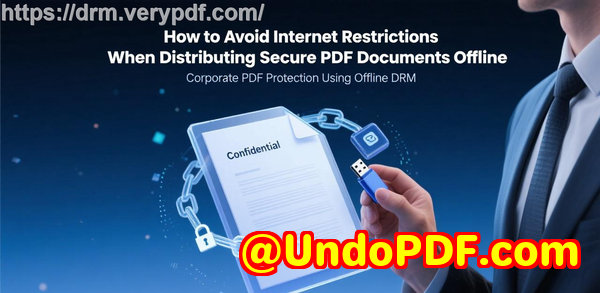
Share employment verification letters securely, enabling immediate revocation if the document is misused

VeryPDF calls it a tool that lets you “securely share sensitive documents with confidence”.

I call it the simplest, most reliable way to send something that absolutely cannot end up in the wrong hands.

And here’s what I’ve learned using it.


The problem with sending sensitive documents online

Everyone’s worried about the same things.

You hit send and suddenly your document is out of your hands forever.

If the wrong person gets access, if someone forwards your email, if your file sits unencrypted on some random server

You can’t pull it back.

You can’t fix it.

You can’t undo it.

I used to send employment verification letters in password-protected PDFs, thinking that was enough.

But here’s what I realised very quickly:

People share passwords.

People forward emails without even thinking.

Once the file leaves your inbox, game over.

You can’t revoke a PDF. Ever.

If you want control real control password-protected files aren’t it.

That’s what pushed me to find a solution where:

The document stays encrypted at all times.

Access can be revoked instantly.

Usage can be tracked.

Printing, screenshots, copying all can be disabled.

The recipient only sees what I allow, nothing more.

And that’s exactly the niche where VeryPDF DRM Protector shines.


How I landed on VeryPDF DRM Protector

Someone from a compliance team told me, “We use DRM because encryption alone isn’t enough.”

That line stuck with me.

Password protection encrypts the file cool.

But DRM controls what can happen after someone opens it which is way more important.

I tried out a few DRM tools.

Most were either overly complicated or required the recipient to install some clunky software.

Not ideal if you’re asking a recruiter, HR rep, or background-check company to open something fast.

Then I tried VeryPDF DRM Protector.

It felt different.

Cleaner.

Simpler.

Built for real-life use, not just corporate IT stacks.

And the biggest deal for me:
Immediate revocation.

If someone forwards the link or tries to open the document on a random device, I can shut them down instantly.

That one feature alone makes the entire system worth it.


What VeryPDF DRM Protector actually does

Here’s the simplified version, straight from how I use it.

You upload your document in this case, an employment verification letter.

The system encrypts it end-to-end.

You share it through a Space.

The recipient gets access only because you allow it.

And you stay in full control.

That means:

Stop unauthorised access

Only the person you grant access to can view the file.

Stop forwarding / sharing

Even if they try to share it, it won’t open for anyone else.

Stop downloads, printing, copying, screenshots

You choose what’s allowed.

Lock document to a specific device

You decide whether they can open it only on one device or multiple.

Lock access by location or IP range

Perfect if you only want the document accessed from a company office or certain region.

Set expiry dates automatically

Want the letter accessible for 48 hours?

Done.

Revoke access instantly

The nuclear button and the reason I love this tool.

Track views and prints

You see exactly who opened what, when, and how many times.

Dynamic watermarks

Email, username, timestamp automatically watermarking every view or print.

The cool part?

Most of these features aren’t even visible to the recipient.

They just click and open the document like normal except you’re the one holding the keys the entire time.


Sharing employment verification letters: my workflow

Here’s exactly what I do now, step by step.

  1. I upload the employment verification letter to VeryPDF DRM Protector.

  2. I create a Space and drop the file inside.

  3. I set the rules:

    Expiry in three days.

    No printing.

    No downloading.

    No screenshots.

    Only open on one device.

  4. I share the Space link with the HR representative.

  5. Once they’re done, I simply revoke the access.

The moment access is revoked, the document becomes unreadable everywhere.

Even if someone downloaded a local encrypted version earlier, it doesn’t matter it still won’t open.

This is the exact opposite of sending PDFs via email.

When you email a file, you lose control.

When you use DRM, you keep it.


Real-world situations where this tool saved me

Scenario 1: Background-check agency wanted copies of both employment letters and ID

Instead of attaching files to an email, I sent them a secure Space.

Tracking showed me when they viewed the documents.

After the verification was done, I revoked access.

No lingering copies floating around.

Scenario 2: Recruitment company forwarded my documents internally

The new recipient couldn’t open the file.

Why?

Because I hadn’t authorised their device.

Exactly how it should work.

Scenario 3: A partner company asked for ongoing access

Instead of sending updated files each time, I just updated the same Space.

They only see what I allow nothing more.

All of these showed me one thing clearly:

Once you’ve used DRM for sensitive documents, you won’t go back to email attachments.


Who benefits the most from VeryPDF DRM Protector

This tool fits anyone handling documents that must not leak.

HR teams

Recruitment agencies

Legal departments

Compliance officers

Contractors who exchange NDAs

Finance teams

Background checks

Government document workflows

Individuals sending passports or ID documents

People applying for visas, employment, or tenancy

Basically, anyone who can’t risk their documents being forwarded, copied, downloaded, or misused.


Why VeryPDF DRM Protector stands out

Here are the advantages that matter most in real usage:

It’s end-to-end encrypted by default.

It’s designed for non-technical recipients.

It doesn’t rely on passwords.

It prevents forwarding and sharing even after access is granted.

It gives you device-level control.

It allows immediate revocation.

It logs everything, so misuse becomes visible.

It combines DRM + encryption the best of both.

Most secure file-sharing tools don’t offer true revocation.

Most DRM tools aren’t simple enough for real-world sharing.

This one nails both.


Custom development services by VeryPDF

One of the things that impressed me early on is how flexible VeryPDF is behind the scenes.

If you’ve got unusual security requirements or want something built around your internal systems, they can actually create it for you.

They offer custom solutions across:

Windows, Linux, macOS, iOS, Android

Python, C/C++, C#, PHP, .NET, JavaScript

Virtual printer drivers that generate PDF, images, EMF

Tools for intercepting print jobs

System-wide API hooking

Document format parsing: PDF, PCL, PostScript, EPS, Office

OCR, barcode tech, layout analysis

Digital signatures, security layers, DRM, cloud document systems

Custom reporting, form generation, conversion pipelines

Enterprise-grade PDF protection and monitoring

If you need a bespoke workflow whether that’s a secure sharing portal, internal DRM system, custom viewer, print-intercepting driver, or anything document-security related they can build it.

You can reach them at: https://support.verypdf.com/


FAQs

What makes DRM better than password protection?

Passwords can be shared.

DRM prevents forwarding, copying, printing, and lets you revoke access immediately.

Can recipients download or screenshot my documents?

Only if you allow it.

By default, both downloading and screenshots are blocked.

Do I need the recipient to install anything?

No.

VeryPDF DRM Protector is designed to be simple for the end-user.

Can I revoke access even after the file has been opened once?

Yes.

Revocation is instant the document becomes unreadable everywhere.

Can I track who opened my employment verification letter?

Yes.

You can see views, timestamps, devices, and print logs.

Can I set the document to expire automatically?

Yes.

You can set date-based, time-based, view-based, or print-based expiry rules.


Tags or keywords

secure employment verification letter sharing

DRM protected documents

VeryPDF DRM Protector

revoke document access instantly

share sensitive documents securely


And that’s why I rely on VeryPDF DRM Protector whenever I need to share employment verification letters securely, enabling immediate revocation if the document is misused.

Explore VeryPDF DRM Protector — Securely Share Sensitive Documents With Confidence Software at: https://drm.verypdf.com/
UndoPDF

Protect tax documents when sending digitally, restricting downloads, prints, and unauthorized forwarding

Protect tax documents when sending digitally, restricting downloads, prints, and unauthorized forwarding

Every tax season, I used to stress over sending sensitive documents to my accountant.

W-2s, 1099s, bank statementsthey all contain private information that I didn’t want falling into the wrong hands.

Email felt risky, and even password-protected PDFs seemed vulnerable.

I kept asking myself: “Is there a way to share these documents without worrying about someone forwarding, copying, or printing them without permission?”

Protect tax documents when sending digitally, restricting downloads, prints, and unauthorized forwarding

That’s when I discovered VeryPDF DRM Protector, a game-changer for securely sharing sensitive documents like tax forms.

It’s not just another file-sharing toolit’s a platform built specifically to lock down documents with encryption, control usage, and ensure only the right people can see them.

From my first use, I realised it could solve the exact problems that used to keep me up at night.

What drew me in first was the end-to-end encryption.

Every document I uploadwhether a scanned passport or a PDF tax formis encrypted by default.

This isn’t the simple password protection most apps offer.

The encryption keys are securely handled, meaning even if someone intercepts the file, it’s unreadable.

I remember sending my W-2s to my accountant, and I could literally see the peace of mind in my own workflow.

No more triple-checking who had access.

Sharing is also incredibly easy.

VeryPDF DRM Protector allows sharing via QR codes or secure URLs.

I love this because my accountant didn’t need to install anything special.

He just scanned the QR code, and the document appeared securely on his device.

No more bulky email attachments floating around.

One of the features that really stood out for me was document use control.

I could stop unauthorized access, prevent copying, block printing, or even limit the number of prints.

For my sensitive tax documents, I chose to disable printing entirely.

But for less sensitive files, I could allow a fixed number of prints, each with a dynamic watermark showing the viewer’s name, date, and email.

This is perfect because even if someone tried to photocopy, the watermark ties it directly to the person who accessed it.

Another huge advantage is the ability to revoke access instantly.

There was one moment where I accidentally sent a document to the wrong person during a busy afternoon.

With a few clicks, I revoked access completely, and I didn’t have to worry about the file being shared elsewhere.

Other tools I’ve used didn’t give me this level of controlthey rely on passwords that can easily be shared.

With VeryPDF DRM Protector, unauthorized forwarding is virtually impossible.

Expiry controls are another lifesaver.

I could set documents to expire after a fixed date, a certain number of views, or even after a specific number of prints.

For tax documents, I like setting them to expire once the filing is complete, which keeps my records secure long-term without manual intervention.

The software also logs document views and prints, giving me insights into who accessed what, when, and from which device.

That logging feature alone adds another layer of accountability.

The flexibility of VeryPDF DRM Protector is impressive.

It’s not limited to PDFs.

I’ve shared high-resolution passport photos, scanned IDs, and even notes with instructions for my accountant, all in one secure space.

This makes managing sensitive documents so much simpler.

Previously, I had to rely on multiple services to achieve the same level of security, which was cumbersome.

For anyone dealing with confidential documentstax professionals, accountants, HR managers, lawyers, or anyone handling PIIthis tool is invaluable.

It eliminates the guesswork about whether a file is secure or if someone could misuse it.

The US government-strength encryption, DRM, and licensing controls give you complete peace of mind.

I also appreciated how device and location controls work.

I could lock access to only authorised devices and restrict usage based on IP address or country location.

For a remote team handling sensitive client data, this is a huge win.

You know exactly where your documents are being accessed and who is handling them.

Using VeryPDF DRM Protector transformed how I manage and share tax documents.

I no longer stress over sending sensitive files via email, worrying about forwarding, printing, or unauthorized copying.

The combination of encryption, usage control, dynamic watermarking, and instant revocation makes it one of the most reliable secure document sharing solutions I’ve ever used.

I’d highly recommend this to anyone who needs to securely send tax documents or other confidential files.

Click here to try it out for yourself: https://drm.verypdf.com/

Custom Development Services by VeryPDF

VeryPDF offers tailored development services to meet unique technical needs.

Whether you require PDF processing on Linux, macOS, Windows, or server environments, their expertise covers a wide range of technologies and functions.

They can develop tools using Python, PHP, C/C++, Windows API, Linux, Mac, iOS, Android, JavaScript, C#, .NET, and HTML5.

This includes Windows Virtual Printer Drivers capable of generating PDF, EMF, and image formats, plus monitoring and capturing printer jobs.

VeryPDF also provides solutions for barcode recognition, OCR, layout analysis, PDF and Office document processing, report and form generation, cloud-based document solutions, PDF security, digital signatures, and DRM protection.

For custom needs, you can contact VeryPDF’s support center to discuss your project: https://support.verypdf.com/

FAQ

1. Can VeryPDF DRM Protector prevent unauthorized printing?

Yes, it can disable printing entirely or limit the number of prints, and you can watermark printed pages to track access.

2. How does document expiration work?

You can set documents to expire on a fixed date, after a number of views or prints, or a set number of days.

3. Can I revoke access after sharing a document?

Absolutely. You can revoke access for individual users or all users instantly, even after the document has been shared.

4. Is sharing easy for recipients?

Yes, recipients can access documents via secure URL or QR code without installing additional software.

5. What types of documents can I protect?

PDFs, high-quality images, scanned IDs, notes, links, and other sensitive files can all be securely shared.

Tags or keywords

Secure document sharing, tax document security, digital document protection, prevent unauthorized printing, VeryPDF DRM Protector, encrypted document sharing, secure PDF distribution

UndoPDF

Share sensitive healthcare forms safely online with limited views and revocable access

Share sensitive healthcare forms safely online with limited views and revocable access

Every time I needed to send a patient’s health record or a scanned insurance form, my stomach would twist a little.

Emails feel unsafe, cloud drives are a gamble, and even password-protected PDFs aren’t truly secure.

I constantly worried about sensitive healthcare forms falling into the wrong hands or being forwarded without my knowledge.

If you’ve ever been in the same boat, you know that sharing confidential medical information online is a headache.

Share sensitive healthcare forms safely online with limited views and revocable access

A few months ago, I discovered VeryPDF DRM Protector, and it completely changed the way I handle sensitive documents.

This isn’t just another file-sharing tool; it’s a secure platform designed to give you control over who sees your files, how long they can view them, and whether they can print or copy them.

For healthcare professionals, HR teams, and legal assistants, this software is a lifesaver.

The first thing that stood out was how simple it made end-to-end encryption.

I could create a “Space” on the platform, drop in patient records, ID scans, or medical forms, and know that only the recipients I shared the link with could access them.

There’s no setup fuss, no complicated keys to managejust a safe environment where confidentiality isn’t optional; it’s default.

Sharing sensitive forms became effortless.

I love that I can choose between sending a secure URL or a QR code.

For example, when I needed to send lab results to a patient’s specialist, I generated a QR code, and they could access the files instantly on their devicewithout me worrying that the email got forwarded to the wrong person.

And because all files are encrypted, even if someone intercepted the link, they couldn’t open the documents.

Another feature that impressed me is the flexible file support.

I can share PDFs, high-quality images like ID scans, notes, and even important linksall in one secure Space.

Previously, I had to juggle multiple platforms for each file type, which was frustrating and time-consuming.

Now, everything sits in one place, safely and neatly organised.

One of the most powerful aspects is control over document usage.

I can stop people from editing, copying, or taking screenshots.

If a form needs to be printed, I can limit the number of prints and even watermark them with dynamic information like the user’s name, company, or email address.

For instance, I once had to share a consent form with multiple parties.

I set a limit on prints and added watermarks for each recipientthis small step drastically reduced the risk of unauthorised distribution.

Automatic expiry and revocable access are game-changers.

I can set documents to expire on a certain date, after a number of views, or even after a number of prints.

There was a time when I accidentally shared a temporary insurance form.

Using VeryPDF DRM Protector, I was able to revoke access instantly, ensuring no one could view it after the deadline.

This level of control simply isn’t possible with standard email attachments or cloud storage.

Device and location restrictions add another layer of security.

You can lock document access to specific devices or even restrict the range of IP addresses.

I recently needed to share a patient’s health record only with our in-house specialists.

By enforcing device locks and location controls, I made sure that the file couldn’t be accessed from outside our secure network.

This gives peace of mind, especially when dealing with highly sensitive healthcare forms.

Compared to other tools I’ve triedlike password-protected PDFs or cloud-based file sharing platformsVeryPDF DRM Protector feels bulletproof.

Password-based PDFs can be forwarded, cloud storage can be hacked, and even data rooms sometimes leave gaps.

This software combines encryption, DRM, and usage tracking so you never have to second-guess who has access to your files.

Speaking of tracking, the usage logs are incredibly useful.

I can see who viewed a document, when, on which device, and how many times it was printed.

This transparency has been invaluable for compliance and auditing purposes, particularly when dealing with confidential patient data.

I now feel confident that I can prove document handling and access at any moment, without relying on guesswork.

For healthcare providers, HR professionals, legal teams, and any organisation handling sensitive forms, this tool is a must-have.

It’s perfect for:

  • Sending scanned IDs or passports to insurance companies

  • Sharing health records with specialists

  • Distributing temporary access forms with expiry dates

  • Controlling sensitive contracts and internal HR documents

I personally recommend VeryPDF DRM Protector to anyone who needs secure document sharing with full control.

It has saved me hours of worry and administrative hassle while ensuring my patients’ and clients’ confidential information stays private.

Click here to try it out for yourself: https://drm.verypdf.com/

Custom Development Services by VeryPDF

VeryPDF offers tailored development solutions for organisations with unique document management needs.

Whether you need PDF processing tools for Windows, macOS, Linux, or cloud environments, VeryPDF’s expertise covers Python, PHP, C/C++, Windows API, Linux, Mac, iOS, Android, JavaScript, C#, .NET, and HTML5.

Their team can build custom virtual printer drivers, capture and monitor print jobs across all Windows printers, and convert them into PDF, EMF, PCL, PostScript, TIFF, or JPG.

They also specialise in system-wide and application-specific hooks to monitor file access and APIs.

For document management, VeryPDF handles PDF, PCL, PRN, PostScript, EPS, and Office files.

They provide OCR, barcode recognition, table extraction, report generators, image conversion tools, and cloud solutions for secure viewing, digital signatures, and DRM protection.

If you have a complex project or need bespoke functionality, contact VeryPDF at https://support.verypdf.com/ to discuss your requirements.

FAQs

1. Can I share high-resolution medical images securely?

Yes, VeryPDF DRM Protector supports high-quality images without compression, keeping them private and encrypted.

2. How do I revoke access to a document after it’s been shared?

You can revoke access instantly for all users, specific users, or for individual documents via the platform.

3. Can I limit document use by device or location?

Absolutely. The software lets you lock documents to specific devices and restrict access based on IP ranges or country.

4. Is printing completely blocked or can I set limits?

You can disable printing or set limits on the number of prints, including dynamic watermarking for each print.

5. Will I know if someone tries to copy or share a document?

Yes, all document views, prints, and device activity are tracked, giving you full transparency.

Tags/Keywords

Secure healthcare document sharing, DRM for PDFs, revoke document access, end-to-end encrypted documents, protect sensitive medical forms, secure online document sharing, healthcare data security, limit PDF views, prevent PDF copying, VeryPDF DRM Protector

UndoPDF

Protect sensitive insurance documents with watermarks and revocable online sharing options

Protect Sensitive Insurance Documents with Watermarks and Revocable Online Sharing Options

Every time I’ve had to send a client’s insurance documents, I used to break into a cold sweat.

Even something as simple as sharing a scanned policy or claim form felt like walking through a minefield.

Email attachments? Too risky.

File-sharing platforms? Too many horror stories of leaks and unauthorised access.

I needed a way to securely share sensitive documents without losing sleep over potential breaches.

Protect sensitive insurance documents with watermarks and revocable online sharing options

That’s when I discovered VeryPDF DRM Protector.

This tool is designed specifically for professionals who deal with confidential informationinsurance agents, legal teams, accountants, and anyone who handles personally identifiable information (PII).

It’s not just about encrypting a file; it’s about controlling who sees it, how they use it, and for how long.

The first time I used it to send a client’s insurance policy, I realised just how much peace of mind I’d been missing.

End-to-End Encryption Without the Headaches

One of the things I love about VeryPDF DRM Protector is how easy it makes end-to-end encryption.

You don’t need to be a tech wizard.

I simply created a new “Space,” uploaded the policy documents, and shared a secure URL with my client.

Everything inside that Space was automatically encrypted.

Only the intended recipient could view it, no matter where they tried to access it from.

Even if someone intercepted the link, they’d see nothing.

It’s not just documents either.

I’ve shared high-resolution images of ID cards, PDFs of insurance forms, and even secure notes and web linksall in one place.

For insurance agents, this means one secure hub for all client information, eliminating the chaos of scattered files.

Custom Watermarks for Extra Protection

Another game-changer is the ability to add dynamic watermarks.

Before VeryPDF DRM Protector, I would manually watermark documents in Photoshop or Acrobat, wasting hours.

Now, I can automatically insert the viewer’s name, email, company, or even the exact date and time they accessed a document.

This isn’t just a visual deterrentit actively discourages unauthorised sharing or photocopying.

I’ve had clients compliment the clarity of watermarked PDFs, and I’ve slept better knowing each copy carries traceable info.

Granular Control Over Document Use

Insurance documents often need strict usage controls.

With VeryPDF DRM Protector, I can:

  • Stop editing, copying, or printing unless I explicitly allow it.

  • Limit printing to a set number of times or enforce black-and-white output.

  • Lock documents to specific devices, so sharing login credentials won’t compromise security.

  • Restrict access by location, ensuring sensitive files aren’t viewed from outside approved networks.

I remember a scenario where I had to send sensitive claim forms to multiple adjusters.

With traditional file sharing, I’d constantly worry someone would forward files externally.

With DRM Protector, I could revoke access instantly if needed.

It felt like having a remote control for my documentsI could pull access at any time, no questions asked.

Automatic Expiry and Tracking

A standout feature for me has been automatic expiry.

I can set documents to expire after a fixed date, a number of days, or even a number of views or prints.

It’s perfect for temporary authorisations, like when a client needs to review their policy but shouldn’t have indefinite access.

The tracking dashboard is another lifesaver.

I can see who viewed a document, when, from which device, and even which operating system.

It’s like having a security camera for your PDFs.

Knowing that I can monitor access and revoke it instantly if something looks suspicious gives me unmatched confidence.

Why VeryPDF DRM Protector Beats Traditional Tools

Before discovering this tool, I relied on password-protected PDFs and generic file-sharing platforms.

Those options have major flaws: passwords can be shared, links can be forwarded, and there’s no way to track usage.

VeryPDF DRM Protector goes beyond simple encryption:

  • Secure key management ensures encryption keys never leave the system.

  • Device-locked access prevents sharing of credentials.

  • Full revocation capability even after documents have been downloaded.

It’s clear that the developers built this with real-world document security challenges in mind.

For insurance agents, legal teams, or anyone managing sensitive data, it’s a game-changer.

Real-Life Use Cases for Insurance Professionals

Here are a few scenarios where I’ve found DRM Protector invaluable:

  • Sending policy documents or quotes to clients without worrying about leaks.

  • Sharing claim forms, receipts, and ID scans with adjusters or third-party vendors.

  • Ensuring temporary access for auditors or regulators while retaining full control.

  • Tracking who accessed sensitive files, which helps in compliance reporting.

In every case, it eliminated my usual anxiety about sending sensitive files.

Conclusion: Why I Recommend VeryPDF DRM Protector

If you deal with insurance documentsor any confidential filesthis is a must-have.

I’ve saved countless hours securing documents manually, and the peace of mind is priceless.

You get strong encryption, flexible sharing, dynamic watermarks, device and location control, automatic expiry, tracking, and instant revocation.

I’d highly recommend this to anyone who needs to protect sensitive information without complicating their workflow.

Click here to try it out for yourself: https://drm.verypdf.com/

Custom Development Services by VeryPDF

VeryPDF also offers tailored solutions for businesses with specific technical needs.

Whether you need PDF processing utilities on Linux, macOS, Windows, or server environments, their team can develop solutions using Python, PHP, C/C++, Windows API, Linux, Mac, iOS, Android, JavaScript, C#, .NET, and HTML5.

They create Windows Virtual Printer Drivers capable of generating PDF, EMF, and image formats, monitor printer jobs, and intercept Windows APIs, including file access.

VeryPDF’s expertise covers barcode recognition, OCR, table extraction, document form generation, image and document management, cloud-based solutions, digital signatures, DRM protection, TrueType font technology, and printing solutions.

For customised projects, contact their support team at https://support.verypdf.com/ to discuss your requirements.

Frequently Asked Questions

1. What types of documents can I protect with VeryPDF DRM Protector?

You can protect PDFs, images, ID scans, tax forms, contracts, and even notes and linksessentially anything containing sensitive information.

2. Can I revoke access after sending a document?

Yes. You can instantly revoke access for all users or individual users, regardless of where the document is located.

3. Is it possible to track document usage?

Absolutely. You can see who viewed or printed a document, from which device, and when.

4. How do dynamic watermarks work?

Dynamic watermarks automatically insert user-specific data like name, email, company, date, and time into documents, making them traceable and discouraging unauthorised sharing.

5. Can I restrict document access by device or location?

Yes. You can lock documents to specific devices and even restrict access by IP address or geographic location.

Tags/Keywords

DRM document security, secure document sharing, insurance document protection, document encryption software, dynamic PDF watermarking, revoke PDF access, end-to-end encrypted files, confidential document sharing, online document security, VeryPDF DRM Protector

UndoPDF

Safely distribute professional certificates and licenses digitally, limiting viewing and printing rights

Safely distribute professional certificates and licenses digitally, limiting viewing and printing rights

Every time I had to send out professional certificates or sensitive licenses to clients or colleagues, I felt a pit in my stomach.

Would the documents get into the wrong hands?

Could someone copy or print them without my permission?

These were real worries, especially when dealing with large volumes of critical documents.

Safely distribute professional certificates and licenses digitally, limiting viewing and printing rights

A few months ago, I stumbled upon VeryPDF DRM Protector, and it completely changed how I handle sensitive digital documents.

This tool isn’t just another PDF locker; it’s designed for people like meHR managers, legal teams, training organisations, or anyone responsible for issuing certificates and licenseswho need tight control over how documents are shared and used.

What makes VeryPDF DRM Protector stand out is that it doesn’t just encrypt your files. It lets you control viewing, printing, and distribution in ways I didn’t even know were possible.

For instance, when I had to send new professional certifications to dozens of team members, I could restrict them to view-only access, prevent any printing, and even lock document access to specific devices.

It was a relief knowing that no matter where the files ended up, unauthorized users couldn’t copy, share, or misuse them.

Here’s how I use it in real scenarios:

1. End-to-End Encryption Without the Headache

Creating a secure space and adding documents is ridiculously simple.

I just upload a PDF certificate or license to a Space, then share a secure URL or a QR code with the intended recipient.

Everything is encrypted by default, so I don’t have to fuss with complex setup or keys.

Unlike password-protected PDFs, which can be easily forwarded, VeryPDF DRM Protector ensures only the authorized users on authorised devices can open the document.

2. Granular Control Over Document Use

One of the coolest features is controlling printing and copying.

For example, if I want a certificate to be viewable but not printable, I can enforce that.

If a print is allowed, I can limit the number of prints, enforce black and white printing, and even apply dynamic watermarks with the user’s name, email, and timestamp.

I did this for a batch of licences and it instantly reduced the risk of misuse.

Seeing a watermark with their own details on each printed copy makes people think twice before sharing.

3. Automatic Expiry and Revocation

Before using this tool, I had nightmares about outdated licenses floating around.

Now, I can set a document to expire on a fixed date, after a number of views, or after a number of prints.

Even better, if I need to revoke access immediatelyfor instance, if someone leaves the companyI can revoke a single user’s access or an entire document batch.

This level of control is something standard secure file sharing platforms simply don’t offer.

4. Flexible Sharing for Any Document Type

Another thing I love is that it’s not limited to PDFs.

I’ve shared scanned IDs, passport photos, and even links to resources all in one secure Space.

High-quality images stay uncompressed, which is critical when you need a clear scan for verification.

I also appreciate the ability to include notes or context alongside the filesso recipients know exactly what they’re looking at and why.

5. Tracking and Audit Features

Knowing who viewed or printed a document, and when, was always a missing piece in my workflow.
VeryPDF DRM Protector logs everythingviews, prints, devices, and operating systems.

I’ve caught potential security slips early thanks to the tracking feature, and I can act immediately if something looks off.

Comparing this to other tools I’ve tried, the difference is night and day.

Password-protected PDFs and secure cloud drives feel like a Band-Aidthey don’t prevent a determined user from copying or sharing a document.

VeryPDF DRM Protector enforces both online and offline controls, meaning the document is locked down wherever it goes.

I’ve found it particularly useful for:

  • Professional certification bodies issuing digital certificates.

  • Training organisations sharing completion licenses with participants.

  • HR and legal teams sending employment verification or confidential contracts.

  • Accountants and financial professionals distributing sensitive tax documents.

Practical benefits I’ve experienced:

  • I save hours of worrying about whether files were misused.

  • Teams receive documents instantly and securely.

  • I maintain full control over access, printing, and expiry without chasing people down.

  • It’s flexible, so I can adapt it to multiple types of sensitive documents without extra tools.

If you handle professional certificates, licenses, or other sensitive documents, I’d highly recommend giving VeryPDF DRM Protector a try.

It takes away the stress of digital sharing while giving you full control and insight over how your documents are used.
Start your free trial now and boost your document security: https://drm.verypdf.com/

Custom Development Services by VeryPDF

VeryPDF provides tailored development services to meet unique document security and processing needs.

They can build solutions for Linux, macOS, Windows, and server environments using technologies like Python, PHP, C/C++, Windows API, Linux, iOS, Android, JavaScript, C#, .NET, and HTML5.

Specialised services include:

  • Windows Virtual Printer Drivers to generate PDF, EMF, and image formats.

  • Tools for capturing and monitoring printer jobs, saving them in formats like PDF, EMF, PCL, Postscript, TIFF, and JPG.

  • Hook layer solutions for monitoring Windows APIs and file access.

  • Barcode recognition, layout analysis, OCR, and table recognition for scanned PDFs and TIFFs.

  • Cloud-based document conversion, viewing, and digital signatures.

  • PDF security, DRM, digital signatures, and document printing solutions.

For customised solutions or specific technical needs, reach out via https://support.verypdf.com/.

FAQs

Q1: Can I restrict printing for certain users?

Yes. You can disable printing entirely or limit the number of prints for specific users.

Q2: What file types can I share securely?

PDFs, high-quality images, notes, and even links to external websites.

Q3: How does VeryPDF DRM Protector prevent unauthorized sharing?

Documents are locked to authorized devices using secure key transfer mechanisms. Even if copied, they won’t open on unapproved devices.

Q4: Can I set documents to expire automatically?

Absolutely. Expiry can be based on a fixed date, number of views, or number of prints.

Q5: Does it log document usage?

Yes. You can track views, prints, devices, and operating systems to monitor document usage.

Tags/Keywords

VeryPDF DRM Protector, secure document sharing, digital certificate protection, limit document printing, end-to-end encryption, document revocation, professional license security, sensitive document management, digital rights management, secure PDF distribution