UndoPDF

Why enterprises running large remote teams choose VeryPDF DRM Protector to securely distribute confidential documents without fear of screen capture or file leaks

Why enterprises running large remote teams choose VeryPDF DRM Protector to securely distribute confidential documents without fear of screen capture or file leaks

Every Monday morning, I used to dread the thought of sending sensitive documents to my remote teams spread across multiple countries. The worry wasn’t just about emails getting lost in the shuffleit was about whether someone could accidentally or intentionally leak our confidential materials. Screenshots, unauthorized downloads, or even a simple forwarding of a PDF could turn weeks of careful work into a potential security nightmare.
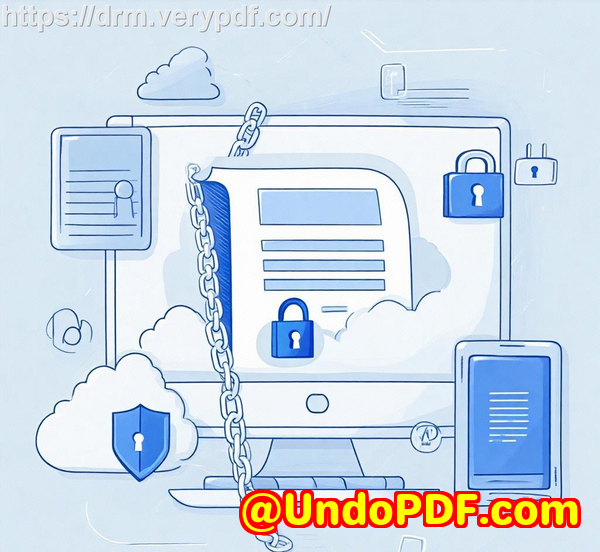
Why enterprises running large remote teams choose VeryPDF DRM Protector to securely distribute confidential documents without fear of screen capture or file leaks

That’s when I discovered VeryPDF DRM Protector. At first, I was skeptical. Another virtual data room? Another “secure sharing” platform? But once I started exploring it, I realised this wasn’t just another toolit was a complete system designed to protect digital content at the file level, giving me control I had never experienced before. This software is perfect for enterprises, legal teams, financial institutions, and any organisation that needs to safely share confidential documents without worrying about leaks or piracy.

VeryPDF DRM Protector isn’t just a typical file-sharing platform. It combines a virtual data room with advanced digital rights management controls. Essentially, it turns your files into something like digital valuables locked in a hyper-secure vault. Even if someone gained access to your secure portal, the files themselves are encrypted, protected, and completely under your control. You can set limits on who can access the documents, for how long, on which devices, and even whether printing, copying, or screen sharing is allowed.

One of the features I rely on most is the Secure Document Viewer. For my finance team handling sensitive M&A documents, this was a game-changer. Instead of sending PDFs that could be printed or screenshotted, we could share files where users could view but not capture content. Even better, I could update protections or revoke access at any time, ensuring that control remained with me, not the recipient. It’s like handing someone a document with a lock that only I can open and adjust.

Another feature that blew me away was the Secure Web Viewer. Sometimes my collaborators don’t want to install extra software. With this viewer, they can access documents directly through their browser without the risk of the file being downloaded or shared. It shows just the part of the file you want visible and prevents any editing, copying, or printing. For teams working in open office environments or during online meetings, this drastically reduces information exposure while keeping collaboration seamless.

The real-time engagement notifications and analytics were another unexpected benefit. I could see exactly when a document was accessed, how long it was viewed, and even where the viewer was located. It gave me peace of mind and, honestly, a little thrill seeing the level of control we had. It’s a feature that most other secure data room tools overlook, yet for me, it became critical when coordinating complex projects across multiple time zones.

What sets VeryPDF DRM Protector apart is the simplicity paired with robust security. Unlike some competitors that make you jump through hoops to grant access, VeryPDF’s interface is intuitive. Guests and colleagues can access documents without feeling frustrated or lost. For example, during a recent capital raising project, our legal and financial advisors could jump straight into the data room without IT support, while I maintained full control of every document shared.

I also appreciate the dynamic watermarking and screen shield technology. When sharing highly confidential contracts or design documents, I no longer have to fear screenshots. If someone tries to capture the screen, the software’s protections kick in automatically, and the watermarking keeps track of who viewed the content. This level of traceability has saved me more than once from potential leaks and gives our clients confidence that their sensitive information is handled securely.

Integration is another strong point. VeryPDF DRM Protector works with Google, Microsoft, and over 6000+ apps through Zapier. This means we can seamlessly incorporate our existing workflows and even automate document distribution with confidence. Whether it’s requesting files from collaborators, managing internal teams, or creating custom dashboards for visitor analytics, the system is flexible and scales beautifully with our needs.

In practical terms, the tool solves a range of problems that used to consume a lot of my time and energy:

  • Preventing accidental leaks: By controlling printing, copying, and screen capture, I no longer worry about a single PDF being misused.

  • Maintaining document control: I can update protections, revoke access, or apply new settings without retrieving the original file.

  • Supporting remote collaboration: Teams around the world can safely access files without complex VPN setups or downloads.

  • Tracking engagement: Detailed analytics show who viewed what, when, and where, which is invaluable during sensitive projects.

I’d highly recommend VeryPDF DRM Protector to anyone who manages large volumes of confidential documents across remote teams. The peace of mind it provides is unmatched, and the ease of use means adoption is smooth even for less tech-savvy colleagues. Click here to try it out for yourself: https://drm.verypdf.com/

VeryPDF offers custom development services to meet a wide range of technical needs. From creating PDF processing utilities on Windows, Linux, and macOS, to building advanced Windows Virtual Printer Drivers that capture print jobs in multiple formats, their expertise spans Python, PHP, C/C++, Java, .NET, iOS, Android, and more. They also provide solutions for barcode recognition, layout analysis, OCR, secure cloud-based document conversion, and digital signature integration. If you have specific requirements or want a tailored workflow, VeryPDF can develop custom solutions to meet your exact needs. Contact their support center to discuss your project at https://support.verypdf.com/.

Frequently Asked Questions

1. Can VeryPDF DRM Protector prevent screenshots and screen sharing?

Yes, the software’s Secure Document Viewer and Secure Web Viewer include screen shield technology and dynamic watermarking to prevent unauthorized screen captures or sharing.

2. Which types of files are supported in the virtual data room?

VeryPDF DRM Protector supports all standard file types, including PDFs, Office documents, images, audio, and video files.

3. Can I revoke document access after sharing?

Absolutely. You can revoke access at any time, even after a file has been shared, ensuring continuous control over your confidential documents.

4. Is it suitable for remote teams and large enterprises?

Yes. The platform is designed to scale, supporting unlimited visitors, real-time notifications, and collaborative workflows for remote teams of any size.

5. Does VeryPDF DRM Protector integrate with other applications?

Yes. It supports login via Google or Microsoft accounts, integrates with 6000+ apps through Zapier, and provides APIs for custom workflows.

Tags or keywords

Virtual data room, secure document sharing, DRM controls, confidential document protection, remote team collaboration, secure PDF viewer, screen capture prevention, document access analytics, enterprise document security, online data room
UndoPDF

How VeryPDFs DRM-secured virtual data room protects confidential compliance documentation, internal controls, and regulatory audit files from unauthorized sharing

How VeryPDF’s DRM-secured virtual data room protects confidential compliance documentation, internal controls, and regulatory audit files from unauthorized sharing

Managing sensitive documents in any organisation can feel like walking through a minefield blindfolded. I’ve been theretrying to share internal controls, regulatory audit files, and compliance documentation across departments without worrying about accidental leaks or unauthorised distribution. Emails get forwarded, USB drives vanish, and even cloud storage can’t always guarantee your files remain safe. That’s when I discovered VeryPDF DRM Protector, a virtual data room solution designed to protect critical documents while still enabling seamless collaboration.

How VeryPDFs DRM-secured virtual data room protects confidential compliance documentation, internal controls, and regulatory audit files from unauthorized sharing

From the start, what caught my attention was how simple it was to set up. Unlike traditional virtual data rooms that often require extensive IT support, VeryPDF allowed me to create secure spaces for confidential documents in minutes. The platform is web-based, which means no heavy installations for casual users, and it supports both a lightweight Secure Web Viewer and a more robust Secure Document Viewer. Depending on the sensitivity of the files, I could choose the right level of protection without overcomplicating access for my team.

The core functionality revolves around file-level DRM protection. Even if someone somehow gained access to the data room, the documents themselves are encrypted and controlled. You can set limits on how many devices can open a file, enforce expiration dates, restrict printing and copying, and even control offline access. In practice, this meant that a regulatory audit file I shared with an external auditor could only be viewed on the device I authorised, and after the agreed period, access would automatically expireno chasing down returned documents or worrying about copies lingering somewhere in a shared folder.

One feature I particularly appreciated was the dynamic watermarking and screen shield technology. I work in a sector where sensitive compliance files often end up on shared screens in open offices. VeryPDF’s system allows me to overlay watermarks dynamically and prevent screenshots or screen sharing, so even in a collaborative environment, the risk of leaks is drastically reduced. I remember sharing an internal controls report with a consultant; the watermark displayed their email address in real time, which immediately discouraged any attempt to copy or screenshot the content. It’s that sort of practical security that sets VeryPDF apart from standard secure data rooms.

Another standout is real-time engagement analytics. In the past, it was nearly impossible to know whether external parties had accessed files or how they interacted with them. With VeryPDF, I can see exactly who opened a document, when, and even if they forwarded it. This kind of transparency was invaluable during a regulatory review where multiple departments and external auditors needed access to the same documentation. It meant no more blind follow-ups or uncertain compliance checks.

VeryPDF also excels in ease of use. Even colleagues who aren’t tech-savvy find it intuitive. Setting up user permissions, revoking access, or tracking document activity is straightforward. I remember initially worrying about onboarding external parties unfamiliar with DRM tools, but the platform’s web viewer allowed them to access files without installing anything complicated. For files requiring higher security, the Secure Document Viewer adds another layer of protection, with screenshot and screenshare prevention, access keys, and offline access controls.

Integrations and API support are another level up. VeryPDF connects with Google and Microsoft identities, integrates via Zapier with over 6000 apps, and even allows email plugin tracking for Gmail and Office 365. This means that my workflow doesn’t get interruptedeverything from document sharing to audit tracking can fit seamlessly into existing tools. It’s a big advantage over other virtual data room providers I’ve tried, which often lock you into rigid systems.

The scenarios where this tool shines are numerous:

  • Regulatory audits: Ensuring only authorised personnel can access audit files and tracking every interaction.

  • Internal controls and compliance documentation: Sharing sensitive internal documents with temporary access limits to employees or external consultants.

  • Mergers and acquisitions: Safely exchanging due diligence files with multiple stakeholders while maintaining document ownership.

  • Legal firms and life sciences: Distributing confidential research or case documents with a full audit trail.

  • Financial institutions: Investment banking, private equity, and capital raising projects where high-security sharing is mandatory.

Compared to competitors, VeryPDF stands out for its combination of simplicity and depth. Many secure data room solutions either overwhelm users with complexity or skimp on critical DRM protections. VeryPDF balances both: you get an intuitive interface without compromising on security. Even better, the system allows post-sharing control adjustmentsyou can change access permissions, revoke files, or update protections after the fact.

For me personally, adopting VeryPDF DRM Protector has been transformative. I no longer worry about compliance files being leaked or misused, I save time tracking document access manually, and I can confidently collaborate with both internal teams and external auditors. The ability to protect files locally on devices rather than solely relying on cloud storage has been a huge relief, especially when dealing with extremely sensitive regulatory documents.

If you handle confidential compliance documentation, internal controls, or audit files, I’d highly recommend giving VeryPDF a try. It’s not just a virtual data room; it’s a complete DRM-secured collaboration platform that ensures your documents stay under your controlwherever they go. Start your free trial now and boost your productivity: https://drm.verypdf.com/

VeryPDF also offers custom development services for businesses with unique technical needs. Their expertise spans Windows, Linux, macOS, server environments, and mobile platforms, covering Python, PHP, C/C++, JavaScript, C#, .NET, HTML5, and more. They can build Windows Virtual Printer Drivers, intercept and monitor printer jobs, analyse and process document formats like PDF, PCL, Postscript, EPS, and Office files, and implement barcode recognition, OCR, layout analysis, and document form generation. VeryPDF also delivers cloud-based solutions for document conversion, digital signatures, and DRM-protected document workflows. For any custom project requirements, you can contact them via https://support.verypdf.com/.

FAQs

1. What is a virtual data room with DRM protection?

A virtual data room with DRM combines a secure online document repository with digital rights management controls, ensuring only authorised users can access documents, for a limited time, on specific devices, and with controlled permissions.

2. Can I revoke access after sharing a document?

Yes. VeryPDF allows you to revoke access at any time, even after files have been shared, ensuring ongoing control over your confidential content.

3. Does VeryPDF protect against screenshots and screen sharing?

Absolutely. The Secure Document Viewer includes screenshot and screenshare prevention, while the Secure Web Viewer restricts visible content, limiting exposure in collaborative environments.

4. Which file types are supported?

VeryPDF supports all standard file types, including PDFs, Word documents, Excel files, images, and multimedia formats.

5. Can I use VeryPDF for regulatory audits and compliance documentation?

Yes. It is ideal for audit trails, compliance documents, and internal controls, providing secure sharing, access logs, and detailed analytics to maintain transparency.

Tags or keywords

DRM-secured virtual data room, secure document sharing, regulatory compliance files, internal controls protection, audit file security, confidential document management, VeryPDF DRM Protector, secure PDF sharing, digital rights management, virtual data room solution

UndoPDF

How to securely distribute confidential investor presentations and pitch decks using VeryPDF DRM Protectors encrypted virtual data room platform

How to securely distribute confidential investor presentations and pitch decks using VeryPDF DRM Protector’s encrypted virtual data room platform

Every time I’ve had to send out investor presentations or pitch decks, I felt this mix of anxiety and frustration.

You know the feelingspending hours polishing a deck, only to worry if someone will leak it, forward it, or save a copy to the wrong place.

I remember one particular fundraising round where I had to share sensitive financials with multiple investors. The thought of losing control over who accessed what kept me up at night.

How to securely distribute confidential investor presentations and pitch decks using VeryPDF DRM Protectors encrypted virtual data room platform

That’s when I discovered VeryPDF DRM Protector, and it completely changed how I share confidential documents.

This isn’t just another file-sharing tool. It’s a virtual data room with full DRM controls, designed to protect your investor presentations, pitch decks, and sensitive files with encryption, access control, and real-time monitoring.

It’s aimed at startups, investment firms, legal teams, and anyone who needs to share documents securely without worrying about leaks.

When I first set up a virtual data room with VeryPDF DRM Protector, I was impressed by the simplicity.

Uploading my decks and financial models took minutes.

Once inside the data room, every file was automatically encrypted and protected. I could define who had access, how long they could view it, and even restrict the number of devices per user.

Even if someone tried to forward a file, the DRM protection ensured it couldn’t be opened by unauthorized recipients.

Here’s what really stood out during my experience:

  • Shared link access controls I could send links to investors and set expiry dates individually.

  • Dynamic watermarking Each document carried a unique watermark with the viewer’s name and IP, making leaks traceable instantly.

  • Real-time notifications I knew exactly when someone viewed a file, how long they spent on each slide, and whether they tried to forward or download it.

I also loved the Secure Web Viewer.

Some investors don’t want to download extra software. With the web viewer, they could access the presentation directly in their browser.

It prevented printing, copying, or screen capturing, while still letting them review the content comfortably.

For highly sensitive documents, I used the Secure Document Viewer.

This client-based viewer added an extra layer of protection, stopping screenshots, screenshares, and even offline sharing.

I felt confident sending my pitch decks, knowing my intellectual property was secure.

Compared to other virtual data room solutions I tried, VeryPDF DRM Protector stood out for its ease of use and flexible control options.

Other platforms either complicated access for my investors or lacked real-time analytics.

With VeryPDF, I could customise branding, track engagement, and even revoke access if I noticed unusual activity.

Use cases where I found this tool invaluable:

  • Fundraising rounds Sending pitch decks and financial projections without fear of leaks.

  • Mergers and acquisitions Securely sharing due diligence documents with multiple parties.

  • Legal document exchange Exchanging contracts, NDAs, and sensitive agreements with clients.

  • Investor updates Periodic updates on company performance, ensuring confidentiality.

Beyond just security, the analytics features were eye-opening.

I could see which slides investors spent the most time on, which helped me fine-tune future presentations.

I also appreciated the granular permissions, which allowed me to tailor viewing rights per investor. Some could only read, others could download a limited time, and some had full access temporarily.

This level of control was unmatched in other solutions I’d tried.

Another thing I noticed: setting up VeryPDF DRM Protector didn’t require me to be a tech expert.

The dashboard is intuitive, guides are clear, and even investors who aren’t tech-savvy could access files effortlessly.

No more sending large PDFs over email with password attachments and hoping nothing went wrong.

Everything was handled securely in one central, encrypted environment.

Why I recommend VeryPDF DRM Protector

If you regularly handle sensitive investor information, pitch decks, or proprietary files, this platform solves a real problem.

It keeps documents safe, traceable, and under your control, even after sharing.

The combination of file-level encryption, DRM controls, and real-time analytics is something I haven’t seen anywhere else.

For anyone who’s ever lost sleep over confidential presentations, this tool is a game-changer.

I’d highly recommend this to anyone who deals with large volumes of sensitive documents and wants peace of mind.

Click here to try it out for yourself: https://drm.verypdf.com/

Start your free trial now and take control of your investor presentations today.

Custom Development Services by VeryPDF

VeryPDF offers comprehensive custom development services to meet your unique technical needs.

Whether you need specialised PDF processing solutions for Linux, macOS, Windows, or server environments, VeryPDF can create tailored workflows.

Services include:

  • Utilities based on Python, PHP, C/C++, Windows API, Linux, Mac, iOS, Android, JavaScript, C#, .NET, HTML5.

  • Development of Windows Virtual Printer Drivers for PDF, EMF, and image generation.

  • Tools for capturing and monitoring printer jobs across all Windows printers.

  • System-wide and application-specific hook layers to monitor and intercept Windows APIs.

  • Analysis and processing of PDF, PCL, PRN, Postscript, EPS, and Office documents.

  • Barcode recognition and generation, OCR, and table recognition for scanned TIFF and PDF files.

  • Custom report and form generators, image conversion tools, and document management utilities.

  • Cloud-based solutions for document conversion, viewing, digital signatures, and PDF security.

If you need a unique solution, contact VeryPDF via their support center at https://support.verypdf.com/ to discuss your project requirements.

FAQ

1. How secure are documents in VeryPDF DRM Protector?

VeryPDF DRM Protector encrypts files at the moment of upload and applies DRM controls, preventing unauthorized access, copying, printing, or screen capturing.

2. Can investors access files without installing software?

Yes, the Secure Web Viewer allows browser-based access with full DRM protections, ideal for users who prefer not to download clients.

3. Can I revoke access to a document after sharing?

Absolutely. You can revoke access at any time, even after the file has been sent, ensuring you maintain control over your content.

4. Does VeryPDF support multiple file types?

Yes, it supports all common document, audio, video, and image formats, including PDFs, PowerPoint decks, Excel files, and images.

5. Can I track who views my presentations?

Yes, detailed analytics provide real-time engagement notifications, location access alerts, and an aggregate dashboard to monitor individual or collective activity.

Tags or keywords

Virtual data room, DRM Protector, secure investor presentations, pitch deck security, confidential file sharing, encrypted data room, document control

UndoPDF

Why dynamic watermarking, expiry dates, and device limits in VeryPDF DRM Protector outperform traditional PDF password protection methods

Why dynamic watermarking, expiry dates, and device limits in VeryPDF DRM Protector outperform traditional PDF password protection methods

When I first started sharing sensitive documents with clients, I relied on the standard PDF password protections. At the time, it seemed sufficientjust slap a password on the file and hope no one shared it beyond the intended recipients. But reality hit fast. Passwords got forwarded, PDFs were copied to unauthorized devices, and in some cases, I couldn’t even track who accessed what or when. It quickly became clear: traditional PDF passwords were no longer enough for real-world document security. That’s when I discovered VeryPDF DRM Protector.

Why dynamic watermarking, expiry dates, and device limits in VeryPDF DRM Protector outperform traditional PDF password protection methods

From the moment I started exploring VeryPDF DRM Protector, it felt like stepping into a new era of document security. This isn’t just a PDF password tool. It’s a Virtual Data Room Solution that combines digital rights management (DRM) with secure content sharing. Essentially, it lets you control exactly who can access your files, how long they can view them, on how many devices, and even prevents unwanted printing, copying, or screen sharing. For professionals handling sensitive contracts, financial reports, legal documents, or intellectual property, this tool is a game-changer.

Why I switched from traditional password-protected PDFs

I remember a situation with a confidential investor report. With a regular password-protected PDF, once the file landed in someone’s inbox, I lost control. One forwarded email could compromise the entire document. VeryPDF DRM Protector addressed this problem immediately. Its DRM capabilities allowed me to:

  • Set device limits: I could specify how many devices could open the file. This meant even if someone shared it, the file wouldn’t work on an unauthorized device.

  • Apply dynamic watermarks: Each document could display the viewer’s name, email, or IP in real time. It’s subtle, but it deters sharing because recipients know their identity is linked directly to the file.

  • Set expiration dates: I could control exactly how long a file would be accessible, and once it expired, no one could open itregardless of whether they still had the original PDF.

I started seeing the difference immediately. Not only could I protect sensitive information, but I could also track usage. The platform provided real-time engagement notifications, visitor dashboards, and even location alerts, so I always knew who was viewing what, when, and from where. Compare this with traditional PDFswhere you’re completely blind once a file leaves your inboxand it’s like night and day.

Diving deeper into key features

  1. Secure Web Viewer and Document Viewer

    Initially, I worried that DRM might make document access clunky for clients. Surprisingly, it didn’t. VeryPDF offers a Secure Web Viewer, which allows recipients to view documents in a browser without downloading the file. It limits screen exposure and prevents editing, copying, or printing. For highly sensitive documents, the Secure Document Viewer provides even tighter controls, including screenshot and screen-sharing protection. Clients could collaborate seamlessly without risking data leaks.

  2. Granular access control and real-time updates

    Another feature that blew me away was the ability to revoke access instantly. One of my team members accidentally sent a confidential proposal to the wrong recipient. With traditional PDFs, I would have had no recourse. With VeryPDF DRM Protector, I simply revoked access, and the file became unusable for that recipient immediately. Combined with unlimited visitor tracking, full-text search, and aggregate dashboards, it made document management much more transparent and stress-free.

  3. Integration and automation

    VeryPDF isn’t just about security; it’s also designed for efficiency. I could integrate the system with existing storage providers, set up automatic indexing of uploaded files, and even connect workflows via APIs or Zapier. For my team, this meant no disruption to our workflow while adding an extra layer of protection that traditional methods could never provide.

Comparing to other solutions

Before discovering VeryPDF, I tried other secure PDF platforms and even some cloud-based data rooms. They either lacked granular DRM controls or were too complicated for our clients to use. Some had DRM, but required every user to install complex software, creating friction. VeryPDF struck the perfect balance: robust DRM with a user-friendly interface. Clients can access files effortlessly, while I maintain total control over usage, expiration, and device limits. The dynamic watermarking alone has stopped casual sharing in its tracks because every recipient knows their identity is tied to the document.

Real-world scenarios where this works perfectly

  • Legal teams: Sharing contracts or confidential case files with multiple stakeholders while retaining full control.

  • Financial institutions: Distributing sensitive reports to investors or auditors without fear of unauthorized copying.

  • Education: Sharing proprietary study materials with students or colleagues while preventing redistribution.

  • Corporate M&A deals: Allowing due diligence teams to access critical files securely and temporarily, with full tracking.

  • Intellectual property management: Ensuring design files, patents, or research remain protected during collaboration.

My personal takeaway

After switching to VeryPDF DRM Protector, I never looked back. It gave me peace of mind that my documents were protected at a level no password-only PDF could achieve. I could enforce dynamic watermarking, expiry dates, and device limits with minimal setup, and the combination of web and desktop viewers made collaboration smooth and secure. For anyone managing sensitive digital assets, it’s not just a toolit’s an insurance policy.

I’d highly recommend this to anyone who deals with large volumes of PDFs and needs confidence that their content won’t end up in the wrong hands. Click here to try it out for yourself: https://drm.verypdf.com/

Custom Development Services by VeryPDF

VeryPDF offers comprehensive custom development services to meet your unique technical needs. Whether you require specialised PDF processing solutions for Linux, macOS, Windows, or server environments, VeryPDF’s expertise spans a wide range of technologies and functionalities.

Services include developing utilities with Python, PHP, C/C++, Windows API, Linux, Mac, iOS, Android, JavaScript, C#, .NET, and HTML5. VeryPDF specialises in creating Windows Virtual Printer Drivers capable of generating PDF, EMF, and image formats, and tools for capturing and monitoring printer jobs, converting print jobs from any Windows printer into PDF, EMF, PCL, Postscript, TIFF, or JPG. The company also provides solutions involving system-wide and application-specific hook layers to monitor and intercept Windows APIs, including file access APIs.

VeryPDF handles analysis and processing of various document formats, including PDF, PCL, PRN, Postscript, EPS, and Office documents. Their services include barcode recognition and generation, layout analysis, OCR, and OCR table recognition for scanned TIFF and PDF documents. They also develop report and form generators, graphical and image conversion tools, and document management tools. Cloud-based solutions for document conversion, viewing, and digital signatures, along with PDF security, DRM protection, and Office and PDF printing, are also offered.

If you have specific technical needs or require customised solutions, contact VeryPDF through its support center at https://support.verypdf.com/ to discuss your project requirements.

FAQs

1. What makes VeryPDF DRM Protector better than standard PDF passwords?

Standard PDF passwords only restrict access at the file level. VeryPDF DRM Protector adds dynamic watermarks, device limits, and expiry controls, giving you full control even after sharing.

2. Can I track who views my documents in real time?

Yes. You get real-time engagement notifications, location alerts, and detailed visitor dashboards for full transparency.

3. Do recipients need to install software to access protected files?

For most cases, no. The Secure Web Viewer works in a browser. For high-security files, the Secure Document Viewer can be used for additional protections.

4. Can I revoke access after sharing a document?

Absolutely. Access can be revoked instantly, and the document becomes unusable for the intended recipient immediately.

5. Is VeryPDF DRM Protector suitable for large teams or enterprises?

Yes. It supports unlimited visitors, internal collaborators, granular permissions, and integration with existing workflows, making it ideal for teams of any size.

Tags or keywords

VeryPDF DRM Protector, Virtual Data Room Solution, secure PDF sharing, dynamic watermarking, PDF expiry controls, device limits, DRM PDF software, document security, file access control, online collaboration

UndoPDF

How medical institutions protect patient records, clinical reports, and health research files using VeryPDFs secure, compliant virtual data rooms

How medical institutions protect patient records, clinical reports, and health research files using VeryPDF’s secure, compliant virtual data rooms

Medical institutions handle some of the most sensitive information imaginable. Patient records, clinical reports, and ongoing health research files are not just datathey’re personal stories, legal obligations, and valuable research assets. Yet, I often saw hospitals and clinics struggling with the same problem: how to share these documents safely with colleagues, researchers, or partners without risking leaks, accidental sharing, or regulatory violations. Early on, we relied on encrypted emails or traditional secure servers, but they were clunky, slow, and frustrating to manage. One tiny slip could expose private patient data or delay critical research.

How medical institutions protect patient records, clinical reports, and health research files using VeryPDFs secure, compliant virtual data rooms

That’s when I discovered VeryPDF DRM Protector, a virtual data room solution designed for secure, compliant management of sensitive files. The moment I started using it, I realised this wasn’t just another cloud storage platformit was a game-changer for medical institutions that need airtight security while still enabling collaboration.

VeryPDF DRM Protector is essentially a secure virtual data room (VDR) combined with digital rights management (DRM). Imagine having a virtual vault where every file is encrypted, access is controlled at multiple levels, and you can monitor who sees what, when, and how. It’s perfect for hospitals, research labs, universities, and even pharmaceutical companies handling sensitive clinical trial data.

One feature that immediately stood out to me was the file-level DRM controls. Unlike regular cloud storage, where a downloaded file can be copied or forwarded at will, VeryPDF applies protection to the actual file. You can limit access to specific users, set expiration dates, restrict printing or screen sharing, and even control which devices can open the document. In one instance, I shared a set of sensitive research files with external collaborators. Even though the files were accessible online, I knew that the DRM controls meant they couldn’t be copied, printed, or accidentally leaked to unauthorised parties. The peace of mind was incredible.

Another standout feature is the Secure Web Viewer and Secure Document Viewer. The Web Viewer allows colleagues to view documents directly in the browser without downloading the file. That’s huge for environments where multiple doctors or researchers need access quickly without worrying about storing copies on local drives. Meanwhile, the Document Viewer offers a heavier-duty option for highly sensitive content, with protections like screenshot prevention and strict access limits. I remember working with a multi-institutional clinical trial, where every participant’s data had to stay private. Using the Secure Document Viewer, we ensured only authorised personnel could view patient records, and any potential sharing risk was mitigated.

Shared link access controls and audit logs are also crucial. When we circulate research proposals or patient outcome reports across departments, we can track exactly who has accessed what and when. For example, during a recent collaboration with a university hospital, we could monitor document engagement in real-time, receiving notifications whenever a file was viewed or forwarded. This kind of transparency is invaluablenot only for internal accountability but also for meeting compliance requirements like HIPAA.

Compared to other virtual data rooms we tested, VeryPDF stood out for ease of use and advanced branding options. Many other solutions required lengthy onboarding or forced users into a rigid workflow. VeryPDF allows you to customise the interface with your institution’s branding, set up folders and subfolders intuitively, and even integrate with existing systems. Doctors, nurses, and research assistants didn’t need a tutorialthey just logged in and accessed files securely. That simplicity saved hours of training and frustration.

Another aspect I appreciated was the ability to update or revoke document access dynamically. If a collaborator no longer needed access, or a document’s relevance changed, we could instantly update permissions. This kind of agility is hard to find in typical document management systems and is particularly valuable in fast-moving clinical environments where patient care decisions depend on the latest information.

VeryPDF DRM Protector also supports full-text search, unlimited visitors, and local file uploads, which makes managing large volumes of medical documents far easier. I remember juggling hundreds of patient reports during a departmental audit. With VeryPDF, we could instantly locate specific reports by keyword, assign access, and ensure that every action was logged. Traditional systems would have required manually digging through file servers or email attachmentsa nightmare scenario.

One use case that perfectly illustrates the value of this tool is the sharing of ongoing research data for a multicentre clinical trial. Before VeryPDF, we had to rely on secure FTP or encrypted drives, which were slow and often confusing for external collaborators. Now, we simply upload files into the VDR, set access limits, and share the secure link. Researchers receive notifications, can view files safely, and any sensitive data remains protected at all times. It’s also a lifesaver for compliance audits, because every file access is recorded automatically.

In short, VeryPDF DRM Protector addresses the core problem medical institutions face: balancing data accessibility with airtight security. Sensitive patient records and research files can be shared efficiently without risking breaches, and administrators have full visibility into document engagement and compliance.

I’d highly recommend this to any hospital, research lab, or medical institution dealing with sensitive documents. The combination of secure file-level DRM, real-time monitoring, easy-to-use interfaces, and flexible access controls makes it an invaluable tool for modern healthcare operations. Start your free trial now and see how it can transform your document security workflow: https://drm.verypdf.com/

VeryPDF offers custom development services for medical institutions and other industries that require specialised solutions. Whether you need PDF processing tools, secure virtual printers, or advanced document monitoring systems, VeryPDF’s team can build tailored applications for Linux, Windows, macOS, iOS, Android, and cloud environments. Services include Python, PHP, C/C++, Windows API, .NET, and HTML5 solutions, as well as document OCR, barcode recognition, data room customisation, and DRM integration. For project-specific requests or unique workflows, reach out via https://support.verypdf.com/ to discuss your requirements with their experts.

FAQs

1. Who should use VeryPDF DRM Protector in healthcare?

Any hospital, clinic, research lab, or university managing sensitive patient records, clinical trial data, or proprietary research can benefit.

2. Can I share files securely with external collaborators?

Yes. You can set access limits, revoke permissions, and monitor engagement in real-time.

3. Does it prevent printing, screenshots, or copying?

Absolutely. Both the Secure Web Viewer and Secure Document Viewer offer robust protections, including screen and print restrictions.

4. Are there audit logs for compliance?

Yes. Every file access, download, and activity is logged, which is essential for HIPAA and other regulatory requirements.

5. Can we customise the VDR interface for our organisation?

Yes. You can adjust branding, logos, colours, folder structures, and more to match your institution’s identity.

Tags or keywords

Medical document security, patient record protection, virtual data room, clinical trial data management, healthcare DRM, secure document sharing, VeryPDF DRM Protector, HIPAA compliance, health research file security, secure PDF viewer