UndoPDF

How to Stop Students From Sharing My PDF Across Multiple Platforms and Secure All Course Content

How to Stop Students From Sharing My PDF Across Multiple Platforms and Secure All Course Content

Learn how VeryPDF DRM Protector secures your PDF course materials, prevents unauthorized sharing, and ensures students only access content as intended.
How to Stop Students From Sharing My PDF Across Multiple Platforms and Secure All Course Content


Every semester, I used to face the same headache.

I’d spend hours creating detailed course materials, only to find them circulating across forums, email chains, and messaging apps.

Students were sharing PDFs freely, and my carefully structured content was being accessed without permission.

It was frustrating, to say the least.

At first, I tried basic password protection, but that quickly proved useless.

Students could simply share the password, and my PDFs would be distributed without my consent.

I knew I needed a stronger, smarter solution to protect my intellectual property and control how my materials were used.

That’s when I discovered VeryPDF DRM Protector Secure PDF Sharing (https://drm.verypdf.com/).


Why VeryPDF DRM Protector is a Game-Changer

From the moment I started using VeryPDF DRM Protector, I noticed the difference.

This isn’t just another PDF password tool.

It’s a full-featured DRM solution that lets you control who sees your content, how they use it, and for how long.

Here’s what makes it stand out:

1. Control Access and Prevent Unauthorized Sharing

I was amazed at how I could stop PDFs from being copied, edited, or shared, no matter where they went.

Unlike traditional password protection, VeryPDF locks documents to specific devices, so a student can’t just forward a file to a friend.

If someone tries to open it on an unauthorized device, it simply won’t work.

  • Lock PDFs to specific devices

  • Restrict access by IP or location

  • Prevent screen captures and copying

In practice, this meant I could distribute course content confidently, knowing that only the students I authorised could access it.

2. Expiry and Revocation Features

One of my favourite features is the ability to set document expiration.

I could make a PDF expire after a certain number of days, views, or even prints.

This is perfect for timed assignments, modules, or premium content that I want students to access for a limited period.

Even better, if I ever needed to revoke access, I could instantly block one student or the entire class from accessing a document.

This level of control is something I never had with basic PDF tools.

3. Dynamic Watermarks

I also started using dynamic watermarking, which adds personalised information like student name, email, or date to the PDF when viewed or printed.

This was a subtle yet powerful deterrent against sharing.

I could immediately see if someone tried to distribute my PDFs because the watermarked information would give it away.

  • User-specific watermarks

  • Real-time tracking of prints and views

  • Automatic enforcement without extra steps

4. Cloud and Offline Access Options

I love that VeryPDF offers both cloud and offline secure sharing.

For cloud access, students can view PDFs through a browser on any device without installing extra software.

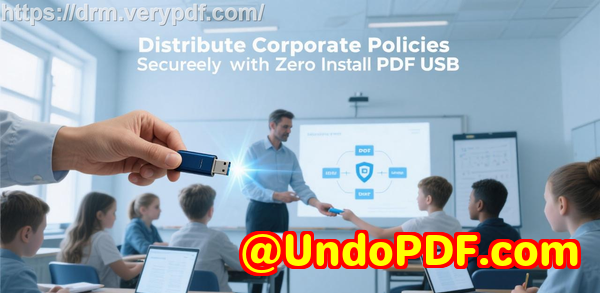
For offline needs, like distributing content during a seminar or workshop, I can use Safeguard Portable via USB.

Everything on the USB is secure, device-locked, and controlled.

This flexibility made it easy to manage different teaching scenarios without worrying about my content being leaked.


Real-Life Use Cases

Since implementing VeryPDF DRM Protector, my workflow has improved dramatically.

Here’s how I’ve been using it:

  • Course PDFs: All lecture notes, assignments, and supplementary materials are secured before sharing.

  • Workshops and Seminars: Using USB sticks with offline DRM, participants can access the content safely without internet dependency.

  • Premium Modules: Paid students get timed access to content that automatically expires after the course ends.

  • Tracking Engagement: I can see which students are viewing PDFs and how often, helping me monitor engagement and detect suspicious activity.

I’ve compared this to free online PDF tools and even paid solutions like Adobe DRM.

The difference is clear: VeryPDF provides granular control without being overly complex or costly.

It feels designed for educators like me, not just large corporations.


Advantages Over Other Tools

  • No Password Sharing Loopholes: Traditional PDFs fail here; VeryPDF locks files to devices.

  • Complete Expiry Control: You can automatically expire documents, something many tools don’t offer.

  • Dynamic Watermarking: Personalized watermarks reduce piracy and deter unauthorized sharing.

  • Cross-Platform Access: Works on mobile, tablet, desktop, online, and offline with USB distribution.

  • Detailed Tracking: See who opened your PDFs, how many times, and from which device.


How I Use VeryPDF DRM Protector in My Teaching

I start by uploading all course PDFs to the VeryPDF platform.

Drag-and-drop makes it simple, and I can upload multiple files at once from my PC, phone, or cloud storage.

Next, I customise access:

  • Assign unique passwords (or skip entirely if using device-locking)

  • Set view limits, print limits, or expiration dates

  • Apply dynamic watermarks for each student

Finally, I share links via email, which include QR codes for easy mobile access.

Students can open their materials instantly, but only under the rules I set.

It’s been a huge time-saver.

I no longer have to chase down PDFs or worry about leaks.

And the best part? Students actually respect the system because it’s seamless and mobile-friendly.


My Recommendation

If you deal with PDF contentwhether it’s lectures, assignments, or paid modulesI’d highly recommend VeryPDF DRM Protector.

It’s the most reliable way I’ve found to stop students from sharing files across platforms, and it ensures your course content remains secure.

  • Click here to try it out for yourself: https://drm.verypdf.com/

  • Start your free trial now and take control of your PDF content.


Custom Development Services by VeryPDF

VeryPDF offers custom development services tailored to your technical needs.

Whether you require PDF processing solutions on Linux, macOS, Windows, or servers, VeryPDF can handle it.

Their expertise includes:

  • Python, PHP, C/C++, Windows API, Linux, Mac, iOS, Android, JavaScript, C#, .NET, HTML5

  • Windows Virtual Printer Drivers generating PDF, EMF, image formats

  • Capturing and monitoring print jobs from all Windows printers into PDF, EMF, PCL, Postscript, TIFF, JPG

  • Hook layer solutions for Windows APIs, including file access

  • Document format analysis: PDF, PCL, PRN, Postscript, EPS, Office

  • Barcode recognition and generation, layout analysis, OCR, OCR table recognition

  • Report and form generation, image and document management, cloud-based document conversion

  • PDF security, digital signatures, DRM, TrueType font technology, Office & PDF printing

For tailored solutions, contact VeryPDF at https://support.verypdf.com/.


FAQs

Q1: Can I prevent students from printing my PDFs?

Yes, VeryPDF DRM Protector lets you completely block printing or limit the number of prints, with optional watermarks.

Q2: What happens if a student shares their login or device?

Files are device-locked, so they won’t work on unauthorized devices, even if login info is shared.

Q3: Can I track who accessed my PDFs and when?

Absolutely. VeryPDF logs document views and prints, including device and OS info.

Q4: Can I make PDFs expire automatically?

Yes, you can set documents to expire after a fixed date, a number of days, or a number of views/prints.

Q5: Can I distribute PDFs offline securely?

Yes, with Safeguard Portable, you can distribute secure PDFs on USB sticks with offline access and all DRM protections intact.


Tags/Keywords

  • PDF security for educators

  • Stop PDF sharing

  • Secure course PDFs

  • Digital rights management for teachers

  • Protect online course content

  • VeryPDF DRM Protector

  • PDF file protection

UndoPDF

How to Protect My Course PDF With Restriction Policies to Stop Unauthorized Students From Sharing

How to Protect My Course PDF With Restriction Policies to Stop Unauthorized Students From Sharing

Learn how to secure your course PDFs with VeryPDF DRM Protector, preventing unauthorized sharing while controlling views, prints, and device access.

How to Protect My Course PDF With Restriction Policies to Stop Unauthorized Students From Sharing


Every semester, I used to spend hours preparing my course materials for students, only to discover a week later that PDFs I had carefully created were circulating online.

It was frustrating, knowing that unauthorized sharing could undermine both the value of my teaching and the integrity of my intellectual property.

I tried simple password protection, but passwords got shared, and some students even found ways to bypass them.

That’s when I came across VeryPDF DRM Protector, and it completely changed how I handle course PDFs.


Why I Chose VeryPDF DRM Protector for My Course PDFs

At first, I was skeptical. There are dozens of PDF protection tools out there.

But VeryPDF DRM Protector stood out because it offered full control over document access, not just superficial password locks.

It allows me to define who can open my PDFs, for how long, and even from which devices or locations.

The platform is web-based, so I didn’t need any complex setup. I could drag and drop my files from my PC, phone, Dropbox, or OneDrive, and within minutes, my PDF was protected and ready to share via a secure URL.


Key Features That Made a Difference

1. Control Access and Stop Unauthorized Sharing

One of the most powerful features is the ability to stop PDFs from being copied, edited, or redistributed.

Unlike standard PDF password protection, which can be shared easily, VeryPDF uses encryption and device-specific keys, ensuring only authorized users can open the document.

For example, I could send the course PDF to my registered students, and even if someone tried to forward it to a friend, it simply wouldn’t open on their device.

2. Set Expiration and View Limits

I’ve had situations where I needed students to access materials only during a specific week.

VeryPDF allows me to:

  • Set a fixed expiration date.

  • Limit the number of times a file can be viewed or printed.

  • Automatically revoke access after a certain number of views.

This feature saved me countless emails asking students to remove files or reminding them that a PDF was outdated.

3. Dynamic Watermarks for Added Security

Another lifesaver is dynamic watermarking.

Every time a student views or prints the PDF, it displays their name, email, date, and device information on the document.

This alone drastically reduced unauthorized sharing because students knew any leak could be traced back to them.

4. Mobile-Friendly and Easy to Share

I often teach online courses, so mobile access is essential.

VeryPDF DRM Protector generates a QR code with each email invite, letting students open the PDF on phones or tablets without additional software.

It’s seamless and convenient, even for students who aren’t tech-savvy.

5. Track Usage and Revoke Access Anytime

I love the tracking feature. I can see exactly who viewed my PDFs, when, and on which device.

If a student leaves the course or misuses a file, I can instantly revoke access, no matter where the file is stored.

This level of control is something I couldn’t achieve with any other tool I tried.


Real-World Use Cases

University Professors and Instructors

If you’re teaching multiple courses online, VeryPDF DRM Protector ensures students only access the content they’re entitled to, and you can manage hundreds of PDFs with ease.

Corporate Trainers

In a corporate training environment, sensitive material like SOPs or product manuals can be distributed securely to employees or partners, and printing or sharing can be strictly controlled.

Publishers and Course Creators

Selling e-learning content online is risky without proper protection. With VeryPDF, you can monetize your PDFs securely, enforce licensing controls, and prevent piracy.

Legal and Consulting Firms

Documents shared with clients often contain confidential data. VeryPDF ensures your PDFs are viewable only by intended recipients, with full logging and revocation capabilities.


How VeryPDF Stands Out Compared to Other Tools

I tried a few alternatives before committing to VeryPDF DRM Protector:

  • Standard PDF password protection: Easy to bypass; passwords are shared.

  • Generic DRM solutions: Often complex to set up and manage; not mobile-friendly.

  • Cloud-based document collaboration platforms: While useful for editing, they don’t prevent screenshots or file downloads effectively.

VeryPDF, however, combines simplicity, robust security, and flexibility.

From device and location locking to dynamic watermarks, expiration policies, and real-time tracking, it covers all the angles I care about.


Conclusion: My Personal Take

After using VeryPDF DRM Protector for over a year, I can say with confidence that it solves the headaches of unauthorized PDF sharing.

I no longer worry about my course PDFs being leaked or printed without permission.

Students have access to materials only when appropriate, and I have full visibility and control.

I’d highly recommend this to anyone who deals with large volumes of PDFs, whether in education, corporate training, or digital publishing.

Click here to try it out for yourself: https://drm.verypdf.com/

Start your free trial now and regain control over your PDFs.


Custom Development Services by VeryPDF

VeryPDF offers tailored development services to meet specific technical needs across platforms like Windows, Linux, macOS, iOS, and Android.

Whether you need PDF processing tools, custom virtual printer drivers, printer job monitoring, barcode recognition, OCR table extraction, document conversion, DRM protection, or secure PDF sharing, VeryPDF can craft a solution.

Their expertise covers Python, PHP, C/C++, JavaScript, C#, .NET, and HTML5, as well as cloud-based solutions for document conversion, viewing, and digital signatures.

If your project requires custom integrations or unique workflow automation, you can contact VeryPDF through their support centre: https://support.verypdf.com/.


FAQs

1. Can I share my course PDFs with students on any device?

Yes, VeryPDF DRM Protector is mobile-friendly and works on desktops, tablets, and phones. QR codes in email invites make access seamless.

2. How can I prevent students from sharing my PDFs?

VeryPDF uses device-specific encryption and DRM controls, stopping unauthorized users from opening or redistributing your PDFs.

3. Can I limit how long a student can view a PDF?

Absolutely. You can set fixed expiration dates, restrict the number of views, and even limit printing.

4. Is there a way to track who has accessed my PDF?

Yes. VeryPDF logs views, prints, device types, and locations, giving you full transparency.

5. What happens if a student leaves the course early?

You can instantly revoke access for that individual or for specific documents, ensuring your content remains secure.


Tags or Keywords

PDF protection, secure PDF sharing, DRM PDF software, prevent PDF piracy, course PDF security, online document security, educational PDF management, digital rights management

UndoPDF

How to Stop Someone From Sharing My PDF On WhatsApp Telegram Email Or Any Cloud Storage Service

How to Stop Someone From Sharing My PDF On WhatsApp Telegram Email Or Any Cloud Storage Service

Prevent unauthorized sharing of your PDFs on messaging apps, email, or cloud storage using VeryPDF DRM Protector for secure document control.

How to Stop Someone From Sharing My PDF On WhatsApp Telegram Email Or Any Cloud Storage Service


Every week, I face a frustrating reality: I’ve spent hours preparing PDF documents for my clients or team, only to find them circulating on WhatsApp, Telegram, email, or cloud storage services without my permission.

It’s not just annoyingit can cost money, compromise sensitive information, and erode trust. If you’ve ever wondered how to stop someone from sharing your PDF across platforms, you’re not alone. I’ve been there, and I finally found a solution that actually works.


Discovering VeryPDF DRM Protector

I stumbled upon VeryPDF DRM Protector while searching for a way to protect PDFs beyond the standard password protection.

Most tools I tried either allowed users to bypass restrictions or required clunky software installations. VeryPDF, however, offered a sleek web-based solution that secured PDFs while still making them easy to share with authorised users.

At first, I was skeptical. Could a cloud-friendly DRM really prevent my PDFs from ending up on WhatsApp or Google Drive? The answer surprised me.

VeryPDF DRM Protector is designed for anyone who needs to share sensitive PDFs without losing control: businesses, educators, legal teams, publishers, and freelancers. It allows you to create secure links, track document usage, enforce expiry, and even lock PDFs to specific devices or locations.


How I Use VeryPDF DRM Protector to Control PDF Sharing

1. Simple and fast uploads

One of the first things I noticed was how effortless it is to upload and manage PDFs. You can drag and drop files from your PC, phone, Dropbox, or OneDrive. I uploaded a batch of training manuals in minutes, which would have taken hours to email individually.

2. Control who can view and for how long

Each PDF can be personalised with:

  • View limits: Restrict the number of times a file can be opened.

  • Expiration dates: Set documents to expire after a fixed date, number of days, or number of views/prints.

  • Device and location locks: Prevent PDFs from being opened on unauthorised devices or locations.

For example, I sent a confidential business proposal to a partner. By locking it to their device and setting a two-day expiry, I knew it wouldn’t leak elsewhere. Even if they tried forwarding the link, it wouldn’t work for anyone else.

3. Prevent editing, copying, and printing

Traditional PDF passwords don’t stop recipients from taking screenshots or printing the document. VeryPDF DRM Protector goes further:

  • Stops editing, copying, and screen grabs.

  • Prevents printing or allows controlled printing (number of copies, black & white only).

  • Adds dynamic watermarks with the viewer’s name, email, or company.

This feature alone saved me from countless accidental leaks. During a recent client workshop, attendees could view the slides but couldn’t print them or share screenshots without a visible watermark showing their identity. It instantly made people more mindful about sharing.

4. Track document usage in real-time

Another feature I can’t live without is the tracking system. It logs:

  • Document views and prints

  • Devices and operating systems used

  • Time and location of access

I remember noticing a suspicious activity when a document was accessed outside of the approved IP range. I revoked access immediately, protecting sensitive information before any harm was done.

5. Revoke access instantly

Sometimes situations changeclients cancel contracts, team members leave, or documents are no longer relevant. VeryPDF DRM Protector lets you instantly revoke access for all users or specific individuals.

This was a game-changer when I had to retract a PDF guide that had been accidentally sent to a former employee. With a click, access was goneno calls, no awkward explanations.


Use Cases for VeryPDF DRM Protector

  • Legal and financial teams: Secure contracts, reports, or confidential analysis.

  • Educational institutions: Protect course materials, exam papers, and learning content.

  • Publishers and authors: Sell PDF books and resources online without piracy concerns.

  • Businesses: Share internal reports, product guides, or HR documents with external partners safely.

  • Event organisers: Distribute digital handouts or presentations securely via USB sticks with offline access.

For me, the most powerful use was with client proposals and contracts. I could finally send PDFs via email or cloud links without worrying about uncontrolled redistribution.


Core Advantages Over Other Tools

  • Unlike Adobe PDF password protection, users cannot share files simply by forwarding a password.

  • Works online or offline, even from a USB stick with Safeguard Portable.

  • Supports dynamic watermarking, device locking, and location restrictions.

  • Tracks usage, prints, and views, providing a clear audit trail.

  • Revokes access instantly, giving full control over document distribution.

Compared to other tools, VeryPDF DRM Protector doesn’t just protect PDFsit enforces your rules without inconveniencing your audience. It feels like a real solution for real-world problems.


Why I Recommend VeryPDF DRM Protector

After months of using it, I can confidently say that VeryPDF DRM Protector is the most reliable way to prevent PDF sharing on WhatsApp, Telegram, email, or any cloud storage service.

It’s not just about securityit’s about peace of mind, productivity, and protecting your intellectual property.

I’d highly recommend this to anyone who deals with confidential PDFs, whether you’re in business, education, or publishing.
Click here to try it out for yourself: https://drm.verypdf.com/

Start your free trial now and regain control over your PDFs.


Custom Development Services by VeryPDF

VeryPDF offers tailored development services to meet complex document management needs.

Whether it’s PDF processing, virtual printer drivers, cloud integration, barcode recognition, or OCR table extraction, VeryPDF can build custom solutions across Windows, Linux, macOS, iOS, Android, and web platforms.

Services include:

  • Custom utilities using Python, PHP, C/C++, .NET, JavaScript, HTML5, and Windows API

  • Windows Virtual Printer Drivers for PDF, EMF, and image outputs

  • Printer job capture and monitoring across all Windows printers

  • Document and image format processing (PDF, PCL, PRN, Postscript, EPS, Office)

  • Advanced DRM, encryption, and digital signature integration

  • Cloud-based document conversion and secure sharing

For bespoke solutions, contact VeryPDF at https://support.verypdf.com/ to discuss your project requirements.


FAQs

1. Can VeryPDF DRM Protector stop PDFs from being shared on WhatsApp or Telegram?

Yes, the tool locks PDFs to authorized devices and controls usage, so forwarded files cannot be opened by anyone else.

2. Is it possible to revoke access after sharing a PDF?

Absolutely. You can instantly revoke access for all users or specific individuals.

3. Can I track who viewed or printed my PDF?

Yes, the software logs document views, prints, devices, and locations for full audit control.

4. Does it work on mobile devices?

Yes, VeryPDF DRM Protector is mobile-friendly. You can share secure PDFs that open on any smartphone or tablet.

5. Can I set PDFs to expire automatically?

Yes, you can set expiration based on date, number of days, views, or prints.

6. Is offline sharing supported?

Yes, using Safeguard Portable, PDFs can be shared securely via USB sticks without internet access.


Tags or Keywords

  • Secure PDF sharing

  • Stop PDF leaks

  • DRM PDF protection

  • Control PDF access

  • Prevent PDF piracy

  • PDF document security

  • Protect PDF files online

UndoPDF

What to Do If My PDF Is Being Shared Illegally and How to Enforce Viewing Restrictions With DRM

What to Do If My PDF Is Being Shared Illegally and How to Enforce Viewing Restrictions With DRM

Stop illegal PDF sharing and enforce viewing restrictions with VeryPDF DRM Protector for secure document distribution and protection.

What to Do If My PDF Is Being Shared Illegally and How to Enforce Viewing Restrictions With DRM


Every time I uploaded a sensitive PDF to share with clients or colleagues, I felt this gnawing worry: What if someone forwards it to the wrong person?

I remember a specific Monday morning when I discovered that one of our internal training PDFs had been shared outside the company. My heart sank. Confidential information suddenly seemed like it could slip through our hands in seconds.

I knew I needed a solution that did more than password protect PDFs. Simple password protection is a bandaid. It doesn’t stop someone from forwarding your files along with the password. I needed control, visibility, and enforceable restrictions. That’s when I discovered VeryPDF DRM Protector.


Why I Chose VeryPDF DRM Protector for Secure PDF Sharing

VeryPDF DRM Protector isn’t just another PDF tool. It’s a robust document rights management system designed to enforce viewing restrictions and prevent illegal sharing. It’s perfect for anyone who handles sensitive business documentslaw firms, publishers, educators, financial institutions, or any business distributing proprietary reports.

I was particularly impressed by its ability to secure external document sharing. The software lets you upload a PDF and instantly generate a shareable link, but with strict control over who can view the document, how long they can access it, and what they can do with it. For instance:

  • Limit views: You can allow a document to be viewed only a set number of times.

  • Set expiration dates: PDFs automatically become inaccessible after a certain date or number of views.

  • Password and device control: Each user’s access can be tied to a specific device.

I tested this on a sensitive client report. By setting the link to expire after five views and binding it to the recipient’s device, I instantly felt a sense of security I’d never had with basic PDF protection.


Key Features That Made My Workflow Safer

1. Dynamic Watermarks for Accountability

One of the coolest features is dynamic watermarking. Every time someone views or prints a document, it automatically adds their name, email, and timestamp.

I sent out a proposal PDF to several partners, and later, I could see exactly who had accessed it and when. If someone attempted to print it, their details were on the page. That’s a huge deterrent for unauthorized distribution.

2. Track and Revoke Access Anytime

Previously, if a document leaked, I had no control. With VeryPDF, I could track document use in real-time. I saw the devices, operating systems, and locations where PDFs were accessed.

One afternoon, I noticed a file was opened from an unusual location. I immediately revoked access, preventing potential leaks before they escalated. That feature alone saved hours of worry and potential legal headaches.

3. Expiry Control and Usage Limits

I love that VeryPDF allows automatic expiry, not just by date but by the number of views or prints. For seasonal reports, temporary contracts, or training materials, this is a lifesaver. I no longer have to manually track who should or shouldn’t have accessit’s automatic.

4. Mobile-Friendly Access

All of this works seamlessly on mobile. Users get an email invite with a QR code, and they can open the PDF on any device without compromising security. I tested it on my phone and tablet, and everything worked smoothly, which was perfect for colleagues who travel.


How VeryPDF Stands Out from Other PDF Protection Tools

I’ve tried other PDF security tools before, and honestly, most fall short:

  • Adobe password protection can be bypassed if someone shares the password.

  • Google Docs sharing risks accidental exposure if the link is forwarded.

  • Some secure file sharing platforms don’t give you visibility or revoke control once the document leaves your system.

VeryPDF DRM Protector locks files to devices, enforces location restrictions, and lets you revoke access instantly. This is real, enforceable controlsomething no generic PDF tool provides.

Another thing I noticed is the flexibility of distribution. I could send documents via the cloud or even on a USB stick with all security controls intactperfect for offline scenarios like meetings or trade shows. This level of versatility is rare.


Real-World Use Cases

Here’s how I’ve seen VeryPDF DRM Protector work in different scenarios:

  • Law Firms: Share contracts with clients while preventing forwarding or printing.

  • Publishers: Sell digital textbooks online while ensuring students can’t redistribute them.

  • Corporate Training: Distribute internal documents with automatic expiry and tracking.

  • Financial Reports: Send sensitive reports to investors with strict access controls.

  • Consulting Agencies: Share confidential project files with clients while enforcing device and location restrictions.


My Personal Experience

Using VeryPDF DRM Protector has completely changed how I think about document security.

  • No more sleepless nights worrying if someone will forward a confidential PDF.

  • No manual tracking of who can access what.

  • Total peace of mind knowing I can revoke access anytime, even after a file has been sent.

It’s intuitive too. Drag-and-drop upload, automatic QR codes, easy expiry setupeverything is designed for simplicity, yet it doesn’t compromise on security.


Why You Should Consider VeryPDF DRM Protector

If you handle sensitive PDFswhether contracts, reports, or instructional contentthis tool is a game-changer.

It solves practical problems:

  • Prevents unauthorized sharing and distribution

  • Restricts access to devices and locations

  • Tracks usage for auditing and compliance

  • Automatically applies watermarks and expiration

I’d highly recommend this to anyone who deals with large volumes of PDFs and wants real, enforceable control over their documents. Click here to try it out for yourself: https://drm.verypdf.com/


Custom Development Services by VeryPDF

VeryPDF offers tailored development services for businesses needing advanced PDF and document solutions.

Whether you need Linux, macOS, Windows, or server-based applications, VeryPDF can create custom utilities using Python, PHP, C/C++, Windows API, Linux, Mac, iOS, Android, JavaScript, C#, .NET, or HTML5.

Services include:

  • Windows Virtual Printer Drivers to generate PDF, EMF, and image formats

  • Capture and monitoring of print jobs across all Windows printers

  • Analysis and processing of PDF, PCL, PRN, Postscript, EPS, and Office documents

  • Barcode recognition and generation, OCR, and table recognition

  • Report and document form generators, graphical and image converters

  • Cloud-based solutions for document conversion, digital signatures, and DRM

  • Comprehensive PDF security, watermarking, and Office/PDF printing technologies

For unique project requirements, contact VeryPDF via https://support.verypdf.com/.


FAQs

1. Can I prevent someone from forwarding my PDF using VeryPDF DRM Protector?

Yes. Documents are locked to authorized devices, and access can be revoked instantly if sharing is detected.

2. Does it work on mobile devices?

Absolutely. PDFs can be viewed securely on phones or tablets, with email invites and QR codes for easy access.

3. Can I set documents to expire automatically?

Yes. Expiry can be based on a fixed date, number of views, or prints.

4. Is printing restricted?

Yes. Printing can be disabled, limited by quantity, or watermarked with user details to prevent unauthorized distribution.

5. Can I track document usage?

Yes. VeryPDF logs document views, prints, devices, and locations for complete transparency and auditing.


Tags or Keywords

  • Secure PDF sharing

  • PDF DRM protection

  • Prevent PDF piracy

  • Control PDF access

  • PDF watermarking

  • Enforce PDF expiry

  • Document rights management

UndoPDF

How to Prevent Piracy of My PDF and Protect Sensitive Educational Materials From Online Sharing

How to Prevent Piracy of My PDF and Protect Sensitive Educational Materials From Online Sharing

Learn how to protect your PDF educational materials from piracy and online sharing with VeryPDF DRM Protector for secure document distribution.

How to Prevent Piracy of My PDF and Protect Sensitive Educational Materials From Online Sharing


Every semester, I used to spend hours preparing course materials for my students, only to find my PDFs circulating online within days. It was frustrating seeing my hard work shared without permission, sometimes even edited or printed without my consent. For educators like me, protecting sensitive educational content isn’t just about keeping revenue safeit’s about maintaining trust, intellectual property, and control over how information is distributed.

That’s when I discovered VeryPDF DRM Protector, a tool designed specifically for secure PDF sharing, online distribution, and piracy prevention. Unlike typical password-protected PDFs, which are easily shared, VeryPDF DRM Protector gives you control over who sees your documents, where they can view them, and for how long.


Why VeryPDF DRM Protector is a Game-Changer for Educators

When I first tried VeryPDF DRM Protector, I was pleasantly surprised by how intuitive it was. Uploading PDFs is as simple as dragging and dropping files from your PC, phone, Dropbox, or OneDrive. But the real magic happens once the file is uploaded:

  • Set Access Limits: You can control the number of times a PDF is viewed, set expiration dates, or even limit the number of prints. This means you can safely share lecture notes, exam papers, or research without worrying about uncontrolled distribution.

  • Password and Device Protection: Each document can be locked with a password and tied to specific devices, ensuring only authorized users can access it. Even if someone tries to copy the file, it won’t work on an unapproved device.

  • Dynamic Watermarks: Every PDF can include dynamic watermarks that display the viewer’s name, email, company, or access date. It’s a subtle but powerful deterrent against piracy because anyone who leaks a document is instantly identifiable.

I started with a batch of my lecture PDFs, applying a view limit and expiry date. Within minutes, I was able to distribute them to students via email, complete with automatically generated QR codes for mobile access. It was a huge time-saver compared to manually emailing each student or worrying about them sharing files freely.


Real-World Scenarios Where This Tool Shines

Here are some examples of how I’ve used VeryPDF DRM Protector in real-life educational settings:

  • Course Materials: I distribute weekly notes to my students online, and now I can ensure they don’t forward the PDFs to peers outside the class.

  • Exam Papers: Sensitive PDFs for tests can be set to expire immediately after a certain number of views or on a fixed date, reducing the risk of leaks.

  • Research Publications: As someone who occasionally shares draft research with colleagues, I can track who opened the document, see which devices were used, and revoke access if needed.

Before using VeryPDF, I experimented with other PDF security tools, but most fell short. Adobe password protection, for instance, allowed students to share passwords easily, and cloud collaboration tools often made editing too simple, which posed risks for confidential materials. VeryPDF, on the other hand, balances accessibility and control beautifully.


Core Advantages That Make a Difference

1. Mobile-Friendly and Cloud Ready: All documents are viewable on mobile devices without special apps. Students receive emails with a QR code, which they can scan to access files on any device securely.

2. Strong Encryption and Licensing Controls: The software uses high-level encryption and DRM controls, ensuring documents cannot be accessed by unauthorized partieseven if the PDF file is copied or transferred.

3. Automatic Expiry and Revocation: Documents can be set to expire on a specific date, after a number of views, or after a number of prints. I’ve even revoked access for individual students mid-semester without having to contact anyone manually.

4. Tracking and Analytics: Knowing when and how documents are used is invaluable. I can log views, print counts, devices, and operating systems, giving me a clear picture of who’s accessing my materials.


How I Integrated VeryPDF DRM Protector Into My Workflow

  1. Upload PDFs Drag and drop multiple files from my PC or cloud storage.

  2. Set Permissions Define view limits, expiry dates, printing permissions, and device restrictions.

  3. Send Access Use email invites with QR codes or share the secure URL directly.

  4. Monitor Use Check analytics to ensure students are accessing materials appropriately.

  5. Revoke or Adjust Instantly revoke access if needed or update permissions for new content.

One moment that really stood out was when a student accidentally shared a secure link with a friend outside the course. Thanks to the access controls and device-locking, the friend couldn’t open the file, and I was able to track the attempt instantly. This feature alone saved me countless headaches.


Protecting PDFs Offline: USB and Events

Not all sharing is online. For conferences or workshops, I used Safeguard Portable, which allows protected PDFs to be distributed via USB sticks. Each stick contains the protected documents and a secure viewer. It works offline, with the same access controls, expiry settings, and watermarkingperfect for handing out materials at an event without worrying about leakage.


Why I Recommend VeryPDF DRM Protector

If you’re an educator, researcher, or anyone who needs to protect sensitive PDF materials, I can’t recommend VeryPDF DRM Protector enough. It’s saved me hours of administrative work, prevented piracy, and provided peace of mind that my intellectual property remains secure. The combination of mobile accessibility, device-specific access, and detailed tracking makes it a standout solution.

Start your free trial now and take full control of your PDFs: https://drm.verypdf.com/


Custom Development Services by VeryPDF

VeryPDF also offers custom development services tailored to your unique needs. Whether you need PDF solutions for Windows, macOS, Linux, iOS, Android, or server environments, VeryPDF can create utilities using Python, PHP, C/C++, Windows API, JavaScript, C#, .NET, and HTML5.

Services include:

  • Windows Virtual Printer Drivers for PDF, EMF, and image generation.

  • Tools to capture and monitor print jobs, intercept Windows APIs, and process PDFs, PCL, PRN, Postscript, EPS, and Office documents.

  • Barcode recognition, layout analysis, OCR, and table extraction from scanned TIFF and PDF files.

  • Secure cloud-based document conversion, viewing, and DRM solutions.

For custom project inquiries, contact VeryPDF at: https://support.verypdf.com/


FAQs

1. Can I prevent students from printing my PDFs?

Yes. You can completely disable printing or limit the number of prints, with dynamic watermarking applied to discourage unauthorised sharing.

2. Is VeryPDF DRM Protector mobile-friendly?

Absolutely. PDFs can be accessed securely via mobile devices, with QR codes for quick viewing.

3. Can I revoke access if someone leaves the class or company?

Yes. You can instantly revoke access for individual users or groups, even if the document has already been shared.

4. Can documents expire automatically?

Yes. You can set expiration based on a fixed date, number of views, or number of prints.

5. Does it work offline?

Yes. With Safeguard Portable, you can distribute PDFs via USB with all security features intact, without needing internet access.


Tags / Keywords

  • PDF DRM protection

  • Secure PDF sharing

  • Prevent PDF piracy

  • Educational PDF security

  • Protect sensitive documents