UndoPDF

How medical institutions protect patient records, clinical reports, and health research files using VeryPDFs secure, compliant virtual data rooms

How medical institutions protect patient records, clinical reports, and health research files using VeryPDF’s secure, compliant virtual data rooms

Medical institutions handle some of the most sensitive information imaginable. Patient records, clinical reports, and ongoing health research files are not just datathey’re personal stories, legal obligations, and valuable research assets. Yet, I often saw hospitals and clinics struggling with the same problem: how to share these documents safely with colleagues, researchers, or partners without risking leaks, accidental sharing, or regulatory violations. Early on, we relied on encrypted emails or traditional secure servers, but they were clunky, slow, and frustrating to manage. One tiny slip could expose private patient data or delay critical research.
How medical institutions protect patient records, clinical reports, and health research files using VeryPDFs secure, compliant virtual data rooms

That’s when I discovered VeryPDF DRM Protector, a virtual data room solution designed for secure, compliant management of sensitive files. The moment I started using it, I realised this wasn’t just another cloud storage platformit was a game-changer for medical institutions that need airtight security while still enabling collaboration.

VeryPDF DRM Protector is essentially a secure virtual data room (VDR) combined with digital rights management (DRM). Imagine having a virtual vault where every file is encrypted, access is controlled at multiple levels, and you can monitor who sees what, when, and how. It’s perfect for hospitals, research labs, universities, and even pharmaceutical companies handling sensitive clinical trial data.

One feature that immediately stood out to me was the file-level DRM controls. Unlike regular cloud storage, where a downloaded file can be copied or forwarded at will, VeryPDF applies protection to the actual file. You can limit access to specific users, set expiration dates, restrict printing or screen sharing, and even control which devices can open the document. In one instance, I shared a set of sensitive research files with external collaborators. Even though the files were accessible online, I knew that the DRM controls meant they couldn’t be copied, printed, or accidentally leaked to unauthorised parties. The peace of mind was incredible.

Another standout feature is the Secure Web Viewer and Secure Document Viewer. The Web Viewer allows colleagues to view documents directly in the browser without downloading the file. That’s huge for environments where multiple doctors or researchers need access quickly without worrying about storing copies on local drives. Meanwhile, the Document Viewer offers a heavier-duty option for highly sensitive content, with protections like screenshot prevention and strict access limits. I remember working with a multi-institutional clinical trial, where every participant’s data had to stay private. Using the Secure Document Viewer, we ensured only authorised personnel could view patient records, and any potential sharing risk was mitigated.

Shared link access controls and audit logs are also crucial. When we circulate research proposals or patient outcome reports across departments, we can track exactly who has accessed what and when. For example, during a recent collaboration with a university hospital, we could monitor document engagement in real-time, receiving notifications whenever a file was viewed or forwarded. This kind of transparency is invaluablenot only for internal accountability but also for meeting compliance requirements like HIPAA.

Compared to other virtual data rooms we tested, VeryPDF stood out for ease of use and advanced branding options. Many other solutions required lengthy onboarding or forced users into a rigid workflow. VeryPDF allows you to customise the interface with your institution’s branding, set up folders and subfolders intuitively, and even integrate with existing systems. Doctors, nurses, and research assistants didn’t need a tutorialthey just logged in and accessed files securely. That simplicity saved hours of training and frustration.

Another aspect I appreciated was the ability to update or revoke document access dynamically. If a collaborator no longer needed access, or a document’s relevance changed, we could instantly update permissions. This kind of agility is hard to find in typical document management systems and is particularly valuable in fast-moving clinical environments where patient care decisions depend on the latest information.

VeryPDF DRM Protector also supports full-text search, unlimited visitors, and local file uploads, which makes managing large volumes of medical documents far easier. I remember juggling hundreds of patient reports during a departmental audit. With VeryPDF, we could instantly locate specific reports by keyword, assign access, and ensure that every action was logged. Traditional systems would have required manually digging through file servers or email attachmentsa nightmare scenario.

One use case that perfectly illustrates the value of this tool is the sharing of ongoing research data for a multicentre clinical trial. Before VeryPDF, we had to rely on secure FTP or encrypted drives, which were slow and often confusing for external collaborators. Now, we simply upload files into the VDR, set access limits, and share the secure link. Researchers receive notifications, can view files safely, and any sensitive data remains protected at all times. It’s also a lifesaver for compliance audits, because every file access is recorded automatically.

In short, VeryPDF DRM Protector addresses the core problem medical institutions face: balancing data accessibility with airtight security. Sensitive patient records and research files can be shared efficiently without risking breaches, and administrators have full visibility into document engagement and compliance.

I’d highly recommend this to any hospital, research lab, or medical institution dealing with sensitive documents. The combination of secure file-level DRM, real-time monitoring, easy-to-use interfaces, and flexible access controls makes it an invaluable tool for modern healthcare operations. Start your free trial now and see how it can transform your document security workflow: https://drm.verypdf.com/

VeryPDF offers custom development services for medical institutions and other industries that require specialised solutions. Whether you need PDF processing tools, secure virtual printers, or advanced document monitoring systems, VeryPDF’s team can build tailored applications for Linux, Windows, macOS, iOS, Android, and cloud environments. Services include Python, PHP, C/C++, Windows API, .NET, and HTML5 solutions, as well as document OCR, barcode recognition, data room customisation, and DRM integration. For project-specific requests or unique workflows, reach out via https://support.verypdf.com/ to discuss your requirements with their experts.

FAQs

1. Who should use VeryPDF DRM Protector in healthcare?

Any hospital, clinic, research lab, or university managing sensitive patient records, clinical trial data, or proprietary research can benefit.

2. Can I share files securely with external collaborators?

Yes. You can set access limits, revoke permissions, and monitor engagement in real-time.

3. Does it prevent printing, screenshots, or copying?

Absolutely. Both the Secure Web Viewer and Secure Document Viewer offer robust protections, including screen and print restrictions.

4. Are there audit logs for compliance?

Yes. Every file access, download, and activity is logged, which is essential for HIPAA and other regulatory requirements.

5. Can we customise the VDR interface for our organisation?

Yes. You can adjust branding, logos, colours, folder structures, and more to match your institution’s identity.

Tags or keywords

Medical document security, patient record protection, virtual data room, clinical trial data management, healthcare DRM, secure document sharing, VeryPDF DRM Protector, HIPAA compliance, health research file security, secure PDF viewer
UndoPDF

Why companies migrating to cloud-based document workflows trust VeryPDF virtual data rooms with DRM to enforce access control and prevent file theft

Why companies migrating to cloud-based document workflows trust VeryPDF virtual data rooms with DRM to enforce access control and prevent file theft

Every time I think about how many confidential documents my team handles daily, it sends a shiver down my spine. We used to rely on scattered shared drives and email attachments, hoping nobody accidentally forwarded a sensitive file. One wrong click, and months of work could leak to the wrong hands. If you’ve ever been responsible for protecting intellectual property, legal contracts, or financial data, you know exactly what I mean.

Why companies migrating to cloud-based document workflows trust VeryPDF virtual data rooms with DRM to enforce access control and prevent file theft

That’s when I discovered VeryPDF DRM Protector. Initially, I was skepticalanother virtual data room promising “security” and “control.” But after diving in, it quickly became clear this isn’t just another cloud storage solution. VeryPDF DRM Protector combines a virtual data room with advanced digital rights management (DRM), giving you file-level protection that feels more like a vault than a folder.

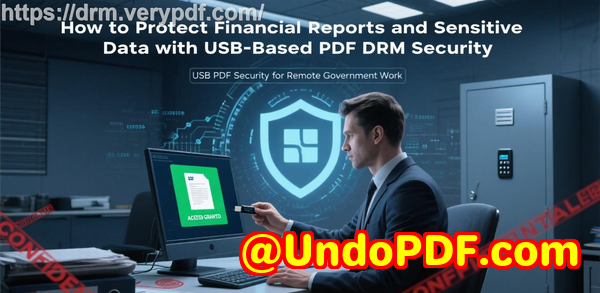
For anyone managing sensitive documentsbe it mergers and acquisitions, investor reports, legal files, or proprietary designsthis tool is a game-changer. You can encrypt files, set precise access controls, and monitor activity in real time. Even if someone somehow accesses the data room, the individual files are still protected, making unauthorized sharing nearly impossible.

One of the first features that won me over was the Secure Web Viewer. Unlike traditional systems where sharing a file means sending a copy, VeryPDF allows recipients to view documents in their browser without downloading them. This means I can collaborate with external partners without worrying they’ll save or forward files. It’s lightweight, fast, and perfect for situations where multiple people need access but should never keep a permanent copy. For instance, during a recent due diligence process, I shared financial documents with several firms. Everyone could view the content, but none of the files ever left the protected environment.

Next, the Secure Document Viewer took things to another level. For particularly sensitive filesthink client contracts, patent applications, or internal auditsI require the kind of protection that stops screen grabs, prints, and screenshots. VeryPDF’s DRM-enforced viewer does exactly that. It’s more involved because recipients need to download a secure client, but for high-stakes files, it’s worth every second. We used it for confidential M&A documents, and even external consultants were impressed by the balance of security and usability.

The dynamic access controls are another feature I can’t live without. I can set limits on how many devices a document can be opened on, control offline access, restrict printing, and even impose expiration dates. In one scenario, we had a financial report that should only be accessible to a client’s executive team for two weeks. VeryPDF made it effortless to enforce this, and I didn’t have to chase down copies or worry about leaks after the deadline.

Comparing VeryPDF with other VDR providers we had tried before, the difference is night and day. Other solutions either lacked granular controls or made sharing cumbersome. Some required recipients to jump through endless authentication hoops, while VeryPDF keeps it simple without compromising security. The analytics and audit logs are also incredibly detailed. I can see exactly who accessed a document, from which location, and how they interacted with it. This level of visibility turned out to be invaluable during compliance reviews and client updates.

The platform also makes collaboration easy. Shared link controls mean I can revoke access anytime, update files centrally without sending new links, and even set notifications to see when someone reads or forwards a document. For teams spread across different time zones, this is a lifesaver. During one project, multiple departments needed access to a project blueprint. Instead of emailing PDFs and hoping everyone used the latest version, we uploaded everything to VeryPDF, and updates propagated instantlyno confusion, no outdated versions floating around.

Branding and integrations were the unexpected bonus. I could customise the data room’s visual layout, email templates, and even set a white-labeled URL to align with our company’s identity. The platform supports logins via Google or Microsoft identities and integrates with thousands of apps through Zapier. This meant I didn’t have to overhaul existing workflows, which is always a win when IT budgets are tight and deadlines are looming.

One practical scenario I can’t forget was when we prepared sensitive investor materials. Normally, sending PDFs would involve dozens of encrypted attachments and complex password management. Using VeryPDF, we simply set up a secure data room, applied DRM protections, and shared access links. Investors could view the materials immediately, and we retained complete controleven after sharing. We could see engagement in real time and adjust access if needed. It’s the kind of control that used to require an entire IT department and multiple security layers.

In short, VeryPDF DRM Protector solves real problems. It prevents accidental leaks, reduces reliance on complex file management, and provides peace of mind when sharing sensitive data. Whether you’re a startup preparing investor decks, a law firm handling contracts, or a corporation managing proprietary research, the ability to protect, track, and control files in the cloud is invaluable. I’d highly recommend this to anyone who deals with large volumes of PDFs, confidential documents, or sensitive media.

Click here to try it out for yourself: https://drm.verypdf.com/

VeryPDF also offers custom development services if you have unique requirements. They can build solutions across Linux, macOS, Windows, and server environments using Python, PHP, C/C++, Windows API, Linux, Mac, iOS, Android, JavaScript, C#, .NET, and HTML5. From Windows Virtual Printer Drivers generating PDF, EMF, or image formats to systems capturing and monitoring print jobs, VeryPDF’s expertise extends to barcode recognition, OCR, layout analysis, and secure document form generation. They even offer cloud-based document conversion, viewing, digital signatures, and DRM protections for PDF and Office files. If your project requires something beyond the standard features, VeryPDF can craft a solution to fit your workflow. Contact them at https://support.verypdf.com/ to discuss custom requirements.

Frequently Asked Questions

1. What is a Virtual Data Room with DRM?

A Virtual Data Room (VDR) is a secure online repository for storing and sharing sensitive documents. When combined with DRM, each file is individually protected, with access controls like device limits, expiration, and printing restrictions.

2. Who should use VeryPDF DRM Protector?

This solution is ideal for law firms, financial institutions, healthcare organisations, government agencies, and any business managing confidential data or intellectual property.

3. Can recipients download or print files?

Depending on the DRM settings, you can allow or block downloads, printing, and offline access. Even if a file is shared, these restrictions stay in place.

4. How does VeryPDF track document engagement?

VeryPDF provides detailed analytics, showing who accessed a file, when, from where, and which sections were viewed. You can also receive notifications when files are opened or forwarded.

5. Is VeryPDF easy for external collaborators to use?

Yes. The platform is designed for simplicity. External users can access files via the Secure Web Viewer without needing complex downloads, making collaboration smooth even for non-technical users.

Tags or keywords

Virtual Data Room, DRM controls, secure document sharing, online data room, cloud workflow security, PDF protection, VeryPDF DRM Protector, file-level encryption, secure collaboration, document access control

UndoPDF

A Comprehensive Buyers Guide to Choosing a Virtual Data Room With DRM for Safe Corporate File Distribution and Controlled Multi-Device Access

A Comprehensive Buyer’s Guide to Choosing a Virtual Data Room With DRM for Safe Corporate File Distribution and Controlled Multi-Device Access

“How do I share confidential files across multiple devices without losing control of them?”

“How do I stop teams from forwarding documents when deals get tense?”

“How do I distribute sensitive information without worrying about leaks?”

A Comprehensive Buyers Guide to Choosing a Virtual Data Room With DRM for Safe Corporate File Distribution and Controlled Multi-Device Access

These questions hit me constantly when I first started helping companies manage sensitive documents.

And every time someone asked, the story was the same: too many files, too many devices, too many people, and zero control.

That’s exactly where a proper virtual data room with DRM becomes a game-changer.

And in my own work, the tool that consistently checked every box was VeryPDF DRM Protector Virtual Data Room Solution Secure Data Room Provider.

So this guide breaks down how I choose a VDR with DRM, what actually matters, and why VeryPDF ended up being the tool I trust for safe document distribution and controlled, multi-device access.


Why this matters more today than ever

Every month I meet teams dealing with the same nightmare:

You give partners access to files, and boom someone forwards the document to a person who was never supposed to see it.

Or someone downloads it on too many devices.

Or an employee leaves the company and still has your files.

And when the stakes involve M&A, investor decks, financial documents, or internal IP, one leak can kill a deal.

That pressure is why I started looking for a VDR that doesn’t just store files it controls them.


What I learnt quickly: most VDRs look secure but aren’t

This is the part no vendor likes to admit.

A lot of virtual data rooms rely only on:

  • password protection

  • user accounts

  • encrypted portals

That’s the “house”, sure but once someone gets inside, the documents are often unprotected.

If they can download it, they can share it.

If they can screenshot it, they can leak it.

If they can open it forever, you lose control.

That’s why I shifted toward VDRs with file-level DRM and that’s where VeryPDF DRM Protector stood out immediately.


How I discovered VeryPDF DRM Protector

A friend in a private equity firm told me, “We’ve stopped using traditional data rooms. They don’t actually protect anything.”

He sent me to https://drm.verypdf.com/ and asked me to test the DRM controls for real-world usage.

I uploaded a set of internal reports and pitch decks, set a few expiration rules, and shared the access link.

Here’s what shocked me:

Even logged-in authorised users couldn’t screenshot, download, or forward the content.

No plugin tricks, no print-to-PDF hacks everything was locked down.

For the first time, a VDR actually felt like a vault.


What VeryPDF DRM Protector actually does

The product is essentially a virtual data room powered by full DRM controls.

Think of it as:

  • A secure online workspace

  • A file-level protection engine

  • A controlled distribution system

  • A multi-device access manager

  • A real-time analytics dashboard

Everything you upload is instantly encrypted, locked, and governed by rules you set even after the user receives the file.

Here are the capabilities that mattered most to me:


File-level DRM that doesn’t break or get bypassed

This was my non-negotiable.

Once a document enters the VeryPDF VDR:

  • It becomes encrypted at rest

  • It’s bound to authorised devices

  • It respects expiry and access rules

  • It enforces printing, copy, and screenshot restrictions

  • It can be revoked instantly

This means even if someone forwards the file, it’s useless without the DRM key.

Most tools pretend they can stop screenshots.

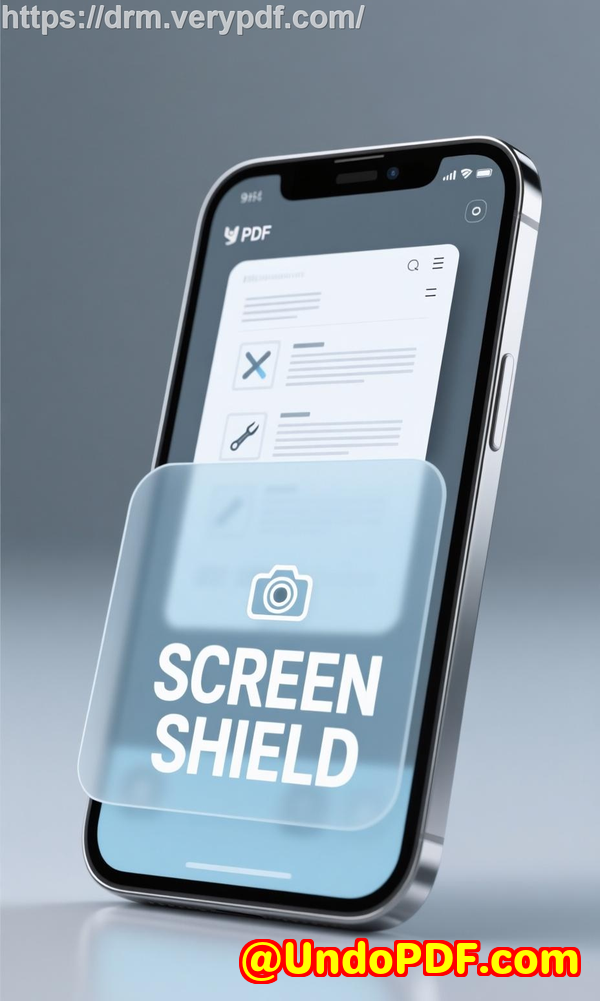
VeryPDF actually does it with a patented screen shield and secure viewer that blocks capturing, even in virtual machines or screen-sharing tools.


Full control over devices, countries, and IPs

A lot of companies I work with now operate across borders.

That means documents jump across devices, networks, and clouds.

VeryPDF lets you control:

  • Which devices can open the file

  • How many devices per user

  • Whether users can access offline

  • Countries allowed or blocked

  • IP address restrictions

During one project with a biotech consulting firm, we set the documents to open only:

  • inside three specific countries

  • on a maximum of two devices

  • with a 10-day expiry

Nobody broke the rules.

No one leaked content.

We finally felt in control.


Multi-device access without losing security

This was a big one.

We needed staff to open documents across:

  • laptops

  • tablets

  • mobile phones

But usually, multi-device access = multi-point leakage.

VeryPDF solves this with:

  • native secure viewers for Windows, macOS, iOS, Android

  • browser-based Secure Web Viewer

  • encrypted device-binding keys

All synced.

All controlled.

All tracked.

One of my clients said, “I want to let them read it, but I don’t want to give it to them.”

This solved exactly that.


Real-time analytics that actually show what’s happening

Here’s what most data rooms get wrong: they show “downloads”, “views”, “opens”.

That’s not enough.

VeryPDF gives:

  • real-time engagement notifications

  • location read alerts

  • forwarding attempts

  • screen capture alerts

  • per-user and per-document heatmaps

  • full audit logs

  • visitor dashboards

  • detailed data room analytics

In an M&A case we handled, we caught a suspicious access pattern:

  • Same user

  • Different country

  • 3AM activity

We revoked the access immediately.

This one feature saved the deal.


Features that really stood out during daily use

Unlimited visitors

Helpful during investor rounds no per-reader fees.

Dynamic watermarking

Shows the viewer’s email, IP, and time.

Update-once, update-everywhere

Replace one file and everyone sees the new version instantly.

Document tracking

Know exactly who saw what, when, and where.

Duplicate data rooms

Saves hours when prepping variations for different partners.

Request files from visitors

Gather reverse documents securely.

eSignature support

A big plus for legal teams.


Who benefits the most from a DRM-powered VDR?

Based on the people I’ve worked with, the ideal users include:

Legal teams

For sharing contracts, case files, evidence, and confidential documents.

Financial institutions

M&A advisors, investment bankers, private equity firms.

Startups raising funds

Pitch decks, KPIs, due diligence packages.

Corporate governance teams

Board materials, policy documents, strategic memos.

Healthcare & biotech

Clinical data, research papers, patient reports.

Education & training organisations

Course materials, research manuscripts, intellectual property.

Enterprises with remote staff

Internal documents that should never leave the company.

And anyone who needs:

  • strict device control

  • controlled distribution

  • revocable access

  • full audit trails

  • no-leak collaboration


Use cases I’ve personally implemented

Here’s where I’ve seen VeryPDF DRM Protector shine:

M&A deal rooms

Files stayed locked even when shared with 50+ external reviewers.

Financial model distribution

Prevented teams from copying Excel formulas and worksheets.

IP protection for designers

Screenshots were blocked completely, even in remote desktops.

Sensitive policy updates

We replaced files and everyone instantly saw the new versions.

Cross-border document control

Blocked nine countries entirely with one rule.

Board meeting materials

Auto-expired after 72 hours.

This isn’t theory these are scenarios that happen weekly in my work.


Where VeryPDF beats its competitors

After reviewing over a dozen VDRs, here’s why VeryPDF kept winning:

1. Simplicity

Most data rooms feel like flying a plane.

This one feels like driving a car.

2. Actual DRM (not pretend DRM)

Most platforms rely on permissions.

VeryPDF applies hardware-bound encryption.

3. Branding control

More customisation than almost any competitor.

Great for investor relations and client-facing rooms.

4. Integrations

Google, Microsoft, Zapier, Gmail, Office 365, APIs all available.

5. Screen shield technology

Other tools blur the screen.

VeryPDF blocks it entirely.

6. True transparent pricing

No “call us”.

No “enterprise quote only”.

7. Offline access with DRM

You can allow offline reading while still blocking screenshots or printing.

Most tools cannot do this safely.

8. Cross-platform secure viewers

Windows, Mac, Android, iOS all native.

This combination is rare and honestly the reason I switched.


My conclusion and recommendation

If you deal with confidential documents, a normal virtual data room isn’t enough anymore.

You need one that protects your files on every device, in every country, under every scenario.

That’s why I recommend VeryPDF DRM Protector.

It solves the biggest problems companies face today:

  • unauthorised file sharing

  • uncontrolled downloads

  • multi-device leakage

  • zero visibility into document usage

  • losing access once files leave your system

I’d recommend this VDR with DRM to anyone serious about controlling their digital assets.

Try it yourself and see how much safer your workflow feels:
https://drm.verypdf.com/

Start your free trial now.


Custom development services by VeryPDF

If you ever need something tailored, VeryPDF also provides custom development across a massive range of document and security technologies.

Their team can build:

  • PDF and document-processing utilities

  • Server-side or desktop workflow automation

  • Custom virtual printer drivers (PDF, EMF, image formats)

  • Printer job monitoring and interception systems

  • System-wide API hooking for secure document handling

  • Barcode recognition, generation, and OCR tools

  • Layout analysis, file converters, and reporting engines

  • Cloud-based document processing or digital signature services

They work across:

  • Windows

  • macOS

  • Linux

  • iOS

  • Android

  • Python

  • PHP

  • C/C++

  • C#

  • .NET

  • JavaScript

  • HTML5

If you need something built specifically for your workflow, they’re incredibly capable.

You can reach them at:
https://support.verypdf.com/


FAQs

What is a virtual data room with DRM?

It’s a secure online workspace where documents are protected at the file level, even after being shared. Only authorised users and devices can access them.

Can VeryPDF DRM Protector block screenshots?

Yes. Both the secure desktop viewer and screen shield technology stop screenshots and screen-sharing tools.

Do I need to install software to access files?

Not always. The Secure Web Viewer runs in a browser, while high-security documents use the Secure Document Viewer.

Can I revoke access after sharing a document?

Yes. Access can be revoked instantly, even if the user already downloaded the file.

Does it support multi-device access?

Yes, with full control over how many devices each user can register.


Tags / Keywords

virtual data room with DRM, secure file distribution, document security software, controlled multi-device access, VeryPDF DRM Protector

UndoPDF

How to prevent internal data leaks with VeryPDF DRM Protector using device limits, print control, dynamic watermarking, and real-time monitoring

How to prevent internal data leaks with VeryPDF DRM Protector using device limits, print control, dynamic watermarking, and real-time monitoring

Every time I used to share sensitive documents with my team or external partners, I’d lie awake wondering if someone would accidentallyor deliberatelyleak confidential information. It didn’t matter how careful we were with email attachments or cloud links; once a file left my hands, I had little control. That constant anxiety of potential internal leaks and unauthorised sharing was draining, especially when dealing with client contracts, financial reports, or intellectual property. That’s when I discovered VeryPDF DRM Protector, and it completely changed the way I manage sensitive digital assets.

How to prevent internal data leaks with VeryPDF DRM Protector using device limits, print control, dynamic watermarking, and real-time monitoring

I first came across VeryPDF DRM Protector while searching for a solution that wasn’t just another cloud storage or basic PDF lock. I needed a tool that would allow me to enforce device limits, control printing, apply dynamic watermarks, and monitor activity in real timeall in a seamless workflow. What drew me in was that it wasn’t just about storing files securely; it was about controlling exactly how, when, and by whom my files could be accessed.

Using VeryPDF DRM Protector is straightforward, yet it packs a punch. At its core, it combines a virtual data room (VDR) with robust digital rights management (DRM) controls. Essentially, it turns your sensitive files into assets you can safely share without worrying about leaks. It’s designed for anyone who deals with highly confidential data: corporate teams, law firms, investment bankers, healthcare providers, and even creative studios. If you’re handling contracts, research reports, financial statements, or design files that shouldn’t fall into the wrong hands, this tool is for you.

One of the first features I explored was device limits. With VeryPDF DRM Protector, I can specify exactly how many devices a single user can use to access a document. In practice, this means even if someone’s credentials are compromised, they can’t open the file on multiple devices. I remember a scenario where I shared sensitive financial projections with our finance team; one employee accidentally forwarded the access key to a personal account. The system immediately blocked access on any extra devices, preventing a potential breach. That peace of mind is invaluable.

Next, I experimented with print control. Normally, when you share a PDF, anyone can print it and distribute hard copies. With VeryPDF DRM Protector, I could disable printing entirely or allow it selectively. For example, during a due diligence process for a client acquisition, we shared confidential contracts with external auditors. By restricting printing, I ensured they could review the documents digitally but couldn’t make untracked paper copies. This feature alone saved hours of worrying about accidental leaks and reinforced trust with our partners.

Another standout feature is dynamic watermarking. I set up documents so that every page displayed the user’s name, email, timestamp, and IP address. When sharing design drafts with external collaborators, I noticed that watermarks acted like a subtle but effective deterrent against screen capturing or photographing the screen. One memorable instance involved sharing a draft marketing campaign with a freelance designer; the watermark immediately flagged an unauthorized screenshot attempt during a live session. Without this feature, catching that would have been nearly impossible.

Real-time monitoring and notifications are another game-changer. The dashboard provides instant insights into who is accessing documents, from which location, and whether they’re reading or forwarding files. I recall a scenario where an internal team member was accessing files outside working hours from an unusual IP location. Thanks to the alerts, I was able to verify the activity and adjust permissions instantly. The combination of access logs, aggregate dashboards, and audit trails ensures that no activity goes unnoticed. This is especially crucial for sectors like finance or healthcare, where regulatory compliance is non-negotiable.

Comparing VeryPDF DRM Protector to other tools I’ve tried, the difference is night and day. Other VDR solutions offered basic password protection or simple file encryption, but they lacked granular control. They couldn’t prevent a document from being printed, shared on a personal device, or leaked via screenshots. VeryPDF’s layered DRM approachdevice limits, print restrictions, watermarks, and monitoringprovides a level of control that’s rare, particularly for small to mid-sized teams.

The product also offers two types of viewers: the Secure Web Viewer and the Secure Document Viewer. I mostly use the Web Viewer for collaborators who need quick access without installing software, while the Document Viewer is perfect for internal teams handling highly sensitive data. Both viewers enforce DRM policies, prevent screen captures, and maintain secure access across Windows, Mac, iOS, and Android devices. This flexibility has made rolling out the solution across multiple teams effortless.

One practical use case was during a merger project. We needed to share thousands of documents with multiple stakeholders, including lawyers, accountants, and executives. Each group required different access levels, expiration dates, and device restrictions. VeryPDF DRM Protector handled it flawlessly. I could assign permissions per user, update controls on the fly, and revoke access if needed. Unlike other systems, where revoking access often involved deleting files and resending, here it’s instantaneous.

For me, the biggest relief is knowing that once a document is protected, it stays protected. Even if someone downloads the file, DRM rules are embedded, ensuring compliance and reducing the risk of leaks. It’s like having a digital security guard constantly monitoring your data, letting me focus on my work without constantly worrying about internal threats.

In conclusion, VeryPDF DRM Protector solves real problems: preventing internal leaks, controlling how sensitive data is accessed, and providing detailed oversight with minimal effort. I’d highly recommend this to anyone who deals with confidential digital assets, whether in finance, law, healthcare, or creative industries. Click here to try it out for yourself: https://drm.verypdf.com/

VeryPDF also offers custom development services to meet specific technical needs. Whether you require tailored PDF solutions for Linux, macOS, Windows, or server environments, their expertise spans Python, PHP, C/C++, Windows API, Linux, Mac, iOS, Android, JavaScript, C#, .NET, and HTML5. They can develop Windows Virtual Printer Drivers to generate PDF, EMF, and image formats, tools to capture and monitor printer jobs, and technologies for document processing including OCR, barcode recognition, and PDF security. If you have specialized requirements, you can contact VeryPDF through their support center at https://support.verypdf.com/ to discuss a project.

FAQs:

1. What types of files can VeryPDF DRM Protector secure?

It supports PDFs, Office documents, audio, video, and images, providing flexible DRM controls for all common file types.

2. Can I limit document access by device or location?

Yes, you can set device limits, IP restrictions, and even restrict access by country to ensure maximum security.

3. Does the software prevent printing and screenshots?

Absolutely. You can disable printing, block screenshots, and enforce screen share restrictions using the Secure Document Viewer.

4. Is it possible to revoke access after sharing a document?

Yes. You can instantly revoke access, update permissions, or expire documents at any time, maintaining full control.

5. Who benefits most from using VeryPDF DRM Protector?

Law firms, financial institutions, healthcare providers, creative teams, and any organisation handling confidential data will find it invaluable.

Tags/Keywords: VeryPDF DRM Protector, secure virtual data room, prevent internal leaks, document access control, dynamic watermarking, print restriction, real-time monitoring, DRM software, secure document sharing, enterprise data security.

UndoPDF

How to provide secure offline access to sensitive PDF documents using VeryPDF DRM Protector without exposing files to unauthorized devices

How to provide secure offline access to sensitive PDF documents using VeryPDF DRM Protector without exposing files to unauthorized devices

Every time I’ve handled highly confidential PDFs, I’ve felt that sinking worry about who might access them.

You could be sending financial reports to investors, sharing legal contracts with a client, or distributing intellectual property across multiple officesand the fear that a single file could leak keeps you awake at night.

Even with password-protected PDFs, I’ve seen colleagues accidentally forward files or copy them onto unprotected devices. That’s when I knew I needed a solution that didn’t just lock files with a password but actually controlled how, where, and by whom they could be opened.

How to provide secure offline access to sensitive PDF documents using VeryPDF DRM Protector without exposing files to unauthorized devices

That’s when I found VeryPDF DRM Protector.

It’s not just a PDF security tool; it’s a full virtual data room solution that combines DRM controls with offline access capabilities, allowing sensitive files to be shared safelyeven outside the cloud.

Why VeryPDF DRM Protector Changed My Workflow

I first stumbled upon VeryPDF when I was struggling to share research documents with multiple collaborators across different time zones.

We needed offline access, but we couldn’t risk sending unprotected PDFs over email. Traditional file-sharing platforms weren’t enoughthey either required everyone to log into a cloud system or offered no protection once the file left the platform.

VeryPDF DRM Protector offered a perfect balance.

I could lock PDFs to authorized devices, ensuring that even if someone saved a file locally, they couldn’t open it without permission.

This level of control was a game-changer, especially for teams that work remotely or in industries with strict compliance requirements like legal, finance, and healthcare.

Core Features I Use Every Day

  • Device-based DRM controls:

    Each PDF I protect is bound to specific devices.

    Even if someone forwards the file, it simply won’t open on an unregistered device.

    For example, I shared a draft M&A report with three investors, and I could see exactly which devices accessed itand revoke access instantly if needed.

  • Offline access with strict security:

    My team often travels to client sites without reliable internet.

    With VeryPDF, PDFs can be opened offline without compromising DRM restrictions.

    I remember a day in Paris where my colleague accessed a client contract on a tablet during a meetingand we had zero concerns about exposure or unauthorized sharing.

  • Dynamic watermarking:

    The tool automatically overlays visible watermarks with usernames, timestamps, and device info.

    I’ve seen it discourage internal leaks before they happen.

    One situation: an employee tried to screenshot a financial plan during reviewbut the watermark made the screenshot traceable instantly.

  • Secure Web Viewer vs. Secure Document Viewer:

    For light collaboration, I use the Secure Web Viewer, which allows recipients to view files in their browser without downloading.

    When I need maximum security, I switch to the Secure Document Viewer, which prevents screenshots, screen sharing, printing, and enforces strict access limits.

    This flexibility has helped me manage both internal teams and external partners efficiently.

  • Real-time engagement and analytics:

    I can track which sections of a document are viewed most, when a recipient accesses it, and even the location.

    This feature has been invaluable for preparing for negotiationsknowing which parts of a report investors are focusing on lets me tailor my presentations.

Comparing VeryPDF with Other Tools

I’ve tried cloud-based data rooms and standard PDF password protection. Here’s the reality:

  • Traditional PDF passwords are trivial to bypass once a file is downloaded.

  • Cloud-only data rooms require constant internet access, making offline work impossible.

  • Many competitors provide static watermarks or limited access control, which feels more like security theatre than actual protection.

VeryPDF DRM Protector solves all these issues with true offline DRM enforcement, device-specific access, and dynamic security controls.

It’s a rare combination of usability and ironclad security.

Use Cases I’ve Found Most Valuable

  • Mergers and Acquisitions: Share due diligence documents securely with multiple investors.

  • Legal Contracts: Distribute sensitive agreements without worrying about unauthorized forwarding.

  • Financial Reports: Protect confidential data during board meetings or client presentations.

  • Research & IP Sharing: Ensure intellectual property stays within authorized collaborators.

  • Healthcare & Government Documents: Meet compliance while providing controlled offline access.

For me, the biggest relief has been knowing that sensitive files are safe even when they leave my local system.

Practical Advantages in Daily Operations

  • No need for recipients to manage login credentials; keys are transmitted securely and stored encrypted.

  • Expiry controls allow per-user access limits, so one document can have multiple different deadlines.

  • Offline work is fully supported without any risk of sharing outside approved devices.

  • Easy integration into existing workflowsprotected PDFs can live alongside regular files without disruption.

My Recommendation

I’ve been using VeryPDF DRM Protector for months, and it’s completely changed how I handle sensitive documents.

If you deal with confidential PDFs and worry about offline access or unauthorized sharing, I can’t recommend it enough.
Start your free trial now and boost your productivity: https://drm.verypdf.com/

Custom Development Services by VeryPDF

VeryPDF offers tailored development services for companies with unique PDF and document workflow needs.

Whether you need specialized PDF processing on Windows, macOS, Linux, or server environments, their team can create solutions using Python, PHP, C/C++, Windows API, Linux, Mac, iOS, Android, JavaScript, C#, .NET, and HTML5.

They develop:

  • Virtual Printer Drivers for PDF, EMF, and image formats.

  • Print job capture tools that intercept all Windows printer jobs into formats like PDF, PCL, Postscript, TIFF, or JPG.

  • Hook layers to monitor and intercept Windows APIs.

  • Document format analysis for PDF, PCL, PRN, Postscript, EPS, and Office files.

  • OCR and table recognition for scanned TIFF and PDF documents.

  • Report and form generators, image conversion tools, and management solutions.

  • Cloud-based solutions for document conversion, viewing, digital signatures, and DRM protection.

For custom project inquiries, contact VeryPDF at their support center: https://support.verypdf.com/

Frequently Asked Questions

1. Can VeryPDF DRM Protector enforce offline access controls?

Yes, you can restrict access to authorised devices, set expiry dates, and control printing, copying, or screen sharingeven when the file is offline.

2. What platforms are supported?

VeryPDF DRM Protector supports Windows, macOS, iOS, and Android for both secure viewing and DRM enforcement.

3. Can I revoke access after sharing a PDF?

Absolutely. The DRM system allows instant revocation of access at any time, even for offline files.

4. Does it work with all file types?

While primarily designed for PDF protection, VeryPDF DRM Protector supports most basic file types, including images, videos, and Office documents when used in a virtual data room setup.

5. How is watermarked content handled?

Dynamic watermarks can include user-specific info like name, timestamp, and device ID. This discourages sharing and makes any leak traceable.

6. Can I track document engagement?

Yes, detailed analytics let you monitor real-time reading, forwarding, location, and overall interaction with your documents.

Tags or Keywords

VeryPDF DRM Protector, secure PDF offline access, virtual data room, document DRM, secure document sharing, PDF security, offline PDF protection, DRM controls, intellectual property protection, data room analytics