UndoPDF

How to Stop Someone From Sharing My PDF On Forums Social Networks And Piracy Sites Using DRM

How to Stop Someone From Sharing My PDF On Forums, Social Networks And Piracy Sites Using DRM

Protect your PDFs from piracy and unauthorized sharing with VeryPDF DRM Protector for secure document distribution and control.
How to Stop Someone From Sharing My PDF On Forums Social Networks And Piracy Sites Using DRM


Every time I uploaded a PDF for my course or shared sensitive company documents, I’d get this sinking feeling: “What if someone posts this online for free?”

I’ve seen it happen on forums, social media groups, and even pirated eBook websites. It doesn’t matter if it’s a training manual, a legal contract, or a proprietary report once it leaves your hands digitally, it’s almost impossible to control.

I used to try password-protecting my PDFs, thinking that would do the trick. But people were always one step ahead sharing passwords, screenshots, or simply bypassing the restrictions. It was frustrating, stressful, and honestly a waste of time. That’s when I discovered VeryPDF DRM Protector Secure PDF Sharing, and it completely changed how I manage and protect my PDF files.


Why I Needed a Real Solution

I work with documents that are meant for very specific audiences. For instance:

  • Contracts shared with legal teams across multiple offices

  • Training manuals for employees that shouldn’t leak online

  • Research papers that are under embargo until publication

  • PDFs sold as digital products online

All of these scenarios have one thing in common: the potential for my content to be shared or pirated. And traditional PDF security just wasn’t cutting it. I needed something that gave me control over my documents no matter where they went.


Discovering VeryPDF DRM Protector

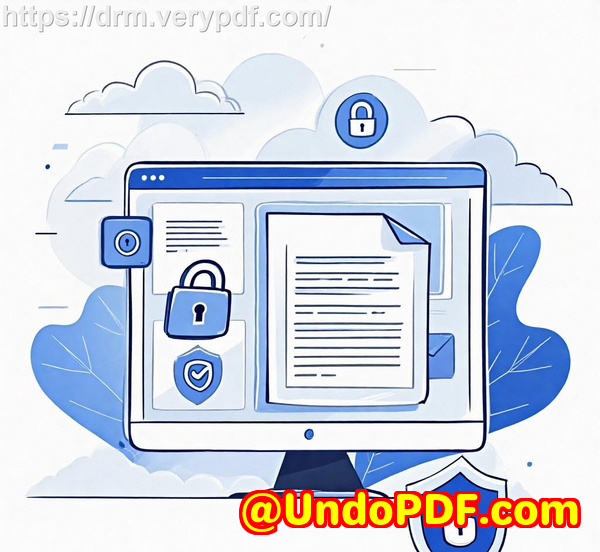
I stumbled upon VeryPDF DRM Protector while searching for a tool that could enforce real security, not just a flimsy password. What stood out immediately was its ability to create a secure online link for PDFs and control exactly who could access it, when, and how.

Here’s what I loved about it:

  • Drag-and-drop simplicity: I could upload files directly from my PC, phone, or even cloud services like Dropbox and OneDrive.

  • Mobile-friendly access: My team and clients could open documents on any device without hassle, thanks to automatic QR codes in email invites.

  • Flexible restrictions: Each file could have a view limit, an expiry date, and even password protection if needed.

This wasn’t just a “lock the PDF” tool; it was a full DRM solution that let me manage document usage in real time.


Key Features That Make a Difference

1. Stop Unauthorized Sharing

One of the biggest headaches in the past was documents ending up on piracy sites or shared via social networks. With VeryPDF DRM Protector:

  • Files are encrypted and locked to authorized devices.

  • Unauthorized access is impossible because even if someone copies the file, it won’t open on another device.

  • I can revoke access instantly, either for a single user or all users.

I remember sharing a sensitive client report with a contractor. Two days later, I realised that contractor’s access was no longer needed. Within seconds, I revoked the document no follow-up emails, no panic. It just worked.


2. Expiry Controls and Limited Access

Another game-changer is the ability to set automatic expirations. I can decide that a document:

  • Expires on a fixed date

  • Expires after a certain number of days of use

  • Expires after a specific number of views or prints

This was particularly useful when distributing time-sensitive content like exam papers or pre-release marketing material. Once the document reached its limit, it simply became inaccessible. It saved me from chasing down people manually or worrying about leaks after deadlines.


3. Watermarking and Print Controls

Even when I allowed printing, I didn’t want unauthorized redistribution. VeryPDF DRM Protector lets me:

  • Watermark every page dynamically with the user’s name, email, and timestamp

  • Limit the number of prints

  • Force black-and-white or grayscale printing

  • Prevent screenshots and copying

I once sent a confidential product roadmap to a select group of stakeholders. Each document displayed their personal information as a watermark. If someone had tried to leak it, the source would be obvious. That level of accountability changed the game for me.


How VeryPDF DRM Protector Beats Other Tools

Before I found VeryPDF, I tried a few alternatives:

  • Adobe PDF passwords: Easy to bypass. Users can just share passwords.

  • Google Docs sharing restrictions: Great for collaboration, but security is easy to bypass. Anyone with a URL could leak content.

  • Standard PDF encryption software: Often cumbersome and limited to desktop devices, not mobile-friendly.

VeryPDF combines web-based access, encryption, device locking, and full DRM control, which makes it much harder for users to bypass restrictions. Unlike collaboration platforms, this isn’t about editing it’s about sharing securely.


Real-World Use Cases

I’ve used VeryPDF DRM Protector in several scenarios, and each time it saved me a ton of headaches:

  • Educational content: Course PDFs are now shared via secure links, expiring after students finish the module.

  • Legal documents: Contracts and agreements are locked to specific devices and can’t be copied or printed outside authorized limits.

  • Marketing reports: Pre-release reports for investors or partners have dynamic watermarks, ensuring accountability.

  • Remote workforce: Internal policies are distributed securely, with expiry and device restrictions, preventing leaks.

In every scenario, I know exactly who accessed the document, when, and where. That kind of transparency is priceless.


Personal Experience and Time Saved

Before implementing VeryPDF DRM Protector, I spent hours sending follow-ups, tracking leaked documents, and worrying about intellectual property theft. Now, I can:

  • Upload documents in minutes

  • Control access and expiry automatically

  • Monitor usage in real time

  • Revoke access instantly

I’ve regained peace of mind knowing that my PDFs won’t end up on a piracy site or social forum. Productivity has increased, and my clients trust that their sensitive information is protected.


Conclusion: My Recommendation

If you’re tired of watching your PDF content get shared without permission, VeryPDF DRM Protector Secure PDF Sharing is a game-changer. It stops unauthorized access, protects intellectual property, and makes document distribution safe and flexible.

I’d highly recommend this to anyone who deals with sensitive or valuable PDF content from educators and legal teams to publishers and marketing professionals.

Click here to try it out for yourself: https://drm.verypdf.com/

Start your free trial now and finally take control of your PDFs.


Custom Development Services by VeryPDF

VeryPDF offers tailored development services for companies that need more than out-of-the-box solutions.

Their expertise spans:

  • PDF processing utilities for Windows, Linux, macOS, and servers

  • Programming in Python, PHP, C/C++, JavaScript, C#, .NET, Java, iOS, Android, and HTML5

  • Windows Virtual Printer Drivers generating PDF, EMF, and image formats

  • Monitoring and intercepting printer jobs from all Windows printers

  • OCR and OCR table recognition for PDFs and TIFFs

  • Document management, conversion, digital signature solutions, and DRM systems

Whether you need custom DRM solutions, document tracking, or secure cloud-based file sharing, VeryPDF can tailor a system to your business. Contact them here: https://support.verypdf.com/


FAQ

1. Can I prevent my PDF from being shared on social media?

Yes. VeryPDF DRM Protector locks PDFs to authorized devices and users, preventing sharing or copying even if the file is downloaded.

2. How do I set an expiration date for my PDF?

You can set a fixed date, a number of days for access, or a limit on the number of views or prints. The file automatically becomes inaccessible after expiration.

3. Can I watermark my PDF dynamically?

Absolutely. You can insert user-specific information like name, email, or timestamp on each page to discourage leaks.

4. Is VeryPDF DRM Protector mobile-friendly?

Yes, PDFs can be viewed on any device. Email invites include a QR code for easy mobile access.

5. Can I revoke access if someone leaves my organisation?

Yes. You can instantly revoke access for individual users or all users, regardless of the document’s location.

6. Can I allow printing while still controlling document security?

Yes. You can limit the number of prints, enforce grayscale printing, and apply dynamic watermarks to printed pages.


Tags / Keywords

  • PDF DRM protection

  • Prevent PDF piracy

  • Secure PDF sharing

  • Stop PDF leaks

  • Protect digital documents

  • PDF content security

  • Document rights management

  • VeryPDF DRM Protector

UndoPDF

How to Stop My PDF From Being Shared After It Goes Viral And Recover Control With DRM Security

How to Stop My PDF From Being Shared After It Goes Viral And Recover Control With DRM Security


Every time I’ve shared a PDF for work or personal projects, I’ve had that sinking feeling: “What if this ends up on the wrong hands?”

How to Stop My PDF From Being Shared After It Goes Viral And Recover Control With DRM Security

A few months back, I uploaded a PDF guide I’d spent weeks perfecting. Within days, it was everywhereforwarded through email chains, shared on forums, even popping up on sites I didn’t recognise. It felt like watching your car roll down a hill and crash somewhere out of reach. I knew I needed a way to stop my PDF from being shared after it goes viral, and that’s when I discovered VeryPDF DRM Protector.


Why I Needed DRM for My PDFs

The reality is, traditional PDF protection methodslike password locks or simple download restrictionsjust don’t cut it. Once someone has the file, they can forward it, copy it, or print it without your control.

I needed:

  • Real control over who views my documents

  • The ability to stop sharing, copying, and printing

  • Expiration controls so old documents don’t float around forever

  • A system that works on any device, anywhere

And trust me, I wasn’t alone. Creators, businesses, educators, and legal teams all face the same problem.


How I Found VeryPDF DRM Protector

I stumbled upon VeryPDF DRM Protector while researching secure PDF sharing solutions. The promise was simple yet powerful: a system that lets you share PDFs as links while maintaining full control over access, copying, and printing.

Here’s what hooked me immediately:

  • Drag-and-drop simplicity: Uploading PDFs was effortless, and I could add files from my PC, phone, Dropbox, or OneDrive.

  • Customised access controls: I could set passwords, view limits, expiration dates, and even dynamically watermark documents with usernames or company info.

  • Cross-device compatibility: Everything worked smoothly on mobile, tablet, and desktop. The QR code feature meant colleagues could open files instantly on their devices.


Key Features That Saved Me

I started testing it on a few sensitive PDFs, and the results were eye-opening. Here’s what stood out:

1. Stop unauthorized sharing and copying

Unlike standard password-protected PDFs, VeryPDF DRM Protector locks documents to devices. Even if someone forwarded the file, it simply wouldn’t open on another computer. Printing and screen capture were also blocked unless explicitly allowed. I finally felt like I could hand out my PDFs without worrying about them leaking everywhere.

2. Flexible expiration and access control

I set some PDFs to expire after 7 days, and others to allow only 3 views. The system automatically revoked access once the limits were reached. This feature alone saved me countless hours tracking down old files or asking people to delete them manually.

3. Dynamic watermarking and tracking

Every time someone opened or printed a document, it stamped their name, email, and the exact time on it. I could track usage in real time and spot suspicious activity instantly. One of my files started circulating unusually fast, and I could see exactly who was accessing it. I revoked their access in a few clicks.

4. Device and location locking

Some PDFs were sensitive enough that I wanted them to only be accessible from my office network. VeryPDF allowed me to restrict access based on IP address or device, giving me a layer of control I never had before.


Real-World Scenarios

I realised the tool wasn’t just for people like me. VeryPDF DRM Protector is perfect for:

  • Authors and publishers who want to sell PDFs online without worrying about piracy.

  • Businesses sharing contracts, manuals, or confidential reports with partners.

  • Educators distributing course materials while maintaining copyright control.

  • Legal and compliance teams that need audit logs of who viewed or printed sensitive documents.

For example, I helped a small consultancy distribute client reports securely. Before DRM, some clients accidentally shared PDFs internally with people who shouldn’t have seen them. With VeryPDF, each document had a strict expiration, user-specific watermarking, and access logs. It completely eliminated that risk.


Why Other Tools Fell Short

I’ve tried other “secure” PDF tools: Adobe’s password protection, Google Docs sharing, even some cloud-based solutions.

  • Adobe password locks: Users could easily forward passwords, making documents insecure.

  • Google Docs: Editing restrictions are easily bypassed if someone downloads content or takes screenshots.

  • Other DRM tools: Many were clunky, required software installs, or didn’t work seamlessly across mobile devices.

VeryPDF DRM Protector stood out because it combined ease of use with military-grade DRM controls, without compromising user experience.


How It Changed My Workflow

Before, sharing sensitive PDFs always felt like a gamble. Now, I:

  • Upload files with a couple of clicks

  • Set access limits, expiration dates, and watermarks

  • Share a link or QR code, confident the file won’t be misused

  • Track who views and prints files in real time

  • Revoke access instantly if needed

The peace of mind is priceless. I can finally share PDFs widely, even when they go “viral,” without losing control.


Bottom Line

If you’ve ever asked yourself, “How do I stop my PDF from being shared after it goes viral?” I can tell you from experience: VeryPDF DRM Protector is the solution.

It solves real problems: unauthorised sharing, piracy, expired content, and uncontrolled printing.

I’d highly recommend this to anyone who deals with sensitive PDFs, whether you’re a business, educator, publisher, or solo creator.

Click here to try it out for yourself: https://drm.verypdf.com/


Custom Development Services by VeryPDF

VeryPDF offers comprehensive custom development services to meet your unique technical needs.

Whether you require specialized PDF processing solutions for Linux, macOS, Windows, or server environments, VeryPDF’s expertise covers a wide range of technologies:

  • Python, PHP, C/C++, Windows API, Linux, Mac, iOS, Android, JavaScript, C#, .NET, and HTML5

  • Windows Virtual Printer Drivers for generating PDF, EMF, and image formats

  • Tools for capturing and monitoring printer jobs into PDF, EMF, PCL, Postscript, TIFF, and JPG

  • System-wide and application-specific hook layers to monitor Windows APIs

  • Document analysis and processing for PDF, PCL, PRN, Postscript, EPS, and Office formats

  • Barcode recognition and generation, layout analysis, OCR, and OCR table recognition

  • Report and document form generators, image conversion tools, and cloud-based document solutions

  • PDF security, DRM, digital signatures, and document printing technologies

For customised solutions, reach out to VeryPDF’s support center at https://support.verypdf.com/ to discuss your project.


FAQs

1. Can I revoke access to a PDF after sharing it?

Yes. VeryPDF DRM Protector allows instant revocation for individual users or all users, even if the document has already been downloaded.

2. Does it work on mobile devices?

Absolutely. Protected PDFs are mobile-friendly, and you can share them via links or QR codes.

3. Can I set expiration limits on documents?

Yes. You can set PDFs to expire on a fixed date, after a number of views, or after a certain number of prints.

4. Can I track document usage?

Yes. The system logs views and prints, including device and operating system information.

5. Are documents protected from copying and screenshots?

Yes. VeryPDF DRM Protector prevents editing, copying, screen grabs, and can control printing or limit the number of prints.

6. Can I share PDFs offline?

Yes. With Safeguard Portable, you can distribute PDFs on USB sticks with full DRM protection, no internet required.


Tags / Keywords

  • PDF DRM protection

  • Stop PDF sharing

  • Secure PDF distribution

  • PDF piracy control

  • Document access control

  • Protect confidential PDFs

  • PDF expiry and watermark

UndoPDF

How to Prevent Piracy of My PDF And Ensure Only Verified Users Can Access Protected Documents

How to Prevent Piracy of My PDF And Ensure Only Verified Users Can Access Protected Documents

Protecting sensitive PDFs has always been a headache for me.

I remember countless nights worrying that confidential contracts, business proposals, or research papers I shared could end up in the wrong hands.

No matter how many times I emailed password-protected PDFs, I always had that nagging feeling: “What if someone forwards this? Or copies it without permission?”

If you’ve ever faced the same anxiety, you know how stressful it is trying to control who sees your documents.

How to Prevent Piracy of My PDF And Ensure Only Verified Users Can Access Protected Documents

That’s when I discovered VeryPDF DRM Protector a tool that completely changed the way I handle secure PDF sharing.

Instead of relying on flimsy passwords or unsecured cloud links, I could now control exactly who accessed my PDFs, for how long, and even what they could do with them.

Here’s how it worked for me.

Why I Chose VeryPDF DRM Protector

I wanted a solution that didn’t just make my PDFs technically secure, but actually practically secure.

I needed something that:

  • Stopped unauthorized access entirely

  • Allowed sharing with specific people only

  • Worked across devices and mobile platforms

  • Provided tracking so I could see who was opening my files

Many tools promised “secure sharing,” but they had obvious loopholes.

Adobe password protection, for instance, is almost useless if someone decides to share the password.

With VeryPDF, I finally had a system that enforced security no matter where my files went.

Key Features That Made a Difference

1. Controlled Access and User Verification

One of the first features I loved was the ability to restrict access to verified users.

I could invite colleagues, clients, or external partners via email, and each invite came with a secure link.

Even if someone forwarded the link, it wouldn’t work for them because the software locks access to the intended user.

This feature alone saved me from countless headaches where sensitive information could have leaked.

How I used it:

  • Uploaded confidential PDF contracts

  • Set user-specific access, so only my legal team could view them

  • Locked each document to a specific device, ensuring no one could copy it elsewhere

It felt like having a digital bouncer for my PDFs.

2. Expiration and View Limits

I often share documents temporarily, like proposals or training materials.

Previously, I had to manually track who still needed access, which was tedious.

With VeryPDF DRM Protector, I could:

  • Set an expiration date for each PDF

  • Limit the number of views

  • Control the number of prints

I remember sending a sensitive project brief to a potential client.

I set it to expire after 7 days and allowed only 2 views.

It automatically became inaccessible after that, which gave me total peace of mind.

3. Dynamic Watermarks and Print Controls

Dynamic watermarks were a game-changer.

Every time someone viewed or printed my document, their name, email, and date appeared on it automatically.

This made it nearly impossible for anyone to leak a document without me knowing.

Plus, I could restrict printing or control print quantity, ensuring confidential documents never ended up in unapproved hands.

Example:

  • I shared an internal financial report with a remote team

  • The watermarked prints discouraged anyone from passing it along

  • I could see exactly who printed and when

This feature alone prevented potential leaks in ways passwords never could.

4. Mobile-Friendly and Flexible Sharing

I work on the go, and so do many of my colleagues.

VeryPDF’s mobile-friendly viewer made accessing secure PDFs easy from any device.

Email invites included QR codes, making mobile access seamless.

I also experimented with USB-based secure sharing for offline events.

I could provide secure USBs with all the documents pre-protected, even without internet access, which was perfect for conferences or board meetings.

5. Real-Time Tracking and Revoking Access

Perhaps the most reassuring part: the tracking system.

I could see who viewed my document, when, on what device, and even the operating system used.

If anything suspicious occurred, I could instantly revoke access for all users or a specific user.

This feature is especially useful when someone leaves a company or a contract ends total control remains in my hands.

Why This Tool Stands Out

Compared to other document protection tools I tried, VeryPDF DRM Protector doesn’t just encrypt files or lock passwords.

It enforces a real-world security strategy:

  • Device locking

  • User verification

  • Location restrictions

  • Expiration controls

  • Dynamic watermarking

  • Detailed tracking

No other software I’ve used provides this combination with such a smooth, easy-to-use interface.

It felt like having a personal security team for my digital documents.

Use Cases I Found Most Valuable

  • Legal teams sharing sensitive contracts or case files

  • Educational institutions distributing exam papers or study materials

  • Business proposals for clients with strict confidentiality

  • Corporate training manuals for employees or partners

  • Publishers and content creators selling PDF-based materials online

Every scenario I tried confirmed one thing: I could finally share PDFs without the constant fear of piracy or unauthorized redistribution.

Conclusion: My Personal Recommendation

If you’ve been struggling with document leaks, uncontrolled sharing, or worry about who can view your PDFs, VeryPDF DRM Protector is the solution.

I’d highly recommend this to anyone who deals with sensitive documents, whether in law, education, finance, or business.

It’s simple to use, mobile-friendly, and most importantly, gives you peace of mind.

Click here to try it out for yourself: https://drm.verypdf.com/

Custom Development Services by VeryPDF

VeryPDF offers tailored development services to meet specific PDF and document management needs.

Whether you’re looking for secure file sharing, document DRM integration, or custom utilities for Linux, macOS, Windows, or servers, VeryPDF’s team can help.

They specialise in tools for:

  • PDF, PCL, PRN, Postscript, EPS, and Office document processing

  • Barcode recognition, OCR, and OCR table recognition

  • Windows Virtual Printer Drivers and monitoring print jobs

  • Cloud-based document conversion, viewing, and digital signatures

  • DRM, digital signatures, and document security

  • Custom solutions for Python, PHP, C/C++, JavaScript, .NET, iOS, Android, and HTML5

For custom projects, contact VeryPDF at https://support.verypdf.com/ to discuss your requirements.

FAQ

1. Can VeryPDF DRM Protector prevent someone from forwarding my PDF?

Yes. The software locks access to verified users and devices, making unauthorized forwarding ineffective.

2. Can I limit how many times a PDF can be viewed or printed?

Absolutely. You can set view limits, print limits, and even expiration dates to control document usage.

3. Does it work on mobile devices?

Yes. All PDFs are mobile-friendly, and email invites include QR codes for easy access.

4. Can I revoke access after sharing a PDF?

Yes. You can revoke access for individual users or all users instantly, no matter where the PDF is stored.

5. Is dynamic watermarking included?

Yes. Every view or print can include watermarks with user-specific information to prevent unauthorized distribution.

6. Can I share documents offline?

Yes. Using the Safeguard Portable feature, you can distribute secure PDFs on USB devices without internet access.

Tags / Keywords

  • Secure PDF sharing

  • PDF DRM protection

  • Prevent PDF piracy

  • Control PDF access

  • Protect confidential documents

  • PDF security software

  • Document DRM

UndoPDF

How to Prevent Course PDF From Being Copied By Using Access Tokens Expiration Dates and DRM

How to Prevent Course PDF From Being Copied By Using Access Tokens Expiration Dates and DRM

“Every time I released a new course PDF, I’d see it floating around Telegram groups within a week.”

That was my reality.

And if you create digital learning content, you’ve probably felt the same frustration.

You spend weeks building something valuable only to watch copies fly out the door with zero control.

How to Prevent Course PDF From Being Copied By Using Access Tokens Expiration Dates and DRM

That’s exactly why I went deep into how to prevent course PDF from being copied using token-based access, expiry logic, and proper DRM.

Not cheap password locks.

Not fragile “don’t share this” disclaimers.

Actual control.

At some point, you have to stop hoping your users behave and start enforcing how your content is used.

That’s where VeryPDF DRM Protector Secure PDF Sharing stepped into my world and flipped the game.


Stop course PDF piracy using access tokens, expiry dates, and DRM. Learn how VeryPDF DRM Protector secures, tracks, and controls PDF distribution.


How to Prevent Course PDF From Being Copied By Using Access Tokens Expiration Dates and DRM

Every creator hits this pain eventually.

You upload a shiny new module.

Students log in, download it and then suddenly you see your own PDF on a random forum you’ve never heard of.

And the thought hits you:

“If I can’t control distribution, how am I supposed to grow this thing?”

For me, the turning point was when one of my paid modules something I’d rewritten three times ended up posted publicly under someone else’s username.

That’s when I realised I couldn’t keep relying on simple passwords or PDF permissions that anyone with free tools could strip in seconds.

I needed a real system.

Something built to lock down course PDFs, limit views, assign expiry dates, revoke users instantly, and track exactly who opened what.

And I wanted everything tied to access tokens, not loose passwords anyone could share.

After weeks of testing tools, breaking them on purpose, and trying to brute-force my own files, I discovered something that actually held up: VeryPDF DRM Protector Secure PDF Sharing.

It didn’t rely on trust.

It relied on control.

So this article breaks down how I use it, how it works, and how you can use the same workflow to keep your course content from leaking, copying, printing, screen-grabbing, or being forwarded around like a freebie.


The Problem With Most “Secure PDF” Tools (Why They Fail Instantly)

Before diving into the solution, let’s get real about why most PDF protection is worthless.

Here’s what people still use today:

Passwords

And half the time, the password is in the same email as the file.

PDF permission flags

“Printing not allowed.”

“Copying disabled.”

Anyone can bypass these in seconds.

Hidden download links

Once the link leaks, it’s game over.

None of this survives a moderately tech-savvy student.

And that’s where access-token-based DRM wins.

Instead of letting users download anything, it authenticates the user first, checks their permissions, checks their device, checks expiry, and then and only then loads the content.

This is what VeryPDF built into a simple workflow.

No hype.

Just control.


How I Found VeryPDF DRM Protector Secure PDF Sharing

I first heard about VeryPDF from another course creator who said:

“I haven’t had a single leak since switching.”

Naturally, I didn’t believe him.

So I tested it myself.

I uploaded a PDF.

Sent myself an invite.

Tried:

Downloading it

Copying text

Taking screenshots

Forwarding the link

Opening it from a different country via VPN

Logging in from another device

Printing it to a PDF driver

Every single attempt was blocked.

And when I checked the dashboard, I could see exactly when I tried to view it, from which device, and how many times.

That’s when I realised this wasn’t a typical security tool.

It was DRM with teeth.


What VeryPDF DRM Protector Actually Does (Breakdown of Core Features)

Here’s where the system becomes powerful.

These are the features I use daily to prevent my course PDFs from being copied or redistributed.

1. Upload PDFs and Share as Secure URLs

This alone changes the entire workflow.

Instead of sending files, you send locked URLs.

Users get access through:

Invite email

QR code

Unique token

Device-locked licence

No more attachments.

2. Drag-and-Drop Simplicity

I didn’t want to deal with ten-step workflows.

This one’s literally:

Drag PDF

Set permissions

Generate link

Done.

3. Access Tokens with Expiry Dates

This became my favourite feature.

You can set:

Access ends on a fixed date

Access ends after X days

Access ends after X views

Access ends after X prints

Access ends instantly when revoked

Students rarely complain.

They don’t even notice the system doing its job.

But the protection is airtight.

4. Limit Views

For high-ticket modules, I sometimes limit:

3 views

1 device

No printing

This stops users from “sharing” their login with five friends.

5. Block Copying, Printing, Screenshots

This is where traditional PDF security collapses.

But VeryPDF blocks:

Copy

Paste

Download

Print

Print-to-file

Screenshots

Screen grabbers

I tested with popular screen capture tools.

Everything failed.

6. Watermarks with User Information

Dynamic watermarks embed:

Name

Email

Time of access

Device info

If someone screenshots a page with a phone camera, I know exactly who leaked it.

7. Device and Location Locking

You can lock PDFs to:

A specific laptop

A specific phone

A specific IP range

A specific country

This is brutal against piracy.

Students can’t log in from a caf, a VPN, or another device without permission.

8. Revoke Users Instantly

The moment a customer requests a refund?

Click revoke.

They lose access across:

Every device

Every link

Every cached session

Zero delay.


Who This Software Is Actually For

Not everyone needs DRM.

But if any of these describe you, then you do:

Course creators

Ebook publishers

Universities and private educators

Corporate training teams

Consultants distributing premium playbooks

Membership site owners

Research teams sharing confidential PDFs

Legal and compliance teams that need to enforce viewing controls

If your business depends on content not being leaked, then you need real DRM.


Real-World Scenarios Where I Use VeryPDF DRM Protector

Here’s where the tool became part of my daily flow.

Protecting Paid Course PDFs

I send modules as secure links.

No attachments.

No downloads.

No forwarding.

Distributing Learning Material for Limited-Time Access

Sometimes I offer temporary access for:

Workshops

Bootcamps

Cohort-based training

The moment the event ends, the PDFs expire automatically.

Preventing Screen Captures

This is the one that eliminated 90% of my leaks.

Controlling Access From Multiple Devices

Each student gets:

One device activation

One licence

Zero sharing

It’s not optional.

Logging Activity to Spot Suspicious Behaviour

If someone views a PDF:

10 times in 24 hours

from multiple IPs

from two different countries

The system flags it.

Then I revoke access instantly.


Why VeryPDF DRM Protector Beats Other Tools

I tried Adobe’s built-in encryption.

Useless.

I tried password-protected ZIPs.

Laughable.

I tried watermarking only.

Better than nothing, but still leakable.

The difference with VeryPDF DRM Protector is simple:
It enforces access rules whether the user behaves or not.

Here’s what gives it the edge:

It never exposes decryption keys

It locks licences to hardware

It blocks print-to-file attacks

It controls use even offline

It protects content inside the browser

It logs everything

It revokes instantly

It encrypts at US government-level strength

It prevents sharing without killing user experience

Adobe doesn’t do that.

Google Drive doesn’t do that.

Dropbox doesn’t do that.

This is a different level of protection.


How I Actually Use Access Tokens and Expiry Logic to Stop Copying

Here’s my personal workflow.

I upload a module PDF.

I set the user’s access duration (usually 30 days).

I limit the number of views (usually 5).

I block printing completely.

I enable dynamic watermarks.

I enable screenshot blocking.

I lock it to their primary device.

I send them an access token via email.

The access token:

Authenticates the user

Checks if the device is authorised

Checks the expiry date

Checks the view count

Checks geolocation

Loads the PDF in encrypted chunks

If any rule fails, access shuts down.

This is how you prevent course PDF from being copied in the real world.

Not philosophies.

Not warnings.

Not honour systems.

Actual enforced restrictions.


The Real Benefit: You Get Your Leverage Back

Most creators don’t lose money because people “hate paying”.

They lose money because their distribution is uncontrolled.

DRM isn’t about paranoia.

It’s about leverage.

When you control distribution, you control:

Revenue

Access

Scarcity

Content lifecycle

Refund logic

Licensing

Usage

Most creators don’t have a piracy problem.

They have a control problem.

VeryPDF DRM Protector solved mine.


Call to Action

If you’re tired of watching your PDFs drift across the internet like lost balloons, fix the problem permanently.

I use VeryPDF DRM Protector because it actually stops copying, leaking, printing, and screen grabs.

If you want the same level of control:

Click here to try it yourself: https://drm.verypdf.com/


Custom Development Services by VeryPDF

If you need something more advanced than standard DRM, VeryPDF also builds custom solutions.

They develop bespoke tools across Windows, macOS, Linux, mobile platforms, and browser environments.

Their engineering team works with languages like Python, C/C++, PHP, JavaScript, C#, .NET, and more.

If you need:

Custom virtual printer drivers

Automated document conversion systems

Barcode or OCR analysis

Advanced logging frameworks

Secure watermarking engines

DRM integration for your LMS

Secure API layer for controlled file sharing

Font, printing, or document-handling components

They can build it.

If your organisation has unique requirements, reach out to their support team at:
https://support.verypdf.com/


FAQ

How does VeryPDF DRM Protector stop students from copying PDFs?

It blocks copying at the viewer level and prevents text extraction, downloads, screenshots, and print-to-file drivers.

Can I revoke a student’s access instantly?

Yes. One click removes access across all devices immediately.

Can users view the PDF offline?

Yes, if you enable offline viewing. The DRM still controls use through device locking.

What happens if a student shares the link?

The link won’t work unless the device and token match the authorised user.

Can I set expiration dates for course modules?

Yes. You can set fixed date expiry, days-based expiry, view-based expiry, or print-based expiry.

Will this work for corporate training materials?

Absolutely. This tool is widely used by training departments, HR teams, and compliance groups.

Does DRM slow down the PDF loading experience?

No. VeryPDF loads content in encrypted chunks so it stays fast and secure.


Tags or Keywords

prevent course PDF from being copied

access token PDF protection

DRM for course creators

secure PDF sharing

PDF expiry date control

anti piracy for PDFs

VeryPDF DRM Protector

UndoPDF

How to Protect My Course PDF From Student Piracy And Secure All Educational Content With DRM

How to Protect My Course PDF From Student Piracy And Secure All Educational Content With DRM

Discover how I stopped student piracy and secured all my course PDFs using VeryPDF DRM Protector, with real examples and practical DRM strategies.


Every educator knows that sinking feeling when you realise your course PDF has been shared on some random Telegram group full of people who definitely didn’t pay for it.

How to Protect My Course PDF From Student Piracy And Secure All Educational Content With DRM

I remember the exact moment it happened to me.

A friend messaged me a screenshot of my own paid course materials floating around in a giant student study server.

Hundreds of members.

None of them my customers.

And there it was my PDF sitting in the wild, stripped of context, stripped of value, costing me sales and control of my own work.

I felt annoyed.

But more than that, I felt stupid.

Stupid for trusting that a simple password on a PDF would stop piracy.

That day forced a shift in the way I protect my content.

And if you’re reading this, you might be in the same boat teachers, coaches, creators, trainers, schools, and online instructors all dealing with the same nightmare:

“How do I protect my course PDF from student piracy?”

Here’s the truth most people don’t realise until it’s too late:

A password-protected PDF is NOT secure.

Google Drive share links are NOT secure.

Canvas/Blackboard course uploads are NOT secure.

Email attachments are DEFINITELY not secure.

So I went looking for a real solution.

Something that doesn’t just inconvenience pirates but actually stops them.

And that’s how I found VeryPDF DRM Protector Secure PDF Sharing.


Why I Needed Real DRM Protection for My Course PDFs

After my materials leaked, I started asking uncomfortable questions.

Why was it so easy to steal my work?

Why did I assume students wouldn’t share PDFs when it’s literally one button: “Forward”?

Why wasn’t I using the same security publishers and certification bodies use?

Because nobody teaches educators about DRM.

We’re told to focus on lessons, pedagogy, learning outcomes but protecting digital assets?

That part we’re expected to magically know.

So I began digging.

I tried the usual “PDF security” features built into Adobe Acrobat.

Total failure.

Why?

Because Adobe passwords can be removed in under 10 seconds with free tools.

I tested it myself.

I uploaded my “protected” PDF into one of those online unprotect tools.

Boom.

No password.

Full editing.

Full printing.

Full copy/paste.

If I could break my own protection in seconds imagine what a motivated student could do.

That’s when I realised I needed actual DRM, not just “passwords”.

DRM = Digital Rights Management.

The thing big publishers, medical companies, legal departments, and certification exam providers use.

But most DRM systems are annoyingly complex.

Too heavy.

Too slow.

Too expensive.

Too frustrating for students.

VeryPDF DRM Protector was the opposite and that’s why I stayed with it.


How I Discovered VeryPDF DRM Protector Secure PDF Sharing

A colleague in a professional training network recommended it to me.

He runs a paid technical certification program and had been dealing with full-blown piracy entire leaked course libraries floating around in private Discords.

He said:

“Try VeryPDF DRM Protector. It locks everything down without making your students install complicated software.”

That last part hit me.

Students hate extra steps.

I’m not trying to turn them into IT specialists.

I just want to protect my work.

So I tested it.

Within one afternoon, I went from:

Unsecure PDF Fully DRM-protected, expiring, non-printable, non-shareable PDF link.

No viewer installation required.

Students just click a link and read.

But they can’t:

edit

print

download

copy

share

screenshot

forward

export

upload

reshare

And if they try the system stops them.

That was the moment I stopped worrying about piracy.


What VeryPDF DRM Protector Actually Does (Plain English)

Let’s break it down without the marketing jargon.

Here’s the simplest way to explain it:

You upload your PDF.

VeryPDF converts it into a secure, controlled web link.

Students can open it, but they can’t steal it.

This is the magic.

You control everything:

who sees it, how long they see it, how many times they see it, and what they’re allowed to do with it.

Some of the features that genuinely made my life easier:


Upload PDF Share as a Secure Link

This alone is worth the price.

Instead of sending PDFs, I now send secure URLs.

Benefits:

No downloads

No file copying

No attachment forwarding

No re-uploads

No uncontrolled file circulation

Everything stays locked in the VeryPDF environment.


Drag-and-Drop Simplicity

I don’t want a 40-step onboarding process.

I literally drag the PDF in, set limits, and share.

You can also upload from:

PC

Phone

Dropbox

OneDrive

Super convenient when I’m updating materials from different devices.


Set Limits Like a Pro

This is where I started feeling like I finally had power again.

I can:

Limit the number of views

Set expiration dates

Password-protect the link

Control printing

Disable screenshots

Lock the PDF to specific devices

Restrict access by country or IP

Add dynamic watermarks

Track PDF views + prints

Revoke access instantly

This is real DRM not fake “password protection”.


Mobile Friendly + QR Code Sharing

Students read on phones constantly.

VeryPDF converts each PDF into a mobile-friendly viewer.

Plus, every invite includes a QR code.

If someone opens the email on a laptop, they can scan and read on their phone instantly.

Zero friction.


Strong Encryption + Device Locking

This one blew my mind.

Even if a student tries to share the file, it won’t work.

Because the DRM-protected file is locked to:

their device hardware

their location (if I choose)

their licence

They’d literally need to hand over their entire laptop to another person for it to work.

And even then, dynamic watermarks would expose them instantly.


Real-World Example: How DRM Saved My Course Launch

During my last course cohort, I noticed something strange.

A student’s device ID was accessing the PDF from two different countries within the same hour.

VeryPDF caught it.

I checked the logs.

Two views.

Two IPs.

Two devices trying to authenticate.

I revoked access with one click.

Shared an email to the legitimate student.

He confirmed someone had asked him for the link and tried to open it elsewhere.

Without DRM?

Anyone would have had full access.

With DRM?

It stopped the theft automatically.

That’s when I knew this tool wasn’t optional it was mandatory.


Who Should Use VeryPDF DRM Protector?

Pretty much anyone who creates valuable content that shouldn’t be leaked.

But more specifically:

Teachers

Professors

Coaches

Online instructors

E-learning creators

Paid course sellers

Certification trainers

Colleges and universities

Corporate training departments

Language schools

EdTech creators

Publishers

Researchers sharing confidential PDFs

Consultants distributing proprietary frameworks

If your income depends on content, you need real protection.

The higher the value of your content, the more attractive it is to pirates.


Use Cases Where This Tool Shines

Here are scenarios where VeryPDF DRM Protector becomes a game-changer:


Paid Online Courses

You upload PDFs once.

Students can’t download or share.

You gain full control over your intellectual property.


Universities Distributing Exam Papers

No forwarding

No screenshots

No printing

Automatic expiry after exam window

Device/IP restrictions

This alone prevents academic leaks.


Coaching Lesson Handouts

Perfect for fitness programs, business coaching, marketing plans, proprietary frameworks.


Corporate Training Manuals

Companies spend millions developing training material.

One leak competitors get an advantage.

DRM closes that gap.


Certification Programs & Testing Bodies

Stop candidates from sharing study material.

Stop trainers from distributing unauthorised copies.

Stop exam questions from leaking.


Publishers & Authors Selling PDFs

Piracy kills book revenue.

DRM keeps it alive.


Core Advantages (What Makes VeryPDF Stand Out)

After using it for months, here’s what I’d call the top strengths.


1. Real DRM Controls

Not pretend security.

Not breakable passwords.

Actual unbreakable DRM built with strong encryption.


2. Total Control Over Every Document

Every setting is adjustable:

expiry

views

prints

location

watermarks

device locks

It’s granular but not complicated.


3. Students Don’t Need to Install Anything

Everything opens in a browser.

This is huge.

Students don’t fight the system.

They just read.


4. You Can Revoke Access Anytime

If someone drops out of the course boom, revoke.

If someone violates terms revoke.

If you need to update material revoke old version and share new.


5. Audit Logs = Complete Visibility

You see:

who opened

when

where

how many times

on which device

That alone gives peace of mind.


My Honest Recommendation

If you deal with valuable educational content and you’re tired of your PDFs leaking into the wild, VeryPDF DRM Protector is the answer.

It solved every problem I had:

students sharing

piracy

lost revenue

broken trust

zero control

no visibility

confusing tools

Now my PDFs are:

locked

tracked

secure

expire automatically

tied to the student

watermarked

protected against screenshots

protected against sharing

I’d highly recommend this to any instructor, school, or course creator handling high-value material.

If you want to try it yourself, here’s the official link:

https://drm.verypdf.com/


Custom Development Services by VeryPDF

If you ever need something more advanced than standard DRM, VeryPDF also builds custom solutions tailored to your workflow.

They can help you create:

specialised PDF security systems

server-level DRM integrations

API-based content delivery

automation tools for secure distribution

custom viewer interfaces

Windows virtual printer drivers

document-to-image conversion systems

OCR and barcode extraction tools

document workflow apps for Linux, Windows, or macOS

Their engineering team works across languages like Python, PHP, C/C++, C#, .NET, JavaScript, HTML5, and mobile platforms.

If you need something deeply customised printing interception, file access control layers, document conversion servers, DRM-locked cloud viewers, or watermark automation they can build it.

You can reach them at:

https://support.verypdf.com/


FAQ

How does VeryPDF DRM Protector stop students from sharing PDFs?

It locks access to specific devices and licences. Even if students share the link, it won’t open for anyone else.

Can students download or print my PDF?

Only if you allow it. By default, downloading, printing, copying, or screenshotting is blocked.

Does the student need to install any viewer app?

No. Everything runs inside a secure browser environment.

What happens if a student shares their login?

Only one active session is allowed. If someone else logs in, it kicks out the original user exposing the issue instantly.

Can I revoke access after giving someone a link?

Yes. One click. Access disappears instantly.


Tags / Keywords

DRM for educators

protect course PDF

secure educational content

stop student piracy

VeryPDF DRM Protector