UndoPDF

Protect PDF software manuals from screenshots and unauthorized use with DRM restrictions

Protect PDF Software Manuals from Screenshots and Unauthorized Use with DRM Restrictions

Protect your PDF manuals from screenshots and unauthorized sharing with VeryPDF DRM Protector’s Screen Shield and dynamic watermark features.
Protect PDF software manuals from screenshots and unauthorized use with DRM restrictions


Ever struggled to keep your PDF manuals secure?

I remember the frustration vividly. A few months ago, I was sharing software manuals with a client team, and despite password-protecting the files, I kept hearing about them being shared internallyor worse, leaked outside. One team member even jokingly said, ‘I could screenshot the whole thing in ten minutes.’ That joke was half funny, half terrifying. It hit me: passwords alone aren’t enough. I needed a solution that prevented screenshots and kept my PDFs under tight control.

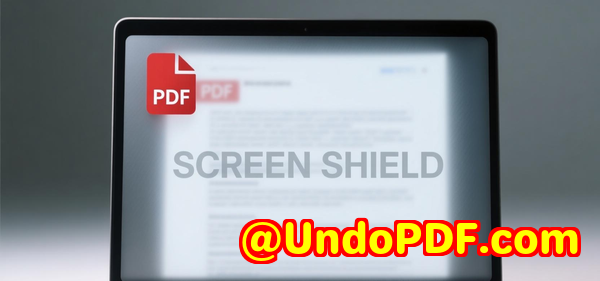
That’s when I discovered VeryPDF DRM Protector, a tool designed specifically to prevent PDF screenshots with Screen Shield. It’s a game-changer if you’re dealing with sensitive manuals, financial reports, intellectual property, or exam questions.


How VeryPDF DRM Protector Works

At its core, VeryPDF DRM Protector lets you control not just who can view your PDFs, but how they view them. One of its standout features is the Screen Shield, which effectively obscures parts of the document whenever someone tries to take a screenshot.

Here’s what makes it unique:

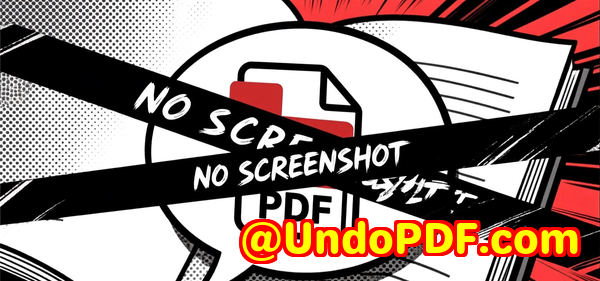
  • Screen Shield Protection: It reduces the visible area of a PDF, showing only a portion of the page at a time. For example, you can set it to 20%, 35%, or 50% viewable area. It’s not just a static filter; if a screenshot attempt is detected, the software blurs or hides content instantly. This protects against plug-ins and tools that would otherwise capture the full page.

  • Dynamic Watermarks: To make leaks even less likely, you can add dynamic watermarks with recipient details like email, IP address, and timestamp. I tested this with my software manuals, and just seeing the watermark with their email made recipients think twice before attempting screenshots.

  • Access Control & Revocation: You can control file access via invitations, passwords, or email validation. And if you send a document to the wrong person? No problemyou can revoke access anytime.

When I first started using it, I uploaded a batch of manuals from Dropbox. The interface made it incredibly easy to set up Screen Shield, enable watermarks, and define access restrictionsall in one place.


Why Screen Shield Changed My Workflow

Before using VeryPDF DRM Protector, my workflow involved constantly chasing down PDFs that had been shared beyond the intended audience. It was draining and stressful.

After turning on Screen Shield, here’s what I noticed:

  1. Reduced Screenshots: Previously, colleagues would casually grab pages and email them elsewhere. With Screen Shield, only a portion of the page is visible, and attempts to screenshot trigger immediate blur effects. This alone reduced sharing attempts dramatically.

  2. More Control, Less Stress: I could see exactly who accessed the manuals, for how long, and even whether they attempted downloads or printing. The real-time analytics gave me a sense of security I never had before.

  3. Professional Delivery: Sending manuals with VeryPDF DRM Protector feels professional. Recipients can only interact with the files as intended. No more wondering if someone printed an internal guide and left it on the coffee machine.

I also compared it to other tools I tried before. Many promised password protection or limited printing, but none offered real-time screenshot prevention like Screen Shield. And without the dynamic watermarks, you’re just asking for leaks to happen.


Real-World Use Cases

Software Developers: Share proprietary manuals or coding guides without fear of internal leaks.
Financial Teams: Protect quarterly reports or sensitive analysis documents.
Education Providers: Safeguard exam questions, solution sets, or learning materials.
Consultants & Agencies: Secure strategy documents, proposals, and client reports.

In my experience, one particularly sensitive case involved sharing a financial report with external consultants. Normally, I’d worry about the report circulating prematurely. With VeryPDF DRM Protector, I set Screen Shield to 35% and added dynamic watermarks. Not only did it prevent screenshots, but I also received instant notifications when the file was opened. The sense of control was incredible.


Core Advantages of VeryPDF DRM Protector

  • Prevent Screenshots Effectively: Unlike other PDF tools, Screen Shield actively obscures the document during capture attempts.

  • Dynamic Watermarking for Accountability: Every view is traceable back to the recipient.

  • Comprehensive Access Controls: Invitation-only access, password validation, revocation, and expiry options.

  • File Tracking & Analytics: Know exactly who viewed your files and when.

  • Cloud-Friendly: Upload from Dropbox, OneDrive, Box, Google Drive, or directly from your computer.


My Personal Take

After months of using it, I’d highly recommend VeryPDF DRM Protector to anyone who shares PDFs that need to remain confidential. The combination of Screen Shield, dynamic watermarks, and granular access control means you no longer have to worry about unauthorized screenshots or leaks.

I’ve even started using it for internal manuals that aren’t strictly confidential but are sensitive enough that I don’t want casual sharing. The setup is fast, and the software is intuitive. I can configure a file, share it, and walk away, confident that my content remains secure.

If you deal with sensitive PDF documents, it’s worth testing. Click here to try it out for yourself: https://drm.verypdf.com/


Custom Development Services by VeryPDF

VeryPDF provides extensive custom development services to cater to your unique PDF and document processing needs. Whether it’s Linux, Windows, macOS, or server-based environments, their expertise spans:

  • Development Languages & Platforms: Python, PHP, C/C++, Windows API, Linux, macOS, iOS, Android, JavaScript, C#, .NET, HTML5.

  • Windows Virtual Printer Drivers: Generate PDF, EMF, and image formats from any application.

  • Print Job Capture & Monitoring: Intercept and save print jobs as PDF, EMF, PCL, Postscript, TIFF, or JPG.

  • Hook Layer Solutions: Monitor and intercept system-wide or application-specific APIs, including file access APIs.

  • Document Analysis & OCR: Extract data from PDF, PCL, PRN, Postscript, EPS, and Office documents, including OCR table recognition for scanned PDFs and TIFFs.

  • Conversion & Management Tools: Image/document conversion, reporting, document form generation, and management solutions.

  • Cloud-Based Services: Document conversion, viewing, digital signatures, and DRM protection.

  • Security & DRM Solutions: PDF encryption, digital signatures, TrueType font handling, and Office/PDF printing.

For tailored solutions, contact VeryPDF through their support center: https://support.verypdf.com/


Frequently Asked Questions

1. Can VeryPDF DRM Protector prevent all screenshots?

It blocks standard screenshot methods and software-based capture attempts, though no solution is 100% foolproof. Combining Screen Shield with dynamic watermarks increases protection.

2. Can I revoke access after sharing a PDF?

Yes, you can revoke access at any time, making it safe if a file is sent to the wrong recipient.

3. Does Screen Shield affect usability for legitimate viewers?

There is a small learning curve, but users can navigate and read documents efficiently while security features remain in place.

4. Can I track who viewed my PDF files?

Absolutely. VeryPDF DRM Protector provides analytics on who viewed, when, for how long, and whether the document was printed or downloaded.

5. What types of documents are best suited for this tool?

Highly sensitive PDFs such as financial reports, intellectual property documents, exam materials, and confidential manuals.

6. Can I integrate files from cloud storage?

Yes, you can upload directly from Dropbox, Box, OneDrive, Google Drive, or your local computer.


Tags / Keywords

  • PDF screenshot protection

  • VeryPDF DRM Protector

  • Secure PDF manuals

  • Screen Shield PDF security

  • Dynamic watermark PDF

  • Protect sensitive PDFs


This approach gives your sensitive PDF manuals a layer of protection that’s both practical and hard to bypass, keeping your intellectual property and confidential content safe from prying eyes.
UndoPDF

Why teachers choose DRM Protector to prevent screenshots of PDF study guides and exams

Why Teachers Choose DRM Protector to Prevent Screenshots of PDF Study Guides and Exams

Protect your PDF study guides and exams from screenshots with VeryPDF DRM Protector’s Screen Shield, ensuring secure access for students.

Why teachers choose DRM Protector to prevent screenshots of PDF study guides and exams

H1: Every Teacher’s Nightmare: Students Sharing Exams

Every Monday morning, I used to wake up stressed, thinking about the PDFs I sent out the previous week.

Study guides, practice exams, even confidential exam answersI knew students were sharing them with classmates outside the classroom.

No matter how much I warned them, screenshots and digital copies would inevitably end up circulating.

It wasn’t about mistrust; it was about protecting intellectual property and ensuring fairness in assessments.

I needed a solution that didn’t just restrict downloads or printing, but actually stopped screenshots.

That’s when I discovered VeryPDF DRM Protector and its Screen Shield feature.

What is VeryPDF DRM Protector with Screen Shield?

VeryPDF DRM Protector is a comprehensive PDF security tool designed to prevent unauthorised access, copying, and screenshots.

The standout feature, Screen Shield, reduces the viewable area of a PDF, adds dynamic watermarks, and actively blurs or hides content during screenshot attempts.

It’s aimed at educators, trainers, and institutions handling highly sensitive documents, including:

  • Exam papers and answer keys

  • Study guides with copyrighted content

  • Internal teaching resources and curriculum materials

I remember the first time I used it on a midterm study guide. The difference was immediatethe students could see the content, but attempting to screenshot or switch tabs triggered the Screen Shield.

Core Features That Make a Real Difference

1. Screen Shield Block Screenshots in Real Time

The Screen Shield is a game-changer.

When enabled, it overlays a moveable filter that reduces the visible area of the PDF.

For instance, if I set the viewable area to 35%, students could only see a portion of the page at once.

Even if they tried to stitch multiple screenshots together, it would take hours of effortand most would give up entirely.

Additionally, the Screen Shield actively blurs content if a user attempts to screenshot, switches tabs, or leaves the window.

I was impressed by how it prevented third-party screenshot tools from bypassing the restrictions.

2. Dynamic Watermarks Make Every Copy Unique

I paired Screen Shield with dynamic watermarks that included each student’s email and viewing timestamp.

This simple addition drastically reduced the temptation to share content.

Suddenly, even if someone managed a partial screenshot, it was immediately traceable back to them.

3. Access Control and Revocation

DRM Protector lets me decide who sees what and when.

I can send files only to specific students or classes, require email verification, and even set an expiry date for the document.

Once I noticed a file accidentally sent to the wrong student, revoking access was as simple as a clickno complicated tech setup, no wasted time.

Real-World Use Cases for Educators

Since implementing DRM Protector, I’ve found multiple scenarios where it has saved time, stress, and even potential academic integrity issues.

  • Practice exams: Students could practice without the temptation to share answers online.

  • Confidential research notes: Graduate students accessed sensitive material without risk of it leaking.

  • Curriculum drafts: Sharing lesson plans with colleagues while keeping IP protected.

Before this, I tried several free PDF tools and browser extensions claiming to block screenshots.

They either failed completely or were painfully slow to set up.

With DRM Protector, everything was online, easy to manage, and the security actually worked.

How VeryPDF Stands Out from Other Tools

I’ve tested other PDF DRM software, and here’s what I noticed:

  • Weak Screenshot Protection: Most competitors can’t stop modern screenshot utilities or browser tricks.

  • Complicated Workflow: Many tools required plugins, local installations, or multiple software layers.

  • Limited Analytics: Tracking who viewed your files, from where, and for how long was either impossible or extremely cumbersome.

With VeryPDF DRM Protector, all of these problems disappear.

It’s cloud-based, intuitive, and includes detailed analytics.

I can see exactly who viewed a document, when, and even if they tried to print or download it.

It’s like having a digital hall monitor for every PDF I send out.

My Personal Experience Saving Hours of Headache

The first time I used DRM Protector, I uploaded a set of midterm exam PDFs.

I enabled Screen Shield and dynamic watermarks, sent invitations to students, and let it run.

  • Within minutes, I started receiving notifications whenever a file was viewed.

  • I could track engagement, which students accessed the study materials, and how long they spent reading each page.

  • Best of all, no screenshots or leaks occurred.

  • I even caught one curious student attempting to share a snippetDRM Protector’s notifications alerted me immediately.

Compared to my previous experience of chasing down leaked content, this was revolutionary.

I regained control, reduced stress, and had peace of mind knowing my materials were safe.

Why Teachers Should Choose DRM Protector

If you’re handling sensitive educational materials, DRM Protector isn’t just a convenienceit’s essential.

  • Stops screenshots and partial copying automatically

  • Tracks access in real time

  • Allows dynamic watermarks to discourage sharing

  • Lets you revoke access anytime mistakes happen

I’d highly recommend this to anyone who deals with digital exams, study guides, or proprietary teaching content.

It’s not overcomplicated, and it works exactly as advertised.

Click here to try it out for yourself: https://drm.verypdf.com/

Custom Development Services by VeryPDF

VeryPDF offers custom development services for educators, institutions, and companies needing tailored PDF solutions.

Whether it’s Python, PHP, C/C++, or server-based applications, VeryPDF can:

  • Build secure PDF viewers with screenshot protection

  • Integrate Screen Shield with dynamic watermarking and access control

  • Develop Windows Virtual Printer Drivers for PDF and image outputs

  • Analyse and process PDFs, PCL, PRN, and other document formats

  • Implement OCR and table recognition for scanned documents

  • Provide detailed analytics, tracking, and cloud-based file management

If your project requires a unique workflow or advanced security features, contact VeryPDF at https://support.verypdf.com/ to discuss a custom solution.

FAQs About VeryPDF DRM Protector

Q1: Can DRM Protector completely stop screenshots?

A1: Yes. When Screen Shield is enabled, it actively blurs or hides content during screenshot attempts, including third-party tools.

Q2: Can I track who viewed my PDF and for how long?

A2: Absolutely. Detailed analytics show viewer identity, duration, location, and whether printing or downloading was attempted.

Q3: Is it easy to revoke access to a PDF after sending it?

A3: Yes, access can be revoked instantly with a single click, which is perfect for correcting mistakes.

Q4: Can I combine Screen Shield with watermarks?

A4: Yes. Dynamic watermarks can include email, IP address, and timestamps for extra security.

Q5: Is DRM Protector suitable for other sensitive documents besides exams?

A5: Definitely. Intellectual property, research papers, financial reports, and curriculum drafts are all ideal use cases.

Tags / Keywords

PDF screenshot protection, DRM for teachers, secure PDF exams, Screen Shield, dynamic watermark PDF, educational document security, VeryPDF DRM Protector

This tool has changed the way I manage sensitive PDFs in education.

For anyone tired of chasing down leaked content, it’s hands-down the best solution I’ve found.
Start your free trial now and protect your PDFs with Screen Shield: https://drm.verypdf.com/

UndoPDF

Stop screenshots of confidential financial PDF spreadsheets using DRM protection features

Stop Screenshots of Confidential Financial PDF Spreadsheets Using DRM Protection Features

Protecting sensitive financial data has always been a tricky challenge. I remember one Monday morning, reviewing quarterly financial reports that had been accidentally shared with the wrong team. The horror of thinking about those numbers being copied or screenshotted without permission made my head spin. Even with strong passwords and limited file sharing, traditional PDF protection often feels like locking the door while leaving the windows wide open. That’s when I discovered VeryPDF DRM Protector and its Screen Shield featureand honestly, it changed the way I think about PDF security.

Stop screenshots of confidential financial PDF spreadsheets using DRM protection features

Why Preventing PDF Screenshots Matters

Financial spreadsheets often contain more than just numbersthey’re a combination of projections, sensitive client data, internal forecasts, and intellectual property. Once these files get into the wrong hands, the potential for misuse skyrockets.

I’ve seen colleagues attempt to secure files by disabling downloads or using simple encryption, but there’s always the screenshot loophole. Someone can just snap the screen, stitch pages together, and suddenly your confidential information is out in the wild. That’s why I wanted a solution that stops screenshots in their tracks and gives me peace of mind.

Discovering VeryPDF DRM Protector

I first stumbled upon VeryPDF DRM Protector while looking for a PDF DRM solution that actually goes beyond passwords. This software isn’t just about preventing opening; it’s about controlling the way the content is consumed. The standout feature? Screen Shield.

Screen Shield does something clever: it reduces the viewable area of the PDF, placing a movable filter over it. This makes screenshots practically useless because users can only capture a small portion at a time. The tool also blurs content if someone tries to screenshot or switches windows, stopping even advanced screenshot software from stealing your data.

Key Features That Made a Difference

Here’s what really sold me on VeryPDF DRM Protector:

  • Screen Shield View Limitation: You can scale the document so recipients only see a fraction of the page20%, 35%, 50%making mass screenshots a real headache for anyone trying. I used this on a quarterly financial review document, and it instantly reduced the risk of unauthorized captures.

  • Dynamic Watermarks: Pairing Screen Shield with dynamic watermarking is a game-changer. Every view can include the recipient’s email, IP address, and timestamp. It’s subtle, but powerful. The first time I sent a confidential budget spreadsheet with these watermarks, I could see in the tracking logs exactly who had accessed it and wheninstant accountability.

  • Access Control & Recipient Verification: You can restrict files to invitation-only access, verify recipient identities, and revoke access at any time. Once, we mistakenly shared a spreadsheet with the wrong department, but with VeryPDF DRM Protector, I revoked access in seconds. That’s the kind of control that feels like having a safety net.

  • Easy Cloud Integration: Uploading files directly from Google Drive, Dropbox, OneDrive, or Box was seamless. In my workflow, I often need to share financial projections with multiple teams without worrying about version mismatches, and VeryPDF handles this beautifully.

  • Detailed Tracking & Analytics: I love numbers, so seeing who viewed what, for how long, and whether they tried to print or download, is invaluable. It’s like having an audit trail baked directly into your PDF.

Real-World Use Cases

I’ve applied Screen Shield and VeryPDF DRM Protector in multiple scenarios:

  • Financial Departments: When distributing sensitive spreadsheets, I could limit visibility and prevent screenshots, keeping quarterly earnings and internal budgets secure.

  • Legal Teams: For contracts containing sensitive clauses, Screen Shield ensures only the relevant sections are visible at a time.

  • Examinations & Assessments: I’ve also seen schools and universities use it for exam questions. With Screen Shield, students cannot screenshot entire tests, making academic dishonesty much harder.

  • Intellectual Property & R&D Documents: Protecting designs, formulas, or proprietary processes is essential. The combination of view restriction and dynamic watermarking discourages leaks.

How It Compares to Other Tools

I’ve tried other DRM solutions in the past, but they all had gaps:

  • Basic PDF passwords are easily bypassed.

  • Download restrictions can’t stop screenshots.

  • Some DRM software complicates access, frustrating legitimate users.

VeryPDF DRM Protector strikes a balance. It’s strict where it counts but still intuitive for authorized users. The user interface is clean, and integrating Screen Shield doesn’t require complex setup or IT intervention.

My Personal Experience

The first time I used VeryPDF DRM Protector with Screen Shield, I sent a financial spreadsheet to a remote consulting team. I reduced the viewable area to 35% and enabled dynamic watermarks. Within hours, I received detailed tracking logs showing exactly who viewed each section. Later, when a colleague tried to take screenshots using a third-party plugin, the content blurred automatically, confirming that the tool was working exactly as promised. It was satisfying to see a solution that doesn’t just protect files, but actively enforces security.

The added control and peace of mind are worth it. I can share highly sensitive documents without constantly worrying about leaks or needing to chase down recipients to ensure compliance.

Conclusion: Why I Recommend VeryPDF DRM Protector

If you work with confidential financial spreadsheets or any sensitive PDF content, VeryPDF DRM Protector is a tool you should seriously consider. It tackles the often-overlooked screenshot problem, combines it with dynamic watermarking, and gives you full control over access and usage. For me, it turned a stressful process into a manageable one.

I’d highly recommend this to anyone who deals with large volumes of PDFs containing sensitive information. Protect your work, secure your data, and gain peace of mind.

Click here to try it out for yourself: https://drm.verypdf.com/

Custom Development Services by VeryPDF

VeryPDF offers comprehensive custom development services to meet your unique technical needs. Whether you require specialized PDF processing solutions for Linux, macOS, Windows, or server environments, VeryPDF’s expertise spans a wide range of technologies and functionalities.

Services include the development of utilities using Python, PHP, C/C++, Windows API, Linux, Mac, iOS, Android, JavaScript, C#, .NET, and HTML5. VeryPDF can create Windows Virtual Printer Drivers capable of generating PDF, EMF, and image formats, as well as tools to capture and monitor print jobs from all Windows printers into formats like PDF, EMF, PCL, Postscript, TIFF, and JPG.

The company also offers system-wide and application-specific hook layers to monitor and intercept Windows APIs, including file access APIs, and solutions for processing PDF, PCL, PRN, Postscript, EPS, and Office documents. Additional services include barcode recognition and generation, layout analysis, OCR and OCR table recognition for scanned TIFF and PDF documents, report and form generation, graphical and image conversion, document management, cloud-based solutions, PDF security, digital signatures, DRM protection, TrueType font technology, and Office/PDF printing.

If you have specific technical needs or require customized solutions, contact VeryPDF at https://support.verypdf.com/ to discuss your project requirements.

FAQ

Q1: Can Screen Shield completely prevent all types of screenshots?

A1: While no tool can guarantee 100% prevention, Screen Shield drastically reduces the risk by limiting viewable content and blurring information if a screenshot attempt is detected.

Q2: Is dynamic watermarking compatible with Screen Shield?

A2: Yes. Dynamic watermarks overlay recipient-specific information, providing additional deterrence against unauthorized sharing.

Q3: Can I revoke access to a PDF after sharing it?

A3: Absolutely. You can revoke access anytime, which is useful if files are sent by mistake or need to be updated.

Q4: Does VeryPDF DRM Protector work with cloud storage?

A4: Yes. You can import files directly from Dropbox, OneDrive, Google Drive, or Box, making it easy to manage documents stored in the cloud.

Q5: Is it difficult for recipients to view files with Screen Shield enabled?

A5: Viewing requires more effort because only portions of the page are visible at a time. This is intentional to secure highly confidential content.

Tags or Keywords

  • PDF screenshot protection

  • DRM PDF security

  • Screen Shield PDF

  • Protect financial spreadsheets

  • VeryPDF DRM Protector

  • Prevent PDF leaks

  • Confidential document protection

UndoPDF

Step-by-Step Guide to Customize HTML Email Templates in PHP Batch Email Sender for Marketing

Step-by-Step Guide to Customize HTML Email Templates in PHP Batch Email Sender for Marketing

Learn how to easily customise HTML email templates using VeryUtils PHP Batch Email Sender for seamless marketing campaigns and improved email engagement.

Step-by-Step Guide to Customize HTML Email Templates in PHP Batch Email Sender for Marketing


Every Monday, I used to stare at my inbox and cringe. Not because of the emails I received, but because of the dozensor sometimes hundredsof marketing emails I needed to send out. Copying, pasting, and manually tweaking HTML templates felt like a never-ending loop. And worse, I kept running into problems: duplicated emails, SMTP server limits, and unpredictable delivery issues.

That’s when I discovered VeryUtils PHP Batch Email Sender. This tool changed how I approach email marketing completely. It’s a PHP script that allows you to batch send emails from the command line or on a schedule, and it comes with full source code. You can tweak it to fit your exact needs, which made it perfect for both personal and business campaigns.


Why I Chose VeryUtils PHP Batch Email Sender

Initially, I explored other email marketing tools, but most had strict monthly fees, limited customisation, or required advanced technical skills I didn’t have. With VeryUtils, I could install it on Windows, Mac, or Linux, run my campaigns without recurring costs, and fully control my email content.

The feature that hooked me first was multiple SMTP server support. Emails sent from a single server often hit limits or ended up in spam folders. This tool automatically switches between SMTP servers, ensuring smooth delivery even for large campaigns.


Customising HTML Email Templates Made Easy

The most exciting part for me was how flexible HTML email templates are in VeryUtils PHP Batch Email Sender. You can:

  • Use your own HTML templates: I could take my pre-designed marketing emails and drop them straight in. No coding nightmare required.

  • Personalise dynamically: Using plain text files, I could insert recipient names, order numbers, or promo codes directly into the HTML email. It felt like magic seeing each email customised for the individual recipient.

  • Track engagement: The Open Tracking feature lets you know who opened your emails. When I tested it, I could see almost instantly which campaigns were performing and which needed tweaking.

For example, I once ran a campaign promoting a new product line. I created a single HTML template with placeholder fields for the customer’s name and last purchase. The batch sender generated personalised emails for over 1,500 customers in minutes. I didn’t worry about duplicate emails or server limitsit handled everything.


Key Features That Boosted My Productivity

Here’s a deeper dive into some of the features I found most valuable:

1. Multiple SMTP Server Rotation

I no longer worry about limits or blacklisted servers. The script cycles through SMTP servers automatically, and it supports Gmail with 2-Step Verification, SSL, and TLS encryption.

2. Full Debug and Logging

During my first few campaigns, I hit small issues with email delivery. The full debug messages allowed me to quickly identify the problemwhether it was an invalid email address or a server timeout.

3. Email List Management

The script reads from emails-queue.txt, tracks sent emails in emails-sent.txt, and blocks problematic addresses from emails-blocked.txt. This saved me hours of manual list cleaning.

4. Command-Line Scheduling

For recurring campaigns, I just set a scheduled task to run the script. This is perfect for weekly newsletters or time-sensitive promotions. No more forgetting to send emails at the right moment.

5. Resume and Progress Tracking

One day my server rebooted mid-campaign. Normally, this would have caused chaos, but the PHP Batch Email Sender remembered where it left off. I resumed sending without skipping or duplicating emails.


Real-World Use Cases

E-commerce Promotions

For my online store, I send weekly offers. The ability to use HTML templates and track opens ensures that every customer gets a professional-looking email, and I can analyse engagement for better campaigns next week.

Event Invitations

When inviting hundreds of people to webinars or live events, I can personalise each invitation without manually editing every single email. Open Tracking also helps me gauge who’s likely to attend.

Internal Company Newsletters

Even for internal communications, this tool saves time. I can schedule updates, ensure no duplicates, and track opens without relying on external platforms.

Customer Feedback Campaigns

By sending out surveys or feedback forms, I can personalise the message, see who opened it, and follow up effectively.


Why This Tool Stands Out

Unlike many cloud-based email marketing services, VeryUtils PHP Batch Email Sender gives me full control:

  • No monthly fees.

  • Complete PHP source code for customisation.

  • Works on Windows, Mac, Linux.

  • Supports HTML emails, multiple SMTPs, open tracking, and email verification.

  • Handles thousands of emails smoothly.

Other tools I tried either limited my campaign size, made it hard to customise templates, or charged hefty fees for simple features. VeryUtils solves all of that in one lightweight, self-hosted package.


Tips for Customising HTML Templates Effectively

Keep it simple and responsive

I avoid overly complicated HTML. Clean code loads faster and looks better across devices.

Use placeholders for dynamic content

For names, promo codes, or unique links, I insert placeholders like %NAME% and let the script handle the substitution.

Test before full campaigns

Always run a small batch first. I usually send 20 test emails to check formatting, links, and personalisation.

Leverage Open Tracking

Tracking which emails are opened helps me refine my subject lines and template design for better engagement.

Maintain clean email lists

Regularly update emails-queue.txt and emails-blocked.txt to avoid bounce backs and improve deliverability.


My Recommendation

If you’re like mesending large volumes of marketing emails, newsletters, or customer updatesVeryUtils PHP Batch Email Sender is a game-changer. It’s simple to set up, highly customisable, and reliable. Personally, I’ve cut hours of work out of my weekly campaigns, and my emails now reach the inbox more consistently.

Click here to try it out for yourself: https://veryutils.com/php-script-batch-send-emails


Custom Development Services by VeryUtils

VeryUtils offers tailored development services for a variety of technical needs. Whether you need customised PDF processing, email solutions, or cross-platform scripts, their team can create tools using PHP, Python, C/C++, Windows API, Linux, macOS, iOS, Android, JavaScript, C#, .NET, and HTML5.

They specialise in:

  • Virtual printer drivers for generating PDF, EMF, and image formats.

  • Document and image processing tools, including OCR and barcode recognition.

  • Email solutions, such as batch sending scripts and API integrations.

  • Cloud-based and desktop applications, including document viewing, conversion, and security tools.

If you have specific requirements or need a custom solution, reach out via their support centre: https://support.verypdf.com/


FAQ

1. Can I use my own HTML templates with VeryUtils PHP Batch Email Sender?

Yes, the script allows you to import custom HTML templates and personalise them dynamically for each recipient.

2. How does the SMTP server rotation work?

The script automatically cycles through multiple SMTP servers, ensuring smooth delivery and avoiding server limits.

3. Is it possible to track email opens?

Absolutely. The Open Tracking feature reports which emails were opened and when.

4. Can I run campaigns on Windows, Mac, and Linux?

Yes, the tool is cross-platform and works seamlessly on all three operating systems.

5. What happens if my campaign is interrupted?

The script remembers the sending progress, so you can resume without duplicating or skipping emails.

6. Can I verify email addresses before sending?

Yes, it automatically checks and removes invalid email addresses to improve deliverability.


Tags or Keywords

PHP batch email sender, HTML email templates, bulk email marketing, email automation, SMTP rotation, personalised emails, email open tracking, VeryUtils email solution

UndoPDF

How to Use Multi-SMTP Rotation to Prevent Blocked Emails in VeryUtils Batch Email Sender

How to Use Multi-SMTP Rotation to Prevent Blocked Emails in VeryUtils Batch Email Sender

Learn how VeryUtils PHP Batch Email Sender’s multi-SMTP rotation helps you avoid blocked emails and manage large-scale campaigns efficiently.

How to Use Multi-SMTP Rotation to Prevent Blocked Emails in VeryUtils Batch Email Sender


Every week, I found myself staring at my email logs, frustrated because dozens of messages bounced back.

No matter how carefully I curated my list, the same problem kept popping up: my single SMTP server couldn’t handle bulk sending without triggering blocks.

I was wasting hours trying to resend emails manually and adjusting settingsuntil I discovered VeryUtils PHP Batch Email Sender.

This tool changed everything for me, especially its multi-SMTP rotation feature. It’s like having multiple mailmen ready to deliver letters, making sure nothing gets stuck in limbo.


Why Multi-SMTP Rotation Matters

When you send hundreds or thousands of emails from a single SMTP server, you hit natural limits.

ISPs start flagging your messages as spam or throttling the sending rate.

This is exactly what I experienced before using VeryUtils PHP Batch Email Sender.

Multi-SMTP rotation automatically cycles through several SMTP servers during a campaign.

This means:

  • Fewer blocks and bounces

  • Higher deliverability

  • No need for manual intervention

Personally, I set up three Gmail accounts and one corporate SMTP server. Within minutes, the software handled the rotation seamlessly, sending over 2,000 emails without a single bounce due to server limits.


How I Set Up VeryUtils PHP Batch Email Sender

I won’t lieconfiguring email tools can be intimidating. But this script is surprisingly simple.

Step 1: Install on your system

I downloaded the script and installed it on my Windows server. The beauty? It works on Windows, Mac, and Linux.

Step 2: Prepare your email list

The software reads from a plain text file (emails-queue.txt).

It automatically sorts duplicates and skips addresses in emails-blocked.txt.

I loved that it remembered where I left off, so I could pause a campaign and resume later.

Step 3: Add SMTP servers

I plugged in multiple SMTP credentials. The script handles the rotation, automatically switching servers after a batch is sent.

This alone eliminated the dreaded “SMTP limit reached” errors I used to get with single-server campaigns.

Step 4: Personalise emails

The script supports HTML emails, allowing me to include dynamic content.

I also tracked opens using the built-in open tracking feature, which was a game-changer for my reporting.


Core Features That Saved Me Hours

1. Automatic SMTP Switching

The feature I use most often.

I no longer have to manually swap accounts or worry about hitting limits.

2. Command-Line and Scheduled Sending

I schedule campaigns from my server with a single command.

Before, I had to open Outlook or Gmail manually for each batchthis automation freed me to focus on other marketing tasks.

3. Open Tracking & Logging

I can see which recipients opened my emails, which bounced, and which were blocked.

This level of visibility helped me optimise subject lines and sending times, improving engagement dramatically.

4. Duplicate Removal & Email Verification

The script automatically removes duplicates and verifies addresses.

I used to spend hours cleaning lists manually, now it’s done in seconds.

5. Resume & Progress Memory

Even if my server restarts, the script picks up where it left off.

This feature saved me during an unexpected system crashI didn’t have to restart a 5,000-email campaign from scratch.


How VeryUtils Batch Email Sender Stacks Up

Before this, I tried other solutions: free online bulk senders, complex marketing platforms, and half-baked scripts.

  • Free online tools: Limited daily sends, constant CAPTCHAs, high bounce rates.

  • Complex marketing platforms: Expensive subscriptions, steep learning curves.

  • Custom scripts: Unreliable, prone to crashing.

VeryUtils PHP Batch Email Sender hits the sweet spot: affordable, flexible, and reliable.

Full PHP source code means I can tweak features if neededsomething I couldn’t do with SaaS tools.


Real-World Use Cases

  • Marketing campaigns: Send newsletters, promotions, or product updates to large subscriber lists.

  • Event invitations: Reach hundreds of contacts without worrying about blocked emails.

  • Customer follow-ups: Automatically manage transactional or onboarding emails.

  • Internal communications: Distribute company updates to multiple departments using different SMTP servers.

I personally use it for a mix of marketing campaigns and client onboarding emails.

The multi-SMTP rotation ensures that no single server gets overwhelmed, keeping deliverability high.


Tips to Maximise Efficiency

  • Use multiple SMTP servers: Gmail, Outlook, and corporate servers together for best results.

  • Monitor logs: Check emails-sent.txt and emails-blocked.txt to refine your lists.

  • Leverage HTML templates: Keeps emails professional and visually engaging.

  • Schedule batch sends: Automate off-peak sending to reduce throttling.


Conclusion: Why I Recommend VeryUtils Batch Email Sender

Multi-SMTP rotation completely solved the blocked email nightmare I faced.

It makes sending thousands of emails feel effortless, with full control over the process.

I’d highly recommend this to anyone who deals with large volumes of emails and wants to ensure deliverability.

Click here to try it out for yourself: https://veryutils.com/php-script-batch-send-emails


Custom Development Services by VeryUtils

VeryUtils offers comprehensive custom development services to meet your unique technical needs.

Whether you require specialised email solutions for Linux, macOS, Windows, or server environments, VeryUtils’s expertise spans a wide range of technologies.

Services include:

  • Development with Python, PHP, C/C++, Windows API, Linux, Mac, iOS, Android, JavaScript, C#, .NET, HTML5

  • Custom Windows Virtual Printer Drivers generating PDF, EMF, and image formats

  • Tools for capturing and monitoring print jobs across all Windows printers

  • Barcode recognition and generation, layout analysis, OCR, and OCR table recognition

  • Cloud-based solutions for document conversion, viewing, and digital signatures

  • PDF security, digital signatures, DRM protection, and Office/PDF printing automation

For customised solutions, contact VeryUtils at https://support.verypdf.com/


FAQ

1. Can VeryUtils Batch Email Sender handle Gmail and other SMTP servers?

Yes, it integrates PHPMailer and supports Gmail, Outlook, and other SMTP servers with SSL/TLS encryption.

2. Does it prevent sending duplicate emails?

Absolutely. The script automatically tracks sent emails and removes duplicates from the queue.

3. Can I schedule email campaigns?

Yes, it supports command-line operation and scheduled sending on Windows, Mac, and Linux.

4. Is email tracking available?

Yes, the Open Tracking feature shows which emails were opened and which bounced.

5. Can I modify the script for my own needs?

Yes, full PHP source code is provided for customisation.


Tags/Keywords

PHP batch email sender, multi-SMTP rotation, prevent blocked emails, bulk email marketing, automated email campaigns