UndoPDF

Prevent SharePoint PDF Piracy Utilize VeryPDF DRM Protector to Restrict Printing and Copying

Prevent SharePoint PDF Piracy: Utilize VeryPDF DRM Protector to Restrict Printing and Copying

Stop SharePoint PDF piracy with VeryPDF DRM Protectorcontrol printing, copying, and sharing for secure document management.
Prevent SharePoint PDF Piracy Utilize VeryPDF DRM Protector to Restrict Printing and Copying


Every Monday morning, I used to cringe when opening our SharePoint library.

We had dozens of sensitive PDFstraining manuals, internal policies, and research reportsand every week I worried that someone, somewhere, might be downloading, printing, or sharing them without permission.

Even with SharePoint permissions, I kept discovering that once a file reached someone’s device, it was no longer under our control.

I needed a way to lock down PDFs while still making them accessible to the right people.

That’s when I came across VeryPDF DRM Protector.

At first, I was skepticalso many PDF security tools promise the world but fail in real-world scenariosbut this one changed how I handle confidential documents.

It’s designed not just for protecting files, but for integrating seamlessly with your existing platforms, from SharePoint to Moodle, Canvas, WordPress, and even ERP or eCommerce systems.

The beauty is that it protects your PDFs in real time without slowing down your workflow.

How I Integrated VeryPDF DRM Protector with SharePoint

I started by connecting VeryPDF DRM Protector with our SharePoint environment.

The integration process was surprisingly smooth thanks to its REST API support.

Once connected, I was able to enforce restrictions across the board:

  • Limit printing and copying

  • Apply dynamic watermarks that update with user information

  • Control offline access and even restrict by IP or country

One of the first things I noticed was how precise the dynamic watermarking is.

Every PDF automatically stamps the viewer’s name, email, and timestamp when opened.

I remember one incident where a team member tried to share a PDF externally.

The watermark made it immediately obvious who accessed the file and when.

That kind of accountability simply wasn’t possible with standard SharePoint permissions.

Core Features That Made a Difference

1. Printing and Copy Controls

Before, our PDFs could be printed and copied freely.

I tested VeryPDF DRM Protector by attempting to print a restricted PDFnothing came out.

I tried copying text into Wordblocked.

It gave me peace of mind knowing that sensitive content stays in-house.

2. Device and Account Limits

We often provide PDFs to external partners.

With device limits, I could specify that a single PDF is only accessible on up to three devices per user.

Account limits allow controlling library access for large teams without manually tracking each file.

It’s simple, but in practice, it drastically reduces the risk of leaks.

3. Expiry Controls and Offline Access

Sometimes, we share temporary training material or confidential reports.

I love the ability to set expiry datesafter which the PDF simply won’t open.

Offline access is another clever feature.

Users can view files offline, but if the device goes out of compliance, access can be revoked remotely.

4. Integration with Other Platforms

Aside from SharePoint, VeryPDF DRM Protector works with LMS systems like Moodle or Canvas, CMS platforms like WordPress, Joomla, or Drupal, and even CRM and ERP systems.

For example, we integrated it with our Salesforce CRM.

Whenever a client accesses a document in our portal, the system logs it automatically, giving us a clear audit trail.

It’s like having an invisible security guard watching over your documents without bothering the users.

Real-World Benefits I Experienced

Since implementing VeryPDF DRM Protector, our document workflow has become much more secure and efficient.

  • Reduced anxiety over leaks: I no longer fear PDFs ending up on social media or competitor servers.

  • Accountability: Every access is traceable, and the watermarking feature has prevented internal sharing issues.

  • Simplified compliance: For GDPR and other regulations, we now have clear audit trails showing who accessed which document and when.

  • Seamless workflow: Users access PDFs without friction, while security runs in the background.

Comparing this to other tools I’ve tried, the difference is stark.

Many competitors either slow down document access or lack granular controls.

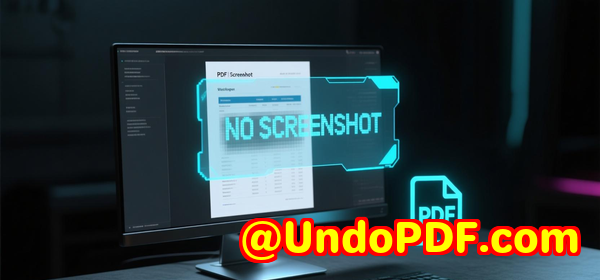
Some watermarking solutions can be removed with a screenshot workaround, but VeryPDF’s dynamic watermarks make screenshots traceable, deterring misuse.

Why VeryPDF DRM Protector Stands Out

The core advantage is control without compromise.

You can:

  • Restrict printing and copying without affecting user experience

  • Set device, account, or IP-based restrictions

  • Apply expiry dates and dynamic watermarks

  • Integrate with a variety of platforms via API or SSO

  • Track and monitor document interactions in real time

It’s not just about stopping piracyit’s about giving you visibility and control over your sensitive files.

For anyone managing high-value PDFs on SharePoint or other platforms, this tool is a game-changer.

Who Benefits Most

I’d say anyone distributing proprietary content will find this invaluable:

  • Educational institutions sharing exams or courseware

  • Training organisations distributing manuals

  • Publishers and writers protecting ebooks

  • Corporate teams securing internal reports

  • Associations or research organisations sharing standards or whitepapers

My Personal Recommendation

If you’re tired of worrying whether confidential PDFs are being shared, VeryPDF DRM Protector is the solution I’ve been looking for.

It’s reliable, integrates with the tools you already use, and gives you peace of mind.

I’d highly recommend this to anyone who handles large volumes of sensitive PDFs.

Click here to try it out for yourself: https://drm.verypdf.com/


Custom Development Services by VeryPDF

VeryPDF offers tailored development services to meet your specific technical requirements.

Whether you need advanced PDF processing for Linux, macOS, Windows, or server environments, their team has you covered.

  • Development using Python, PHP, C/C++, Windows API, Linux, Mac, iOS, Android, JavaScript, C#, .NET, HTML5

  • Creation of Windows Virtual Printer Drivers for PDF, EMF, and image outputs

  • Tools for capturing and monitoring print jobs, saving them in formats like PDF, EMF, PCL, PostScript, TIFF, or JPG

  • System-wide and application-specific hooks to monitor Windows APIs, including file access

  • Analysis and processing for PDF, PCL, PRN, PostScript, EPS, and Office documents

  • Barcode recognition/generation, layout analysis, OCR, and table recognition for scanned PDFs and TIFFs

  • Report and document generators, graphical/image converters, and management tools

  • Cloud-based solutions for document conversion, viewing, digital signatures, DRM, TrueType fonts, and Office/PDF printing

If you have specific technical requirements, contact VeryPDF via their support centre: https://support.verypdf.com/


FAQ

Q1: Can I restrict PDF printing in SharePoint with VeryPDF DRM Protector?

Yes, you can completely prevent printing, copying, and downloading while still allowing authorised users to view content.

Q2: Does it work with other platforms besides SharePoint?

Absolutely. VeryPDF DRM Protector integrates with LMS, CMS, CRM, ERP, and eCommerce systems seamlessly.

Q3: Can I apply expiry dates to PDFs?

Yes, you can set automatic expiry dates so that documents become inaccessible after a certain period.

Q4: Is dynamic watermarking effective against screenshots?

Yes, dynamic watermarks include user-specific information, making screenshots traceable.

Q5: Can I track who accessed a PDF and when?

Yes, the system logs every access, giving you a clear audit trail for compliance and security purposes.


Tags / Keywords

  • SharePoint PDF security

  • PDF DRM protection

  • Restrict PDF printing and copying

  • Digital rights management PDF

  • Protect confidential PDFs

  • PDF access control

  • Document watermarking

  • VeryPDF DRM Protector

  • PDF security software

  • LMS PDF protection

UndoPDF

Blackboard LMS Professors Prevent Academic Misuse by Using VeryPDF DRM Protector for PDF Access Controls

Blackboard LMS Professors Prevent Academic Misuse by Using VeryPDF DRM Protector for PDF Access Controls

Protect your PDF course materials from unauthorized sharing and misuse with VeryPDF DRM Protector integrated into your LMS.

Blackboard LMS Professors Prevent Academic Misuse by Using VeryPDF DRM Protector for PDF Access Controls


Every semester, I used to feel a sinking dread every time I uploaded my lecture notes and assignments to the Blackboard LMS.

No matter how carefully I structured my courses, somehow PDFs would end up in students’ personal clouds or even on websites I didn’t recognise.

It was frustrating, not only because of the risk of academic dishonesty but also because it undermined the effort I put into creating quality educational content.

After countless sleepless nights worrying about intellectual property and student misuse, I started looking for a solution that didn’t rely on manual tracking or complicated workflows.

That’s when I stumbled upon VeryPDF DRM Protector, and honestly, it changed how I manage and share PDFs with my students.


Why I Chose VeryPDF DRM Protector

I needed a tool that could integrate seamlessly with Blackboard LMS but also work across other platforms like Moodle, Canvas, or WordPress.

I wanted real-time control, not just after-the-fact tracking.

VeryPDF DRM Protector stood out because it wasn’t just about password-protecting a PDFit offered dynamic access controls, user-based restrictions, and robust DRM options.

The product description made sense immediately: it’s designed to integrate with LMSs, CMSs, CRMs, ERP systems, and even eCommerce platforms.

It allows me to protect PDFs in a scalable way, while keeping them accessible to authorised students.

No more worrying if a file was downloaded and shared without my knowledge.


Key Features That Make a Difference

1. Dynamic Text Watermarks

This feature alone has been a game-changer for my course PDFs.

Every PDF that a student opens automatically displays a user-identifying watermark, including their name, account ID, and even IP address.

This makes it easy to track any leaked content back to the original source, and students are immediately aware that sharing is not anonymous.

I remember one instance where a student emailed me, panicked, because they had attempted to share a course guide with a friend.

Thanks to dynamic watermarks, the attempt was visible, and it served as a learning moment for the class about respecting digital content.

2. Fine-Grained Access Controls

VeryPDF DRM Protector gives me over 20 different DRM settings, which I can mix and match depending on the type of material.

For instance:

  • Device Limits: Some PDFs are limited to just one or two devices per student.

  • Account Limits: Others can only be accessed by the registered LMS account.

  • Expiry Controls: Assignments automatically expire after the submission deadline.

  • Offline Restrictions: Certain lecture notes must remain online only.

This flexibility means I can protect sensitive documents without disrupting the student experience.

Other tools I tried before either locked files entirely or required manual adjustments for each student, which was a nightmare.

3. Printing, Copy, and Screen-Sharing Restrictions

Before VeryPDF DRM Protector, I constantly worried that students could screenshot or print sensitive exams.

With this tool, I can block printing, copying, and screen sharing, ensuring that my intellectual property remains under control.

In practice, this has drastically reduced the number of accidental or intentional leaks from my digital content.


Integrations That Streamline My Workflow

Another reason I stick with VeryPDF DRM Protector is its ability to integrate via REST APIs with various platforms.

  • Blackboard LMS / Moodle / Canvas: Automatic PDF protection when uploading content.

  • WordPress / Joomla / Drupal: Protect downloadable PDFs for student portals.

  • CRM & ERP Systems: Automatically update access logs and monitor document interactions.

  • Cloud Storage Services: Protect Google Drive, Dropbox, or OneDrive files with the same DRM settings.

Because of these integrations, I no longer have to worry about manually applying restrictions or re-uploading content.

Everything is automated, which saves me hours of administrative work every week.


My Personal Experience

Before using VeryPDF DRM Protector, I spent at least 23 hours a week managing document security manually.

Now, that work is reduced to a few clicks per semester.

I can:

  • Upload course materials and have them automatically protected

  • Assign student-specific watermarks in seconds

  • Set expiration dates and device limits without touching each file individually

  • Integrate seamlessly with Blackboard and other platforms for real-time updates

One memorable moment was when a colleague accidentally shared a course PDF on a public forum.

Because I had DRM protection enabled, the document displayed the student watermark, making it easy to identify the leak and address it professionally.

It was a relief to see the software handling issues I would have otherwise discovered too late.


Comparing VeryPDF DRM Protector to Other Solutions

I’ve tried several PDF protection tools before, including Adobe Acrobat and generic LMS plugins.

  • Adobe Acrobat’s DRM options are limited and manual, often requiring repeated exports and settings.

  • LMS plugins sometimes fail when students access content offline or from multiple devices.

  • VeryPDF DRM Protector covers multiple platforms, includes real-time tracking, and automates watermarks, making it more robust and versatile.


Who Benefits Most from VeryPDF DRM Protector

  • University Professors: Secure lecture notes, exams, and research papers.

  • Educational Institutions: Protect internal training materials and confidential documents.

  • Content Creators & Publishers: Prevent PDF piracy and unauthorized sharing.

  • Corporate Training Departments: Maintain control over sensitive internal PDFs.

If your work involves creating PDF materials that cannot be freely shared, this is the tool you want.


Conclusion

In short, VeryPDF DRM Protector solves the real pain points of PDF security in academic and professional settings.

It prevents unauthorized sharing, reduces administrative overhead, and allows for granular control over content access.

I’d highly recommend this to anyone who deals with large volumes of PDFs, especially in education or corporate training.

Start your free trial now and protect your PDFs today: https://drm.verypdf.com/


Custom Development Services by VeryPDF

VeryPDF offers tailored development services to suit your technical requirements.

Whether you need PDF processing solutions for Windows, macOS, Linux, or server environments, VeryPDF has the expertise to deliver.

Services include:

  • Custom software development using Python, PHP, C/C++, Windows API, Linux, iOS, Android, JavaScript, C#, .NET, HTML5.

  • Virtual Printer Drivers capable of generating PDF, EMF, and image formats.

  • Printer job monitoring and interception tools, capturing output from all Windows printers into formats like PDF, TIFF, PCL, Postscript, or JPG.

  • Hook layers for monitoring Windows APIs, including file access APIs.

  • Advanced document analysis for PDF, PCL, PRN, Postscript, EPS, and Office files.

  • OCR and table recognition for scanned PDFs and TIFFs.

  • Report generation, graphics conversion, and cloud-based solutions for document security, digital signatures, and DRM protection.

For bespoke solutions or project-specific requirements, contact VeryPDF via the support centre at https://support.verypdf.com/.


FAQs

1. Can VeryPDF DRM Protector integrate with Blackboard LMS?

Yes, it integrates seamlessly via REST APIs, providing real-time PDF protection and access controls.

2. Can I restrict PDF printing and copying?

Absolutely. You can block printing, copying, and screen sharing to protect your intellectual property.

3. Does the software support dynamic watermarks?

Yes, every PDF can display user-identifying watermarks automatically when opened.

4. Can I control PDF access based on devices or accounts?

Yes, you can set device limits, account limits, and library limits for each user or group.

5. Is VeryPDF DRM Protector suitable for other platforms besides LMS?

Yes, it works with CMS, CRM, DMS, ERP, cloud storage, and eCommerce platforms, making it highly versatile.


Tags / Keywords

  • VeryPDF DRM Protector

  • PDF access control

  • Blackboard LMS security

  • Protect academic PDFs

  • Digital rights management

  • Dynamic watermark PDFs

  • LMS PDF protection

UndoPDF

Why Canvas LMS Educators Trust VeryPDF DRM Protector for Batch Protecting Research Materials in PDF Format

Why Canvas LMS Educators Trust VeryPDF DRM Protector for Batch Protecting Research Materials in PDF Format

Every semester, I found myself stuck in the same frustrating routine: uploading research papers, lecture notes, and PDF readings to Canvas LMS, only to discover a few weeks later that students had shared them outside the class or printed them without permission. I remember one particularly stressful morning when I noticed that my carefully curated set of case studies had leaked online. That’s when I started looking for a solution to batch protect PDFs without slowing down my workflow or forcing students through a clunky download process. That’s how I stumbled upon VeryPDF DRM Protector, and it completely changed the way I manage digital learning content.

Why Canvas LMS Educators Trust VeryPDF DRM Protector for Batch Protecting Research Materials in PDF Format

Why Educators Need DRM Protection for PDFs

In the digital classroom, PDFs are everywherefrom research articles and lecture slides to assignments and lab manuals. But sharing files online comes with risks: unauthorized printing, copying, or even redistribution of your intellectual property. As an educator, it’s not just about protecting your work; it’s about maintaining the integrity of your courses and making sure students access materials as intended.

I used to rely on basic PDF passwords or simple file permissions, but those methods were easy to bypass. I needed something that could:

  • Protect multiple PDFs at once.

  • Integrate with LMS platforms like Canvas or Moodle.

  • Apply dynamic watermarks to deter screenshots.

  • Control access by device, account, or time limits.

Enter VeryPDF DRM Protector.

Discovering VeryPDF DRM Protector

I first heard about VeryPDF DRM Protector from a colleague who teaches at another university. She had been using it to secure her online library of research articles and swore by its ease of use. Curious, I signed up for a trial at https://drm.verypdf.com/ and immediately appreciated its clean interface and clear API integration options.

The tool isn’t just another PDF lockerit’s a full-featured DRM system that can connect seamlessly with LMS platforms, CMS, CRM, and even ERP systems. For someone like me, who constantly switches between Canvas, WordPress for publishing course resources, and Google Drive for collaborative projects, that integration was a game-changer.

Key Features That Made My Life Easier

1. Batch Protection with Dynamic Watermarks

One of my biggest headaches was individually protecting dozens of PDFs before uploading them to Canvas. VeryPDF DRM Protector allows me to batch encrypt PDFs, automatically applying dynamic watermarks that include the student’s name, email, and timestamp. I remember testing it on a folder of 50 research papersit completed the batch in minutes. No more manual editing or worrying about a single PDF slipping through unprotected.

2. Granular Access Controls

I loved how detailed the DRM settings were. I could set device limits, open limits, or library limits, which meant students could only open the PDF a certain number of times or on specific devices. I also applied expiry controls, which automatically revoked access after the semester ended. These features removed the constant stress of manually tracking who had access to which files.

3. Preventing Unauthorized Sharing and Printing

Previously, students could screenshot or print my PDFs without my knowledge. With VeryPDF’s DRM Protector, I could disable printing, copying, and screen sharing. One of my favorite features was the country and IP restrictionsperfect for ensuring that content intended for enrolled students didn’t accidentally get shared globally.

4. Seamless LMS Integration

Integrating with Canvas LMS was surprisingly simple. Using the REST API, I automated content protection directly within my course workflow. Uploading a new lecture PDF now triggers automatic DRM protection, saving hours every week. Students log in with their single sign-on credentials, access the materials, and I have full audit logs of every document interaction.

5. Offline and Cloud Support

Some students prefer downloading PDFs for offline study. VeryPDF DRM Protector manages this beautifully by allowing controlled offline access while keeping content secure. It also integrates with cloud storage like Google Drive and Dropbox, so all my teaching materials are accessible without compromising security.

Real-World Impact

After using VeryPDF DRM Protector for one semester, the difference was noticeable. I no longer fielded emails about missing PDFs or requests for re-sent files. Students respected the protected environment, and I gained peace of mind knowing that my intellectual property and course materials were safe.

For example, during a particularly busy week, I uploaded 120 PDFs for a research methods course. The batch protection ran automatically, watermarking each PDF with unique identifiers. When I checked the system logs later, I could see exactly which students accessed which files and when. This level of insight was impossible with traditional password-protected PDFs.

Compared to other DRM solutions I’d tried, VeryPDF stood out for:

  • Speed: Batch processing large volumes of PDFs without lag.

  • Ease of use: Clean interface, minimal learning curve.

  • Integration flexibility: Works with LMS, CMS, CRM, ERP, and cloud systems.

  • Granular control: Multiple layers of security options, from device limits to country restrictions.

Other tools felt clunky or limited, often requiring manual intervention for each file. VeryPDF DRM Protector streamlined the entire process, letting me focus on teaching rather than document security.

Who Can Benefit from VeryPDF DRM Protector

While I use it as an educator, this tool isn’t just for schools. It’s perfect for:

  • Training organizations needing to protect course materials.

  • Research institutes distributing confidential studies.

  • Publishers sharing digital textbooks or journals.

  • Associations or standards organizations controlling access to proprietary documents.

  • Companies distributing sensitive internal documents to employees or clients.

Basically, if you handle PDFs with intellectual property value, VeryPDF DRM Protector is built to protect it.

Custom Development Services by VeryPDF

VeryPDF also provides custom development services to fit any unique technical requirement. They support Linux, macOS, Windows, and server environments, developing utilities in Python, PHP, C/C++, Windows API, Linux, Mac, iOS, Android, JavaScript, C#, .NET, and HTML5.

Their services include:

  • Windows Virtual Printer Drivers for generating PDF, EMF, and image formats.

  • Printer job monitoring tools to intercept and save print jobs from all Windows printers.

  • Hook layers to monitor Windows APIs, including file access APIs.

  • Document analysis and processing for PDF, PCL, PRN, Postscript, EPS, and Office documents.

  • OCR and table recognition for scanned TIFF and PDF documents.

  • Graphical and image conversion tools and management solutions.

  • Cloud-based solutions for document conversion, viewing, and digital signatures.

For more details or to request a customised solution, contact VeryPDF at https://support.verypdf.com/.

FAQ

Q1: Can VeryPDF DRM Protector batch protect hundreds of PDFs at once?

A1: Yes, you can protect multiple PDFs in a single batch, saving significant time and ensuring consistent security settings.

Q2: Does it integrate with Canvas LMS and other learning platforms?

A2: Absolutely. VeryPDF DRM Protector integrates with LMS platforms like Canvas and Moodle, as well as CMS, CRM, ERP, and cloud storage systems.

Q3: Can I apply watermarks dynamically for each student?

A3: Yes, the software can automatically embed dynamic watermarks with student names, emails, and timestamps to prevent screenshots or redistribution.

Q4: Is offline access possible for students?

A4: Yes, you can allow controlled offline access while keeping PDFs protected with DRM settings.

Q5: Can I restrict access by country or IP address?

A5: Yes, the software supports IP and country restrictions to ensure only intended recipients can open the documents.

Tags or keywords

VeryPDF DRM Protector, batch protect PDFs, Canvas LMS PDF security, dynamic watermark PDFs, educational PDF DRM, PDF encryption for schools, LMS content protection


I’ve been using VeryPDF DRM Protector for over a year now, and I honestly can’t imagine managing my course PDFs without it. From batch protection to dynamic watermarks and LMS integration, it’s the ultimate tool for educators and organizations handling sensitive PDF content. Click here to try it out for yourself: https://drm.verypdf.com/ and take control of your PDFs today.

UndoPDF

How SharePoint DMS Users Secure PDFs with VeryPDF DRM Protector to Stop Copy-Paste and Enable Expiry Control

How SharePoint DMS Users Secure PDFs with VeryPDF DRM Protector to Stop Copy-Paste and Enable Expiry Control

Learn how SharePoint DMS users lock down PDFs with VeryPDF DRM Protector, preventing copy-paste and adding expiry control for total document security.


Every time I uploaded a sensitive PDF into SharePoint, I had the same gut feeling: once it’s out there, it’s out of my control.

Colleagues could copy-paste text, download it, or forward it around the office, and I had no real way of pulling it back.

The worst part? Deadlines meant I had no time to micromanage permissions for every document.

I wanted something simple, automated, and powerful enough to give me back control.

How SharePoint DMS Users Secure PDFs with VeryPDF DRM Protector to Stop Copy-Paste and Enable Expiry Control

That’s how I stumbled across VeryPDF DRM Protector.


Why SharePoint Users Need More Than Standard Permissions

If you’ve used SharePoint long enough, you know its default permissions are fine for basic stuff.

You can set who sees a file or folder, but you can’t:

  • Stop someone from copy-pasting text out of a PDF.

  • Block screenshots or screen shares.

  • Set a real expiry date that wipes access, no matter what.

For anyone in industries like finance, legal, research, publishing, or education, that’s a problem.

Because once the document leaves SharePoint, you’ve lost the chain of custody.

I ran into this exact issue when we shared client reports.

We had NDAs in place, but let’s be honestNDAs don’t stop someone from hitting “Ctrl+C.”

That’s where DRM comes in.


How I Started Using VeryPDF DRM Protector with SharePoint

I didn’t want another clunky add-on that slowed down my workflow.

Luckily, VeryPDF DRM Protector integrates directly with DMS platforms like SharePoint, so I didn’t have to reinvent the wheel.

I uploaded my PDFs, turned on DRM rules, and suddenly I could:

  • Set expiry dates on client reports.

  • Disable copy-paste and printing.

  • Apply dynamic watermarks with the viewer’s name and email, so if it leaked, I’d know who did it.

  • Control offline access (they couldn’t just download and open the file at home).

And the kicker? It all tied into the same SharePoint setup my team was already using.


Features That Changed the Game

Here’s what stood out once I started really using it:

1. Expiry Controls

I could send out a research draft with a 7-day window.

On day 8, the file was uselessno access, no excuses.

It was a lifesaver when we ran due diligence projects with hard deadlines.

2. Copy-Paste and Print Blocking

The first time I opened a PDF and realised I couldn’t copy a single line of text, I smiled.

Finally, I had a tool that actually enforced what SharePoint permissions couldn’t.

This alone killed a lot of accidental leaks.

3. Dynamic Watermarks

Every PDF I shared had a watermark showing the recipient’s name, email, and timestamp.

That means if someone took a screenshot, it carried their identity with it.

It’s not just deterrenceit’s accountability.

4. Integration with Multiple Platforms

It wasn’t just SharePoint.

The same tool plugged into WordPress, Moodle, Salesforce, Dropbox, and even Shopify.

I could protect a training module in Moodle or an ebook sold on WooCommerce just as easily.


Who Benefits the Most

I’ve seen this tool make the biggest difference for:

  • Legal teams sharing contracts and confidential case files.

  • Educational institutions delivering protected course material to students.

  • Publishers who don’t want their books pirated.

  • Corporate finance teams handling reports and forecasts.

  • Associations that need to safeguard membership-only documents.

For SharePoint users specifically, the integration means you don’t need to train your team on a whole new system.

It just slides into your existing workflow.


Real-World Example

We had a client who needed to share investment research with multiple stakeholders.

Before DRM, once a PDF was out, we had no way of controlling redistribution.

With VeryPDF DRM Protector, we set:

  • Expiry after 30 days.

  • Device limits so each person could only open it on 2 devices.

  • IP restrictions to block access outside their company network.

It worked flawlessly.

The client loved that they stayed in control, even after distribution.


Why I Chose VeryPDF Over Other DRM Tools

I tested a few competitors.

Some were too heavy, needing extra software installs on every device.

Others had subscription models that ballooned costs.

VeryPDF stood out because:

  • It’s browser-based (no clunky installs).

  • It integrates with existing systems via REST API.

  • It supports SSO (single sign-on), which kept IT happy.

  • Pricing was clear and not bloated with hidden add-ons.


Conclusion

If you’re using SharePoint (or any DMS, LMS, or CMS), you already know the gaps in default security.

What you don’t want is your sensitive PDFs floating around in someone’s inbox forever.

With VeryPDF DRM Protector, I finally felt like I had a seatbelt for my documents.

Expiry dates, copy-paste blocking, and watermarks gave me peace of mind.

I’d highly recommend it to anyone managing sensitive files on SharePoint or similar systems.

Click here to try it out for yourself: https://drm.verypdf.com/


Custom Development Services by VeryPDF

Not every business runs on off-the-shelf solutions.

Sometimes you need something built just for your environment.

That’s where VeryPDF’s custom development services shine.

The team can build specialised PDF processing tools for Windows, Linux, or macOSwhether you need automation scripts, web-based APIs, or enterprise-grade integrations.

They’ve worked with everything from Python, C/C++, .NET, C#, PHP, and JavaScript to mobile platforms like iOS and Android.

Their bread and butter includes:

  • Virtual printer drivers that output files in PDF, EMF, TIFF, JPG, and more.

  • Print job capture utilities that intercept and save jobs from any Windows printer.

  • Hook layers for Windows APIs, letting you monitor file or system-level activity.

  • OCR solutions for scanned PDFs and TIFFs, including table recognition.

  • Barcode recognition and generation tools.

  • Layout analysis and form generation utilities.

  • Document conversion, image management, and DRM security tech.

They also support cloud-based solutions for document conversion, viewing, signing, and protection.

If you’ve got a specific project in mind, you can reach out at https://support.verypdf.com/.


FAQ

1. Can I use VeryPDF DRM Protector with SharePoint Online?

Yes. It integrates smoothly with both SharePoint Online and on-premise deployments.

2. Does it block screenshots completely?

It can’t stop someone from pointing a phone at the screen, but dynamic watermarks make leaks traceable to the exact user.

3. Can I set multiple DRM rules for different users?

Absolutely. You can apply different expiry dates, permissions, and access rules to individual users or groups.

4. Do my users need to install extra software?

No. It’s browser-based, so users just log in and access the documents through the normal workflow.

5. Is it suitable for educational institutions?

Yes. Many schools and universities use it to protect course materials from being downloaded or shared without permission.


Tags / Keywords

  • SharePoint PDF DRM

  • Prevent copy-paste in SharePoint PDFs

  • PDF expiry control for SharePoint

  • VeryPDF DRM Protector SharePoint

  • Secure PDFs in DMS with DRM

UndoPDF

Protect Sensitive Student Data in Moodle LMS PDF Reports with VeryPDF DRM Protector Dynamic Watermarking

Protect Sensitive Student Data in Moodle LMS PDF Reports with VeryPDF DRM Protector Dynamic Watermarking

Protect student PDF reports in Moodle LMS with VeryPDF DRM Protector using dynamic watermarking and encryption for secure access and sharing.

Protect Sensitive Student Data in Moodle LMS PDF Reports with VeryPDF DRM Protector Dynamic Watermarking


Every semester, I used to get a sinking feeling every time student grades and reports were exported from Moodle LMS.

We had hundreds of PDFs containing sensitive student information, and I constantly worried about someone downloading, sharing, or even taking screenshots of these confidential files.

One slip, and private data could easily end up in the wrong hands.

I tried password-protecting PDFs, limiting downloads, and even manually watermarking documents, but none of these solutions scaled well.

That’s when I discovered VeryPDF DRM Protector and its dynamic watermarking capabilities.

Suddenly, securing student data in PDF reports didn’t feel like a full-time job anymore.


How VeryPDF DRM Protector Transformed Our Workflow

When I first integrated VeryPDF DRM Protector with Moodle LMS, I was amazed at how seamless the process was.

It didn’t just secure PDFsit transformed the way our team approached document security.

Here’s what it does:

  • Dynamic watermarking: Every PDF exported from Moodle can automatically carry a watermark with the student’s name, email, or other identifiers.

  • Encryption and access control: You can set device limits, expiry dates, and even restrict access by IP address or country.

  • Integration with multiple systems: DRM Protector isn’t limited to Moodle. It works with Canvas, WordPress, Joomla, Salesforce CRM, SharePoint, Google Drive, and even eCommerce platforms like WooCommerce.

Before, I had to manually apply watermarks using Adobe Acrobat. It was tedious, prone to errors, and impossible to scale.

Now, each PDF report is automatically secured at the moment it’s generated. No extra clicks, no human error.


Key Features in Action

1. Real-Time Dynamic Watermarking

This is a game-changer.

Every PDF can carry user-specific watermarks that are visible on screen and printed copies.

I remember a time when a student tried to share a report externally.

Because the watermark contained their username and email, it was immediately clear who leaked it.

No detective work needed.

2. Fine-Grained Access Controls

I can define who sees what, for how long, and on which devices.

For example, I set up the system so faculty can access all reports, while students can only open their own PDFs from a single device.

Expired files automatically become inaccessibleperfect for semester-end workflows.

It even blocks unauthorized IP addresses, so students can’t log in from outside permitted regions.

3. Seamless LMS & CRM Integration

Before VeryPDF DRM Protector, exporting reports from Moodle and sending them through email or Google Drive was a headache.

Now, PDFs go directly from Moodle to protected storage with a click.

I also synced it with Salesforce CRM for our academic records workflow.

Everything’s tracked, monitored, and secure without slowing down staff productivity.


Why Other Tools Didn’t Cut It

I had tried open-source PDF security plugins, but they were buggy and inconsistent.

Adobe Acrobat works fine for small batches, but automation was limited, and licensing was expensive.

Some watermarking tools only apply static watermarks, which can be cropped or removed in seconds.

VeryPDF DRM Protector solved all of these problems:

  • Automatic watermarking at scale

  • AES encryption that can’t be bypassed

  • Multiple system integrations

  • Real-time access monitoring

It’s not just softwareit’s a security framework that grows with your institution.


Use Cases I Found Particularly Useful

  1. End-of-Semester Grade Reports Protect every student PDF automatically, no matter how many courses or reports are exported.

  2. Certificates & Achievements Issue verifiable, watermarked certificates directly from Moodle or Canvas.

  3. Confidential Research Documents Share sensitive educational materials with researchers, while controlling access and download permissions.

  4. E-learning Content Protect interactive PDFs, videos, and learning guides distributed through WordPress or other CMS platforms.

Every scenario became simpler. Less stress, fewer errors, and a full audit trail of who accessed what and when.


Core Advantages That Matter

  • Automated Protection Once set up, it runs silently in the background. No human error.

  • Scalable for Any Institution Works for 50 students or 50,000 students with the same reliability.

  • Real-Time Monitoring Know exactly when a file is opened or printed.

  • Flexible Integration LMS, CMS, CRM, ERP, and cloud storage platforms all supported.

I remember a colleague commenting, “It’s like having a security officer for every PDF.”

That’s exactly what it feels like.


Why I Recommend VeryPDF DRM Protector

If you handle sensitive student data or confidential educational reports, this is the tool you need.

I can now export, distribute, and even archive PDFs without losing sleep over privacy breaches.

The dynamic watermarking feature alone makes it worth the investment.

Click here to try it out for yourself: https://drm.verypdf.com/

Start your free trial now and experience how effortless PDF protection can be.


Custom Development Services by VeryPDF

VeryPDF offers tailored development services for any technical requirement.

Whether you need custom PDF processing on Linux, Windows, or macOS, or integration with Python, PHP, C/C++, JavaScript, .NET, iOS, Android, and more, VeryPDF can deliver.

They also specialise in Windows Virtual Printer Drivers capable of generating PDFs, EMFs, and images, plus printer job monitoring for any Windows printer.

Their expertise includes barcode recognition, layout analysis, OCR, and OCR table recognition for scanned PDFs or TIFF files.

Cloud-based conversion, document signing, DRM protection, and secure content distribution are also part of their portfolio.

For bespoke projects, you can contact VeryPDF’s support team here: https://support.verypdf.com/


FAQ

Q1: Can VeryPDF DRM Protector prevent students from taking screenshots?

Yes, dynamic watermarking discourages screenshots, and access controls can restrict device and screen sharing.

Q2: Can I integrate DRM Protector with Moodle LMS?

Absolutely. It integrates seamlessly via API for Moodle, Canvas, and other LMS platforms.

Q3: What happens when a file expires?

Expired PDFs automatically become inaccessible. Students or staff cannot open or download them after the expiry date.

Q4: Does it support mobile access?

Yes. DRM Protector works on Windows, macOS, iOS, and Android devices while maintaining strict access controls.

Q5: Can I track who accessed a PDF and when?

Yes, every access event is logged. You can monitor views, prints, downloads, and more.


Tags or Keywords

  • Moodle PDF protection

  • Dynamic watermarking

  • Educational DRM software

  • Student report security

  • VeryPDF DRM Protector

  • LMS document security

  • PDF encryption in education


This setup ensures student PDFs in Moodle LMS are secure, trackable, and watermark-protected.

It transformed the way we handle sensitive educational datasaving time, reducing risk, and giving peace of mind.