When Confidential Reports Leak: How to Protect Business Documents from Unauthorized Access
Last month, I discovered that a detailed market research report I had prepared for a key client had been forwarded to a competitor. This single incident cost us a major contract and put our relationship with that client at risk. As someone who regularly handles sensitive business documents, I know this scenario all too well. The frustration isn’t just about lost revenueit’s about losing control over your own intellectual property and exposing your company to preventable risks.
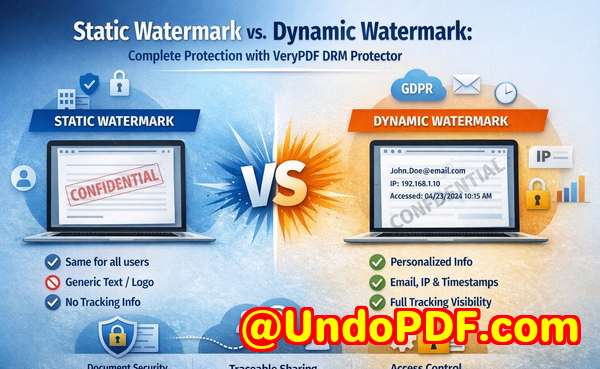
In today’s fast-paced business environment, protecting confidential data isn’t just an IT concern; it’s a core part of safeguarding your revenue, client trust, and competitive advantage. Market research reports, strategic plans, and proprietary business materials often travel outside your organization, leaving them vulnerable to unauthorized sharing, copying, or conversion. Without proper protection, one simple leak can snowball into significant financial and reputational damage.
I’ve faced these challenges personally, and I’ve learned that relying on basic PDF passwords or email disclaimers is no longer enough. You need a solution that gives you real control over who accesses your documents and how they are used. That’s where VeryPDF DRM Protector comes ina tool designed specifically to secure business-critical PDFs, prevent piracy, and maintain full control over distribution.
One common pain point I’ve seen is market research reports being shared beyond the intended audience. Imagine preparing a detailed competitive analysis and sending it to a client, only to discover weeks later that it’s circulating among rival companies. The consequences are clear: lost contracts, weakened client trust, and a direct impact on revenue. VeryPDF DRM Protector addresses this by restricting PDF access strictly to authorized users or teams. You can grant permissions by department, client, or project, ensuring only the people who truly need the information can view it.
Another frequent issue is unauthorized printing, copying, or conversion of PDFs into editable formats like Word, Excel, or images. I remember a colleague who shared an internal financial report via email, only to find parts of it reproduced in competitor materials. This kind of intellectual property leakage is not theoreticalit’s a visible business risk that can cost thousands, even millions, in lost opportunities. With DRM Protector, these actions are blocked automatically. Users cannot print, copy, forward, or remove DRM restrictions, which ensures that sensitive business reports remain exactly where they belong.
Loss of control over confidential business data is another scenario I’ve encountered repeatedly. When PDFs are distributed without proper safeguards, it’s impossible to track who accessed them, when, or how they were shared. This creates blind spots in your business operations, opening the door to competitive intelligence breaches. VeryPDF DRM Protector provides detailed access logs and user activity tracking, giving you a clear picture of document usage and helping you respond quickly if unauthorized access is attempted.
The anti-piracy benefits are tangible. By preventing PDFs from being converted, shared, or copied without authorization, you protect not just the content but the financial value embedded in it. For example, one client of mine who uses DRM Protector for proprietary market research reports noticed a sharp decline in unlicensed redistribution. This simple step preserved thousands of dollars in revenue that would otherwise have been lost to piracy.
Using DRM Protector is straightforward. Here’s how it works in a real-world scenario:
-
Restrict access: Assign permissions to individuals, teams, or clients. Only those explicitly authorized can open your PDFs.
-
Prevent misuse: Disable printing, copying, forwarding, and editing to stop your reports from being misappropriated.
-
Track activity: Monitor who accessed the document, when, and from where, giving you control over sensitive information.
-
Simplify distribution: Send reports securely to clients or colleagues without worrying about leaks, even when working with external partners.
I’ve applied this process to various types of documents: strategic plans, business proposals, market research reports, and proprietary training materials. In every case, the tool provided peace of mind, saving time, reducing risk, and avoiding costly intellectual property theft. One particularly memorable instance was a high-stakes client presentation where the report contained sensitive pricing strategies. DRM Protector ensured the document could only be viewed by the client’s authorized team. When competitors later tried to solicit the same client using leaked data, the protected PDF was completely inaccessible to them, safeguarding both our relationship and potential revenue.
For businesses distributing confidential content regularly, having this level of control is a game-changer. It transforms how you handle sensitive information from reactive damage control to proactive risk management. I’ve found that integrating DRM Protector into our document workflow is not only simple but also reinforces trust with clients, partners, and stakeholders.
I highly recommend this to anyone distributing confidential business documents who wants to avoid costly leaks. Try it now and protect your business reports: https://drm.verypdf.com. Start your free trial today and keep your market research secure from leaks or misuse.
FAQs
-
How can I limit access to confidential business documents to prevent revenue loss?
You can assign permissions using VeryPDF DRM Protector, restricting access to specific users, teams, or departments, ensuring only authorized individuals can open your PDFs.
-
Can I stop others from copying, printing, or converting my reports into editable formats?
Yes. DRM Protector blocks printing, copying, forwarding, and conversion to Word, Excel, or images, safeguarding your content from misuse.
-
How do I track who accessed my business reports and when?
The software provides detailed access logs, showing which users opened your documents, timestamps, and activity, giving you complete visibility over sensitive data.
-
Does DRM technology prevent unauthorized sharing of PDFs outside my organization?
Absolutely. DRM Protector ensures that only authorized users can open PDFs, and attempts to bypass restrictions are blocked, preventing leaks and competitive exposure.
-
How easy is it to securely distribute protected business reports to clients or colleagues without risk?
Distribution is simple and secure. You can share documents via email or cloud platforms while retaining control over who can view or interact with the content.
-
Can DRM Protector protect different types of business documents, like strategy plans and training materials?
Yes. Any PDF containing sensitive information, whether it’s a market research report, internal strategy, or training guide, can be protected and monitored.
-
Will using DRM Protector reduce the risk of lost revenue from document leaks?
Yes. By controlling access, preventing copying or conversion, and tracking usage, it minimizes opportunities for revenue loss and protects your competitive advantage.
Keywords
protect business reports, secure market research, prevent PDF piracy, stop unauthorized access, protect confidential PDFs, prevent PDF conversion, secure client reports, protect business strategy documents, DRM PDF protection, prevent document leaks