Secure Your PDFs: Permanently Remove Sensitive Data Before Sharing
Sharing internal emails, contracts, or reports as PDFs can unintentionally expose confidential information. AI-powered redaction ensures all sensitive data is permanently removed, keeping your business compliant and secure.
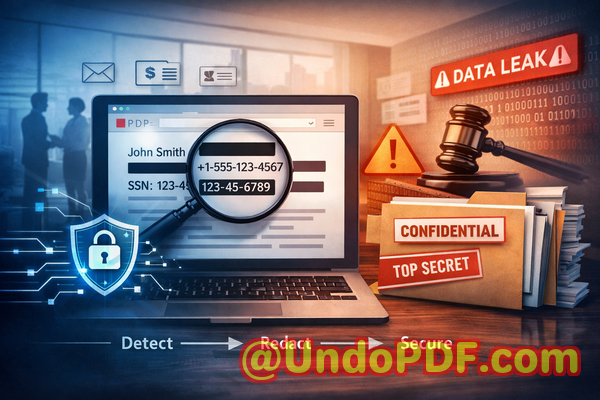
Last month, we had a close call. A partner requested a PDF of our latest HR report, and we sent it quickly, thinking everything was safe. Later, I realized it still contained employees’ personal emails and salary details. The thought of a potential GDPR violation hit hard. Accidental exposure of sensitive data isn’t just embarrassingit can cost a company heavily in fines, legal fees, and reputation damage. That’s when I started exploring AI-powered PDF redaction solutions, and VeryPDF’s tool proved indispensable.
Many businesses face similar challenges. For example, legal teams often convert contracts to PDFs for sharing with clients or partners, but confidential clauses, client contact info, and internal comments can remain visible. HR departments handle sensitive employee data in payroll reports or recruitment documents, and any oversight can trigger compliance issues. Even finance teams risk exposing bank account numbers, invoices, and financial forecasts if redaction isn’t handled correctly. The problem is clear: sharing PDFs safely is harder than it seems.
One of the biggest pain points is accidental exposure of sensitive data. Many PDFs contain personal identifiable information (PII), financial records, or proprietary business details. If these are shared without proper redaction, the consequences can range from compliance violations under GDPR or HIPAA to serious financial or reputational damage. Manual redaction is notoriously risky. It often relies on blacking out text visually, but underlying content can sometimes still be copied or recovered. Worse, employees may use free online tools, unknowingly uploading confidential documents to third-party servers, which increases the risk of data leaks exponentially.
That’s where the VeryPDF AI PDF Redaction Tool Command Line comes in. Unlike traditional methods, this tool leverages AI to automatically detect sensitive content, from emails and phone numbers to financial details and business secrets. It doesn’t just cover textit permanently removes the information from the document. This means what is redacted cannot be recovered or reconstructed. For businesses, that’s a game-changer.
The process is straightforward. You load a PDF into the tool, let the AI detect sensitive data, review the suggested redactions, and then apply them. The final output is a clean, sanitized PDF ready to share securely. Because the tool operates entirely offline, your documents never leave your computer, eliminating the risk of accidental uploads to third-party servers. The peace of mind knowing your sensitive information stays private is invaluable.
The benefits of this approach are tangible. Legal teams avoid inadvertent exposure of confidential client clauses. HR departments can share payroll or recruitment reports without risking employees’ privacy. Finance teams can circulate sensitive financial documents without fear of leaks. Companies that have switched from manual or online redaction methods to VeryPDF’s offline AI solution often report significantly fewer compliance concerns and greater confidence in sharing sensitive materials.
Real-world examples underscore the value. One medium-sized tech company avoided a major GDPR violation because every sensitive field in its internal reports was automatically redacted before being shared with external auditors. Another enterprise realized its old workflow using free online PDF editors was risky; switching to an offline AI-powered redaction tool eliminated the possibility of data being uploaded to unknown servers. Even in routine scenariossending contracts to a client or sharing internal strategy reportsthe tool ensures sensitive information, such as internal financial projections or proprietary methodologies, never accidentally reaches unintended eyes.
The workflow is simple yet robust:
-
Load your PDF into the VeryPDF AI PDF Redaction Tool.
-
Automatically detect sensitive data such as PII, financial info, or legal clauses.
-
Review suggested redactions for accuracy.
-
Apply redaction to permanently remove confidential information.
-
Export a sanitized, secure PDF for safe sharing.
Common types of data businesses need to redact include:
-
Personal identifiable information (names, addresses, emails, phone numbers)
-
Financial records (bank details, invoices, payroll info)
-
Proprietary business information (internal strategies, pricing models, trade secrets)
-
Legal or confidential clauses in contracts and agreements
With AI-powered detection, you no longer need to rely on memory, manual searching, or error-prone visual redaction. It reduces human error, streamlines workflow, and ensures every critical piece of confidential information is properly handled.
Beyond compliance and privacy, using a secure offline tool safeguards your reputation. A leaked report or an exposed client list can damage trust irreversibly. By removing sensitive data at the source, you demonstrate professionalism, responsibility, and proactive data protection.
I highly recommend this to anyone who needs to share documents safely without risking data leaks or compliance issues. VeryPDF AI PDF Redaction Tool Command Line is easy to use, fully offline, and ensures permanent removal of sensitive information. For businesses serious about protecting their data and meeting regulatory standards, this is an essential solution.
Try it now and securely redact your PDFs: https://veryutils.com/smart-redact-server-ai-powered-pdf-redaction-software
Start your free trial today and ensure your sensitive data is permanently removed before sharing.
FAQs
How can I permanently remove sensitive data from a PDF instead of just hiding it?
The VeryPDF AI PDF Redaction Tool removes sensitive content entirely, not just visually. Once applied, redacted information cannot be recovered.
Can others recover redacted information from my PDF?
No. The tool’s permanent redaction ensures all sensitive data is fully removed and cannot be reconstructed or copied.
Is it safe to use online PDF redaction tools?
Using online tools risks uploading confidential documents to third-party servers. Offline tools like VeryPDF eliminate this risk.
Does this tool work completely offline?
Yes. The entire process runs on your computer, ensuring 100% privacy and security.
What types of sensitive data can be automatically detected and removed?
It detects PII (names, emails, phone numbers), financial data, business secrets, and confidential clauses in contracts.
How can I ensure compliance with GDPR when sharing documents?
By permanently redacting personal data from PDFs before sharing, you reduce the risk of GDPR violations and data breaches.
Can the tool handle large or complex PDFs?
Yes. It is designed to process PDFs of any size, including multi-page contracts, reports, and financial documents.
Does it support reviewing suggested redactions before applying them?
Absolutely. You can review all detected sensitive content and make adjustments before finalizing the redaction.
Is it suitable for legal and HR departments?
Yes. It’s ideal for any department handling confidential documents, including legal, HR, finance, and executive teams.
Can I automate redaction for multiple PDFs at once?
Yes. The command line functionality allows batch processing to save time while maintaining accuracy.
What are the benefits over manual redaction?
AI-powered redaction eliminates human error, ensures permanent removal, protects privacy, and streamlines workflow for business-critical documents.
Tags/Keywords
redact sensitive data, remove confidential information, PDF redaction tool, protect privacy in PDFs, prevent data leaks, offline PDF redaction, secure document sharing, GDPR compliance, AI-powered redaction, permanent data removal