Secure Your PDFs: Permanently Redact Sensitive Data to Prevent Leaks
Last month, we shared a PDF contract with a new partner, only to realize later that it still contained unredacted employee details and client emails. The realization hit hardone small oversight could have triggered a GDPR violation, damaged our client trust, and exposed our company to hefty fines. If you’ve ever worried about accidentally sharing confidential information in PDFs, you know exactly how stressful this can feel.
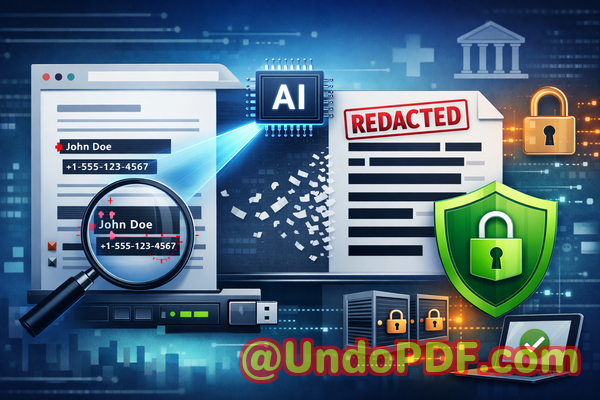
In business, sensitive data is everywhere: HR records, financial reports, strategic plans, legal agreements. A simple PDF can become a serious liability if not properly sanitized before distribution. Traditional redaction methodsblack boxes over text, manual scanning, or online toolsoften fail, leaving your company exposed. That’s where AI-powered PDF redaction comes in, giving you confidence that sensitive data is permanently removed and your documents remain secure.
One of the most common issues we see is sensitive information accidentally exposed in shared documents. Think client names, employee IDs, payroll figures, or confidential clauses in contracts. Manually blacking out text is not enoughsometimes hidden text can still be copied or recovered, and employees may unintentionally use free online tools that upload files to external servers, creating a whole new layer of risk.
The VeryPDF AI PDF Redaction Tool Command Line solves these problems in a way that’s practical, efficient, and fully secure. Here’s how it works: it scans your PDF offline, detects sensitive information like personal details, financial data, and confidential clauses, and permanently removes it. Unlike visual redaction, this process ensures the data is gonecompletely unrecoverable. Because the tool runs entirely on your computer, your documents never leave your network, eliminating the risk of accidental uploads to third-party servers.
Imagine this scenario: your legal team needs to send out quarterly financial reports to investors. With manual redaction, someone might miss an employee’s private information hidden in notes or footers. With VeryPDF AI PDF Redaction Tool, the sensitive details are automatically detected and securely removed before the file is shared. Compliance is maintained, client and employee privacy is protected, and your team can focus on strategic work rather than tedious document scrubbing.
The workflow couldn’t be simpler:
-
Load the PDF into the tool.
-
Run the AI scan to detect sensitive data.
-
Review and approve suggested redactions.
-
Apply redaction and export a clean, secure PDF.
Common types of data you’ll want to redact include:
-
Personally identifiable information (PII) names, addresses, emails, phone numbers.
-
Financial data account numbers, payroll information, revenue figures.
-
Business secrets product roadmaps, internal strategies, R&D plans.
-
Legal or confidential clauses contract details, arbitration agreements, sensitive client information.
One client we worked with recently avoided a potential compliance violation thanks to AI redaction. They had prepared a set of internal HR documents to share with a consulting firm. Manual redaction left some social security numbers visible, which could have led to a breach. Using the VeryPDF tool, every instance of sensitive data was automatically detected and permanently removed, allowing the documents to be shared safely.
Another company switched from free online PDF redaction tools to an offline solution and noticed an immediate improvement in data security. Previously, employees would upload sensitive financial reports to websites that promised redaction. While convenient, this practice introduced a massive risk: confidential information leaving the company’s network. Offline AI redaction removed that risk entirely.
By adopting AI-powered redaction, businesses not only protect themselves from fines and legal exposure, but also preserve their reputation. A single leaked PDF can harm client trust, employee confidence, and competitive advantage. Eliminating accidental data leaks before they happen is a tangible, measurable benefit.
Using this tool, you can:
-
Prevent accidental exposure of client or employee data.
-
Ensure compliance with GDPR, HIPAA, and other data protection regulations.
-
Maintain full control over your sensitive documents.
-
Reduce the workload on your team while improving accuracy.
The process is straightforward: run the scan, review suggested redactions, and export. The AI identifies data patterns you might overlook and ensures permanent removal. No hidden text, no manual oversights, no risky uploadsjust clean, secure PDFs ready for sharing.
I highly recommend this to anyone who handles sensitive documents regularly. Whether it’s contracts, HR files, financial statements, or strategic plans, securing your PDFs before distribution is no longer optionalit’s essential.
Try it now and securely redact your PDFs: https://veryutils.com/smart-redact-server-ai-powered-pdf-redaction-software
Start your free trial today and ensure your sensitive data is permanently removed before sharing.
Frequently Asked Questions
Q: How can I permanently remove sensitive data from a PDF instead of just hiding it?
A: VeryPDF AI PDF Redaction Tool Command Line uses AI to detect sensitive information and completely deletes it, ensuring it cannot be recovered.
Q: Can others recover redacted information from my PDF?
A: No. Unlike manual blacking out or some online tools, this software permanently removes the data, making it unrecoverable.
Q: Is it safe to use online PDF redaction tools?
A: Online tools can be risky since your documents are uploaded to external servers. For sensitive business documents, offline AI redaction is much safer.
Q: Does this tool work completely offline?
A: Yes. All processing is done locally on your computer, keeping your documents private and secure.
Q: What types of sensitive data can be automatically detected and removed?
A: The AI can identify PII, financial data, business secrets, legal clauses, emails, phone numbers, and more.
Q: How does this tool help with GDPR compliance?
A: By permanently removing personal data before sharing PDFs, it reduces the risk of accidental breaches and non-compliance.
Q: Can I review suggested redactions before they are applied?
A: Yes. The tool allows you to review and approve each suggested redaction to ensure accuracy.
Q: Does it work on multiple PDFs at once?
A: Yes, batch processing is supported, making it efficient for large document sets.
Q: Can I use it for contracts, HR files, or financial reports?
A: Absolutely. It’s designed for a wide range of sensitive business documents.
Q: Will the redacted PDF maintain its original format?
A: Yes, the tool preserves formatting while securely removing sensitive data.
Q: How fast is the redaction process?
A: The AI quickly scans and redacts documents, even for large PDFs, saving time compared to manual methods.
Keywords
redact sensitive data, remove confidential information, PDF redaction tool, protect privacy in PDFs, prevent data leaks, offline PDF redaction, secure document sharing, AI PDF redaction, permanent data removal, GDPR compliance