Sharing Sensitive PDFs Safely: How AI Redaction Prevents Data Leaks
Last month, our legal team shared a PDF contract with a potential partner. Everything seemed routine until we realized the document still contained unredacted employee personal information and client financial details. That single oversight could have triggered a GDPR violation, not to mention reputational damage. For any business handling sensitive information, this scenario is all too realand preventable.
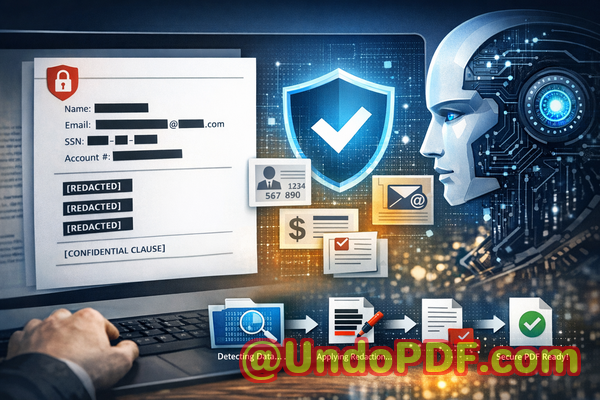
The risks are everywhere. Financial reports, HR records, contracts, and strategic plans often contain confidential data. Sending them externally without proper protection can expose your company to regulatory fines, client trust issues, and even legal action. The challenge is that traditional methods of redactionblack boxes, manual editing, or basic online toolsoften fail to completely remove sensitive information.
That’s where AI-powered PDF redaction comes in. Tools like VeryPDF AI PDF Redaction Tool Command Line can permanently remove confidential information from PDFs, ensuring that documents are safe to share.
Imagine this: your team prepares an investor report containing salary data, customer emails, and internal projections. You think you’ve blacked out the sensitive parts, but a competitor who receives the PDF could still extract that data using simple copy-paste or PDF recovery tools. These kinds of data leaks happen far more often than businesses realize.
Some of the most common pain points we encounter include:
-
Accidental exposure of sensitive data: Names, emails, IDs, financial figures, and business secrets often remain visible if redaction is incomplete. Compliance violations, like GDPR fines or contractual breaches, can follow immediately.
-
Manual redaction mistakes: Even when using black boxes or strikethroughs, the underlying text may remain in the PDF, recoverable by anyone with basic technical know-how.
-
Unsafe online redaction tools: Employees sometimes upload confidential files to third-party websites without realizing the risk. These servers may store your sensitive information, potentially creating massive privacy breaches.
VeryPDF’s AI PDF Redaction Tool Command Line addresses these issues directly.
Instead of relying on visual “cover-ups,” this AI-powered solution detects sensitive data automatically and permanently removes it. Names, emails, phone numbers, IDs, financial records, and even legal clauses can be identified and redacted without any manual guesswork. Because the tool works entirely offline, your documents never leave your computer, ensuring 100% privacy.
Consider a real scenario: a mid-sized consulting firm regularly shares client reports containing financial metrics and proprietary strategies. Previously, they relied on manual redaction, which resulted in an inadvertent disclosure of client revenue figures. After adopting VeryPDF AI PDF Redaction Tool, the tool automatically scanned every document, flagged sensitive data, and applied permanent redaction before sharing. The firm avoided a potential breach and reinforced client trust.
Here’s why offline AI redaction is a game-changer:
-
Prevents accidental leaks: Sensitive information is removed completely, not just hidden.
-
Eliminates third-party risk: No online upload means no chance of exposing your documents to unknown servers.
-
Ensures regulatory compliance: GDPR, HIPAA, and other data protection regulations require that personal and confidential data be irrecoverably removed.
Let’s break down a practical workflow:
-
Load your PDF: Start by selecting the document you want to share.
-
Detect sensitive data: AI scans for personal identifiers, financial details, and confidential clauses.
-
Review suggestions: The tool allows you to confirm what should be redacted, providing control over the final output.
-
Apply redaction: Sensitive information is permanently removed, not just visually obscured.
-
Export clean PDF: You now have a document safe to share with partners, clients, or regulators.
Common types of data that businesses often need to redact include:
-
Personal Identifiable Information (PII) such as names, addresses, phone numbers, and IDs
-
Financial data like bank details, salaries, and invoices
-
Business secrets, strategies, and internal project notes
-
Legal and confidential clauses within contracts or agreements
Switching from traditional or online redaction methods to a fully offline, AI-powered solution dramatically reduces risk. One HR department we worked with avoided exposing employee social security numbers and salary information by simply implementing this tool into their standard document workflow. Another marketing firm, previously concerned about accidentally sharing client lists in PDF reports, was able to continue sharing materials confidently after automated AI redaction.
The bottom line is that every PDF you share carries potential risk if sensitive information is not properly removed. AI redaction not only protects your data but also streamlines your workflow, reducing human error and saving time.
I highly recommend this to anyone who needs to share documents safely without risking data leaks or compliance issues. Try it now and securely redact your PDFs: https://veryutils.com/smart-redact-server-ai-powered-pdf-redaction-software. Start your free trial today and ensure your sensitive data is permanently removed before sharing.
Frequently Asked Questions
-
How can I permanently remove sensitive data from a PDF instead of just hiding it?
The AI redaction tool identifies and permanently deletes sensitive information at the data layer, ensuring it cannot be recovered.
-
Can others recover redacted information from my PDF?
No. Unlike simple black boxes, the AI tool removes the underlying text completely, making recovery impossible.
-
Is it safe to use online PDF redaction tools?
Online tools may store your documents on third-party servers, creating privacy and compliance risks. Offline tools are much safer.
-
Does this tool work completely offline?
Yes, your documents never leave your computer, guaranteeing full privacy and data security.
-
What types of sensitive data can be automatically detected and removed?
Names, emails, phone numbers, IDs, financial information, business secrets, and confidential clauses can all be detected.
-
How can I ensure compliance with GDPR when sharing documents?
Permanently redacting all personal and sensitive data before sharing helps you meet GDPR requirements.
-
Can I review what is being redacted before finalizing?
Yes, the tool allows you to review and approve redactions, ensuring accuracy.
-
Does AI redaction save time compared to manual methods?
Absolutely. It scans entire PDFs in seconds and identifies all sensitive data automatically.
-
Can this tool handle large batches of PDFs?
Yes, command-line support allows processing multiple documents efficiently.
-
What industries benefit most from AI PDF redaction?
Legal, HR, finance, healthcare, consulting, marketing, and any business handling confidential information.
-
Are the redacted PDFs fully compliant for client sharing?
Yes, since sensitive data is permanently removed, the documents are safe for external distribution.
-
Does it support all PDF types?
The tool works with standard PDFs, scanned documents, and complex multi-page reports.
Keywords
redact sensitive data, remove confidential information, PDF redaction tool, protect privacy in PDFs, prevent data leaks, offline PDF redaction, secure document sharing, AI-powered PDF redaction, GDPR compliance, permanent data removal