How Leaked Pricing and Strategy Documents Can Cost Your Business Millions
Imagine this: last quarter, one of our most detailed market research reports ended up in the hands of a competitor. We had spent weeks analyzing customer behavior, pricing trends, and strategic opportunities, only to watch a potential contract slip away because the client inadvertently shared our report with others. This kind of leak isn’t just embarrassingit’s expensive. Lost revenue, diminished client trust, and weakened competitive advantage are real consequences of unprotected business documents.
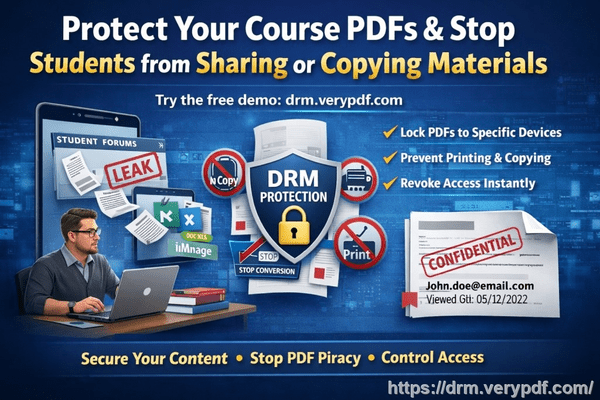
In today’s fast-paced business environment, securing confidential data isn’t optional. Market research reports, pricing strategies, and proprietary business materials are the lifeblood of decision-making. If these documents are shared without control, your company risks losing more than moneyyou could lose your market position. Fortunately, tools like VeryPDF DRM Protector give business owners, managers, and content creators a practical way to protect confidential PDFs and prevent unauthorized access or piracy.
The Hidden Costs of Unprotected Business Reports
Businesses often underestimate how quickly sensitive information can leak. Consider these common scenarios:
-
Market research falling into the wrong hands: A competitor receives a forwarded market report and adjusts their pricing or marketing strategy ahead of you, leading to lost contracts or diminished market share.
-
Unauthorized printing or copying: Employees or partners print, copy, or convert PDFs into editable formats like Word or Excel. These files can be redistributed or resold, directly affecting your revenue and intellectual property.
-
Loss of document control: Without restrictions, you can’t track who accessed your reports, when they did, or what actions they took. The uncertainty leaves your business vulnerable to strategic exposure.
These aren’t abstract risksthey happen every day. I’ve seen teams spend months on market analysis only to have that work diluted or misused due to lax document security. It’s a hard lesson that every business owner or manager should heed.
Protecting Business Documents with DRM Technology
This is where VeryPDF DRM Protector comes in. Unlike simple password protection, DRM (Digital Rights Management) gives you full control over who can access, view, or use your PDFs. Here’s how it addresses real-world business pain points:
-
Restrict access: Limit your documents to authorized users, teams, or departments. Only those you specify can open and view the content.
-
Prevent printing, copying, and forwarding: Stop PDFs from being printed, copied, or shared externally. Even if a file ends up on the wrong device, unauthorized use is blocked.
-
Maintain operational control: Protect proprietary content like market research, pricing strategies, and internal analyses in real operational contexts.
Anti-Piracy Benefits You Can See
Beyond internal controls, VeryPDF DRM Protector also safeguards your business against external threats:
-
Stop unauthorized conversion: PDFs can’t be converted into Word, Excel, or images for redistribution. This prevents competitors or bad actors from profiting from your hard work.
-
Track document activity: Know exactly who accessed your report and when. This audit trail reduces uncertainty and strengthens accountability.
-
Preserve revenue and IP: By stopping leaks before they happen, you avoid costly lost contracts and safeguard intellectual property that could otherwise be exploited.
I recall a colleague in a consulting firm who used VeryPDF DRM Protector on a critical client proposal. A team member accidentally sent the draft to an external vendor, but the document was fully protected. The vendor couldn’t copy, print, or share it, and the project stayed on track without risk of IP theft. The peace of mind was priceless.
Practical Steps to Protect Your PDFs Today
Here’s how I implement DRM protection for business-critical documents:
-
Identify sensitive content: Market research reports, pricing strategies, investor presentations, and internal analyses should all be considered for protection.
-
Assign permissions carefully: Only give access to team members who need it. Use role-based restrictions to avoid accidental exposure.
-
Enable anti-copy and anti-print settings: Prevent unauthorized duplication and maintain control over document distribution.
-
Monitor usage: Check activity logs to ensure compliance and quickly respond to suspicious access attempts.
-
Communicate with stakeholders: Inform clients and partners that files are protected. It reassures them while preventing unauthorized sharing.
These steps may seem straightforward, but the impact is substantial. By proactively controlling document access, you can prevent revenue loss, protect intellectual property, and maintain trust with clients.
Why Every Business Should Consider DRM Protection
Every day, unprotected PDFs are a hidden vulnerability. When market research reports or strategy documents are leaked:
-
Competitors gain an advantage without any investment in research.
-
Clients lose confidence in your ability to safeguard information.
-
Teams face increased administrative overhead trying to manage versions and track access manually.
Using VeryPDF DRM Protector addresses all of these risks with minimal disruption. From preventing unauthorized forwarding to stopping conversion into editable formats, the tool makes protecting your business documents practical and effective.
I highly recommend this to anyone distributing confidential business documents who wants to avoid costly leaks. The combination of ease of use, control, and anti-piracy measures ensures that your company maintains a competitive edge without the constant fear of information leakage.
Try it now and protect your business reports: https://drm.verypdf.com
Start your free trial today and keep your market research secure from leaks or misuse.
Frequently Asked Questions
How can I limit access to confidential business documents to prevent revenue loss?
VeryPDF DRM Protector allows you to set access restrictions by user, team, or department. Only authorized individuals can open the PDF, ensuring sensitive content never reaches unintended recipients.
Can I stop others from copying, printing, or converting my reports into editable formats?
Yes. DRM Protector prevents printing, copying, forwarding, and conversion into Word, Excel, or image files, protecting your IP and stopping unauthorized redistribution.
How do I track who accessed my business reports and when?
You can monitor document activity through built-in logs that track user access and actions, providing a clear audit trail for accountability and risk management.
Does DRM technology prevent unauthorized sharing of PDFs outside my organization?
Absolutely. Protected PDFs cannot be opened, printed, copied, or forwarded by unauthorized users, ensuring your confidential information stays within your controlled network.
How easy is it to securely distribute protected business reports to clients or colleagues without risk?
It’s straightforward. You simply assign access permissions and share the PDF. Users can view the content securely without the risk of unauthorized copying or sharing.
Can I protect multiple documents at once?
Yes. VeryPDF DRM Protector allows batch protection, making it efficient to secure large sets of reports, strategy documents, or proprietary materials quickly.
Is the system suitable for remote teams and external partners?
Yes. You can grant temporary access or limited permissions to external collaborators, ensuring they can view the necessary files without compromising security.
Tags / Keywords:
protect business reports, secure market research, prevent PDF piracy, stop unauthorized access, protect confidential PDFs, prevent PDF conversion, secure client reports, prevent IP theft, restrict PDF access, manage confidential data