When Every Market Research Report Ends Up in the Wrong Hands: Protect Your Business
Last month, I discovered that a strategic report I had sent to a potential client had been forwarded to a competitor. Not only did we lose a major contract, but months of research, analysis, and effort seemed wasted. Situations like this happen far more often than most managers realizebusiness reports, proprietary strategies, and sensitive documents are constantly being duplicated, shared, or converted without our knowledge. The consequences? Lost revenue, damaged client trust, and a serious risk of intellectual property theft.
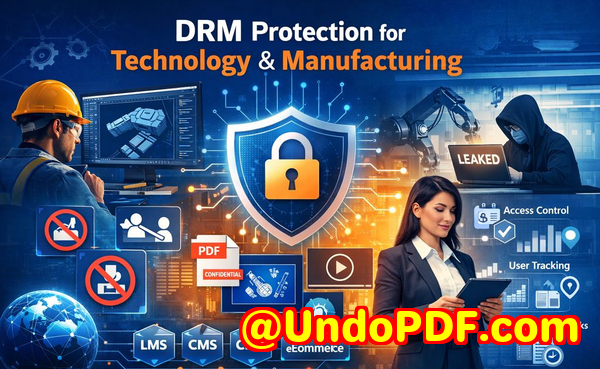
For many businesses, this is not a hypothetical risk; it’s a visible and measurable problem. Imagine a competitor gaining access to your market research, reverse-engineering your strategies, or repurposing your client presentations. Even a single incident of unauthorized document sharing can cost tens of thousands of dollars or more. That’s why protecting your PDFs and sensitive business files has never been more critical.
One of the biggest pain points companies face is the uncontrolled distribution of key business reports. Market research or strategy documents often travel through emails, cloud storage, or even physical USB drives. Once outside your immediate control, these files can be copied, printed, or shared with anyone, intentionally or accidentally. The result? Lost deals, competitive disadvantages, and exposure to risks that could have been prevented.
Another major risk comes from unauthorized file conversion. PDFs may seem secure, but without strong protection, they can be converted into Word documents, Excel sheets, or images, enabling easy modification and redistribution. I’ve seen companies lose revenue when internal analyses or client proposals ended up in the hands of competitors because someone simply exported a PDF to an editable format.
Then there’s the loss of control over sensitive business data. You might carefully segment access to certain documents internally, but once a report leaves your secure servers, you have no guarantee who reads it or where it ends up. That exposure can be devastating for businesses handling proprietary research, pricing models, or strategic forecasts.
This is where VeryPDF DRM Protector becomes a practical solution. It provides a robust layer of protection that addresses these visible business risks in real operational contexts. With DRM protection, you can:
-
Restrict PDF access to authorized users, teams, or departments. You can decide who sees a document and revoke access if needed.
-
Prevent printing, copying, forwarding, or attempts to remove DRM. This ensures your documents stay exactly where you want them.
-
Protect business reports, market research, and proprietary materials, making unauthorized use virtually impossible.
The anti-piracy benefits are tangible. For example, we implemented VeryPDF DRM Protector for a set of strategic reports shared with clients. Within weeks, we discovered several unauthorized attempts to copy or convert the PDFs. Thanks to DRM protection, those attempts failed, and the reports remained secure. This saved us from potential revenue loss and prevented the leakage of sensitive information that could have undermined client relationships.
Using VeryPDF DRM Protector is straightforward. You simply upload your PDF files, configure user permissions, and apply DRM restrictions. You can control:
-
Who can open the document.
-
Whether it can be printed or copied.
-
Expiration dates or time-limited access.
One client shared a real example that illustrates the value clearly: They regularly send detailed market research reports to select investors. Before using DRM protection, some reports were accidentally forwarded beyond the intended recipients, creating confusion and competitive risk. After implementing VeryPDF DRM Protector, the company could safely distribute reports knowing that unauthorized users could neither open nor redistribute the content. The result was increased client trust and no more leaked documents.
In another scenario, a consultancy firm relied on proprietary templates for client proposals. Without DRM, competitors had begun obtaining copies through casual sharing. Applying VeryPDF DRM Protector ensured that all PDFs were accessible only to authorized teams. The firm not only stopped leaks but also saved thousands of dollars in potential lost contracts, demonstrating a measurable return on security investment.
Here’s a practical step-by-step approach for businesses looking to secure their reports:
-
Identify sensitive documents, including market research, business strategies, and client-facing reports.
-
Apply VeryPDF DRM Protector to each file, setting specific access rights.
-
Share documents with clients or internal teams through secured channels.
-
Monitor document access and revoke permissions if necessary.
-
Regularly update your security policies to address new risks and compliance requirements.
I highly recommend this to anyone distributing confidential business documents who wants to avoid costly leaks. Implementing DRM protection is not just about technologyit’s about taking measurable steps to safeguard your company’s intellectual property, client trust, and revenue streams.
Try it now and protect your business reports: https://drm.verypdf.com
Start your free trial today and keep your market research secure from leaks or misuse.
Frequently Asked Questions
How can I limit access to confidential business documents to prevent revenue loss?
You can restrict PDF access to specific users, teams, or departments using DRM protection, ensuring only authorized personnel can open, view, or interact with your documents.
Can I stop others from copying, printing, or converting my reports into editable formats?
Yes. VeryPDF DRM Protector allows you to prevent printing, copying, forwarding, and file conversion, keeping sensitive content secure.
How do I track who accessed my business reports and when?
The DRM system provides logs and monitoring features, allowing you to see which users opened your PDFs and when, giving full visibility into document usage.
Does DRM technology prevent unauthorized sharing of PDFs outside my organization?
Absolutely. DRM protection blocks unauthorized access and prevents recipients from forwarding or distributing protected PDFs to anyone outside the authorized group.
How easy is it to securely distribute protected business reports to clients or colleagues without risk?
It’s simple. You can upload your PDF, apply access restrictions, and share a secure link or file. The DRM ensures that only intended recipients can open it.
Can I set time limits or expiration for document access?
Yes, you can define expiration dates or time-limited access for sensitive documents, adding an extra layer of control over how long content remains accessible.
What types of business documents benefit most from DRM protection?
Market research reports, business strategies, client proposals, financial forecasts, proprietary templates, and any document containing sensitive or confidential information.
Keywords: protect business reports, secure market research, prevent PDF piracy, stop unauthorized access, protect confidential PDFs, prevent PDF conversion, safeguard business data, control document distribution, prevent IP theft, secure client reports