When Your Market Research Leaks Cost You Clients and Revenue
Losing control over sensitive business reports can silently drain your revenue and damage client trustbut it doesn’t have to.
Last month, I discovered that a critical market research report I had sent to a client had been forwarded to a competitor. Within days, I noticed a similar strategy being implemented in their campaigns. Not only did we risk losing a major contract, but our months of research and analysis were effectively being monetized by someone else. Situations like this are more common than most business owners realize, and the consequences are tangible: lost revenue, eroded client trust, and wasted effort.
One of the biggest challenges for businesses today is protecting proprietary contenteverything from market research reports to internal strategy presentations. PDF files, often considered secure, are surprisingly easy to copy, print, or convert into editable formats without your consent. This means even the most carefully prepared documents can end up in the wrong hands.
I learned quickly that relying on basic password protection or file sharing limits wasn’t enough. That’s where VeryPDF DRM Protector comes in. It provides a robust, business-friendly solution for securing confidential data, stopping PDF piracy, and preventing unauthorized accessall in real operational contexts.
Business Pain Points That Are Costing You
-
Unauthorized Sharing of Reports
We often assume that sending a PDF to a trusted client or partner is safe. The reality is that once a file leaves your hands, it’s vulnerable. Forwarded emails, shared drives, and accidental leaks can expose your proprietary market research to competitors. The result? Lost deals, diminished trust, and strategic disadvantages.
-
Copying, Printing, and Conversion Risks
Many business professionals underestimate how easy it is for someone to convert a PDF into Word, Excel, or image formats. Suddenly, your in-depth analysis or client-specific insights can be copied, repurposed, and even sold. Each unauthorized copy represents potential revenue leakage and intellectual property theft.
-
Loss of Control Over Sensitive Data
Without proper protection, you can’t track who accessed your reports, when they were opened, or whether they were forwarded. This lack of control creates risk for decision-making, competitive strategy, and client confidentiality.
How VeryPDF DRM Protector Solves Real Business Problems
VeryPDF DRM Protector provides practical, scenario-based solutions for businesses that can’t afford leaks. Here’s how it works in real-world situations:
-
Restrict Access to Authorized Users
You can assign permissions by user, team, or department. Only the intended recipients can open and read the document, eliminating the risk of accidental sharing outside the organization.
-
Prevent Printing, Copying, or Forwarding
Once protected, PDFs can’t be printed, copied, or forwarded. Even if someone tries to bypass security, DRM enforcement ensures the content remains secure.
-
Stop Unauthorized Conversions
No more worries about reports being converted to Word, Excel, or images. Your proprietary business content stays in its original form, ensuring your market insights can’t be repurposed or sold.
-
Maintain Full Control Over Distribution
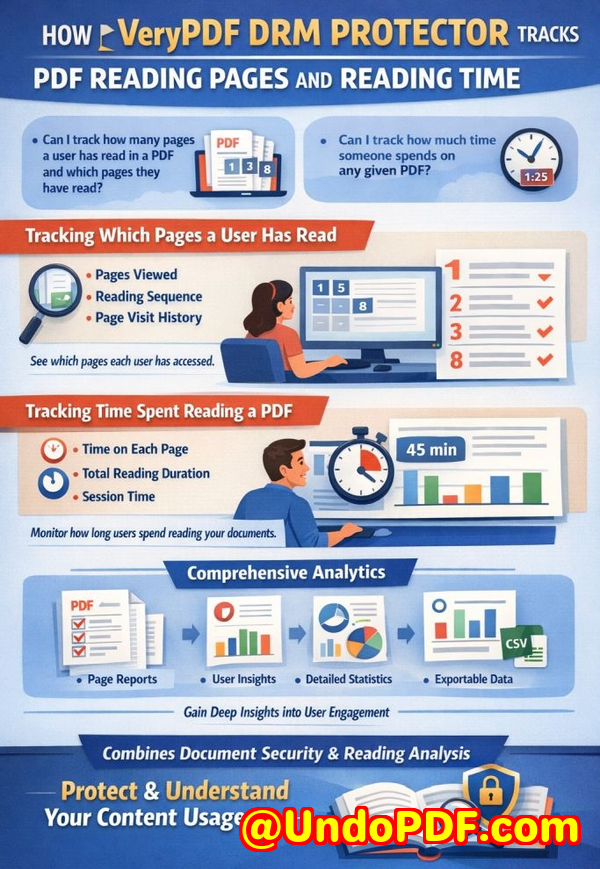
Track access in real-time, see who viewed the document, and revoke permissions instantly if a file is compromised. This makes client communication and internal sharing much safer.
Real-World Scenarios Where DRM Made a Difference
Last quarter, a marketing team shared a campaign strategy with a new client. Within days, a competitor launched a nearly identical campaign. Thanks to VeryPDF DRM Protector, subsequent strategy updates were fully secured, and sensitive data was never leaked again.
Another case involved a research analyst who prepared a comprehensive market report for a major investor pitch. DRM protection prevented the document from being printed or converted, ensuring the insights were only seen by authorized stakeholders. The investor was impressed, and no intellectual property was compromised.
Even day-to-day content management is simplified. We no longer have to worry about employees or contractors accidentally forwarding sensitive materials. The DRM system automates protection, reducing manual oversight and saving time.
Practical Tips for Protecting Your Business Reports
-
Always apply DRM before sharing PDFs externally This ensures that even if the file is forwarded, only authorized users can access it.
-
Set specific user permissions Assign access rights per team, department, or individual to prevent unauthorized access.
-
Monitor access logs Use tracking features to see who opens your reports and when. This is crucial for auditing and detecting potential leaks early.
-
Prevent conversions Protect PDFs from being exported into editable formats to safeguard intellectual property.
-
Revoke access when necessary If a client relationship ends or a file is compromised, DRM allows you to instantly remove access.
Conclusion: Why This Matters for Your Business
Protecting confidential business reports isn’t just about technologyit’s about avoiding measurable losses. From lost contracts to compromised market intelligence, leaks have real consequences. Using VeryPDF DRM Protector, I’ve regained control over my company’s sensitive data, prevented revenue leakage, and protected client trust.
I highly recommend this to anyone distributing confidential business documents who wants to avoid costly leaks. Try it now and protect your business reports: https://drm.verypdf.com
Start your free trial today and keep your market research secure from leaks or misuse.
FAQs
Q: How can I limit access to confidential business documents to prevent revenue loss?
A: VeryPDF DRM Protector lets you restrict access by user, team, or department. Only authorized recipients can open the document, preventing accidental sharing or leaks.
Q: Can I stop others from copying, printing, or converting my reports into editable formats?
A: Yes. DRM protection prevents printing, copying, forwarding, or converting PDFs to Word, Excel, or images, safeguarding your intellectual property.
Q: How do I track who accessed my business reports and when?
A: The system logs document access in real-time, allowing you to see who opened a file, when, and on which device, giving full control over confidential content.
Q: Does DRM technology prevent unauthorized sharing of PDFs outside my organization?
A: Absolutely. Even if a PDF is forwarded, only users with the proper permissions can view it, ensuring sensitive information stays secure.
Q: How easy is it to securely distribute protected business reports to clients or colleagues without risk?
A: VeryPDF DRM Protector is designed for practical business use. You can apply protection quickly, assign access rights, and share documents securely with clients or internal teams.
Q: Can I revoke access after a document has been shared?
A: Yes, you can instantly revoke access if a document is compromised or a project ends, ensuring ongoing protection of your proprietary content.
Q: Will DRM affect the readability or usability of my reports for authorized users?
A: No. Authorized users can read the document normally, while all unauthorized actions such as printing or copying are blocked.
Tags/Keywords:
protect business reports, secure market research, prevent PDF piracy, stop unauthorized access, protect confidential PDFs, prevent PDF conversion, safeguard proprietary documents, DRM PDF protection, secure business strategy, prevent intellectual property theft