Browser-based electronic contract signing workflow for freelancers is no longer a “nice to have” , it’s the difference between closing deals today or chasing signatures for days.
VeryPDF Sign vs HelloSign: Fast Browser-Based Contract Signing with Legally Binding E-Signatures for Freelancers and Modern Teams
Let me ask you something blunt.
How many times have you sent a contract and then waited?
Waited for a signature.
Waited for a PDF print-scan cycle.
Waited for a client who “will get to it tomorrow”.
And while you wait, money sits on pause.
That’s the real cost of outdated signing workflows.
I’ve seen freelancers lose momentum on deals simply because the signing process was clunky. I’ve also seen sales teams overcomplicate approvals with tools that feel like they were built for enterprise procurement departments, not people trying to move fast.
This is where VeryPDF Sign changes the game , especially when compared to tools like HelloSign for freelancers who need a fast, browser-based contract signing platform with legally binding signatures.
Let’s break it down like a real operator would.
The real problem nobody talks about in document signing
On paper, electronic signing sounds solved.
But in reality?
It’s still broken in most workflows.
1. Manual signing slows everything down
You send a contract. The client downloads it. Prints it. Signs it. Scans it. Emails it back.
Already you’ve lost speed.
And speed is revenue.
Freelancers especially feel this pain because every delay pushes cash flow further out. Sales teams feel it in pipeline drag. HR teams feel it in onboarding delays.
The worst part? It feels normal. But it’s not efficient , it’s just familiar.
2. No visibility means constant follow-ups
Ever had to ask:
-
“Did you get the contract?”
-
“Can you sign when you get a chance?”
-
“Just checking in on the document…”
That’s not workflow. That’s chasing.
Without real-time tracking, you’re blind. You don’t know who signed, who ignored it, and who’s stuck.
Operations teams waste hours just managing document status instead of doing actual work.
3. Security and compliance risk is quietly huge
Most people don’t think about this until it’s too late.
Unsigned PDFs floating in email threads.
No audit trail.
No proof of when something was signed.
That’s a legal and compliance nightmare waiting to happen.
For industries dealing with contracts, HR records, or financial agreements, this is not optional , it’s critical.
Enter VeryPDF Sign: built for speed, clarity, and control
Now let’s talk about the shift.
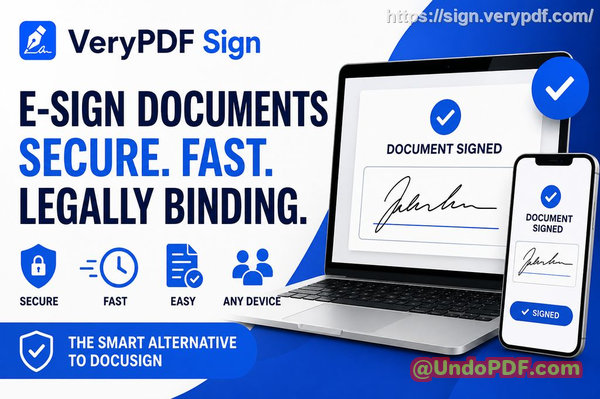
VeryPDF Sign is a browser-based document signing platform designed to remove friction from electronic contract signing workflows without overengineering the experience.
No downloads.
No installations.
No learning curve.
Just upload, sign, send.
You can access it here: https://sign.verypdf.com/
What makes it powerful isn’t complexity , it’s elimination of friction.
Why VeryPDF Sign actually fixes the workflow problem
Let’s get practical.
1. Send documents for signing in seconds
Here’s what I like about it.
You upload a file , PDF, Word, Excel, image, whatever.
It converts automatically.
Then you:
-
Add signature fields
-
Drop in initials or dates
-
Send it out instantly
That’s it.
No plugins. No software setup. No “account required for the signer”.
For freelancers, this means you can send a contract the moment a client says “yes”.
2. Real-time tracking that removes guessing
This is where things get serious.
You can see:
-
Who opened the document
-
Who signed it
-
Who is still pending
No more blind follow-ups.
Instead of chasing, you manage.
For sales teams, this is the difference between guessing pipeline health and actually knowing it.
For HR teams, it means onboarding doesn’t stall in silence.
3. Legally binding and secure by design
VeryPDF Sign isn’t just “image-insert signature”.
It supports legally binding electronic signatures compliant with:
-
ESIGN
-
UETA
-
eIDAS
Every document is encrypted (256-bit SSL), and files are automatically deleted after processing unless saved.
That matters.
Because when contracts get serious, you don’t want “hope it holds up in court”.
You want certainty.
HelloSign vs VeryPDF Sign: what freelancers actually feel in real use
Let’s be honest.
HelloSign is well known. It works. It’s established.
But here’s the real-world difference freelancers care about:
HelloSign often feels like part of a larger ecosystem. That’s great for enterprise workflows, but not always ideal if you just want fast, lightweight signing without friction.
VeryPDF Sign focuses on:
-
Immediate browser access
-
No-install workflow
-
Faster send-to-sign cycle
-
Simpler interface for non-technical users
So the comparison isn’t about features on paper.
It’s about speed of execution.
And freelancers don’t get paid for setup time. They get paid for turnaround time.
Real-world scenarios where this actually changes outcomes
Let me make this concrete.
Story 1: Freelance designer closing faster
A freelance designer sends proposals weekly.
Before:
-
23 days waiting for signatures
-
Multiple follow-ups
-
Deals cooling off mid-process
After switching to a browser-based signing workflow:
-
Contracts sent immediately after client calls
-
Signed within hours instead of days
-
Faster cash collection cycle
That’s not small. That’s compounding revenue impact.
Story 2: Sales deal saved by instant signing
A SaaS sales rep had a deal stuck at signature stage.
Client hesitation was minor , but timing mattered.
Instead of sending a static PDF, they used instant electronic contract signing through a secure link.
Client signed on mobile in under 10 minutes.
Deal closed same day.
No follow-up emails. No delay.
Story 3: HR onboarding compliance simplified
An HR manager handling remote onboarding had inconsistent document returns.
Some signed pages were missing. Some were unsigned. Some were emailed late.
With structured audit trails:
-
Every document was tracked
-
Missing signatures were instantly visible
-
Compliance reporting became simple
Less chaos. More control.
How to actually use VeryPDF Sign effectively (step-by-step)
Let me keep this simple and usable.
Step 1: Upload your document
-
PDF, Word, Excel, image , all supported
-
Auto-converted into a signable format
Step 2: Create your signature
-
Draw with mouse or touch
-
Type your name in a styled format
-
Upload your handwritten signature
Step 3: Place fields strategically
-
Signature blocks
-
Dates
-
Checkboxes
-
Initials
Be intentional here. Don’t just “drop and send”.
Step 4: Send or sign instantly
-
Send to clients or team members
-
Or sign yourself immediately
-
Track everything in real time
Pro tips I personally use:
-
Always place signature fields clearly at the end of clauses
-
Use initials on multi-page contracts for legal clarity
-
Enable tracking before sending anything important
-
Save reusable signature styles for speed
This is where workflows start feeling like systems instead of tasks.
Why this matters more than just “convenience”
Let’s zoom out.
Most people think electronic signing is about saving paper.
Wrong.
It’s about:
-
Speeding up revenue cycles
-
Reducing operational drag
-
Increasing deal closure velocity
-
Removing uncertainty from approvals
That’s real business leverage.
If you’re still relying on print-sign-scan loops or fragmented tools, you’re not just behind , you’re actively slowing yourself down.
Key advantages of VeryPDF Sign (what stands out)
Here’s what consistently matters in real usage:
-
Browser-based access (no installs, ever)
-
Fast signing workflow (seconds, not minutes)
-
Real-time tracking and audit logs
-
Legally compliant e-signatures globally
-
Works across all devices
-
Simple UX that doesn’t require training
-
Secure encrypted processing
-
Supports multiple file types beyond PDF
This is not feature overload.
It’s removal of friction.
Target audience (who gets the most value)
This is not for everyone. It’s for people who move documents constantly:
-
Freelancers sending contracts weekly or daily
-
Sales teams closing deals under pressure
-
HR teams managing onboarding workflows
-
Legal professionals handling approvals
-
Operations teams coordinating multi-party signatures
If documents are part of your revenue or workflow, this matters.
Target keywords (important for clarity and search)
-
browser-based electronic contract signing workflow for freelancers
-
online document approval system
-
digital signature workflow for business contracts
-
fast contract signing platform in browser
-
legally binding e-signatures for freelancers
-
secure electronic document signing tool
-
real-time contract signature tracking system
These naturally reflect what people are actually trying to solve , not just generic “e-signature” terms.
FAQs
Is electronic signature legally valid?
Yes. VeryPDF Sign supports legally binding electronic signatures compliant with ESIGN, UETA, and eIDAS regulations.
Can multiple parties sign the same document?
Yes. You can send documents to multiple signers and track each signature in sequence or parallel.
Can I track who has signed and who hasn’t?
Yes. You get real-time visibility into document status, including pending, completed, and signed stages.
Does it support mobile signing?
Yes. It works directly in mobile browsers on iOS and Android with no installation required.
How secure are digitally signed documents?
Documents are encrypted using 256-bit SSL, and files are automatically deleted after processing unless saved.
Can I reuse my signature?
Yes. Once created, your signature is saved for one-click reuse across documents.
Can I integrate it into my workflow or tools?
Yes. There is API and integration support for embedding signing into existing systems.
Final takeaway
If you strip everything away, this comes down to one thing.
Speed of agreement.
VeryPDF Sign removes the friction between “yes” and “signed”.
And in business, that gap is where deals are won or lost.
I highly recommend this for anyone handling contracts and approvals daily.
Try it now and streamline your document signing workflow: https://sign.verypdf.com/
Start your free trial today and eliminate paper-based signing delays.
browser-based electronic contract signing workflow for freelancers