Secure electronic signature workflow comparison: VeryPDF Sign vs Dropbox Sign for enterprise-ready contract approval speed, compliance, and browser-based document signing
Have you ever watched a contract sit idle for days, not because someone disagreed with it, but because someone forgot to print it, sign it, scan it, and email it back?
That’s the real bottleneck in most businesses. Not the decision-making. Not the deal value. It’s the friction in the signing process.
I’ve seen HR teams chasing onboarding documents for a week. Sales teams losing momentum on warm leads because a signature didn’t come back in time. Legal teams drowning in version control chaos. Operations teams stuck waiting on “just one more approval”.
And every time, it comes back to the same root issue: traditional signing workflows don’t match how fast business moves today.
That’s exactly why I started paying attention to browser-based tools like VeryPDF Sign and how they compare with established players like Dropbox Sign.
Because when you strip everything away, this isn’t about “e-signatures”. It’s about speed, control, and trust in your document workflow.
And that’s where the real difference shows up.
Why most document signing workflows still break in 2026
Let’s be honest. Most teams don’t struggle with creating documents. They struggle with closing them.
There are three recurring problems I keep seeing across HR, legal, sales, and operations teams:
First, the manual loop is still everywhere. Print, sign, scan, upload, email, resend. It sounds ridiculous in 2026, but it’s still the default in many organisations. Every extra step adds delay, and delay kills momentum.
Second, there’s no real visibility. Once a document is sent, it disappears into a black box. Who opened it? Who signed it? Who is holding it up? Teams end up chasing people instead of managing workflows.
Third, there’s risk hiding in plain sight. Unsecured PDFs floating through email threads. No clear audit trail. No consistent encryption. And when compliance asks for proof, people scramble.
These are not minor inefficiencies. They are deal blockers.
Why browser-based signing changed the game
This is where modern tools shift everything.
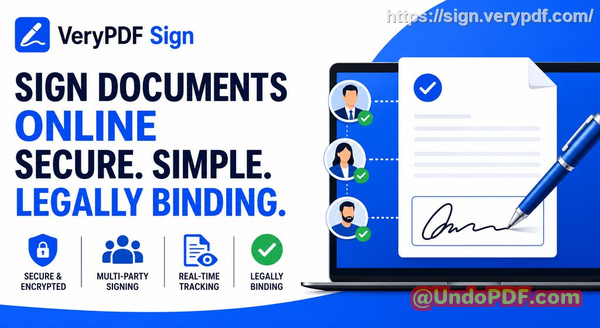
With VeryPDF Sign, the entire workflow happens in the browser. No installation. No setup headache. No training manuals.
You upload, sign, send, and track, all in seconds.
And more importantly, it removes the friction points that slow teams down:
-
No printing or scanning
-
No chasing email attachments
-
No version confusion
-
No “did you sign it yet?” follow-ups
Instead, everything becomes a controlled, trackable flow.
You can try it directly here: VeryPDF Sign
VeryPDF Sign vs Dropbox Sign: what actually matters in real workflows
Now, Dropbox Sign is a well-known tool. It’s widely used and integrates well with the Dropbox ecosystem. But when you look at real-world signing speed, flexibility, and control, the differences become obvious.
With Dropbox Sign, you get a solid, structured signing system. It works well for standard workflows inside Dropbox-centric environments.
But in fast-moving teams, the friction often shows up in three areas:
-
Setup and workflow flexibility
-
Real-time control and tracking depth
-
Lightweight browser-first speed for external signers
On the other hand, VeryPDF Sign is built for immediacy. It’s designed for people who don’t want to “manage a system” just to sign a document.
They just want to get it signed and move on.
That difference sounds small. It isn’t. It’s the difference between same-day closing and next-week delays.
How VeryPDF Sign removes friction from signing workflows
Let’s break down how it actually works in practice.
When I tested VeryPDF Sign, the process felt almost too simple:
You upload a document (PDF, Word, Excel, PowerPoint, even images). It auto-converts everything into a signing-ready format.
Then you create a signature. You can:
-
Draw it with your mouse or touchscreen
-
Type your name in a stylised font
-
Upload your handwritten signature image
Once that’s done, it’s saved. You don’t repeat it again.
Then you place it exactly where it needs to go, signature, initials, dates, checkboxes, all draggable and precise.
Finally, you either download it instantly or send it out for others to sign with real-time tracking.
No friction. No delays. No confusion.
The real business impact: what changes when signing becomes instant
This is where things get interesting. Because features don’t matter. Outcomes do.
I’ve seen three consistent improvements when teams switch to a fast browser-based system like VeryPDF Sign.
1. Contracts stop stalling
One sales team I worked with used to lose 24 days per contract cycle due to signing delays. After moving to instant browser signing, deals started closing within hours instead of days.
That wasn’t because the sales team got better at selling. It was because the bottleneck disappeared.
2. HR onboarding accelerates immediately
HR teams often underestimate how much time is lost waiting for signed documents, offer letters, NDAs, policy acknowledgements.
With real-time signing and tracking, onboarding becomes a same-day process instead of a multi-day chase.
3. Compliance risk drops dramatically
Every signed document in VeryPDF Sign comes with audit trails and encryption. That means every action is recorded, time-stamped, and traceable.
So when compliance asks “who signed what and when”, you don’t search, you export.
That alone saves hours of administrative fire drills.
What makes VeryPDF Sign different in practice (not theory)
A lot of tools say the same things: “secure”, “fast”, “easy”.
But here’s what actually stands out with VeryPDF Sign:
It doesn’t try to be an ecosystem you have to learn. It behaves like a tool you just use.
And that matters.
Because in real organisations, adoption fails when tools feel heavy.
Here’s what I noticed:
-
It works on any device instantly (Mac, Windows, Linux, iOS, Android)
-
It runs entirely in the browser (no IT approval bottleneck)
-
It supports multiple file types without conversion headaches
-
It automatically deletes files after a short period for security
-
It tracks signature progress in real time
It’s not trying to replace your workflow. It just removes the slow parts.
Step-by-step: how teams actually use it daily
Here’s the real-world flow I recommend:
-
Upload the document
-
Drag and drop PDF, Word, Excel, or images
-
Everything converts automatically
-
-
Prepare signing fields
-
Add signature boxes, initials, dates, checkboxes
-
Position them exactly where needed
-
-
Send or sign instantly
-
Sign yourself or send to multiple parties
-
Recipients get secure email links
-
-
Track progress in real time
-
See who opened, viewed, and signed
-
No guessing, no follow-ups
-
-
Finalise and store
-
Download signed document
-
Or share secure access link
-
That’s it. No training required.
Security and compliance without complexity
This is where a lot of tools either overcomplicate things or underdeliver.
VeryPDF Sign takes a simple but strong approach:
-
256-bit SSL encryption for all transfers
-
Files automatically deleted after a short retention window
-
Audit logs for every action
-
Compliance support for ESIGN, UETA, and eIDAS standards
You’re not just signing documents. You’re creating defensible records.
And in legal or regulated environments, that difference matters.
Where Dropbox Sign still fits (and where it doesn’t)
To be fair, Dropbox Sign still makes sense if your entire organisation lives inside Dropbox and you want tight ecosystem integration.
But if your priority is:
-
Speed of external signing
-
Minimal setup friction
-
Lightweight browser-first experience
-
Fast contract turnaround across mixed teams
Then tools like VeryPDF Sign are simply more direct.
It’s not about more features. It’s about fewer steps.
My practical takeaway
After working with multiple signing systems, I’ve learned something simple:
The best system is the one people actually complete.
Not the one with the most features. Not the one with the deepest integrations. The one that removes excuses.
And that’s why I highly recommend this for anyone handling contracts and approvals daily: VeryPDF Sign.
It turns signing from a process into a moment.
FAQs
Is electronic signature legally valid?
Yes. Electronic signatures are legally binding under frameworks like ESIGN, UETA, and eIDAS when implemented correctly. VeryPDF Sign supports these compliance standards.
Can multiple parties sign the same document?
Yes. You can send a document to multiple signers and track each step in sequence or parallel workflows.
Can I track who has signed and who hasn’t?
Yes. You get real-time status tracking showing who viewed, signed, or is still pending.
Does it support mobile signing?
Yes. It works directly in mobile browsers on iOS and Android without any app installation.
How secure are digitally signed documents?
Documents are encrypted with 256-bit SSL, include audit trails, and are automatically deleted after a short retention period unless saved.
Final thoughts
If your team is still stuck in print-sign-scan cycles, you’re not just losing time, you’re losing momentum, deals, and clarity.
Switching to a browser-first system like VeryPDF Sign removes that drag completely and replaces it with speed, visibility, and control.
Try it now and streamline your document signing workflow: https://sign.verypdf.com/
Start your free trial today and eliminate paper-based signing delays.
secure electronic signature workflow comparison