UndoPDF

Securely share ID cards digitally, tracking opens, prints, and preventing unauthorized forwarding

Securely share ID cards digitally, tracking opens, prints, and preventing unauthorized forwarding

Sharing sensitive documents like ID cards, passports, or social security numbers used to give me serious anxiety.

I remember last year, I had to send copies of employee IDs and passport scans for a compliance audit.

Every email I sent felt like a potential disaster waiting to happen.

What if the attachments got forwarded? What if someone printed them without permission?

What if my files ended up in the wrong hands?
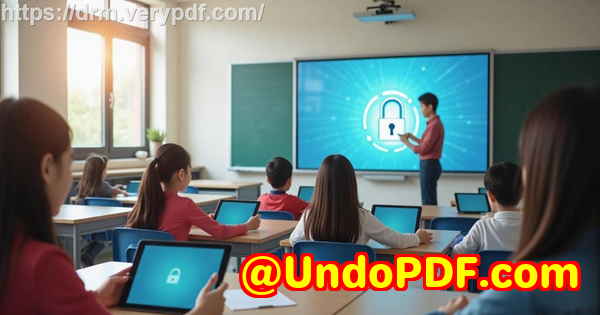
Securely share ID cards digitally, tracking opens, prints, and preventing unauthorized forwarding

That’s when I discovered VeryPDF DRM Protector, and honestly, it changed the way I share sensitive documents forever.


From the get-go, what struck me about VeryPDF DRM Protector was how it combined security with simplicity.

You create a “Space” and drop in whatever documents you need to share ID cards, passports, PDFs, notes, or even links to important sites.

The magic happens because everything in that space is end-to-end encrypted.

No setup, no complicated security keys it just works.

Sharing documents has never been this stress-free.

For example, I needed to send scanned passports to multiple team members securely.

I created a new space, uploaded the documents, and shared the link via a QR code.

Recipients could instantly access the documents, but only if they were authorized.

No PDFs floating around in email chains that could be accidentally forwarded.


How I controlled document usage

One of my biggest fears was printing.

Before VeryPDF DRM Protector, once a document left my hands, I had zero control over it.

Now, I can stop unauthorized printing entirely or limit the number of prints.

Even better, I can add dynamic watermarks that include the user’s name, email, or the exact timestamp.

I did this for our ID scans and immediately noticed how careful recipients became knowing their name and access time would be visible made them handle files responsibly.

Another feature that saved me headaches was device and location locking.

Documents can only be opened on authorized devices, and you can restrict access to specific countries or IP ranges.

So even if someone tried to forward a file, it wouldn’t open elsewhere.

I remember one case where an employee accidentally attempted to open a shared file on their personal laptop from home it failed instantly.

Peace of mind doesn’t get better than that.


Tracking opens and prints like a boss

Before, I’d never know if someone actually viewed a document I sent.

With VeryPDF DRM Protector, I can track every single view and print.

I know who opened a document, when, on what device, and how many times it was printed.

For our compliance team, this was a game-changer.

We could finally prove that sensitive IDs were handled properly, without guessing.


Automatic expiry and revoking access

Here’s another lifesaver: automatic expiry.

I set some documents to expire after a certain number of views or prints, and others on a fixed date.

It’s incredible to know that even if someone keeps a downloaded file, access will eventually disappear.

Revoking access is just as easy.

I once had to immediately stop access for a former contractor one click and all their document access was gone, instantly.

No panic, no chasing down files.


Who benefits most from this tool

Honestly, anyone dealing with sensitive personal or corporate information will find VeryPDF DRM Protector invaluable:

  • HR teams sending ID cards, passports, or contracts

  • Finance teams sharing tax forms or bank details

  • Legal departments handling confidential agreements

  • Educational institutions distributing student records

  • Healthcare providers sharing medical records securely

If your work involves sharing confidential documents digitally, this tool isn’t optional it’s essential.


Real-world scenarios

Here are a few ways I’ve used VeryPDF DRM Protector that might resonate:

  • Sharing staff passports and IDs during onboarding fully encrypted, tracked, and watermarked.

  • Sending W-2 and 1099 forms to contractors with automatic expiry after one view.

  • Distributing legal contracts with device locking so only intended recipients could access them.

  • Sharing confidential health records with a restricted IP range to ensure privacy compliance.

Before this, every document I sent felt like tossing it into the wind.

Now, I know exactly what’s happening with every file I share.


Why I recommend VeryPDF DRM Protector

It’s simple, effective, and designed to prevent the nightmares I’ve experienced with unsecured document sharing.

Unlike password-protected PDFs or shared drives, it truly stops forwarding, copying, and printing.

Tracking, revoking access, device and location locking it covers every angle.

I’d highly recommend this to anyone who deals with sensitive IDs or documents.

Click here to try it out for yourself: https://drm.verypdf.com/


Custom Development Services by VeryPDF

VeryPDF offers comprehensive custom development services to meet your unique technical needs.

Whether you require specialised PDF processing solutions for Linux, macOS, Windows, or server environments, VeryPDF’s expertise spans a wide range of technologies and functionalities.

Services include developing utilities using Python, PHP, C/C++, Windows API, Linux, Mac, iOS, Android, JavaScript, C#, .NET, and HTML5.

They can create Windows Virtual Printer Drivers to generate PDF, EMF, and image formats, as well as capture and monitor printer jobs from all Windows printers into PDF, EMF, PCL, Postscript, TIFF, and JPG.

VeryPDF also provides solutions involving system-wide or application-specific hook layers to monitor Windows APIs, analysis and processing of PDFs, PCL, PRN, Postscript, EPS, and Office documents, barcode recognition, OCR, and OCR table recognition.

Other services include document form generators, graphical and image conversion tools, cloud-based solutions for conversion, viewing, and digital signatures, and technologies for PDF security, digital signatures, DRM protection, and Office and PDF document printing.

For specific technical needs, contact VeryPDF at https://support.verypdf.com/ to discuss your project requirements.


FAQs

1. Can I track who opened my ID documents?

Yes. VeryPDF DRM Protector logs views, prints, and device info for every recipient.

2. Can I prevent my documents from being printed or copied?

Absolutely. You can disable printing, limit the number of prints, and add dynamic watermarks to discourage copying.

3. Can I revoke access to a document after sharing?

Yes. Access can be revoked instantly for all or selected users, even after files have been downloaded.

4. Is it possible to restrict document use to specific devices or locations?

Yes. You can lock documents to authorized devices and restrict access based on IP addresses or countries.

5. How do I share documents securely with multiple recipients?

You can create a Space, upload your files, and share access via QR code or secure URL. Only authorised users can open the documents.


Tags or keywords

VeryPDF DRM Protector, secure ID sharing, digital document security, encrypted file sharing, prevent document forwarding, document tracking, sensitive document management, DRM for PDFs, secure online sharing, document access control
UndoPDF

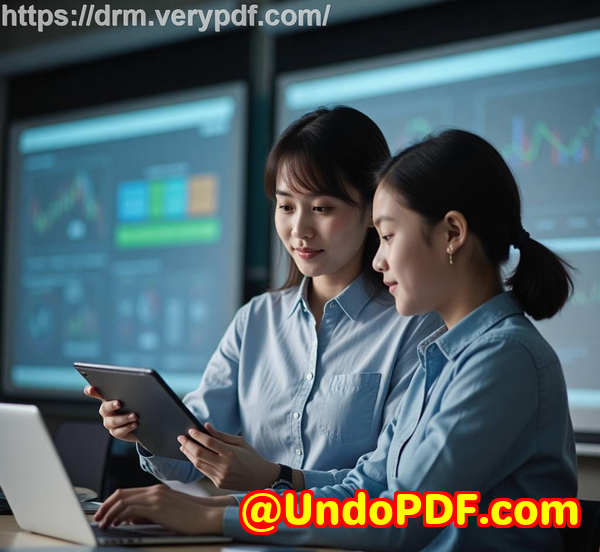
Protect passports and travel documents online with controlled access, dynamic watermarking, and revocable permissions

Protect passports and travel documents online with controlled access, dynamic watermarking, and revocable permissions

Every time I travel, I get that sinking feeling: “Am I sharing my passport safely?” Whether it’s for a job verification, a visa application, or just submitting ID to an online service, sending sensitive documents like passports, driver’s licences, or birth certificates over the internet always makes me nervous. A simple email attachment doesn’t cut it anymorefiles can be intercepted, shared, or even copied without my knowledge.

Protect passports and travel documents online with controlled access, dynamic watermarking, and revocable permissions

That’s when I discovered VeryPDF DRM Protector. It completely changed the way I handle confidential documents. This tool isn’t just another file-sharing platform; it’s a fortress for sensitive information. Right from the start, I realised how it makes sharing my travel documents, tax forms, and personal IDs simple, secure, and under my control.

VeryPDF DRM Protector is designed for anyone who needs to share highly confidential documentsthink HR teams sending employment verification forms, accountants handling tax documents, lawyers sharing contracts, or individuals needing to submit passports and government IDs. It’s flexible enough to manage PDFs, high-quality images, notes, and even website linksall in one secure space. And it’s easy to use, which is a huge bonus.

The first feature that really blew me away was controlled access. Every document I uploaded could be locked to specific users, devices, and even locations. I remember needing to send my passport scan to an overseas visa agent. Normally, I’d worry about the file being forwarded to someone else or intercepted. With VeryPDF DRM Protector, I could restrict access so only their verified device could open the file, and I could revoke access instantly once it was no longer needed. That kind of control is something I’ve never seen with regular PDF passwords or cloud storage.

Next up, dynamic watermarking. This isn’t your basic “Confidential” stamp. The software allows me to insert the viewer’s name, email, company, date, and time directly onto the document whenever it’s opened or printed. I remember sending my passport copy for verification, and the watermark dynamically included the agent’s name and the exact timestamp. It gave me peace of mind, knowing that if someone tried to take a screenshot or print it, my document would still carry traceable information. It’s a subtle but powerful deterrent against unauthorised sharing.

Another lifesaver is the revocable permissions and expiry controls. With traditional sharing, once a file is out, there’s no going back. I can’t tell you how many times I’ve emailed documents and then panicked later thinking someone could misuse them. VeryPDF DRM Protector allows me to set documents to automatically expire after a certain number of days, views, or prints. Even better, I can instantly revoke access for a single user or all users if circumstances change. For instance, when I needed to withdraw a passport submission from a processing agent, I simply revoked access in secondsno emails, no chasing people down.

The software also tracks how documents are used. I can see when a file was opened, printed, and on which device. It sounds meticulous, but in practice, it’s incredibly reassuring. I once needed to confirm whether a tax document had been received and printed by my accountant. Checking the activity log gave me the exact time and device information without sending a single follow-up message.

Compared to other tools, VeryPDF DRM Protector is a cut above. Cloud storage services are convenient but rely on trust and basic permissions that can be bypassed. Standard PDF encryption is weakanyone with the password can forward or copy the file. VeryPDF’s combination of end-to-end encryption, device locks, dynamic watermarks, and revocable permissions offers a level of control that’s unmatched. I’ve tested a few competitors, and none provide such seamless, comprehensive protection for sensitive travel documents.

The user interface deserves a mention too. Even though the tool offers powerful security features, using it is straightforward. I simply created a new secure “space,” added my documents, and shared the URL or QR code with the recipient. There’s no complicated setup, no keys to manually distribute. It’s end-to-end secure from the start, which is perfect for someone like me who doesn’t want to waste time on tech headaches.

Use cases for VeryPDF DRM Protector are wide-ranging. Beyond passports, it’s ideal for:

  • Legal teams sharing contracts or client documents

  • Accountants and financial professionals exchanging tax forms and sensitive financial records

  • HR departments managing employment verification or personal IDs

  • Healthcare providers sending medical records securely

  • Individuals submitting government IDs for visa or banking purposes

In every scenario, the tool ensures sensitive documents are controlled, tracked, and protected from misuse.

I can confidently say that for anyone dealing with confidential documents online, VeryPDF DRM Protector is indispensable. I no longer stress about sending passports, tax documents, or contracts electronically. I’ve saved countless hours managing secure sharing manually, avoided unnecessary risks, and gained complete visibility over how my files are used.

If you handle sensitive travel documents or personal records online, this is a tool you can’t overlook. Start your free trial now and boost your productivity: https://drm.verypdf.com/

VeryPDF offers comprehensive custom development services to meet your unique technical needs. Whether you need tailored PDF processing for Linux, macOS, Windows, or server environments, their team can develop solutions for a wide range of technologies including Python, PHP, C/C++, Windows API, Linux, Mac, iOS, Android, JavaScript, C#, .NET, and HTML5.

They specialise in creating Windows Virtual Printer Drivers that can generate PDF, EMF, and image formats, and tools that capture and monitor print jobs from any Windows printer, saving them as PDF, EMF, PCL, Postscript, TIFF, or JPG. VeryPDF can also develop systems that hook into applications to monitor and intercept Windows APIs, including file access, giving you fine-grained control over document workflows.

Additionally, VeryPDF’s expertise covers document format analysis and processing (PDF, PCL, PRN, Postscript, EPS, Office files), barcode recognition and generation, layout analysis, OCR for scanned documents, report and form generation, graphical and image conversion, and management tools for images and documents. Cloud-based solutions include secure document conversion, viewing, and digital signatures, plus technologies for PDF security, DRM, and compliance.

For custom technical projects or specific document security requirements, contact VeryPDF through their support centre: https://support.verypdf.com/

FAQ

1. Can I share my passport safely using VeryPDF DRM Protector?

Yes, all documents are end-to-end encrypted, and access can be restricted to specific users, devices, and locations. You can also revoke access at any time.

2. Can I add watermarks to protect my documents?

Absolutely. Dynamic watermarks can include user information, date, time, and company details, visible whenever a document is viewed or printed.

3. How do I control document expiry?

You can set files to expire after a fixed date, a number of days, or after specific views or prints, ensuring documents are automatically protected.

4. Can I track who accessed my files?

Yes. VeryPDF DRM Protector logs document views, prints, devices used, and even the operating system, giving you full visibility.

5. What types of documents can I share securely?

PDFs, high-quality images (ideal for passports or IDs), notes, website links, and other confidential files can all be securely shared.

Tags or keywords

Document security, secure file sharing, passport protection, DRM protection, digital watermarking, confidential documents, end-to-end encryption, revocable access, sensitive data sharing, travel document security

UndoPDF

Safely send sensitive student records online with controlled viewing, watermarking, and print restrictions

Safely send sensitive student records online with controlled viewing, watermarking, and print restrictions

Every time I had to send student records to another school or share confidential transcripts with parents, I felt a knot in my stomach. The fear wasn’t just about losing filesit was about accidentally giving access to the wrong person. Email attachments, cloud drives, even password-protected PDFs felt risky. One small slip, and sensitive student information like social security numbers or academic records could be exposed. That’s when I stumbled upon VeryPDF DRM Protector, and it completely changed how I handle confidential student documents.

Safely send sensitive student records online with controlled viewing, watermarking, and print restrictions

I first discovered VeryPDF DRM Protector while looking for a secure way to share student records with multiple departments without worrying about unauthorized access. What caught my eye was the promise of end-to-end encryption, combined with flexible controls over viewing, printing, and sharing. Unlike traditional password-protected PDFs or shared drives, this tool actually puts me in the driver’s seat for controlling exactly who sees what and for how long.

VeryPDF DRM Protector is built for anyone who needs to share sensitive documents securely, whether you’re in education, healthcare, finance, or legal services. For me, as a school administrator, it was a game-changer. I could upload transcripts, ID scans, and even notes into a protected “Space” and share them safely with teachers, parents, or third-party organisations. The encryption is automatic, which means I don’t have to worry about manually setting up keys or worrying about cybercriminals intercepting files. Everything is private by default.

One feature that immediately impressed me was controlled viewing and printing. I could limit the number of times a document could be viewed or printed, and even add dynamic watermarks that include the viewer’s name, email, and the exact time they accessed the file. This not only deters unauthorized sharing but also makes tracking easier. I remember sending out a batch of final transcripts to parentsbecause of the watermarks, I could see exactly who opened each file and when, and any prints were logged with their details. No more guessing, no more blind trust.

Another powerful feature is the ability to revoke access instantly. There were situations where a student transferred mid-semester or a staff member left the school, and I needed to make sure certain documents were no longer accessible. With VeryPDF DRM Protector, I could revoke access to specific users or even all users at once, ensuring that outdated or sensitive information didn’t linger in the wrong hands. Compared to regular PDF passwords, which can be shared and bypassed, this level of control felt revolutionary.

Sharing itself became simpler too. VeryPDF DRM Protector allows me to distribute files using a secure URL or a QR code. I remember one busy morning when I had to send student ID scans to a verification agency. Instead of sending multiple attachments via emailwhich could easily get lost or interceptedI generated a QR code, shared it securely, and the agency could access everything they needed without compromising security. It was fast, convenient, and completely safe.

The platform isn’t limited to PDFs either. I’ve also used it to share high-quality images, links to relevant websites, and internal notes. Being able to consolidate all related information into one secure space saved me hours of back-and-forth communication. And thanks to the device and location restrictions, I could ensure that sensitive documents were only accessed from authorized devices within approved locations, adding another layer of protection.

Compared to other tools I’ve tried, VeryPDF DRM Protector stands out because of its comprehensive control over document usage. Some platforms claim security but still allow screen grabs, copying, or uncontrolled printing. With VeryPDF, I could stop editing, copying, or printing entirely, or set specific rules for each action. I remember handling scholarship forms with personal details; I could ensure these documents were read-only and that any printed versions carried user-specific watermarks. This gave me peace of mind that sensitive student data wasn’t going to leak.

The practical benefits have been huge. I’ve reduced the risk of data breaches, streamlined the process of sharing sensitive student records, and built a secure system that staff and parents actually trust. Before this, every document transfer felt like walking a tightrope. Now, I can send transcripts, passports, and personal documents knowing that access, printing, and sharing are all tightly controlled.

If you handle sensitive documentswhether student records, financial forms, or personal IDsI’d highly recommend giving VeryPDF DRM Protector a try. It’s not just about encryption; it’s about full control, visibility, and the confidence that your documents won’t fall into the wrong hands. Start your free trial now and see how much easier secure document sharing can be: https://drm.verypdf.com/

VeryPDF offers comprehensive custom development services to meet your unique technical needs. Whether you require specialized PDF processing solutions for Linux, macOS, Windows, or server environments, VeryPDF’s expertise spans a wide range of technologies and functionalities.

VeryPDF’s services include developing utilities based on Python, PHP, C/C++, Windows API, Linux, Mac, iOS, Android, JavaScript, C#, .NET, and HTML5. They create Windows Virtual Printer Drivers capable of generating PDF, EMF, and image formats, and tools for capturing and monitoring printer jobs, which can intercept and save print jobs from all Windows printers into formats like PDF, EMF, PCL, Postscript, TIFF, and JPG. VeryPDF also provides solutions involving system-wide and application-specific hooks to monitor and intercept Windows APIs, including file access APIs.

Their expertise extends to analysing and processing document formats such as PDF, PCL, PRN, Postscript, EPS, and Office documents. Services include barcode recognition and generation, layout analysis, OCR, OCR table recognition, report and form generation, image conversion tools, and management tools for images and documents. VeryPDF also provides cloud-based solutions for document conversion, viewing, and digital signatures, as well as technologies for PDF security, digital signatures, DRM protection, TrueType font technology, and Office/PDF printing.

For custom technical needs, contact VeryPDF through their support center at https://support.verypdf.com/ to discuss your project requirements.

FAQ

1. How does VeryPDF DRM Protector protect student records from unauthorized access?

It uses end-to-end encryption, device locking, and location restrictions to ensure that only authorized users can view, print, or share documents.

2. Can I revoke access to a document after it has been shared?

Yes. You can instantly revoke access for all users or specific users, ensuring outdated or sensitive information is no longer accessible.

3. Is it possible to track document usage?

Absolutely. VeryPDF DRM Protector logs views, prints, devices, and operating systems, allowing you to monitor exactly how your documents are being used.

4. Can I add watermarks to shared documents?

Yes. You can add dynamic watermarks that include the user’s name, email, company, and access time to discourage unauthorized copying and distribution.

5. What file types can I share using VeryPDF DRM Protector?

You can share PDFs, high-quality images, notes, and links to websites, all secured within a single Space.

6. Can I limit printing of documents?

Yes. You can disable printing completely or limit the number of prints, enforce black-and-white printing, and log each print event with watermarking.

Tags or keywords:

VeryPDF DRM Protector

secure document sharing

student record encryption

controlled document viewing

dynamic watermarking

print restrictions

confidential file protection

document access control

UndoPDF

Keep adoption and family records safe during digital sharing with dynamic watermarking and view limits

Keep adoption and family records safe during digital sharing with dynamic watermarking and view limits

Sharing sensitive family records online can be nerve-wracking.

I remember the first time I needed to send my child’s adoption papers to a legal office across the country.

The thought of emailing scanned documents that contained personal details like birth certificates, social security numbers, and passports kept me up at night.

Who could guarantee they wouldn’t fall into the wrong hands?

Keep adoption and family records safe during digital sharing with dynamic watermarking and view limits

That’s when I discovered VeryPDF DRM Protector.

This tool completely changed the way I share sensitive documents, especially those that involve adoption records or family histories.

It’s not just a PDF locker; it’s a full-fledged document protection system that gives you control over who sees your files, where, and for how long.

I first started using VeryPDF DRM Protector for personal documents, but its features quickly made me realise its potential for small legal firms, adoption agencies, and anyone handling sensitive family records.

You create a “Space” a secure, encrypted environment where you can upload documents, images, PDFs, and even notes.

Once uploaded, every item is end-to-end encrypted.

This isn’t just hype; the encryption ensures only the people you explicitly allow can access the content.

One of my favourite features is dynamic watermarking.

Before using VeryPDF, I had sent a copy of a birth certificate to a legal partner, only to later worry about it being printed and redistributed without consent.

With dynamic watermarks, every page that’s viewed or printed automatically embeds user-specific information date, user name, email, even company name if applicable.

This instantly adds accountability and discourages unauthorized sharing.

I’ve tested this feature multiple times; each document adapts dynamically, so I don’t have to create a new copy for every recipient.

Another lifesaver is the view and print limits.

For documents like adoption papers, I only want them to be viewed a few times before they expire.

With VeryPDF DRM Protector, you can set limits such as:

  • Number of views

  • Number of prints

  • Fixed expiration dates or days after first access

I remember sending a set of legal forms to a colleague.

I set the document to expire after three views.

A few days later, I got a notification that the recipient had accessed the file once and after the third view, the system automatically locked it.

No manual follow-up, no stress about forgotten permissions.

The device and location locks are equally impressive.

This ensures that documents can only be accessed from authorised devices or even certain IP ranges.

I’ve had instances where I needed to restrict sensitive files to my office network.

With DRM Protector, I could enforce these restrictions without worrying about someone accessing the files on an untrusted device.

Before discovering VeryPDF DRM Protector, I tried using basic PDF password protection and cloud storage links.

Both were cumbersome and risky.

Passwords can be shared, cloud links can be forwarded, and there’s no tracking if a file gets downloaded and redistributed.

VeryPDF solves all of this by combining encryption, usage tracking, revocation, and expiry controls.

You even get logs showing who viewed or printed your files, on which device, and when perfect for compliance and audit trails.

I also appreciate the user-friendly sharing options.

You can generate a QR code for quick access or simply send a secure URL.

It’s surprisingly simple, even for people who aren’t tech-savvy.

I’ve shared sensitive family documents with relatives who aren’t familiar with advanced software, and they were able to access files instantly, without compromising security.

The flexibility extends beyond PDFs.

High-quality images, links, and notes can all be securely shared in one Space.

I’ve used this to store passport scans, tax documents, and even handwritten adoption forms.

Everything remains organised, safe, and trackable.

In practical terms, VeryPDF DRM Protector has saved me countless hours of stress.

No more worrying about misplaced emails, forwarded attachments, or unauthorized prints.

I feel confident knowing that whether I’m sharing adoption records, family contracts, or private correspondence, I retain full control.

If you deal with sensitive family information, legal documents, or personal records, I’d highly recommend giving VeryPDF DRM Protector a try.

It’s not just about security; it’s about peace of mind and control.

Click here to try it out for yourself: https://drm.verypdf.com/

VeryPDF also offers custom development services for businesses that need tailored solutions.

From Linux and Windows server environments to mobile platforms like iOS and Android, they can develop secure document management tools in Python, C#, PHP, JavaScript, and more.

They handle everything from virtual printer drivers to OCR, barcode recognition, and PDF security.

If you have unique technical requirements for secure document sharing, their support team can help you design a custom solution that fits your workflow.

Check out their support centre here: https://support.verypdf.com/

FAQs

1. How does dynamic watermarking protect documents?

Dynamic watermarking embeds user-specific information such as name, email, and date onto viewed or printed pages, making unauthorized distribution traceable.

2. Can I revoke access to documents after sharing?

Yes. VeryPDF DRM Protector allows you to revoke access instantly for individual users or all users, even after documents have been shared.

3. Is it possible to limit document access by location or device?

Absolutely. You can restrict documents to specific devices or IP ranges, ensuring sensitive files are only accessed where authorised.

4. What types of files can I secure with VeryPDF DRM Protector?

You can secure PDFs, high-quality images, links, and notes, all in one encrypted Space.

5. Can documents be set to automatically expire?

Yes. Documents can expire based on a fixed date, number of days since access, number of views, or number of prints.

6. How do I share documents securely?

You can share via a QR code or a secure URL, providing easy access without compromising encryption.

Tags or keywords:

VeryPDF DRM Protector, secure document sharing, adoption record security, dynamic watermarking, document encryption, PDF protection, view limits, revoke document access, family record safety, encrypted file sharing

UndoPDF

Secure bank statements digitally, ensuring only authorized recipients can open, print, or download

Secure bank statements digitally, ensuring only authorized recipients can open, print, or download

Every time I used to email bank statements or sensitive financial documents, my stomach would knot.

Would the right person see them? Could someone forward them without me knowing? Or worse, could they be intercepted by cybercriminals? Sharing sensitive information online always felt like playing Russian roulette with my own data.

Secure bank statements digitally, ensuring only authorized recipients can open, print, or download

That all changed when I discovered VeryPDF DRM Protector. I came across it while searching for a secure solution to send bank statements to clients and colleagues without the constant fear of data leaks. It’s designed specifically for people like accountants, finance professionals, legal teams, or anyone handling confidential documents. Its main promise is simple: only the intended recipient can access your files, and even then, their actions can be strictly controlled.

What really drew me in was how user-friendly it is. You don’t need a degree in cybersecurity to set it up. I started by creating a “Space” essentially a secure folder for a document. I added my bank statements, set the access permissions, and sent the link directly to the recipients. Every file is end-to-end encrypted, so even if someone tried to intercept the link, the content remains unreadable.

One feature that stood out immediately was dynamic watermarking. When a recipient opens or prints a document, their name, email, and even the date and time automatically appear on it. It’s subtle but powerful it discourages people from sharing or printing your files irresponsibly because it’s always traceable. I tested this on a PDF with bank statements, and it worked flawlessly. Even when printed, the watermark made it clear who accessed the file.

Another thing I loved was the ability to control document use remotely. I could stop recipients from printing, limit the number of prints, restrict viewing to certain devices, or revoke access entirely if needed. For example, when a client requested multiple bank statements, I allowed viewing only on their registered device and set an automatic expiry after seven days. It gave me peace of mind knowing that even if the link got shared by mistake, the files couldn’t be misused.

Comparing this to traditional solutions like sending PDFs with passwords or standard file-sharing services, the difference is night and day. Passwords can be shared or guessed. Services like Dropbox or email links don’t prevent forwarding. VeryPDF DRM Protector enforces security at the file level, meaning control stays with you, not the recipient. This was a game-changer for me because I could share sensitive financial documents without having to babysit them.

The software also tracks document activity in real time. You can see when someone viewed a statement, which device they used, and even where they were located. I remember sending a particularly sensitive batch of bank statements to an external auditor and later checking the logs it showed exactly who had accessed the files and when. That kind of visibility is invaluable in regulated industries or when dealing with high-stakes financial information.

Flexibility is another strong point. I wasn’t limited to PDFs I could share high-resolution images of statements, notes, links, or any supporting documentation in one secure Space. QR code sharing was another pleasant surprise. Instead of sending an email with a link, I could simply generate a QR code and the recipient could access everything instantly. It’s simple, fast, and keeps everything secure.

For anyone handling confidential financial documents, this is a must-have tool. Whether you’re sending bank statements, tax forms, loan agreements, or internal financial reports, VeryPDF DRM Protector provides layers of security that standard solutions simply don’t. I’ve personally used it to send payroll documents, client account statements, and even contracts that contain sensitive financial clauses and never once worried about unauthorized access.

What also impressed me is the control over expiry and access. You can set documents to expire after a specific date, after a number of views, or after a certain number of prints. I once sent a set of financial projections to a potential investor and set it to expire after three days. Even if the recipient saved the file locally, it became inaccessible afterward. This feature alone makes sharing sensitive information infinitely safer.

Another real-world scenario where I found this useful was during audits. Auditors often need temporary access to financial records. Instead of emailing sensitive files and hoping they don’t get forwarded, I created a secure Space, allowed access only to their device, and set it to automatically revoke access after the audit period. They could do their work efficiently, and I retained full control over my documents.

I’d also highlight the ease of compliance and reporting. Logging access, print activity, and device usage makes it easier to comply with regulations like GDPR or internal corporate policies. You have proof of who accessed documents, when, and how something that traditional methods fail to provide.

If you’re serious about keeping bank statements and other financial documents private, this is the tool I personally rely on. It’s not just about encryption; it’s about control, flexibility, and peace of mind.

I’d highly recommend this to anyone who deals with large volumes of sensitive financial documents. You can try it out yourself and see how effortless secure sharing can be: https://drm.verypdf.com/

VeryPDF also offers custom development services for businesses with unique needs. They can tailor solutions for Linux, macOS, Windows, and server environments, and build utilities using Python, PHP, C/C++, Windows API, Linux, Mac, iOS, Android, JavaScript, C#, .NET, and HTML5. They create Windows Virtual Printer Drivers for generating PDF, EMF, and image formats, capture and monitor printer jobs, and provide technologies for OCR, barcode recognition, document conversion, and DRM protection.

For tailored solutions, you can contact VeryPDF directly at https://support.verypdf.com/ to discuss project requirements.

FAQs

1. How secure are documents shared via VeryPDF DRM Protector?

All documents are end-to-end encrypted. Only authorized recipients can open, view, or print them, and you can revoke access at any time.

2. Can I control how many times a document is printed?

Yes, you can limit printing, disable it entirely, or track every print with dynamic watermarks.

3. Does VeryPDF DRM Protector work on mobile devices?

Absolutely. Documents can be accessed on desktops, laptops, and mobile devices, with usage controls applied across all platforms.

4. Can I set documents to expire automatically?

Yes. You can set expiration by date, number of views, or number of prints.

5. Can I track who viewed or printed my documents?

Yes. You can see logs of views, prints, devices used, and locations for complete oversight.

Tags/Keywords

Secure document sharing, bank statement security, DRM PDF protection, sensitive document encryption, restricted file access, secure financial document sharing, VeryPDF DRM Protector, confidential document control