UndoPDF

How to Enable Secure USB Distribution of PDFs with Offline DRM Protection Using VeryPDF Safeguard Portable

How to Enable Secure USB Distribution of PDFs with Offline DRM Protection Using VeryPDF Safeguard Portable

Securely distribute PDFs offline with VeryPDF Safeguard Portable, enabling USB sharing, DRM protection, and device-specific control for confidential documents.
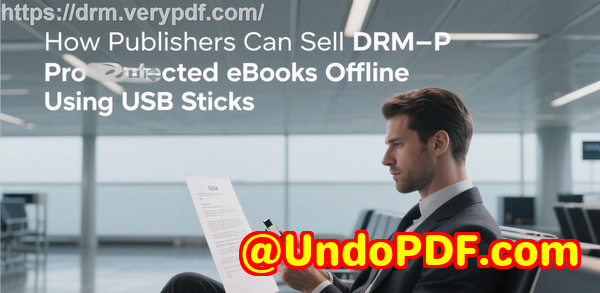
How to Enable Secure USB Distribution of PDFs with Offline DRM Protection Using VeryPDF Safeguard Portable


Every time I had to prepare confidential PDFs for client meetings or industry events, I found myself sweating over security.

Emailing sensitive documents felt risky, and printing them was a logistical nightmareplus, paper copies could easily fall into the wrong hands.

I needed a solution that would let me distribute PDFs securely without relying on the internet, give me control over who could view them, and allow me to track usage.

That’s when I discovered VeryPDF Safeguard Portable, a tool that completely changed how I handle sensitive PDFs.


What is VeryPDF DRM Protector Safeguard Portable?

VeryPDF DRM Protector is designed for professionals and organisations who need to share and distribute PDFs securely.

Its USB-based offline DRM solution, called Safeguard Portable, allows documents to be securely shared even in environments without internet access.

The software isn’t just about locking PDFsit gives you granular control over who can view, print, or copy your documents, when they can access them, and even where they can open them.

If you’re managing sensitive information in legal, finance, research, or corporate environments, this tool is a game-changer.


Why I Needed Safeguard Portable

For years, I relied on password-protected PDFs and cloud-based sharing platforms.

But both methods had limitations:

  • Password sharing is weak: Once someone knows the password, they can forward the document without restriction.

  • Cloud platforms aren’t offline-friendly: Many clients and partners prefer offline access due to security policies.

  • Tracking usage is nearly impossible: I had no insight into who opened the documents, how often, or whether they printed them.

I needed a solution that combined strong encryption, offline access, and usage tracking, and Safeguard Portable delivered exactly that.


Core Features That Made a Difference

1. Offline USB Distribution

One of the first times I used Safeguard Portable was for a client workshop.

Instead of emailing sensitive reports or printing stacks of paper, I loaded them onto USB sticks.

Each USB came with:

  • A protected PDF viewer

  • A keystore that securely locks the documents to the USB

The best part? No internet connection was needed.

I could hand a USB to a client, and they could access documents securely anywhereall while I retained full control.

2. Device & Location Locking

Another headache in my previous workflow was controlling where documents were opened.

With Safeguard Portable, each PDF is tied to specific devices or locations:

  • Prevents unauthorized copying to other computers

  • Restricts access by IP range or country

  • Ensures that even if a USB is lost or shared, the documents remain secure

This gave me peace of mind, especially when distributing sensitive board reports or internal audit files.

3. Document Expiry & Watermarks

I also love the flexibility of expiry settings.

I could set documents to:

  • Expire on a fixed date

  • Become unavailable after a certain number of views or prints

Every time a PDF was viewed or printed, dynamic watermarks displayed user-specific informationlike their name, company, and timestamp.

It’s like having an invisible security guard that also discourages unauthorized sharing.

4. Revoking Access Anytime

Once, I distributed a sensitive financial report to a temporary contractor.

A few days later, the project ended.

Instead of scrambling to recall emails or files, I instantly revoked access for that userno matter where they stored the file.

This real-time control over document access is something cloud platforms or traditional PDFs simply can’t offer.

5. Tracking Document Usage

I also found Safeguard Portable invaluable for audit and compliance purposes.

I could track:

  • Who viewed the PDF

  • How many times it was opened

  • When and where it was printed

This made internal reporting and proof of document handling much simpler, and it gave clients confidence that confidential files were being managed responsibly.


How It Compares to Other Methods

Before Safeguard Portable, I tried:

  • Adobe password-protected PDFs easy to bypass once a password is shared

  • Cloud sharing platforms limited control over downloads, printing, or offline access

  • Printed documents cumbersome and high risk of leakage

Safeguard Portable offered a unique combination of offline usability, device and location locks, tracking, and revocation.

I could distribute documents securely in meetings, events, or client sites, without worrying about leaks or unauthorised sharing.


Real-World Use Cases

1. Legal Teams:

Distribute contracts or case files to partners, ensuring only authorised staff can view them and that they cannot print multiple copies.

2. Financial Services:

Share sensitive financial reports with clients or internal teams, knowing you can revoke access if needed.

3. Research & Development:

Protect confidential research documents during collaborations or conferences.

4. Corporate Governance:

Distribute board packs or audit documents with tracking and expiry for compliance.

5. Event & Conference Material:

Send presentations and sensitive slides via USB to attendees while ensuring access control and watermarks.


My Personal Experience

Since adopting VeryPDF Safeguard Portable, my workflow has changed dramatically:

  • No more sleepless nights worrying about who has forwarded sensitive PDFs.

  • No reliance on an internet connection for document access.

  • Full control over document usage, even after distribution.

I remember one client meeting where I handed over a USB with an entire product roadmap.

The client was impressed not only by the ease of access but also by how secure the documents were.

It built trust instantly, and I felt confident that our IP was fully protected.


Conclusion

If you regularly distribute sensitive PDFswhether to clients, partners, or internal teamsVeryPDF Safeguard Portable is a must-have.

It solves practical problems like:

  • Uncontrolled document sharing

  • Lack of offline access

  • Difficulty tracking usage and revoking access

From my perspective, this tool is reliable, easy to use, and incredibly flexible.

I’d highly recommend it to anyone who handles confidential documents and wants peace of mind.

Click here to try it out for yourself: https://drm.verypdf.com/


Custom Development Services by VeryPDF

VeryPDF offers comprehensive custom development services tailored to your technical needs.

Whether it’s for Linux, macOS, Windows, or server environments, they can develop utilities for:

  • Python, PHP, C/C++, Windows API, Linux, Mac, iOS, Android, JavaScript, C#, .NET, HTML5

  • Windows Virtual Printer Drivers for PDF, EMF, PCL, Postscript, TIFF, and JPG

  • Monitoring and intercepting printer jobs and system APIs

  • OCR, barcode recognition, layout analysis, and document processing

  • Cloud-based solutions for secure document conversion, viewing, and digital signatures

  • PDF security, DRM protection, TrueType font technology, and document printing

For custom solutions or specific project needs, contact VeryPDF here: https://support.verypdf.com/


FAQ

Q1: Can Safeguard Portable work without an internet connection?

Yes, the USB-based solution allows full offline access while maintaining DRM protections.

Q2: How does device locking work?

Documents are tied to authorized devices through a keystore. Even if a USB is copied, protected PDFs won’t open on unauthorised devices.

Q3: Can I set PDFs to expire automatically?

Yes, you can configure expiration by date, number of views, or number of prints.

Q4: Is it possible to track who views or prints my documents?

Absolutely. Safeguard Portable logs document usage, including time, device, and location.

Q5: Can I revoke access to a distributed document?

Yes. You can instantly revoke access for individual users or all users, regardless of where the document is located.


Tags or Keywords

Secure USB PDF distribution, Offline DRM protection, VeryPDF Safeguard Portable, Secure PDF sharing, Document access control, PDF tracking, Revocable PDF access, Confidential document protection, Offline document security, USB-based DRM solution
UndoPDF

VeryPDF DRM Protector for Corporate Teams How to Track Document Usage and Prevent Data Leakage Effectively

VeryPDF DRM Protector for Corporate Teams: Track Document Usage and Prevent Data Leakage Effectively

Securely share PDFs, control access, and track usage with VeryPDF DRM Protector for corporate teams to prevent data leaks and safeguard sensitive documents.

VeryPDF DRM Protector for Corporate Teams How to Track Document Usage and Prevent Data Leakage Effectively


Every Monday morning, I used to stare at my inbox and groan. Hundreds of PDF files from contracts, proposals, and financial reports were waiting for review. Sharing them securely with colleagues or external partners was a nightmare. One wrong click, and a confidential document could leak to the wrong hands.

I remember one incident where a proposal meant only for a client accidentally circulated outside our firm. That was the exact moment I realised traditional PDF passwords and email attachments just weren’t cutting it anymore. I needed a tool that could control who sees what, where, and when. That’s when I discovered VeryPDF DRM Protector.


Why VeryPDF DRM Protector Became My Go-To for Secure Document Sharing

VeryPDF DRM Protector is designed to securely share and distribute PDFs while giving you full control over their use. Unlike basic PDF password protection, which anyone with the password can bypass, this solution locks down files on multiple levels.

It’s perfect for:

  • Corporate teams sharing sensitive business documents externally.

  • Legal and finance departments managing contracts, NDAs, and confidential reports.

  • Publishers or training providers distributing digital content while preventing piracy.

  • Project managers who need to share documents with clients and partners safely.


Key Features That Changed the Way I Handle PDFs

1. Control Document Usage Down to the Device and Location

Before, sharing a file was like handing someone a piece of paperthey could do anything with it. VeryPDF DRM Protector lets you lock PDFs to specific devices, which means if someone tries to open it elsewhere, it won’t work.

You can also restrict access by IP address or country, so documents stay accessible only where you want them. I used this recently when sharing quarterly financials with a partner firmthey could view it from their office, but nowhere else. Peace of mind doesn’t get better than that.

2. Set Expiry and Usage Limits

One of my favourite features is the ability to set automatic expiration for documents: by date, number of views, or number of prints.

I remember sending out a sensitive training guide to a remote team. With traditional PDFs, they could have kept it forever. With VeryPDF, I set the file to expire after three views. By the time the week ended, the document was no longer accessible. It’s like having a self-destructing PDF, but totally legal and controlled.

3. Dynamic Watermarks for Accountability

Watermarking isn’t new, but VeryPDF takes it further with dynamic variables. You can insert the viewer’s name, company, email, and date/time into the watermark.

I recently sent a draft proposal to multiple clients and each PDF had a unique watermark. Not only did it discourage unauthorized sharing, but it also let me track exactly who accessed it and when. One glance at the dashboard, and I could see real-time activityno guessing, no chasing emails.

4. Track, Log, and Revoke Access Anytime

Transparency is everything when dealing with confidential documents. VeryPDF DRM Protector logs every view, print, and device used.

Once, a colleague left our company midway through a project. Instead of worrying if they had copies of sensitive files, I revoked their access with a single click, instantly ensuring all protected PDFs were no longer accessible to them.

5. Secure Cloud Sharing and Offline Options

You can share PDFs online via secure URLs, or even distribute via USB sticks for offline use. USBs come with their own secure viewer and encryption, making offline presentations just as secure as online sharing.

I used this feature for a client presentation in a location with limited internet. The entire deck was secure on a USB, and I didn’t have to stress about anyone copying files. The documents even had dynamic watermarks applied locally.


How VeryPDF DRM Protector Stands Out Compared to Other Solutions

I’ve tried Adobe PDF password protection, shared Google Drive links, and even proprietary secure data rooms. Here’s what sets VeryPDF apart:

  • Adobe PDF Passwords: Easy to bypass if someone shares the password. VeryPDF locks to devices and users.

  • Secure File Sharing Sites: These rely on logins; users can still share access. VeryPDF enforces access restrictions at a file level.

  • Secure Data Rooms: Often complex, require software installation, and can be expensive. VeryPDF is lightweight, web-friendly, and works on mobile devices.

For me, the difference was night and day. I wasn’t just protecting PDFs; I was controlling their life cycle, tracking activity, and mitigating risks proactively.


Practical Use Cases That Made My Life Easier

  • Legal Teams: Sharing NDAs and contracts with clients and third parties, ensuring they cannot print or forward confidential agreements.

  • Corporate Finance: Circulating quarterly reports securely with expiry dates and print limits.

  • Training and Education: Distributing learning materials with dynamic watermarks to prevent unauthorized redistribution.

  • Product Launches: Sharing sensitive product plans with partners or vendors while tracking access and revoking if needed.

Each scenario saved me hours of follow-ups and reduced the stress of “did they leak it?”


My Experience: Time Saved and Peace of Mind Gained

The first week I rolled out VeryPDF DRM Protector, I noticed:

  • Reduced email back-and-forth by 40% since documents were secure and usage tracked.

  • Fewer errors in sharing, because I no longer relied on manual password distribution.

  • Confidence with external partners, knowing sensitive data couldn’t be misused.

I remember sending a 50-page confidential report to three separate firms. Previously, I would have had to track each copy manually. With VeryPDF, tracking and revoking access was a few clicks, saving hours and reducing risk.


Why I’d Recommend VeryPDF DRM Protector

If your team handles sensitive documents regularly, this is a game-changer. You can:

  • Securely share PDFs externally

  • Control usage on devices and locations

  • Apply dynamic watermarks

  • Set automatic expirations

  • Track access in real time

  • Revoke access instantly

I’d highly recommend this to anyone who deals with large volumes of confidential PDFs. Click here to try it out for yourself: https://drm.verypdf.com/


Custom Development Services by VeryPDF

VeryPDF offers comprehensive custom development to meet your unique needs. Whether it’s Linux, macOS, Windows, or server environments, VeryPDF can build solutions in Python, PHP, C/C++, Windows API, Linux, Mac, iOS, Android, JavaScript, C#, .NET, and HTML5.

Specialties include:

  • Windows Virtual Printer Drivers for PDF, EMF, PCL, Postscript, TIFF, and JPG output

  • Capturing and monitoring print jobs

  • Hook layers for file and system monitoring

  • Document analysis, OCR, and barcode recognition

  • Report and form generators, image management, cloud solutions

  • PDF security, DRM, and digital signatures

For custom solutions, contact VeryPDF at https://support.verypdf.com/


FAQs

1. How does VeryPDF DRM Protector prevent unauthorized sharing?

VeryPDF locks documents to authorized devices and users, preventing them from being opened elsewhere, even if passwords are shared.

2. Can I set documents to expire automatically?

Yes. Documents can expire after a set number of days, views, or prints, or on a fixed date.

3. Does it work on mobile devices?

Absolutely. Documents are mobile-friendly, and email invites include QR codes for easy access.

4. Can I revoke access to a single user or document?

Yes. You can revoke access instantly for individual users or documents, or even for all users and files.

5. Are watermarks customizable?

Yes. You can add dynamic watermarks that include date, time, user name, company, or email to track document usage.


Tags/Keywords:

VeryPDF DRM Protector, secure PDF sharing, document DRM, prevent data leakage, track PDF usage, corporate PDF security, external document distribution, document encryption, PDF access control

UndoPDF

How to Instantly Revoke User Access to Protected PDFs After Contract or Project Completion Using VeryPDF DRM

How to Instantly Revoke User Access to Protected PDFs After Contract or Project Completion Using VeryPDF DRM

Learn how VeryPDF DRM Protector allows you to instantly revoke PDF access, ensuring secure document sharing and protecting sensitive business files.

How to Instantly Revoke User Access to Protected PDFs After Contract or Project Completion Using VeryPDF DRM


Every Monday morning, I used to dread opening my inbox. Contracts, project reports, and confidential PDFs from clients and partners piled up, and the real headache wasn’t just sorting themit was making sure that once a project wrapped up, no one could misuse or leak sensitive documents.

I know I’m not alone here. Legal teams, finance departments, and consultants often face the same issue: you send a PDF out, and then control over it vanishes. Users can forward it, copy it, print it, or even share it with competitors. Passwords help a little, but we’ve all seen how easily they’re bypassed. What I needed was a solution that gave me real control over external document sharingeven after the file left my hands. That’s when I discovered VeryPDF DRM Protector.


Discovering VeryPDF DRM Protector

I first stumbled upon VeryPDF DRM Protector while researching secure document sharing options for a client project. The promise was simple but powerful: securely share PDFs and instantly revoke access whenever necessary.

Here’s the deal: VeryPDF DRM isn’t just about encryptionit’s about total control over how your documents are accessed, used, and distributed. It’s perfect for businesses that share sensitive PDFs externally, like legal documents, contracts, financial reports, and project files. Essentially, if you ever need to protect intellectual property, enforce document retention policies, or prevent leaks, this tool has your back.

I quickly realised it was more than a one-off solutionit became my go-to tool for client-facing projects, document audits, and even internal sensitive communications.


Key Features That Actually Make a Difference

1. Instant Access Revocation

One of the features that blew me away was the ability to revoke access to PDFs immediately, no matter where the file is.

  • Scenario: I had shared a confidential contract with an external consultant. Midway through the project, the contract was terminated. Before VeryPDF, I’d have to hope they deleted the file. Now, I simply revoked their access. They couldn’t open the PDF anymoreon any device, anywhere.

  • This works for single users, multiple users, or even all users at once. For companies handling multiple projects with overlapping teams, this is a game-changer.

2. Control Every Aspect of Document Use

With VeryPDF, you can control printing, copying, editing, and viewingall in one dashboard.

  • Printing Restrictions: I often need clients to review contracts but not print multiple copies. VeryPDF allows me to limit the number of prints or completely prevent printing.

  • Dynamic Watermarks: Every PDF can be watermarked with user-specific detailslike name, email, and dateso if someone attempts to take a screenshot or print, it’s traceable.

  • Device & Location Locks: If you want to ensure documents are only accessible on certain devices or within specific IP ranges, VeryPDF handles that seamlessly. For example, internal policy documents can be locked to corporate devices, while client-facing PDFs remain flexible but secure.

3. Automatic Expiry & View Limits

Sometimes, you want documents to self-expire after a set number of views or days. This feature is a lifesaver.

  • Example: I shared quarterly financial reports with investors. Using VeryPDF, I set the documents to expire after 7 days or after 3 views. This eliminated the worry of reports floating around indefinitely.

  • It’s perfect for project files, confidential proposals, and contracts that shouldn’t live forever in someone’s cloud storage.

4. Mobile-Friendly & Easy Sharing

VeryPDF DRM isn’t clunkyit’s designed for the modern workflow.

  • Drag-and-drop PDF uploads from PCs, phones, Dropbox, or OneDrive.

  • Email invites include a QR code, making it simple for recipients to access documents on mobile devices.

  • Multiple files can be grouped under a single link, keeping things neat and easy to manage.

For me, this meant that I could securely share documents with clients or remote teams without worrying about compatibility issues or additional software installations.


Real-World Use Cases

Here’s how I’ve been using VeryPDF DRM Protector in practical scenarios:

  • Legal Teams: Sending contracts and client agreements to external counsel while ensuring they can’t redistribute or print unlimited copies.

  • Finance Departments: Sharing financial statements and confidential reports with auditors, with expiry dates and view limits to maintain compliance.

  • Consultants & Agencies: Providing sensitive project plans to clients without giving full editing or download access.

  • Publishers & Authors: Selling PDF content online while preventing piracy, using dynamic watermarks to track usage.

  • Corporate IT Departments: Enforcing internal compliance by locking sensitive documents to specific devices and locations.

Every time I implemented a new project, I felt a tangible relieffinally, document security without endless manual oversight.


Comparing VeryPDF DRM Protector to Other Solutions

Before finding VeryPDF, I experimented with alternatives:

  • Password-protected PDFs: Easy to bypass, no tracking, no revocation.

  • Google Docs / Collaboration tools: Great for team collaboration but not secure externally. Anyone with a link could theoretically access content.

  • Secure File-Sharing Services: Some limited access and expiry features, but they often require recipients to create accounts or download apps.

VeryPDF DRM Protector combines the best of both worlds: ease of use + ironclad security + complete revocation control.


My Personal Experience

I’ve been using VeryPDF DRM Protector for over a year, and it has completely changed the way I manage external PDFs.

  • Time-saving: No more chasing clients to delete files or worrying about confidential information leaking.

  • Peace of mind: Knowing that contracts, project reports, and financial documents are protected even after being shared.

  • Flexibility: I can revoke access instantly, set expiry dates, limit printing, and track usageall from one platform.

There’s a unique sense of control when you know your documents are truly secure, regardless of where they end up.


Why I Recommend VeryPDF DRM Protector

If you deal with confidential PDFs, whether for legal, financial, or project-based work, this tool is non-negotiable.

  • Stop unauthorized sharing no more lost control over sensitive files.

  • Revoke access instantly perfect for project completion or contract termination.

  • Track document use see exactly who viewed or printed your PDFs.

  • Flexible sharing secure links, mobile-friendly, QR codes for easy access.

I’d highly recommend this to anyone who needs to share PDFs externally without losing control.

Click here to try it out for yourself: https://drm.verypdf.com/


Custom Development Services by VeryPDF

VeryPDF offers custom development services for businesses with unique technical requirements. Whether you need tailored PDF processing for Linux, macOS, Windows, or server environments, their expertise covers:

  • Development in Python, PHP, C/C++, Windows API, Linux, Mac, iOS, Android, JavaScript, C#, .NET, and HTML5.

  • Creation of Windows Virtual Printer Drivers generating PDF, EMF, and image formats, capturing printer jobs from all Windows printers into formats like PDF, EMF, PCL, Postscript, TIFF, and JPG.

  • System-wide and application-specific hooks to monitor and intercept Windows APIs, including file access.

  • Analysis and processing of PDF, PCL, PRN, Postscript, EPS, and Office documents, including OCR, barcode recognition, layout analysis, and table recognition.

  • Report and document form generators, image conversion tools, and document management solutions.

  • Cloud-based solutions for document conversion, viewing, digital signatures, and DRM protection.

For custom projects or specific technical needs, reach out via VeryPDF support: https://support.verypdf.com/


FAQ

1. Can I revoke access to a PDF after it’s already been shared?

Yes, VeryPDF DRM Protector allows you to revoke access instantly for individual users, multiple users, or all users.

2. Is VeryPDF DRM Protector mobile-friendly?

Absolutely. Documents can be accessed via any browser or mobile device, and email invites include QR codes for easy access.

3. Can I set PDFs to expire automatically?

Yes. You can set expiry by date, number of views, or number of prints.

4. Can I prevent printing or copying of PDFs?

Yes. You can fully restrict printing, limit prints, and prevent copying, even including dynamic watermarks for traceability.

5. Does it work offline, like on a USB stick?

Yes, with Safeguard Portable, you can distribute protected PDFs via USB without internet access, with full DRM controls.

6. Can I track who accessed my PDFs and when?

Yes. VeryPDF logs document views, prints, devices used, and locations.


Tags / Keywords

VeryPDF DRM Protector, secure PDF sharing, revoke PDF access, document DRM, confidential document security, external document distribution, PDF access control

UndoPDF

VeryPDF DRM Protector for Financial Advisors Securely Share Investment Reports and Client Files Online

VeryPDF DRM Protector for Financial Advisors: Securely Share Investment Reports and Client Files Online

Managing sensitive client documents as a financial advisor is a constant juggling act. Every time I’ve sent an investment report or a financial plan via email, I’ve felt that pang of worrywhat if it ends up in the wrong hands? Confidentiality isn’t just a buzzword in finance; it’s a legal and ethical requirement. Over the years, I tried multiple solutions: encrypted email attachments, password-protected PDFs, even secure cloud storage platforms. Each came with its own headaches. Passwords get shared, links expire too soon, and some cloud services just aren’t built with strict control in mind. That’s when I discovered VeryPDF DRM Protector, and it changed the way I manage secure document sharing completely.

VeryPDF DRM Protector for Financial Advisors Securely Share Investment Reports and Client Files Online


Why Financial Advisors Need True Secure Document Sharing

For those of us handling sensitive client information, a slip-up can cost more than just a bad review. Investment portfolios, tax statements, and retirement plans are highly confidential. Sharing documents securely isn’t optionalit’s mandatory. Traditional solutions like password-protected PDFs are flimsy at best. A single shared password can compromise an entire file. Even platforms like Dropbox or Google Drive don’t fully prevent unauthorized copying, printing, or forwarding.

I wanted something that did more than just hide files behind a login. I needed control over who could view, print, or even screenshot a document, all while keeping the process simple for clients. This is where VeryPDF DRM Protector comes in.


Discovering VeryPDF DRM Protector

I first came across VeryPDF DRM Protector while looking for a secure way to distribute quarterly investment reports to my clients. The promise was simple yet powerful: protect PDFs with government-level encryption, control how and where they’re used, and ensure access could be revoked at any time.

Once I started using it, I realised it wasn’t just about locking documentsit was about flexible, secure sharing. Here’s what stood out to me:

  • Simple Upload & Sharing: Drag and drop files from my PC, phone, or even cloud storage like OneDrive and Dropbox. Multiple files can be combined into a single shareable link, making life much easier than emailing multiple attachments.

  • Personalised Viewing Controls: I could set view limits, password-protect files, and even set expiry dates. For example, I sent a market outlook report to a client with a three-day expiry, ensuring they could access it but couldn’t forward it indefinitely.

  • Mobile-Friendly Access: Clients don’t have to install anything. Every link works seamlessly on mobile, and email invites include a QR code for easy accessno tech headache, no excuses for missing deadlines.


Key Features That Made a Difference

1. Strong Encryption & Device Locking

Unlike basic password protection, VeryPDF locks documents to specific devices. Even if someone tries to copy a file, it won’t open elsewhere. This gave me peace of mind when sending reports to external parties, like tax advisors or consultants, where unauthorized sharing was a real risk.

2. Expiry Controls & Revoking Access

One of my favourite features is the ability to control document lifespan. Documents can automatically expire: on a fixed date, after a number of views, or after a set number of prints. For instance, I sent an updated portfolio report that could only be viewed five times. Once a client left the firm, I instantly revoked accessno follow-up emails, no stress.

3. Watermarking & Tracking

VeryPDF allows dynamic watermarks with user info and timestamps on both viewed and printed documents. I found this invaluable when sharing sensitive files externally. The ability to track who viewed or printed a file and when gave me an extra layer of accountability. It’s one thing to trust clients; it’s another to prove usage in case of audits or disputes.


Practical Use Cases for Financial Advisors

Here’s how I applied VeryPDF DRM Protector in my daily workflow:

  • Quarterly Investment Reports: Sent as a secure link rather than an attachment, with expiry dates aligned to reporting cycles. Clients could view the report on their devices without ever downloading or printing it without permission.

  • Internal Document Sharing: Shared sensitive planning documents with junior advisors and compliance officers. Device locking ensured the files couldn’t leave the office network.

  • Collaboration With Third Parties: Tax accountants and legal advisers could access documents securely, with full tracking and expiry. Even USB stick distribution was possible for offline scenarios like board meetingsdocuments remained protected with dynamic watermarks.

  • Client Onboarding: Sent welcome kits and legal forms securely. Watermarking discouraged unauthorized printing, and expiry dates prevented lingering access.


Why VeryPDF Beats Other Solutions

I’ve tried Adobe PDF password protection, Dropbox sharing, and Google Docs. Here’s why VeryPDF stands out:

  • Full Control Over Document Usage: Stop printing, copying, or taking screenshots. Other platforms can’t enforce this reliably.

  • Revocation on Demand: Instantly revoke a document for a single client, multiple clients, or all users.

  • Device & Location Locking: Unlike cloud storage that relies on passwords alone, VeryPDF locks documents to authorized devices and even specific IP ranges.

  • Comprehensive Tracking: Full logging of views, prints, devices, and locations, helping with compliance and risk management.

Other platforms offer partial solutions, but VeryPDF combines control, flexibility, and simplicity. I don’t have to worry about leaks, accidental forwarding, or unauthorized access anymore.


Conclusion: Why I Recommend VeryPDF DRM Protector

If you’re a financial advisor, or anyone handling confidential client documents, VeryPDF DRM Protector is a game-changer.

It solves real-world problems:

  • Stops unauthorized access and distribution

  • Controls document expiry and printing

  • Locks use to devices and specific locations

  • Tracks and logs usage for accountability

I’ve personally used it for over a year now. It has saved me countless hours, reduced stress over sensitive files, and ensured I remain compliant with financial regulations.

Click here to try it out for yourself: https://drm.verypdf.com/
Start your free trial now and secure your client documents with confidence.


Custom Development Services by VeryPDF

VeryPDF offers comprehensive custom development services to meet unique technical requirements. From PDF processing utilities to secure file sharing, VeryPDF handles solutions for Windows, Linux, macOS, iOS, Android, and server environments.

Services include:

  • Custom utilities in Python, PHP, C/C++, Windows API, JavaScript, C#, .NET, and HTML5

  • Windows Virtual Printer Drivers for PDF, EMF, PCL, Postscript, TIFF, and JPG generation

  • Printer job monitoring and capture

  • Document format analysis including PDF, PCL, PRN, Postscript, EPS, and Office files

  • Barcode recognition and generation, OCR, and OCR table recognition

  • Cloud-based document conversion, digital signature, and DRM solutions

If you have unique requirements, VeryPDF can create tailored solutions. Contact them via https://support.verypdf.com/ to discuss your project.


FAQs

1. Can I control how many times a PDF is viewed or printed?

Yes, VeryPDF DRM Protector allows you to set view and print limits, ensuring documents are only accessed as intended.

2. Is it possible to revoke access after a file has been shared?

Absolutely. You can instantly revoke access for individual users or all users, no matter where the file is located.

3. Can documents be shared offline?

Yes. With Safeguard Portable, protected documents can be distributed via USB with all DRM protections intact, even without Internet access.

4. Does it work on mobile devices?

Yes. Links and email invites are mobile-friendly, and dynamic QR codes make access simple on any smartphone or tablet.

5. Can I track document activity?

Yes. You can log views, prints, device types, and locations, giving you full oversight of how documents are used.

6. Are dynamic watermarks supported?

Yes. You can watermark documents with user information, date/time, and company details to discourage unauthorized sharing.


Tags/Keywords

  • secure PDF sharing

  • financial advisor document security

  • DRM PDF protection

  • investment report distribution

  • client file confidentiality

  • document encryption

  • PDF tracking and revocation

UndoPDF

How to Prevent PDF Documents From Being Edited or Printed Without Authorization Using VeryPDF DRM Protector

How to Prevent PDF Documents From Being Edited or Printed Without Authorization Using VeryPDF DRM Protector

Securely share PDFs without risk of editing or printing using VeryPDF DRM Protector, giving full control over document access and distribution.

How to Prevent PDF Documents From Being Edited or Printed Without Authorization Using VeryPDF DRM Protector


Every Monday morning, I used to dread checking my inbox for sensitive PDFs that had been sent around internallyor worse, externallywithout my approval. Contracts, financial reports, and confidential presentations would often get forwarded without any control, and the fear of unauthorized edits or leaks kept me up at night. It’s one thing to trust your team; it’s another to trust that a PDF won’t be copied, printed, or shared with competitors.

If you’ve ever faced the frustration of losing control over your PDF documents, I’ve been there. That’s when I discovered VeryPDF DRM Protectora game-changer for secure external document sharing.


Discovering a Tool That Actually Works

I first stumbled upon VeryPDF DRM Protector while searching for a solution to prevent sensitive documents from being edited or distributed without authorization. What caught my attention was that it didn’t just rely on passwords like most PDF toolsit offered real DRM-level control over files, including printing restrictions, device and location locking, and dynamic watermarks.

Who is this for?

This software is ideal for anyone who shares sensitive PDFs:

  • Legal teams sending contracts to clients.

  • Businesses distributing confidential reports to partners.

  • Publishers selling digital content online.

  • HR departments sharing employee documents securely.

Basically, if you want to control your PDF documents no matter where they end up, VeryPDF DRM Protector is built for you.


Core Features That Saved My Sanity

1. Stop Unauthorized Access and Sharing

Unlike standard password-protected PDFs, which can easily be forwarded along with the password, VeryPDF DRM Protector ensures that only authorized users can open a file.

  • Device locking ensures the document only opens on pre-approved devices.

  • Location restrictions can limit use to certain IP ranges or countries.

  • Revocation allows instant disabling of access if someone shouldn’t have the file anymore.

I remember sending a quarterly financial report to a distributor and realizing mid-week that one user had accidentally shared it with a competitor. With VeryPDF DRM Protector, I simply revoked access instantlyno panic, no phone calls, and no potential leak.

2. Control Printing, Editing, and Screen Captures

One of the most frustrating things about digital documents is the ease of making copies. With this tool, you can:

  • Disable editing completely.

  • Block copying text or images.

  • Restrict printing, or limit the number of prints per user.

  • Add dynamic watermarks that show the user’s name, email, or company whenever the document is viewed or printed.

I once distributed an employee handbook that needed to be accessible but not altered. The dynamic watermark feature made it crystal clear who printed the file and when, deterring unauthorized sharing.

3. Flexible Expiry and Usage Policies

Not all documents are permanent. Some contracts or reports are only relevant for a few days. VeryPDF DRM Protector lets you:

  • Set documents to expire on a specific date.

  • Limit access after a certain number of views or prints.

  • Automatically revoke access after use thresholds.

I used this feature during a confidential project proposal sent to a potential client. The file automatically expired after 7 days, meaning no lingering copies could circulate after the proposal deadline.

4. Cloud and Offline Sharing

Another feature I love is the flexibility of sharing. Files can be uploaded to the VeryPDF cloud for online viewing, or distributed on USB sticks with Safeguard Portable for offline access. Both methods retain full DRM protection.

I’ve personally used USB distribution for sensitive contracts during board meetingsparticipants could access the PDFs without needing an internet connection, but they couldn’t copy or forward them. It was seamless and secure.

5. Comprehensive Tracking and Logs

Ever wondered if a shared document is actually being viewed? VeryPDF DRM Protector logs:

  • Who opened the document.

  • What device and operating system they used.

  • When and how often the document was printed or viewed.

This audit trail proved invaluable for compliance, especially when clients asked for proof of document distribution and usage.


Why VeryPDF Beats Other Solutions

I’ve tried several PDF security solutions in the past, and here’s why VeryPDF stands out:

  • Adobe PDF passwords: Easy to bypass, users can share files along with passwords.

  • Cloud collaboration tools: Can restrict editing but are often vulnerable to downloads or screenshots.

  • VeryPDF DRM Protector: Real control over devices, locations, expiry, printing, and dynamic watermarks. Security is built-in, not optional.

It’s not just a PDF toolit’s a full document DRM solution, whether your goal is compliance, intellectual property protection, or revenue protection.


Real-World Use Cases

Here are some scenarios where I found VeryPDF DRM Protector indispensable:

  • Legal teams: Sending contracts that cannot be edited, printed, or forwarded.

  • Financial reports: Sharing quarterly results securely with partners or subsidiaries.

  • Publishing: Selling eBooks without risking piracy.

  • Internal HR documents: Sharing employee records or company policies while maintaining confidentiality.

  • Client proposals: Controlling access and automatically expiring confidential presentations.

In every case, the combination of dynamic controls, audit logs, and flexible sharing meant I could sleep at night knowing the documents were secure.


My Take on VeryPDF DRM Protector

If you’ve ever felt powerless watching your PDFs circulate uncontrolled, this tool is a revelation. I’ve used it extensively for legal and financial documents, and the time saved and peace of mind it offers is unparalleled.

  • Upload files in seconds with drag-and-drop.

  • Apply password protection, expiry, and view limits.

  • Track usage and revoke access instantly.

  • Share securely online or offline via USB.

I’d highly recommend this to anyone who deals with sensitive PDFs or needs secure external document sharing.

Click here to try it out for yourself: https://drm.verypdf.com/


Custom Development Services by VeryPDF

VeryPDF offers comprehensive custom development services to meet your unique technical needs. Whether you require specialised PDF processing solutions for Linux, macOS, Windows, or server environments, VeryPDF’s expertise spans a wide range of technologies and functionalities.

Their services include development of utilities based on Python, PHP, C/C++, Windows API, Linux, Mac, iOS, Android, JavaScript, C#, .NET, and HTML5. VeryPDF specialises in creating Windows Virtual Printer Drivers capable of generating PDF, EMF, and image formats, as well as tools for capturing and monitoring printer jobs.

Other areas include:

  • System-wide and application-specific API monitoring and interception.

  • Analysis and processing of PDF, PCL, PRN, Postscript, EPS, Office documents.

  • Barcode recognition and generation, OCR, OCR table recognition.

  • Development of report generators, image conversion tools, document management systems, and cloud-based solutions.

  • Technologies for PDF security, digital signatures, DRM protection, and document printing.

For custom technical requirements, contact VeryPDF via: https://support.verypdf.com/


FAQs

1. Can VeryPDF DRM Protector prevent PDF editing entirely?

Yes, it locks documents to prevent unauthorized edits while also controlling copying and screen captures.

2. Can I limit the number of prints for a PDF?

Absolutely. You can set a maximum number of prints, enforce black-and-white printing, and apply dynamic watermarks.

3. Is the tool mobile-friendly?

Yes. Protected files can be viewed on any mobile device, and email invites include a QR code for easy access.

4. Can I revoke access after sharing a PDF?

Yes. You can revoke access for individual users, all users, or specific documents instantly.

5. Does it work offline?

Yes, using Safeguard Portable, you can securely distribute PDFs on USB devices without an internet connection.


Tags / Keywords

  • VeryPDF DRM Protector

  • Secure PDF sharing

  • Prevent PDF editing

  • PDF document security

  • Secure external document distribution