electronic contract signing workflow: VeryPDF Sign vs Adobe Sign vs DocuSign Pricing, Features & Enterprise Value Comparison (Save Up to 50% for SaaS Buyers)
Have you ever chased down a signed contract for days, only to realise it’s sitting in someone’s inbox untouched? Or worse, printed, signed, scanned, and emailed back in a blurry PDF that no one can read properly?
If you’re in HR, legal, sales, or operations, you already know the truth: document signing is still one of the biggest silent bottlenecks in business today. And it’s costing you more than time. It’s slowing deals, creating compliance risk, and draining operational focus.
This is exactly where a modern electronic contract signing workflow changes the game, and where tools like VeryPDF Sign start to seriously challenge legacy platforms like Adobe Sign and DocuSign on both simplicity and cost.
The real problem nobody talks about in document signing workflows
Let’s break down what’s actually going wrong in most organisations.
1. Slow manual signing is still everywhere
Despite all the “digital transformation” talk, many companies still rely on printing, signing, scanning, and emailing documents.
It looks like this:
-
Draft contract email PDF
-
Print it sign it
-
Scan it re-upload or email back
-
Wait for next signer repeat
It’s not just inefficient. It’s expensive. Every delay slows revenue recognition, onboarding, procurement, or deal closure.
2. No visibility into where documents actually are
Ask yourself this: can you answer instantly where every contract is in your pipeline?
Most teams can’t.
Documents get stuck with:
-
Managers waiting for approval
-
Clients forgetting to sign
-
Internal teams losing track of versions
Without real-time tracking, your online document approval process becomes guesswork.
3. Security and compliance gaps nobody wants to admit
Signed documents often contain sensitive data:
-
Employment contracts
-
Legal agreements
-
Financial approvals
Yet many workflows still rely on email attachments with no audit trail, no encryption guarantees, and no proper identity verification.
That’s not just messy. It’s a compliance risk waiting to explode.
Why I started looking for an alternative to Adobe Sign and DocuSign
I’ve used the big players. They work. But here’s the honest problem: they’re often over-engineered, expensive at scale, and unnecessarily complex for teams that just want fast, secure signing.
That’s when I started evaluating alternatives and came across VeryPDF Sign, available at VeryPDF Sign.
And the difference was immediate.
No bloated setup. No long onboarding cycle. Just upload, sign, send.
What VeryPDF Sign actually does (in plain English)
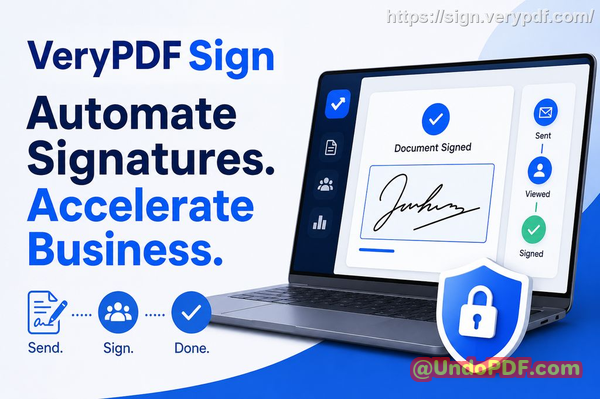
At its core, VeryPDF Sign is a browser-based tool that lets you:
-
Sign documents instantly
-
Request signatures from others
-
Track everything in real time
-
Keep everything secure and legally valid
No installs. No friction. No training manuals.
It turns a messy digital signature workflow into something that feels almost too simple.
How it solves the biggest document signing bottlenecks
Let’s break this down in real business terms.
1. Sending documents for signature in seconds
Instead of emailing PDFs back and forth, you:
-
Upload your document
-
Add signers
-
Send secure signing links
Done in under a minute.
That alone can cut approval cycles from days to hours.
2. Real-time tracking with full visibility
You don’t have to ask, “Did they sign it?”
You can see:
-
Who opened the document
-
Who signed
-
Who is still pending
-
Timestamped activity logs
This is where VeryPDF Sign quietly outperforms many legacy tools in the online document approval space.
3. Legally valid, encrypted, tamper-proof signatures
Every signature is:
-
Encrypted with 256-bit SSL
-
Covered by audit logs
-
Compliant with ESIGN, UETA, and eIDAS standards
-
Protected from post-signing tampering
In simple terms: it’s secure enough for legal and enterprise use without making your life complicated.
Pricing reality check: VeryPDF Sign vs Adobe Sign vs DocuSign
Let’s talk money, because this is where things get interesting.
Adobe Sign
-
Strong enterprise ecosystem
-
Often bundled with Creative Cloud or Acrobat plans
-
Can get expensive quickly for scaling teams
-
More complex admin setup
DocuSign
-
Market leader in enterprise e-signature
-
Powerful integrations and compliance features
-
Pricing scales aggressively with usage and features
-
Can feel heavy for smaller teams or fast-moving workflows
VeryPDF Sign
-
Lightweight, browser-based model
-
Designed for fast adoption across teams
-
More predictable cost structure for SaaS buyers
-
Often significantly more cost-efficient at scale (especially for high-volume signing workflows)
Here’s the real takeaway:
If you’re a large enterprise deeply embedded in Adobe or DocuSign ecosystems, switching may not be immediate.
But if you’re focused on speed, simplicity, and reducing overhead in your electronic contract signing workflow, VeryPDF Sign becomes a very serious contender.
Especially when you factor in reduced admin time, faster deal cycles, and less operational friction.
Why teams are switching: real-world scenarios
Let me make this real.
HR onboarding that used to take 3 days now takes 30 minutes
One HR team I worked with had a recurring issue: onboarding delays because contracts bounced between managers, HR, and new hires.
After switching to a streamlined e-signature flow:
-
Contracts were sent immediately after offer acceptance
-
Candidates signed from mobile
-
HR tracked everything in one dashboard
Result: onboarding time dropped from days to hours.
Sales deals closing faster without chasing signatures
A sales team handling B2B SaaS contracts had one consistent bottleneck: legal approvals and signature delays.
Once they implemented a faster signing workflow:
-
Contracts went out immediately after verbal agreement
-
Clients signed from any device
-
No printing, no scanning, no excuses
Result: deals closed faster simply because friction disappeared.
Compliance risk reduction through audit trails
In regulated environments, missing audit trails are a nightmare.
With structured digital signing:
-
Every action is logged
-
Every signature is timestamped
-
Every file is traceable
This reduced internal audit stress significantly and made compliance reporting straightforward.
How I actually use VeryPDF Sign in practice
Here’s my real workflow:
-
Upload contract (PDF, Word, Excel, even images)
-
Auto-convert to PDF
-
Add signature fields, dates, and checkboxes
-
Create or reuse saved signature
-
Send signing request via email link
-
Track completion in real time
-
Download final signed document instantly
It feels less like “software” and more like a utility that just works.
Key features that matter in real business workflows
Let’s cut through noise and focus on what actually helps:
-
Instant e-signing with no installation required
-
Multiple signature styles (draw, type, upload image)
-
Full form filling (checkboxes, dates, initials, fields)
-
Secure document sharing with controlled access
-
Real-time tracking dashboard
-
Team permissions and role control
-
API integration for developers and SaaS platforms
-
Mobile-friendly signing on any device
-
Automatic file conversion (Word, Excel, images PDF)
-
Eco-friendly workflow (no printing required)
This is what a modern electronic contract signing workflow should feel like.
Who this is actually for
If you work in:
-
HR managing onboarding documents
-
Legal handling contracts and NDAs
-
Sales closing deals with procurement cycles
-
Operations managing approvals and workflows
-
SaaS teams embedding signing into products
Then this kind of tool is not optional anymore. It’s infrastructure.
Step-by-step tips to speed up your signing workflow
Here’s how to get immediate efficiency gains:
-
Standardise templates for recurring contracts
-
Pre-place signature fields before sending documents
-
Use saved signatures to reduce repetitive steps
-
Enable tracking notifications for pending signers
-
Batch send signature requests for multi-party agreements
-
Automate workflows via API if you’re scaling SaaS operations
Small changes here lead to massive time savings.
Why VeryPDF Sign stands out in a crowded market
I’m not going to pretend Adobe Sign and DocuSign aren’t powerful, they are.
But here’s the real difference:
They are built for enterprise complexity.
VeryPDF Sign is built for speed.
And in modern business, speed wins.
When you remove friction from signing, you don’t just save time, you accelerate revenue, reduce risk, and improve execution across the board.
That’s the real value.
Try it now
If you’re serious about improving your online document approval process and eliminating signing delays, this is worth testing immediately.
Try it now and streamline your document signing workflow:
https://sign.verypdf.com/
Start your free trial today and eliminate paper-based signing delays.
FAQs
Is electronic signature legally valid?
Yes. Electronic signatures are legally valid under frameworks like ESIGN, UETA, and eIDAS, provided proper authentication and audit trails are in place.
Can multiple parties sign the same document?
Yes. You can send a document to multiple signers in sequence or simultaneously depending on your workflow.
Can I track who has signed and who hasn’t?
Yes. You get real-time status tracking showing exactly who has completed or pending actions.
Does it support mobile signing?
Yes. You can sign documents directly from any smartphone or tablet browser without installing an app.
How secure are digitally signed documents?
They are encrypted, tamper-proof, and protected with audit logs. Files are processed securely and typically deleted automatically after a short retention period unless stored.
Can I use this for business contracts and HR documents?
Yes. It is commonly used for employment contracts, NDAs, sales agreements, and internal approvals.
Can I integrate it into my SaaS platform?
Yes. API and embedding options allow you to build signing directly into your product.
The bottom line is simple: if your business still relies on manual signing steps, you’re leaking time, money, and momentum every single day.
Modern teams win by removing friction, and a streamlined electronic contract signing workflow is one of the fastest wins you can implement right now.